
The latest info on influencer marketing trends, micro influencer news, and the world of social media

Football has evolved beyond just the on-field action – it’s now a thriving online content genre. From YouTube channels breaking down game film to TikTok personalities reenacting highlight plays, football content creators have become central figures in the fan experience. These influencers entertain and inform millions of followers, shaping fan narratives and even impacting how brands market to sports audiences. In this article, we’ll count down the top 10 football content creators (focusing primarily on American football) and explore what makes each one a must-follow. We’ll also look at how their reach ties into broader trends in influencer marketing, micro-influencers, e-commerce, and user-generated content (UGC) in the sports world.
In the age of social media and streaming platforms, football fandom extends well beyond game day. Content creators have stepped up to deliver year-round football entertainment: game analysis, comedy skits, player interviews, fantasy tips, and more. Many of these creators started as passionate fans or former players and turned their love of the game into full-time careers as influencers. Some have millions of subscribers on YouTube, while others cultivate tight-knit communities on platforms like Instagram and TikTok. Brands have taken notice too – influencer marketing in sports is booming. In fact, e-commerce brands and Amazon sellers are increasingly partnering with micro-influencers and content creators to generate authentic UGC and build consumer trust, driving online sales in ways traditional ads can’t match. Whether macro or micro, football influencers offer credibility and engagement that resonate strongly with fans, which is invaluable for marketing campaigns.
Below we’ve compiled a list of the top 10 football content creators making waves today. This list is based on a mix of their popularity (followers/subscribers), content quality, and overall impact on the football community. From comedic commentators to analytical film junkies, these creators represent the diverse ways football is being covered and celebrated online.
A post shared by Dee (@deestroying)
Deestroying tops our list as one of the most popular football content creators in the world. Donald De La Haye – known online as Deestroying – is a former college kicker who famously chose YouTube over his NCAA scholarship, a bold move that paid off tremendously. His YouTube channel features entertaining videos like one-on-one receiver vs. defender challenges, kicker trick shots, and vlogs about his journey through football. Deestroying’s relatable personality and impressive athletic skills have earned him over 6 million subscribers on YouTube, making him a powerhouse in the sports creator space. His content often includes collaborations with NFL stars and celebrities, and he even co-owns an arena football team. Deestroying’s rise highlights the possibilities of athlete influencers – as ESPN noted, after leaving UCF he amassed nearly 5 million subscribers and became a “YouTube celebrity” in football circles. Today, with a loyal fanbase and over 1.6 billion channel views, Deestroying has transcended from college athlete to full-time content creator and entrepreneur.
Deestroying brings a mix of high-energy football competition and inspirational storytelling. Viewers get to see talented amateurs compete in his $10,000 1-on-1 challenges, follow Deestroying’s own pursuit of a pro career, and enjoy cameos from NFL players. His journey also underscores the power of personal branding – he turned NCAA adversity into a platform for advocating players’ NIL rights. If you love football skill challenges and a great underdog story, Deestroying’s channel is a must-watch.
MMG (Matthew Meagher) has made a name as one of the biggest football gaming content creators on YouTube. Best known for his Madden NFL gameplay videos, MMG’s channel is all about over-the-top entertainment and humorous commentary centered on football video games. With his bold personality and catchphrases, MMG keeps his audience (over 3.1 million YouTube subscribers) hooked through series like “Wheel of MUT” (Madden Ultimate Team) and quirky football challenges. While his content is primarily gaming-oriented, MMG’s love for the NFL shines through – he often reacts to real NFL events, attends games, and incorporates football culture into his videos. His fanbase skews younger, demonstrating how the Madden franchise and gaming content serve as an entry point for the next generation of NFL fans.
If you enjoy Madden or just want a good laugh, MMG delivers consistent, high-energy content. He combines genuine football knowledge with comedic flair, making even a virtual Lions vs. Packers matchup feel exciting. MMG also engages with his community heavily; his subscribers feel like part of a club. For brands and sponsors, his influence is notable – he’s worked with the NFL directly and features products that appeal to gamers and sports enthusiasts alike. In the broader context of influencer marketing, MMG illustrates how content creators can bridge e-commerce and entertainment; he sells merch and often discusses football gear, showing the commercial impact a popular creator can have among passionate fans.
A post shared by SportsCenter NEXT (@sportscenternext)
Former NFL punter Pat McAfee has reinvented himself as a media personality and hosts one of the most successful sports shows on the internet. The Pat McAfee Show started as a live YouTube podcast where McAfee and co-hosts discuss NFL news, interview players and coaches, and react to breaking stories with unfiltered humor. The show’s authentic, locker-room vibe quickly attracted a massive following – nearly 3 million YouTube subscribers as of 2025 – and became the #1 sports show on YouTube in terms of viewership. McAfee’s content stands out for its insider perspective (coming from an ex-player) and his larger-than-life comedic style. He has brought on huge guests like Aaron Rodgers (who appeared weekly) and Nick Saban, creating viral moments that cross over into mainstream sports media. In 2023, McAfee’s success led to a multimillion-dollar deal with ESPN to broadcast his show on their platforms, all while he continues to stream and post content on YouTube.
Pat McAfee delivers daily NFL commentary and interviews in a way that’s engaging and unfiltered – a refreshing contrast to traditional sports TV. He often breaks news (players have announced decisions live on his show) and his candid takes spawn countless viral clips. For fans, it’s a way to stay informed on football happenings in a highly entertaining format. From a content creation standpoint, McAfee’s trajectory shows the potential of influencer marketing in sports media. His brand now extends to merchandise, sponsorships, and charity drives, proving that a content creator can build an empire with a loyal audience. If you want a blend of football insight and laughs – and to see how a former player is changing sports broadcasting – Pat McAfee’s channels are essential.
FlemLo Raps (Karl Fleming) is a storytelling maestro in the football YouTube community. He specializes in deep-dive videos that explore the lives and careers of NFL and college football players – especially those “forgotten” or who faced adversity. Since launching his channel in 2015, FlemLo has amassed over 940,000 subscribers with his unique narrative approach. His content often answers questions like “Whatever Happened to ?” or unpacks inspiring comeback stories and cautionary tales from the football world. FlemLo’s empathetic and insightful storytelling, combined with solid research, keeps viewers hooked. He doesn’t just relay stats; he finds the human-interest angle in football, delivering life lessons and motivational themes through sports narratives. His audience appreciates the depth and positivity in his content – as FlemLo himself has noted, he gleans life lessons from sports stories and shares them with his viewers.
FlemLo Raps offers a refreshing break from hot takes and highlights, focusing instead on meaningful stories in football. You’ll learn about players who might not be in the spotlight anymore and gain insights into the personal challenges athletes face. His videos are well-researched and often heartfelt; be prepared for both inspiring and sometimes sobering tales of life in and after the NFL. For brands, FlemLo’s channel represents a more niche, storytelling-driven audience. His followers trust his thoughtful perspective – a key aspect any influencer marketing campaign looks for. If you’re a fan who believes football is more than just a game, FlemLo Raps’ content will resonate with you.
If you’re looking for comedy gold in the football world, Chiseled Adonis delivers in spades. A stand-up comedian turned YouTube creator, Chiseled Adonis provides hilarious commentary on NFL game highlights and moments. He rose to prominence with his weekly NFL primetime game recaps, where he dubs over footage with rapid-fire jokes, catchphrases, and satirical analysis. His signature style – a mix of roasting players for mistakes and celebrating great plays with equal comedic flair – has earned him a dedicated following of around 760,000 subscribers. Many fans challenge themselves to his “try not to laugh” highlight videos because his reactions are laugh-out-loud funny. Beyond NFL, he also dabbles in commentary on other sports and general pop culture, but football is his bread and butter. Chiseled’s content is decidedly edgy (with adult humor and language), but that’s part of the appeal for viewers who want a less censored fan perspective.
Chiseled Adonis turns every fumble, touchdown, or referee blunder into a punchline. Following him is like watching games with the funniest friend you know, one who has a metaphor or joke for absolutely everything. His creativity in crafting comedic narratives around sports highlights is unmatched, and it makes even a dull 0-0 game entertaining. This kind of engagement and entertainment value is a treasure for the NFL fan community online. On the influencer side, Chiseled Adonis shows how a strong personal brand (in this case, comedy + football) can carve out a sizable niche. Brands targeting young, meme-savvy NFL fans have partnered with him for promotions integrated into his skits, leveraging his high engagement rates. If you enjoy NFL memes, satire, or just need a good laugh on Monday after your team loses, Chiseled Adonis is the go-to creator.
Tom Grossi is proof that a passionate fan with a camera can become a prominent content creator. Grossi is a Green Bay Packers superfan and comedian who turned his fandom into a multi-faceted YouTube channel and podcast. He produces comedic skits (like NFL coach parodies and “fan reaction” videos for each week’s games), live streams during games, and a podcast (“Packcast”) covering NFL news with a Packers slant. His versatility and clean humor have earned him a broad audience – about 750,000 subscribers on YouTube – including fans of all teams, not just Green Bay. In 2023, Grossi made headlines by visiting 30 NFL stadiums in 30 days to raise money for St. Jude Children’s Hospital, ultimately raising over $500,000 for charity. This feat not only did immense good, but also skyrocketed his profile (the NFL honored him as 2023 Fan of the Year). Grossi’s content style, often dubbed “chaotic good,” combines wholesome comedy with genuine love for the game and its community.
Tom Grossi’s channel has something for every NFL fan. Want to commiserate over a loss? His skits like “every fan’s reaction to losing” will hit home. Want analysis? His podcast covers weekly predictions and power rankings. Want positivity? His charity endeavors and interactions with fans are heartwarming. Grossi exemplifies the power of micro-influencers in sports – he started with a niche (Packers fans) but expanded through consistent, relatable content. For marketers, Grossi’s story shows how authentic engagement can lead to significant influence; he doesn’t just have followers, he has a community that rallies behind causes. He’s even partnered with brands that appeal to NFL fans (from jersey retailers to tech gadgets for viewers of his streams). Follow Tom Grossi for a fan’s-eye view of the NFL that will make you laugh and occasionally restore your faith in the fandom community.
A post shared by ThatsGoodSports (@brandonperna)
When NFL news meets comedy, you get That’s Good Sports. This YouTube channel, hosted by Brandon Perna, offers a sarcastic and satirical take on football headlines and game recaps. Perna started the channel as a Denver Broncos-focused comedy outlet, but it has grown to cover the entire NFL (with a healthy dose of Broncos bias and self-deprecation). With over 660,000 subscribers and 3,300+ videos, That’s Good Sports has become a staple for fans who enjoy humor-infused analysis. Perna’s style includes running gags (like making fun of his own team’s misfortunes), top 10 lists, and creative series like the “Power Rankings but it’s based on ridiculous criteria” – all delivered in a personable, every-fan style. He’s built an identity as “the NFL fan who doesn’t take things too seriously,” which is refreshing in a media landscape often dominated by hot takes.
That’s Good Sports is perfect for fans who want to stay informed but also be entertained. You’ll get the key storylines of the week – from game highlights to NFL scandals – presented with a wink and a nod. Perna’s comedic timing and willingness to poke fun at every team (especially his own) make the channel widely relatable. It’s like getting your NFL news from a friend at the bar who could moonlight as a stand-up comic. Importantly, Perna’s success with That’s Good Sports demonstrates how content creators can thrive via authenticity and consistency. He’s cultivated a loyal viewership (his videos routinely get hundreds of thousands of views) without being an ex-player or ESPN analyst – he’s just a dedicated fan with a camera and a sense of humor. For those interested in the influencer business, note that Perna has attracted sponsors in the sports betting and fantasy sports world, aligning well with his audience. Follow him if you want NFL updates that make you chuckle (and occasionally face-palm) along the way.
UrinatingTree (real name Steve Karl) has built a large following by doing the opposite of traditional sports media – focusing on the fails and follies of the sports world, especially the NFL. This YouTuber’s claim to fame is a series called “This Week in Sportsball,” where he humorously recaps NFL action, and the infamous “Haters Guide” videos that roast teams (often annually, like “Haters Guide to the NFL Playoffs”). His tone is heavily sarcastic, critical, and at times ruthlessly honest, which has resonated with fans who enjoy seeing underperforming teams or boneheaded plays get their comedic comeuppance. UrinatingTree’s channel has gained over 600,000 subscribers, and his videos frequently rack up millions of views, especially when covering big collapses (for example, his tirades on the Cleveland Browns or Dallas Cowboys during rough seasons are fan-favorites). Based in Pittsburgh, he often lampoons his own hometown teams as well, including a running “Days of our Steelers” gag during turbulent seasons.
UrinatingTree provides catharsis for frustrated fans. If your team had an embarrassing loss, odds are he’s already uploaded a video laughing through the pain – and somehow it makes you feel better. His content also appeals to general sports fans who enjoy schadenfreude and dark humor. Beyond the jokes, he actually weaves in solid sports analysis and history, which gives the commentary substance behind the snark. Following UrinatingTree also offers a lesson in how niche content can thrive: by focusing on the “losers” and lowlights, he carved out an original angle in a crowded sports content field. From an influencer marketing perspective, his edgy style isn’t for every brand, but it’s authentic – and authenticity breeds trust with an audience. He has a devoted community (evidenced by strong Patreon support and merch sales) that values his unfiltered take. Check out UrinatingTree if you want to see sports culture roasted to well-done perfection, all in good fun.
A post shared by Brett Kollmann (@brettkollmann)
For the football purists and Xs-and-Os junkies, Brett Kollmann is a revered name. Brett is a film analyst who creates in-depth YouTube videos breaking down NFL strategy, player talent, and draft prospects. A self-taught analyst, he began The Film Room series on YouTube in the mid-2010s and quickly gained credibility for his clear explanations and eye for detail. Today his channel boasts over 417,000 subscribers and features hundreds of videos ranging from 20-minute deep dives (e.g., how a certain quarterback reads defenses) to hour-long draft analyses. Kollmann’s content stands out for its high production quality and genuine insight – he uses all-22 game footage and graphics to illustrate concepts, essentially bringing a bit of NFL Films flair to YouTube. His passion for the sport is evident, and he’s expanded into podcasting (co-hosting the Bootleg Football Podcast) and appearing as a guest on traditional media. Many fans credit his videos with teaching them nuances of the game that they never understood before.
If you want to become a smarter football fan, Brett Kollmann’s channel is like a free masterclass. You’ll find explanations for why a play worked (or failed), what makes certain players great, and how teams strategically scheme against each other. It’s analytical without being dry – Brett has an engaging delivery and knows how to tell a story through film breakdowns. Following him will give you a deeper appreciation of the sport, from understanding draft gems to recognizing clever play designs on Sundays. Brett’s success also highlights an important aspect of content creation: expertise and educational value can build a strong following even without flashy theatrics. His audience trusts his knowledge, making him an influential voice among hardcore fans (and even some coaches and players have acknowledged his work). For brands, working with someone like Brett means reaching an audience that is highly engaged and values substance, which is great for products like sports gear, tech, or services that cater to informed consumers. In summary, don’t miss Brett Kollmann if you want to dive into the cerebral side of football with one of YouTube’s best film analysts.
A post shared by Five Points Vids (@fivepointsvidz)
Rounding out our top 10 is FivePoints Vids, a channel that blends sports history, trivia, and humor into highly watchable videos. FivePoints Vids (the creator keeps his real name private) isn’t solely about football – he covers all major sports – but his NFL content is among his most popular and helped him rise to prominence. Active since 2013, the channel has gained over 380,000 subscribers by producing listicles and documentaries on topics like “Top 10 Worst Teams in NFL History” or “The Bizarre Story of .” FivePoints has a knack for digging up interesting facts and archival footage, then narrating the story with a dose of dry wit. He often collaborates with other sports YouTubers (like UrinatingTree, they co-host a live podcast called The Dumpster Fire covering weekly NFL happenings). His content strikes a nice balance between informative and entertaining – you come away learning something new and usually get a few chuckles too.
FivePoints Vids is great for the fan who loves sports lore and countdown-style videos. If you can binge ESPN’s 30 for 30 documentaries or spend hours on sports Wikipedia pages, you’ll enjoy this channel. Examples of content include retrospectives on infamous NFL moments (e.g., the Butt Fumble), rankings of the best college football traditions, or explanations of financial aspects like NFL contracts – all packaged in a fun narrative. His style is more laid-back compared to some of the more in-your-face creators, which many viewers appreciate. Additionally, FivePoints demonstrates the value of consistency and collaboration in growing as a creator. By steadily releasing content and teaming up with peers, he has kept his channel relevant for over a decade. For fans, subscribing to FivePoints Vids means getting thoughtful sports content that can make you the trivia champ among your friends. For potential sponsors, his channel offers access to a cross-sport audience that’s educated and passionate – ideal for marketing everything from sports apparel to video games. Don’t sleep on FivePoints Vids if you want to round out your feed with quality football (and sports in general) content.
Each of these creators has carved out a unique space in the football media ecosystem. Importantly, their success is not just about entertainment – it’s also reshaping sports marketing and fan engagement. Traditional advertising is no longer the only way to reach football fans. Brands now recognize that partnering with content creators can yield huge benefits: authenticity, targeted reach, and strong engagement. Many of the top creators above have collaborated with the NFL, sports apparel companies, video game publishers, and more to promote products in a way that feels organic to their audience.
Even more intriguing is the rise of micro-influencers in the football niche. While the ten personalities we listed are among the most popular, there are countless smaller creators (think tens of thousands of followers instead of millions) who have highly engaged communities – for example, a high school football coach on Instagram sharing training tips, or a TikTok creator doing funny sketches as an “NFL mom.” These micro-influencers might not make headlines, but they are gold for marketers looking for trust and authenticity. In the competitive world of e-commerce, savvy brands and Amazon sellers leverage these micro-influencers to generate user-generated content (UGC) and word-of-mouth for their products. Their followers see them as peers, so a recommendation feels like advice from a friend, which builds consumer trust. Studies have found that micro-creators often have higher engagement rates than mega-celebrities, and their endorsements can directly drive sales.
Platforms and services have emerged to facilitate these collaborations at scale. For instance, Stack Influence is a micro-influencer marketing platform that helps brands (especially on Amazon) run campaigns with numerous small creators efficiently. Using such a platform, a company can send products to dozens of football content creators – say, new workout gear to local football trainers or gaming accessories to Madden streamers – and in return get a flood of authentic reviews, social posts, and videos.
This kind of influencer marketing approach (sometimes called “product seeding”) can yield an impressive ROI for sellers, as it combines immediate promotion with lasting social proof in the form of UGC. The takeaway: the football influencer landscape isn’t just about the top 10 superstars we highlighted. It’s a wide pyramid, with micro-influencers at the base driving a lot of grassroots engagement, and the big names at the top amplifying trends to millions. Brands large and small are now integrating both levels – running big sponsorships with popular creators while also seeding products with micro-influencers – to maximize their reach and impact.
In conclusion, the top football content creators have changed how we experience football off the field. They’ve made the sport more accessible, interactive, and often downright fun through their creativity. As fans, we get to enjoy endless football content at our fingertips. As marketers or entrepreneurs, there’s a blueprint for reaching audiences in genuine ways. So whether you’re aiming to grow a following or grow a business, there’s a lot to learn from these creators at the intersection of sports passion and digital influence. The playing field of content creation is always evolving, but one thing’s for sure: as long as there are fans who love the game, football influencers will continue to thrive – and we’ll be there, watching, laughing, learning, and clicking “Like” along the way.
Apple’s community of tech influencers is thriving in 2026, driven by creators who live and breathe the latest iPhones, MacBooks, and all things Cupertino. Influencer marketing remains a powerful strategy – in fact, 89% of marketers who tried it found it effective – and Apple-focused creators are among the most influential of all. These content creators range from mega YouTubers with millions of followers to micro-influencers in niche Apple sub-communities. Notably, 86% of marketers prefer working with influencers under 100K followers, valuing their higher engagement and authenticity. For e-commerce brands and Amazon sellers, partnering with such niche micro-influencers has become a game-changer, yielding authentic user-generated content (UGC) and word-of-mouth credibility that traditional ads can’t match.
In the U.S. tech sphere, Apple influencers command a passionate audience of consumers who trust their product reviews, unboxings, tech tips, and iPhone photography tutorials. Apple itself recognizes their impact – during product launches, these influencers often release first-look reviews within hours of Apple’s keynote, flooding social feeds with impressions of new devices. From YouTube to Instagram, they set trends and help buyers make informed choices on everything from the latest iOS updates to must-have Mac accessories. Below, we spotlight the top 10 Apple influencers of 2026 (U.S.-based) – the content creators leading the conversation around Apple products and influencing consumer behavior. Each has a unique voice and platform, but all share a deep passion for Apple technology.
A post shared by Marques Brownlee (@mkbhd)
Marques Brownlee – better known as MKBHD – is often hailed as the top tech reviewer on the planet. Based in New Jersey, Marques has built a massive following with his high-production-value reviews of smartphones, laptops, and of course the latest Apple devices. As of mid-2026, MKBHD’s channel boasts over 20 million YouTube subscribers and billions of views, making him not only the largest tech YouTuber but a household name in consumer electronics. Tech leaders recognize his influence – even a former Google VP called Brownlee “the best technology reviewer on the planet”.
MKBHD’s Apple coverage is extensive: every year he provides in-depth reviews of new iPhones, iPads, Macs, and Apple Watches, often in 4K HDR detail. Apple frequently seeds him products early, so his videos drop immediately after Apple events – meaning millions of viewers get their first look at an iPhone through MKBHD’s lens. His reviews are prized for their honesty and production quality, blending technical analysis with cinematic visuals. Beyond YouTube, Marques hosts the Waveform podcast and engages fans on platforms like X (Twitter) and Instagram. For brands, his reach and credibility are unparalleled – a single mention or product demo by MKBHD can drive enormous buzz and e-commerce sales for accessories (like cases or earbuds) compatible with Apple devices. With a 3.4% engagement rate on a multi-million audience, MKBHD proves that even at scale, top tech influencers command devoted attention.
Why Marques Brownlee stands out: He delivers balanced, insightful reviews that tech enthusiasts trust. His style is polished yet approachable, and he isn’t afraid to critique Apple when warranted, lending further credibility. Marques also often interviews industry figures (including Apple executives and other tech CEOs), broadening his content beyond just product talk. For any Amazon seller or brand targeting Apple users – whether it’s a MagSafe accessory or a MacBook sleeve – a feature in an MKBHD video is like striking gold in terms of exposure. His content exemplifies how a macro-influencer can still drive authentic engagement, though many brands might opt to work through agencies or platforms (like Stack Influence) to find smaller creators if a top creator’s sponsorship costs are out of reach.
A post shared by Zack Nelson (@zacksjerryrig)
If you’ve ever watched an iPhone being brutally scratched, scraped, and bent in a YouTube video, you’ve likely seen Zack Nelson in action. Zack runs the channel JerryRigEverything, where he stress-tests gadgets for durability. With approximately 9.6 million YouTube subscribers as of 2026, he has become an influential figure for evaluating the build quality of tech products – including all the latest Apple gear. His signature “scratch test” and “bend test” videos on new iPhones, iPads, and even MacBooks garner millions of views, providing a unique form of review that complements traditional tech coverage. Consumers (and even Apple’s design team, perhaps nervously) watch to see how devices hold up to real-world abuse.
JerryRigEverything’s role as an Apple influencer is distinct: rather than focusing on specs or features, Zack zeroes in on durability and repairability. For example, his teardown of the iPhone’s internal components and assessment of how easily the screen or battery can be replaced resonate with the DIY and tech repair community. He often discovers the truth behind Apple’s build claims, like whether the latest iPhone’s Ceramic Shield glass truly resists scratches at a level 6 on the Mohs scale. When he praises an iPhone for structural integrity (or conversely, exposes a weakness), tech enthusiasts and mainstream media take note – remember the coverage around iPhone bend tests since the “Bendgate” saga. His influence can indirectly steer consumers: an Apple case manufacturer might highlight that their case helped an iPhone survive Zack’s test, or conversely, a poor result might push some buyers to invest in stronger screen protectors.
Aside from YouTube, Zack engages on Instagram and other socials, but YouTube is where his influence is paramount. With nearly a decade of testing experience, he’s become a trusted authority on device toughness. Brands occasionally sponsor his videos (for instance, tool or accessory companies), knowing his audience skews toward tech enthusiasts likely to purchase gadget accessories. For Amazon sellers of Apple-related gear like cases, screen protectors, or repair toolkits, JerryRigEverything’s content often indirectly drives demand by highlighting the need for such products. Zack’s straightforward, no-nonsense style and consistency (every new iPhone inevitably meets his razor blade and bending rig) have earned him a loyal following – proving that destructive testing can build constructive influence in the Apple world.
A post shared by Filip Koroy (@everythingapplepro)
As the name suggests, EverythingApplePro covers, well, everything Apple. The man behind the channel is Filip Koroy, and he has established himself as one of the preeminent Apple-focused creators on YouTube. With around 8 million subscribers tuning inv, EverythingApplePro built his reputation on Apple leaks, rumors, and hands-on demos of upcoming iPhones and iOS features. Filip’s channel often features sleek 3D renders of rumored Apple products, early looks at beta software, and side-by-side comparisons of every iPhone model generation. This makes him a go-to source for Apple fans who crave insider info and visualizations of what’s coming next out of Cupertino.
EverythingApplePro’s influence extends beyond just reporting rumors – he often collaborates with prominent leakers and sources inside the tech supply chain. In the years leading up to 2026, his channel leaked accurate details about iPhone designs, sometimes months before official release, generating huge buzz and discussion in the Apple community. These leaks don’t just satisfy curiosity; they allow accessory makers (like case manufacturers) to prepare products early, and consumers to plan their upgrade decisions. Filip’s content also includes tutorials and device customizations – for instance, how to downgrade iOS or mod an iPhone for unique looks – feeding the appetite of power users.
Notably, Filip has turned his influencer success into an e-commerce venture: he founded Phone Rebel, a brand of rugged iPhone cases (often featured in his videos). This is a perfect example of an influencer leveraging their personal brand to launch products tailored to their audience. His followers, trusting his Apple expertise, become customers of his cases – a synergy of influencer marketing and direct product sales. Filip’s engagement with his audience is strong; while he’s a “mega” influencer by following, his content stays very niche to Apple, which keeps his audience highly relevant and loyal. For Apple accessory brands, EverythingApplePro is an ideal partner – he’s literally embedded in the Apple ecosystem news cycle. A mention or review on his channel (if not of his own product) can propel an Amazon-listed accessory to best-seller status due to the trust he’s earned in the community.
A post shared by iJustine (@ijustine)
Justine Ezarik, known worldwide as iJustine, is a pioneer of tech content and one of Apple’s most enthusiastic evangelists (outside of Apple Inc. itself!). She has been creating videos since the early days of YouTube and is often called the “OG Apple influencer.” With over 7 million subscribers on her YouTube channel and more than a billion total views, iJustine’s audience spans well beyond the hardcore tech crowd – families, casual gadget users, and longtime fans all tune in to her upbeat, genuine reviews. She built her brand initially through viral Apple-related moments (like her famous “300-page iPhone bill” video in 2007) and has since become a leading voice in the tech industry.
iJustine’s content focuses heavily on Apple products – iPhone unboxings, Apple Watch trials, MacBook reviews, iPad art sessions – often presented in a relatable vlog style. She has a knack for breaking down tech features in a fun, accessible way, reflecting her self-described love for tech in everyday life. From waiting in line overnight for the latest iPhone launch in years past to now getting invited to Apple’s press events, Justine’s journey has mirrored Apple’s rise and she’s brought her massive audience along for the ride. Forbes recently noted that her channel’s millions of subscribers tune in for her reviews of cameras, computers, and even electric vehiclesforbes.com.au – showcasing her versatility – but Apple devices remain her bread-and-butter. When a new product drops, you can expect iJustine to post one of the first friendly-yet-informative reviews, often highlighting use cases, apps, and creative experiments (like shooting a vlog on an iPhone or testing the latest Apple Fitness+ features).
What sets iJustine apart is her longevity and rapport with her audience. Over years of consistent content, she’s built tremendous trust – she feels like a tech-savvy friend who’s sharing her genuine excitement (or disappointments) about a new gadget. Brands love working with her because of this authenticity. She’s partnered with numerous companies for sponsored content (from app makers to accessory brands), always integrating products in an organic style. Importantly, iJustine’s influence also extends to mainstream media: she’s appeared on talk shows, cameos in TV, and authored a book, further cementing her status as a tech personality. For Apple, she’s practically free marketing – her unboxing videos of new iPhones or Macs often rack up millions of views within days, amplifying the launch hype among demographics that traditional tech reviewers might not reach. In summary, iJustine represents the friendly face of Apple fandom, and her content’s broad appeal makes her a top influencer for both driving brand awareness and stimulating the Apple product conversation online.
A post shared by Austin Evans (@austinnotduncan)
Austin Evans is a prominent American tech YouTuber known for his energetic and approachable style in reviewing gadgets. With about 5.6 million YouTube subscribers on his channel, Austin has become one of the go-to tech influencers for a mainstream audience. His content covers a wide range of electronics – from custom gaming PCs and next-gen consoles to smartphones and VR – but Apple products feature regularly, given their popularity. Austin’s videos like “Is the new iPhone worth it?” or comparisons between MacBooks and Windows laptops appeal to viewers who want clear, friendly advice without excessive jargon.
Austin’s persona is that of the tech-savvy buddy who’s genuinely excited about new devices. In the Apple realm, he’s done comprehensive iPhone reviews, fun experiments like switching to older iPhones for nostalgia, and even Apple vs. PC challenges. For example, in his “Broke vs Pro” series, he might pit a high-end iMac against a budget DIY PC build – content that not only entertains but informs viewers about value and performance. His coverage of Apple isn’t uncritical either; he’ll praise the slick design of a MacBook Air but call out if an upgrade seems minor or overpriced, which builds credibility with his audience.
In terms of influencer marketing, Austin Evans often collaborates with brands for sponsored segments – these could be mobile games, tech services, or hardware companies – and he has a track record of integrating these promotions smoothly into his content. For instance, when covering an iPhone accessory or an app that complements iOS, a sponsorship might align well, benefiting Apple-adjacent brands. Because Austin’s audience skews a bit younger and is very broad, Amazon sellers of Apple-compatible gadgets (like keyboards, earbuds, etc.) find his channel ideal for exposure. A mention by Austin can drive a surge of interest due to his video’s high view counts and the trust he’s earned through consistent, quality output over the years.
Behind the scenes, Austin runs his content with a small team and often appears with fellow creators (tech YouTube has a collaborative culture; you’ll sometimes see him with MKBHD, for example, or in vlogs with iJustine). These crossovers further extend his influence. He’s based in California and occasionally vlogs tech travel (e.g., visiting Apple’s WWDC conference or an Apple Store launch). All in all, Austin Evans has a friendly, informative approach that demystifies tech for over five million people – making him a top influencer to watch for balanced Apple product insights in 2026.
Jonathan Morrison (often associated with the channel name TLD, for TechLinked Daily or his old brand TLD Today) is a well-respected tech influencer known for his stylish and polished videos, many of which focus on Apple products and creative workflows. Jonathan’s YouTube channel has about 2.5 million subscribers, and what he lacks in sheer numbers compared to some others on this list, he makes up for in influence among the tech-savvy and creative professional crowd. Based in Los Angeles, Jonathan brings a cinematic flair to his content – think beautifully shot B-roll of the latest MacBook Pro set to music, or a meticulously edited comparison of iPhone camera quality against a DSLR.
Jonathan Morrison has long had a soft spot for Apple gear. His channel features detailed reviews of Apple devices – from iPhone and iPad reviews to testing the power of the new Mac Pro or iMacs – as well as music and video production projects using Apple tech. For instance, he’s produced videos on using iPads to create music tracks, or editing a full video on a MacBook to test its performance. This content positions Jonathan at the intersection of Apple technology and creative arts, appealing to content creators and professionals who rely on Apple’s ecosystem. His audience often includes photographers, video editors, and musicians who are keen to see how Apple’s latest hardware and software can enhance their work.
One of Jonathan’s standout qualities is his emphasis on aesthetics and design. He often highlights Apple’s design philosophy and the experience of using their products, aligning with what Apple itself markets. His video titled “Why I switched to the iPhone” or showcasing a stunning dual Pro Display XDR setup for editing 8K video exemplify how he dives into high-end use cases. He’s also known for some viral projects, like orchestrating a surprise giveaway of tech gear to students or collaborating with artists on tech-themed music videos. These efforts have been noticed – he’s had cameos from celebrities and tech CEOs, indicating his high standing in the tech media space.
From a marketing perspective, Jonathan Morrison’s influence is such that Apple has even worked with him on occasion – he’s been invited to private briefings and provided review units of new devices. Brands, especially in the audio and video accessory domain (e.g., high-end headphones, Thunderbolt docks, etc.), seek out his endorsement because his viewers are likely to be serious tech enthusiasts with purchasing power. While his subscriber count (in the mid-seven figures) might be smaller than some “top creators,” the engagement and trust he commands are extremely high (often evidenced by long, appreciative comments on his videos). For any brand that targets Apple’s pro user base or the creative industry, Jonathan is a key influencer to collaborate with in 2026.
When it comes to staying on top of iOS updates and detailed Apple how-tos, Aaron Zollo – known by his channel name Zollotech – has carved out a significant niche. Zollotech’s YouTube channel has around 1.8 million subscribers, and his content is laser-focused on Apple software and hardware tutorials. Aaron is the person millions turn to when a new version of iOS drops; his “What’s New in iOS XX” videos meticulously catalog every change, from major features down to hidden settings and bug fixes. This dedication has earned him the title of “iOS historian” in some circles, as he keeps a record of Apple’s software evolution over the years.
Zollotech’s influence in the Apple community is unique – rather than doing high-level product reviews or leaks, he excels at in-depth analysis of software and practical usage tips. For example, when iOS 19 or iOS 20 releases, Aaron will often run the developer betas early and post weekly follow-ups on battery life, performance, and new features, engaging a community of users who install betas or are curious about updating. He also covers Apple’s ecosystem broadly: you’ll find videos like “10 Tips for MacOS to Boost Productivity” or “Which iPhone Battery Health is Normal after 1 Year?” on his channel. Essentially, Zollotech is like a friendly expert neighbor who helps you get the most out of your Apple devices.
What makes Aaron’s content particularly engaging is his down-to-earth presentation. His video style is straightforward – just him, an iPhone or iPad screen, and clear narration – which builds trust and makes complex tech changes understandable to the average user. This has led to high engagement; even though he’s not as flashy as some larger channels, viewers rely on him for practical guidance. For example, if an Amazon seller offers an iPhone cleaning kit or a battery pack, having it featured in a Zollotech “best accessories” video could be valuable, because his audience is actively looking to maintain and improve their devices. He occasionally does accessory round-ups and has worked with sponsors like case manufacturers or fast VPN services, which align with protecting and enhancing Apple devices.
Zollotech also interacts heavily with his community via comments and social media, often answering viewer questions about Apple issues. This two-way communication strengthens his position as a trusted advisor. In an era where Apple’s iOS updates can sometimes be controversial (battery management, app changes, etc.), Aaron’s objective, thorough breakdowns influence public perception – even tech news sites reference his findings at times. For any brand in the Apple space, especially those targeting the everyday iPhone or iPad user, Zollotech provides a pathway to reach an audience that is actively engaged in optimizing their Apple experience. His channel exemplifies how a dedicated micro/macro-influencer can become an authoritative voice that both educates consumers and quietly drives product interest (like screen protectors after a discussion on durability, or apps after an iOS features video).
Max Tech is a rising star in the Apple influencer community, distinguished by their deep dives into Apple’s hardware performance and comparisons. Run by tech enthusiast Max Yuryev (often featuring his brother Vadim), Max Tech’s YouTube channel has about 1.25 million subscribers and is heavily focused on Apple’s products – particularly Macs and iPads – from a technical and benchmarking perspective. If you want to see how the new Apple M4 chip stacks up against last year’s M3, or how a MacBook Pro performs under heavy 4K video editing workloads, Max Tech likely has a detailed video on it.
What sets Max Tech apart is its data-driven approach to Apple reviews. Their videos frequently include graphs, benchmark scores, and side-by-side comparisons that appeal to the more tech-savvy segment of Apple’s audience. For instance, a typical video might compare the thermal throttling of different MacBook Pro models, or test battery life across iPhone models in a controlled way. This kind of content complements the more experiential reviews from others – after you watch MKBHD or iJustine for a broad feel, you come to Max Tech to get the nitty-gritty numbers and practical buying advice like “which configuration of Mac Mini offers the best value.” Their straightforward titles (often phrased as questions or bold claims) perform well in search, meaning they capture a lot of viewers who are actively researching before purchasing a device.
Max and his team are also not shy about calling out Apple when warranted. They’ve produced critical takes – for example, if Apple releases a base model device with reduced specs (like a slower SSD in a base MacBook), Max Tech will highlight that and advise viewers accordingly. This candor builds credibility. It’s worth noting that some of their content has stirred debate (their strong opinions on what Apple should do sometimes rankle hardcore fans), but controversy aside, they have become influential in shaping buying decisions. Many viewers will hold off on pre-ordering a new Mac or iPad until they’ve seen the Max Tech review to know which version to buy or if an upgrade is justified.
From a marketing angle, Max Tech engages in affiliate linking (like many tech YouTubers) – they often link to Apple products or accessories on Amazon in their video descriptions, earning commissions. Due to the comparison nature of their content, they also feature third-party products at times (e.g., testing an external SSD, or using a certain hub/dock while reviewing MacBooks). If you’re an Amazon seller with a high-quality Apple-compatible accessory, a positive mention or demonstration in a Max Tech video can directly translate to sales, as their viewer base is actively looking for ways to maximize their Apple hardware. Additionally, because they produce so much Apple-centric content, Apple enthusiasts subscribe to them for ongoing guidance – meaning any sponsored message that aligns with those interests can get good traction.
In summary, Max Tech has quickly become a must-watch channel for Apple power users by combining thorough testing with a clear passion for tech. As Apple continues to push its custom silicon and pro devices, expect Max Tech’s influence (and subscriber count) to grow, guiding the narrative on what these products can really do and how they compare.
Quinn Nelson, the face of Snazzy Labs, is known for delivering “rigorous, no-BS” tech reviews with a hefty dose of humor and personality. Snazzy Labs has around 1.2 million subscribers on YouTube and has been a staple in the tech community for well over a decade (Quinn celebrated 15 years on YouTube in 2023!). A large portion of Snazzy Labs content revolves around Apple – Quinn himself is a self-professed Apple aficionado in many respects – but he also isn’t afraid to poke fun at the company or delve into other areas (like Tesla tech or gaming gadgets) for a well-rounded channel.
What makes Snazzy Labs a top Apple influencer is the blend of entertainment and insight Quinn provides. For example, he might do a video on “The Truth about Apple’s M4 Chip MacBooks” where he entertainingly breaks down technical details, or a comedic rant on Siri’s shortcomings, followed by a serious tutorial on setting up a home server on a Mac mini. This variety keeps his audience engaged and educated. Snazzy Labs prides itself on offering honest consumer tech reviews – Quinn doesn’t sugarcoat issues. One moment he’ll praise the M1 Mac mini as the best value Mac, and another moment he’ll criticize Apple’s dongles or a flawed MacBook keyboard design, all with witty analogies and a touch of sarcasm that his viewers love.
Quinn’s influence in the Apple space also comes from his DIY and experimental projects. A few notable ones: he famously upgraded the storage on AirPods and built hackintosh computers (custom PCs running macOS) in the past, demonstrating deep technical know-how. He’s also dismantled iMacs and modified old Mac Pros to extend their life. Such projects highlight possibilities that Apple doesn’t officially support, inspiring a subset of Apple users who like to tinker. His Twitter/X threads often go viral in the Apple community (e.g., a deep dive on an iOS feature or a hot take on an Apple event), further amplifying his voice beyond YouTube.
From a marketing perspective, Snazzy Labs has worked with brands that appeal to the enthusiast audience – for instance, sponsoring segments for VPNs, web services, or premium accessories that align with tech-savvy users. His audience trusts his “no-BS” approach, so when he does endorse a product, it comes off as genuine. If, say, an Amazon seller has a niche but high-quality Apple accessory (like a unique mechanical keyboard for Macs or a specialty charging dock), Snazzy Labs could be an ideal partner to showcase it because his viewers appreciate niche, clever gadgets.
In essence, Snazzy Labs resonates with those who want depth and a bit of nerdy fun in their tech content. Quinn’s longevity and consistent quality have cemented him as one of the key independent voices covering Apple. Whether he’s excited about a new feature in iOS, debunking an Apple myth, or humorously reviewing an absurd tech product, his content keeps the Apple community informed and entertained in equal measure.
A post shared by Brandon Butch (@brandonbutch)
Rounding out our list is Brandon Butch, a YouTuber who has emerged as one of the go-to sources for Apple news, tips, and iOS tutorials in recent years. Brandon’s focus is almost entirely on Apple’s ecosystem – especially the iPhone and iPad. He recently surpassed the 1 million subscriber milestone on YouTube, a testament to the demand for his clear and comprehensive style of content among Apple users. If you’ve ever searched YouTube for how to do something on your iPhone or wondered whether you should install the latest iOS update, there’s a good chance you’ve encountered one of Brandon’s videos.
What makes Brandon Butch stand out is his consistency and thoroughness. For every iOS update, from major releases down to the incremental 0.1 patches, Brandon is on it – detailing what’s new, what’s fixed, and what might be broken. He also creates a lot of educational content: for instance, “Best iOS 19 Settings to Change”, “Top 50+ New Features in iOS 20”, or “Hidden Tricks for Apple Watch”. These extensive rundowns are incredibly useful for both novice and experienced users who want to make sure they’re getting the most out of their devices. Because of this, he’s built a community of followers who see him as a trustworthy guide through Apple’s often rapidly changing software landscape.
Beyond software, Brandon covers hardware launches with unboxings and initial impressions (he will typically do a camera comparison, battery test, etc., for new iPhones), but it’s the ongoing coverage where he truly shines. His approach is very user-centric – he often frames videos around whether an update is worth installing or how to improve battery life, directly addressing common consumer questions. This practicality means his content doesn’t just get views at launch but remains relevant; for example, an “iPhone 17 vs iPhone 15 – Should You Upgrade?” video will continue helping viewers for months.
In terms of influence, Brandon Butch and Zollotech (mentioned above) are often cited together as the definitive duo for Apple software coverage on YouTube. His calm, straightforward delivery and focus on facts (he frequently shares Apple’s official release notes and his real-world testing results) give his audience confidence in following his advice. When Brandon says “battery life feels better on this beta” or “you might want to wait on updating your iPad”, many Apple users heed that guidance. This soft power can affect how fast people adopt new Apple updates or which features they use – which even Apple likely appreciates since it aids user satisfaction.
For brands, Brandon’s channel is fertile ground for subtle marketing. He doesn’t do flashy sponsored segments in every video, but he does occasionally mention products that organically fit (like a privacy screen protector when talking about security features, or a MagSafe charger he’s using). His audience, keen on optimizing their Apple gear, is receptive to such recommendations. Working with Brandon requires aligning with his informative style – any product or service should genuinely solve a problem or enhance the Apple user experience to resonate with his viewers.
In summary, Brandon Butch has solidified his spot as a top Apple influencer by being reliably informative. He represents the kind of dedicated content creator that thrives in the Apple ecosystem: one who continuously helps users navigate new features, troubleshoot issues, and learn cool tricks with their beloved devices. As Apple continues to update its software and release products at its yearly cadence, expect Brandon’s influence (and subscriber count) to keep climbing.
The Apple influencer landscape in 2026 is rich and diverse. From mega-creators like MKBHD and iJustine who reach tens of millions, to specialized voices like Brandon Butch and Zollotech who guide users through updates, each plays a role in shaping the narrative around Apple’s products. These influencers don’t just review devices – they educate, entertain, and build community among Apple fans. They also illustrate how influencer marketing can amplify brand messaging: Apple’s own product launches are turbocharged by coordinated influencer coverage, and third-party brands thrive by collaborating with these creators to reach engaged audiences.
It’s worth noting that beyond these top 10, there are hundreds of micro-influencers contributing to the Apple fandom – Instagrammers posting beautiful iPhone photography, TikTokers showing quick Mac tips, and niche bloggers covering Apple Watch fitness, to name a few. Many of these have smaller follower counts but very high engagement in their specific niches. In today’s marketing, such micro-creators can be just as valuable for brands. Platforms like Stack Influence exist to connect e-commerce companies with micro-influencers, recognizing that a chorus of smaller authentic voices can often outperform a single big ad campaign. The rise of these micro-influencers means Apple enthusiasts have more content than ever to consume, and brands (from app developers to accessory makers) have innovative ways to tap into the Apple buzz.
In summary, whether you’re an Apple fan looking for the next gadget scoop or a brand aiming to market to Apple users, these influencers are your key players. They have earned the trust of the community through honest content and passion for technology. By optimizing their content for search and social discovery – and by frequently engaging with emerging platforms (hello, AI-driven search engines!) – they ensure that when people seek information on Apple, their voices are heard loud and clear. As we move forward, keep an eye on these creators and the new ones emerging around the Apple universe. They’ll undoubtedly continue to shape opinions, inspire purchase decisions, and drive innovation in how we discuss tech online.
The holiday shopping season is a critical time for brands, and holiday influencer marketing campaigns are poised to be more impactful than ever in 2026. Consumers increasingly turn to social media and content creators for gift inspiration – nearly 9 in 10 shoppers say social platforms influence their holiday purchase decisions. In fact, 58% of holiday buyers planned to purchase products suggested by influencers during Black Friday/Cyber Monday. This shift toward influencer-driven shopping means that even small e-commerce brands (and Amazon sellers) can boost Q4 sales by partnering with micro influencers and leveraging authentic content. Below we’ll explore multiple holiday influencer marketing campaigns you can try for 2026 – from gift guide collaborations to UGC contests – along with tips to make them a success.
Shoppers’ behavior is evolving, and brands must meet them where they are. More than 21% of consumers plan to buy holiday gifts via social media platforms in 2026, almost double last year’s share. Younger generations especially trust creators: 73% of Gen Z consumers say they’ll make holiday purchases based on influencer recommendations. Influencer content doesn’t just reach people – it converts them. Adobe’s data from Prime Day 2026 showed influencers drove nearly 20% of online sales, second only to paid search, and their content outperformed traditional ads in driving conversions. In an era of ad-fatigue and ad-blockers, influencers provide the authenticity and social proof shoppers crave. Whether you’re an e-commerce giant or a small business, investing in holiday influencer marketing campaigns can help you stand out in the crowded holiday market, build trust with consumers, and ultimately drive more sales.
Below are several holiday influencer marketing campaigns ideas – ranging from creative content collaborations to strategic promotions – that brands of all sizes can execute in 2026. These campaign ideas incorporate trends like micro-influencer engagement, user-generated content (UGC), social commerce, and more. Let’s dive in!

One effective holiday influencer marketing campaign is to have influencers curate gift guides featuring your products. Rather than a hard sell, creators share their genuine holiday picks and how your product fits as a perfect gift. For example, beauty brand L’Occitane’s Black Friday campaign focused on gift guides handpicked by influencers, with lifestyle creators posting Instagram Reels and TikToks highlighting favorite holiday products and exclusive deals. These influencer gift guides felt like friendly recommendations instead of ads, which helped build trust and drive clicks and sales. In fact, L’Occitane found that this approach of influencer-led storytelling “moved the needle” more than flashy discounts – it elevated brand perception and increased buyer confidence.
To try this, partner with influencers in your niche (from micro influencers to bigger creators) and have them create “Top 10 Gifts for ____” style content featuring your products. Ensure the posts feel personal and authentic – the influencers should explain why they love the items. Gift guide campaigns work well because followers see products in a relatable context, and they double as valuable content on blogs or social media. Not only can this boost holiday sales, but it strengthens your brand’s credibility through the influencer’s trusted voice.
Another high-conversion idea is an influencer promo code campaign – give influencers unique discount codes or referral links to share with their followers. This tactic can create a sense of exclusivity and urgency (“use my code for 15% off – limited time!”) while also allowing you to track sales from each influencer. A good example is MyProtein’s Black Friday campaign, where the fitness brand provided each influencer with a personalized promo code for extra discounts on top of sitewide deals. Influencers integrated these codes into their content (like workout videos and product reviews), effectively turning them into enthusiastic affiliate sellers. The strategy worked because audiences trusted their favorite fitness creators’ recommendations – when told about MyProtein’s products plus an extra savings, it was an easy “yes” for consumers. The campaign drove urgency (with time-limited codes) and boosted conversions significantly.
For your own holiday influencer marketing campaigns, consider equipping influencers with special holiday promo codes (or unique affiliate links) to share during events like Black Friday, Cyber Week, or Christmas sales. This works for both e-commerce websites and Amazon sellers (who can use Amazon Associates or coupons). Make it worth their followers’ while – e.g. an added 5-10% off or a small free gift with code – and highlight that it’s exclusive via the influencer. The influencer’s personal endorsement plus a deal creates a powerful combination of trust + incentive, driving quick action. As a bonus, you’ll be able to measure ROI easily by tracking redemptions per code. Many small brands have seen great success using micro-influencers in this way, as it’s cost-effective and directly tied to sales.
To spark maximum engagement and authentic buzz, try running a holiday UGC contest or giveaway in collaboration with influencers. The idea is to encourage followers (and the influencers themselves) to create content around your brand – often by posting a photo or video with a specific holiday hashtag – in exchange for a chance to win a prize. Holiday giveaways tap into the festive spirit and people’s love of sharing traditions. For instance, candy brand Haribo ran an Easter campaign challenging fans to “hunt the double yolker” in special edition packs. They hid a rare candy in some bags and prompted customers to post on social media with the hashtag #HuntTheDoubleYolker if they found one. This giveaway contest motivated tons of user-generated content, as people shared photos of their candy finds hoping to win a prize (a family holiday trip). The result was a surge of organic awareness; as Haribo demonstrated, competitions are very effective in getting people to create UGC and share images with a branded hashtag, thus raising brand visibility in an organic way.
For the 2026 holidays, you could run a similar campaign: partner with a few influencers to announce and promote the contest (ensuring the rules are clear), and have participants post their entry content on Instagram, TikTok, etc. using your campaign hashtag. Ideas include a Christmas photo contest (e.g. best “ugly sweater” pic featuring your product), a New Year’s challenge (e.g. creative video using your product in a celebration), or a simple giveaway where anyone posting with the hashtag is entered. Influencers can kickstart the UGC by posting their own examples. This style of holiday influencer marketing campaign not only generates a library of authentic content for your brand, but also leverages the participants’ networks – expanding your reach as people tag friends or share entries. Just be sure to offer a relevant, exciting prize (bundle of your products, a big gift card, or experience) to entice involvement. UGC contests are a win-win: consumers have fun and possibly win something, while your brand gains social buzz and content that can be repurposed in marketing.
Don’t wait until November to start your holiday influencer outreach. A major trend for 2026 is starting holiday campaigns early – as soon as mid-year – to capture shoppers who now search for deals and gift ideas well before fall. Nearly 60% of consumers begin holiday shopping before October, and many begin hunting for deals in August. By launching influencer partnerships early (think Christmas in July), you can build up interest and content ahead of the rush. Smart brands are seeding products with micro influencers in the summer months, so that by the time Black Friday rolls around, shoppers have already seen authentic reviews, unboxings, and gift ideas featuring those products. Essentially, early micro-influencer campaigns plant the seeds of desire and social proof in advance. When an influencer shares a genuine review or holiday “sneak peek” of your product in September, their followers might add it to wishlists long before the holiday crunch – giving you a head start on the competition.
Working with micro-influencers (creators with a smaller but highly engaged following) is especially useful for early campaigns. Micro influencers often will collaborate in exchange for free product or a modest fee, making this approachable for small brands. Despite their smaller reach, their content can have outsized impact due to strong audience trust and high engagement rates. In fact, micro-influencers tend to see around 5–20% engagement from their followers, far above the ~2% typical of macro influencers. They also generate excellent ROI for brands – one analysis showed micro/nano-influencer campaigns delivering roughly a 20:1 ROI, compared to ~6:1 for campaigns with big influencers. The reason? Micro creators are seen as authentic peers, so their followers are much more likely to listen and act on recommendations, and they’re much cheaper to work with, so your marketing dollars go further.
To execute an early-bird micro-influencer campaign, start identifying creators in your niche by late spring or early summer 2026. You might send them an early batch of your holiday products or a “sneak peek” item to try out. Let them know they’re among the first to experience this upcoming holiday launch – this often excites creators and makes them feel valued. As they post content over the summer and fall, that UGC (user-generated content) builds trust and anticipation among shoppers. Remember, authenticity is key: 55% of 18–34 year-olds (and nearly half of 35–54 year-olds) say they prefer to see real customer content and recommendations over polished ads. So the more real and relatable the influencer posts are, the better. You can amplify the best of these early influencer posts on your own channels later (for example, repost their review video in November with a “See why micro-influencer X loved this product!” caption).
Tip: For brands with limited in-house bandwidth, consider using a specialized micro-influencer platform like Stack Influence to streamline these campaigns. A platform such as Stack Influence can handle everything from finding and validating micro influencers to managing outreach, product shipping, and content tracking. In fact, Stack Influence is built for e-commerce businesses and even Amazon Marketplace sellers – it uses AI-driven tools to vet creators and allows you to trade your products for social promotions easily. Leveraging a service like this can make running a large-scale micro-influencer gifting campaign much easier, so you can focus on strategy while the platform handles the campaign logistics.
Everyone loves a good countdown during the holidays – it builds excitement and gives audiences something to look forward to each day. Brands can tap into this by creating a holiday countdown campaign in partnership with influencers. For example, consider an “Advent calendar” style campaign: each day leading up to Christmas, an influencer reveals a new product, deal, or tip. This approach was brilliantly executed by Alo Yoga in 2024. The athletic apparel brand released a limited-edition advent calendar filled with exclusive goodies, and had wellness influencers unbox one item each day on TikTok and Instagram. By having fitness and lifestyle creators share daily reveals of the calendar, Alo Yoga generated continual buzz – followers tuned in each day to see the next surprise. The content felt organic (influencers showed how each item fit into their own holiday routines), which kept it relatable and on-brand. The results were impressive: the social media buzz was huge, the advent calendars started selling out fast, and Alo Yoga saw millions of views plus a big increase in online engagement as the campaign rolled on.
You don’t have to sell an advent calendar to leverage this idea. Any brand can design a “12 Days of Christmas” (or 8 Days of Hanukkah, etc.) campaign where each day features a new piece of content or a special offer revealed by an influencer. For instance, a beauty e-commerce retailer might work with makeup influencers to do 12 days of holiday looks using different products – one look (with product highlight) each day. Or a food brand could do 8 days of holiday recipes with various foodie creators, each day unveiling a new recipe video incorporating the brand’s ingredient. Countdowns create a narrative that keeps audiences engaged over time, rather than a one-off post. They also encourage followers to check back frequently (“What’s today’s surprise?”), which is gold for social media algorithms and brand recall. To execute, line up a group of influencers (or one dedicated influencer) and plan the series of posts in advance. Align it with a hashtag (e.g. #12DaysOfHoliday or similar) and promote the series start beforehand to get people watching from Day 1. This type of holiday influencer marketing campaign not only drives sales through repeated product spotlights, but also fosters a festive connection with your audience as they join the daily fun.
For brands selling on Amazon, collaborating with influencers through Amazon’s own channels can be a game-changer during the holidays. Amazon’s Influencer Program enables creators (from micro to macro) to set up their Amazon storefronts where they curate product lists and earn commissions on sales they drive. In holiday season, many influencers create special Amazon gift guides and idea lists (you may have seen hashtags like #AmazonFinds or #TikTokMadeMeBuyIt showcasing popular products). Getting your product featured by an Amazon influencer means tapping into a seamless shopping funnel: the influencer recommends it on social media, and followers can click straight to Amazon to purchase in one go. The trust the influencer has built transfers to your product, and because it’s on a familiar platform (Amazon), consumers feel safe buying immediately.
You can approach Amazon-focused creators in your niche and offer them your product to review or include in their holiday picks. Often, these influencers will include your item in their Amazon holiday gift guide or do a quick demo on TikTok/Instagram and then say “I added this to my Amazon storefront under Holiday Gifts – swipe up to shop!” The easier you make it for the audience to buy, the better. Some brands even arrange Amazon Lightening Deals or coupons that coincide with the influencer’s post to create urgency and a great bargain for viewers. Another angle is leveraging Amazon Live (as mentioned above) – some influencers on Amazon have shows where they cover various products; securing a slot in one of those holiday live segments can expose your product to thousands of ready-to-shop viewers on Amazon.
What’s great about Amazon collaborations is that they not only drive direct sales but can improve your product’s performance within Amazon’s ecosystem. The influx of external traffic and sales can boost your product ranking, making it more visible to the hordes of shoppers searching on Amazon during peak season. In other words, an influencer might bring you 100 sales, and those sales push your item up the Amazon search results, leading to even more organic sales. For Amazon sellers, this creates a powerful feedback loop. To maximize success, ensure your Amazon product listing is fully optimized (great images, reviews, A+ content) before the campaign hits, so that once the influencer sends people your way, your page converts them effectively. Also, consider giving the influencer an affiliate commission via Amazon’s program – it costs you nothing extra (comes from Amazon’s cut) and incentivizes the creator to pick and push your item. With so many consumers relying on Amazon for holiday shopping, integrating an Amazon influencer strategy into your holiday influencer marketing campaigns can significantly boost your Q4 results.

Don’t wait until Black Friday to kick off campaigns. Begin planning in Q3 and even launch some promotions in late summer or early fall. Brands that engage early capture deal-hunters before the peak – for example, seeding products with micro-influencers by August can create demand well before November. Spread out your content calendar to cover early birds and last-minute shoppers alike.
Audiences can tell apart a genuine recommendation from a scripted ad. Encourage influencers to be candid and creative, even if that means less “polished” content. Authentic, user-generated style content builds trust – 90% of consumers say authenticity is important when deciding which brands to support. Show real people using and loving your product.
For small brands or niche products, a team of micro-influencers can often outperform one big celebrity. Micro influencers have highly engaged followers and offer a more relatable voice. They’re also budget-friendly, often trading content for product or a modest fee, leading to a stronger ROI on spend. Use them to target specific communities that align with your product (e.g. tech gadgets with a tech blogger, local foodie with a kitchenware item, etc.).
With the right planning and creative partnerships, your 2026 holiday campaigns can cut through the noise and truly resonate with shoppers. From inventive gift guides and interactive live streams to authentic micro-influencer stories, there are many approaches to explore. The common thread is authenticity and strategy: meet consumers early, meet them where they spend time (social media and online communities), and give them content that adds value to their holiday experience. By doing so, your holiday influencer marketing campaigns can drive not only immediate sales but also lasting brand loyalty as you head into the new year. Here’s to making the 2026 holidays your most engaging and successful season yet, with a little help from influencers spreading the cheer!
Marketing beauty products on social media is almost like a match made in heaven. The beauty industry thrives on visual content and community engagement, both of which social platforms deliver in spades. Think about it: endless makeup tutorials, swatch videos, skincare routines, and an extensive network of influencers make social media a perfect place for beauty brands to sprout and grow sales. In fact, social media influencers and peer reviews have become primary sources of information for most beauty shoppers today. If your cosmetic or skincare brand isn’t leveraging social channels effectively, you’re missing out on a huge audience that is actively looking for the next big beauty recommendation online.
What’s different about beauty marketing in 2025? Authenticity and community are paramount. Consumers (especially Gen Z and millennials) are savvy and skeptical of overly polished ads. They’re turning instead to relatable content creators, micro-influencers, and real customer testimonials to decide what to buy. Consider this: 74% of Gen Z (and 66% of millennials) have bought beauty products based on social media posts by influencers. That means your brand’s Instagram, TikTok, or YouTube presence – and the voices that speak for your brand there – can directly drive sales. The good news is that even without a Super Bowl ad budget, you can tap into the power of micro influencers, user-generated content (UGC), and smart social commerce features to build a loyal following and boost e-commerce revenue. Whether you’re a trendy DTC indie brand or one of many Amazon sellers in the beauty space, the right social media strategy can put your products in front of the people who matter most.
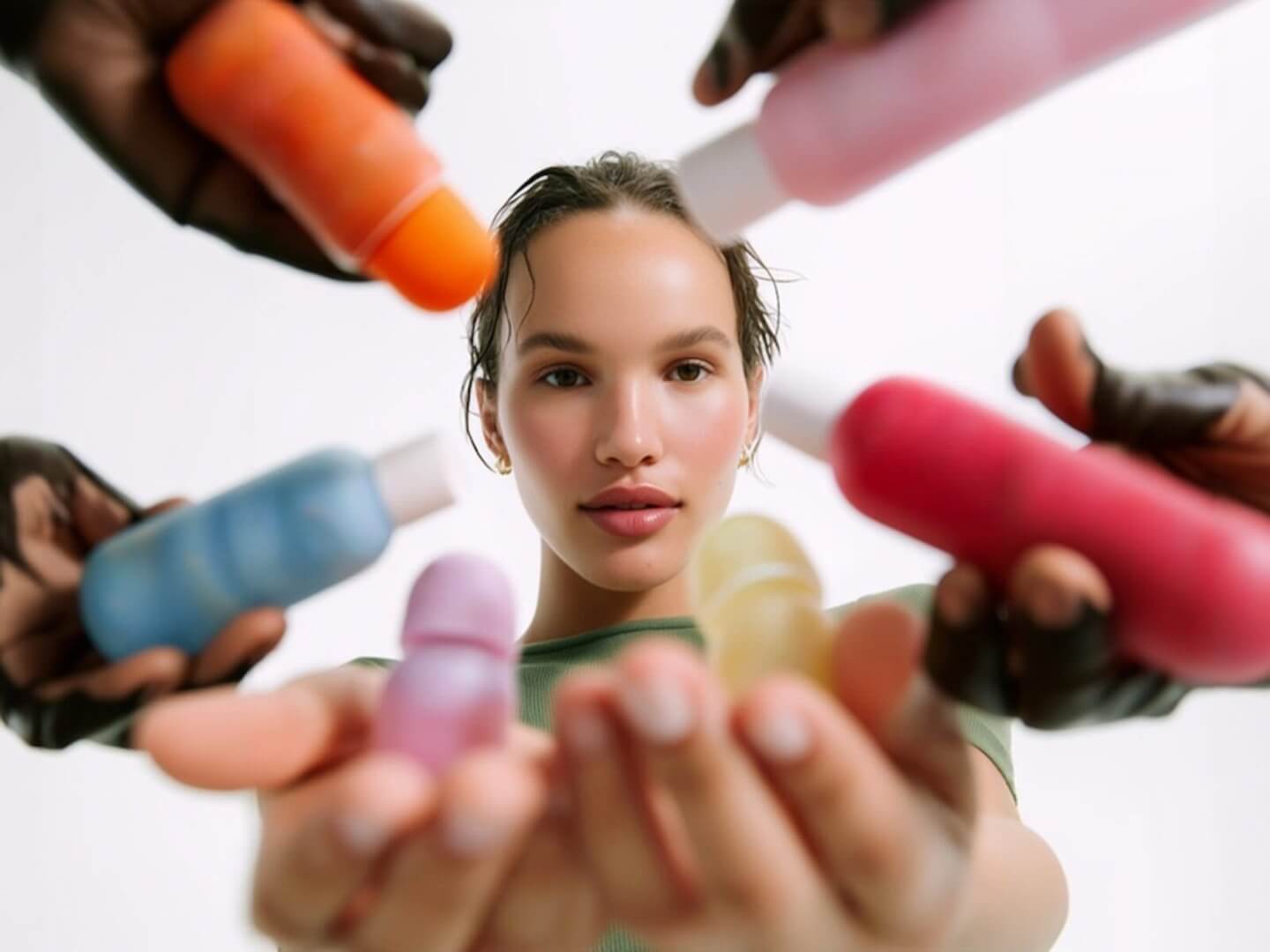
One of the most effective ways to market beauty products on social media is through influencer marketing, especially by partnering with micro-influencers. Micro-influencers are content creators with a modest but highly engaged following (typically anywhere from a few thousand up to 100K followers). In the beauty world, micro-influencers might be makeup enthusiasts, hairstylists, or skincare gurus who have built trust within their niche communities. Their audiences see them as relatable peers rather than untouchable celebrities, which makes their recommendations feel like friendly advice instead of advertising.
Crucially, micro-influencers drive higher engagement and trust than big-name influencers. Studies show that as follower counts go up, engagement rates tend to go down. For example, on Instagram a creator with ~10k–100k followers might average 3–8% engagement on their posts, whereas a macro-influencer with millions of followers might only see about 1–2% engagement. That means posts from micros often spark significantly more likes, comments, and shares per follower. More engagement isn’t just a vanity metric – it indicates an actively interested audience that’s paying attention and more likely to convert into customers. It’s no surprise that 82% of consumers say they’re more likely to act on a micro-influencer’s recommendation over a celebrity’s recommendation. The personal, down-to-earth style of micro creators gives beauty brands a credibility boost – a lipstick tutorial or skincare demo from a trusted micro-influencer can carry more weight than a polished ad featuring a movie star.
In addition to engagement, micro-influencers frequently deliver a better return on investment (ROI) for brands. Their partnership fees are much lower than those of macro-influencers or celebrities (sometimes just free products or a small honorarium in exchange for a post), so campaigns are more cost-effective. At the same time, their content can generate impressive sales impact. Many beauty brands report seeing 5×–8× ROI (revenue per $1 spent) with well-run micro-influencer campaigns, compared to roughly 3×–5× ROI from campaigns with bigger influencers. One analysis even found that large influencer activations in beauty returned about $4–$6 per $1 spent, whereas savvy micro-influencer programs exceeded $10+ per $1 in some cases. In short, smaller creators can deliver bigger returns by combining authenticity with cost-effectiveness.
Perhaps most importantly, micro-influencers help build trust and community around your brand. They often interact directly with followers – replying to comments and DMs – in a way a mega-influencer with millions of fans simply can’t. This personal touch creates a tight-knit community and a sense of friendship. Followers feel heard and connected, which makes them trust the micro-influencer’s product suggestions even more. In fact, 56% of marketers report getting better ROI using micro/nano influencers over larger influencers, largely because of that higher trust factor and credibility. For beauty brands, this means a recommendation from a micro-influencer can spark not just one purchase, but conversations and word-of-mouth buzz among a whole group of like-minded consumers.
All these benefits explain why beauty brands are in the midst of a micro-influencer revolution. No longer are big celebrity endorsements the only game in town – today even major cosmetics companies and e-commerce beauty brands are collaborating with armies of smaller content creators to drive authentic engagement and sales. Even Amazon sellers have started leveraging micro-influencers to boost their online sales through social media recommendations. If you’re an Amazon seller trying to build real trust for your product, one marketing expert advises to “skip the expensive sponsorships and start thinking smaller”, because working with niche micro influencers yields sharper influence and better results. The bottom line: partnering with micro-influencers allows your beauty brand to speak to consumers in a genuine, peer-to-peer voice – and that translates into higher engagement, trust, and conversions.
When selecting micro-influencers, look beyond follower count. Focus on relevance to your niche (e.g. a cruelty-free skincare micro-influencer for a vegan beauty line) and engagement quality (authentic comments and discussion). A micro-influencer with 5k very passionate followers in your product category is far more valuable than one with 50k random or disengaged followers. It’s often better to activate 50 passionate micro influencers instead of one pricey celeb, yielding a higher aggregate ROI through many niche touchpoints.
While the impact of micro-influencer partnerships is clear, finding and managing dozens of the “right” creators for your brand can be a challenge if you try to do it all manually. This is where influencer marketing platforms come in handy. These platforms are services or software that help connect brands with relevant content creators and streamline the entire collaboration process – from discovery and outreach to content approvals and tracking results. For a beauty brand looking to run a campaign with, say, 50 micro-influencers on Instagram and TikTok, an influencer platform can save you enormous time and ensure you get quality creators.Influencer marketing platforms typically offer search filters to pinpoint creators who match your target demographic and niche (for example, finding makeup enthusiasts in California with 5–20k followers and high engagement). They may also provide insights into an influencer’s audience stats, past performance, and even AI-driven “fit” scores. Using scalable tools makes it easy to source micro-influencers who are actively looking for brand partnerships, rather than hunting through hashtags and doing cold outreach one by one. Some platforms operate like marketplaces where you can post a campaign brief and have interested creators apply. Others are managed services that handle the heavy lifting for you.A great example is Stack Influence – an influencer marketing platform specializing in micro-influencer campaigns for e-commerce brands. Stack Influence manages all your micro-influencer marketing needs from sourcing to completion, helping brands supercharge customer engagement and drive social media traffic to online stores at scale. In other words, they take care of recruiting vetted micro influencers, coordinating product shipments or content guidelines, and making sure each influencer’s post goes live as agreed. This kind of end-to-end management is a boon for busy beauty marketers or Amazon sellers who want the benefits of influencer campaigns without the logistical headaches. Stack Influence’s network includes over 11 million micro influencers in the U.S., giving brands a huge pool of creators to find a perfect match for their niche. Their platform even uses AI to evaluate audience psychographics and performance data, so brands can identify influencers who truly align with their product.Influencer platforms don’t just save time – they can also improve your campaign ROI. For one, they often negotiate better rates or use product gifting models to keep costs down. Additionally, platforms provide dashboards to monitor your micro-influencer campaigns and analyze results in real time, so you can see which posts or creators are driving the most engagement, traffic, or sales. This data helps you optimize future campaigns. As an added bonus, when influencers create content for your brand, you typically get the rights to repurpose that UGC (user-generated content) across your marketing channels. Stack Influence notes that brands using their managed micro-influencer content saw a 78% increase in social media engagement compared to using professional ad content, and achieved 5× more conversions in paid media when reusing the authentic influencer posts in ads. That’s the power of genuine content.There are many platforms out there (from large self-service tools like Upfluence and CreatorIQ, to niche networks for specific industries). The key is to choose one that fits your needs and budget. If you’re focused on the beauty sector, look for platforms or agencies with a strong track record in cosmetics or skincare campaigns – they’ll have a relevant creator network and experience with common campaign types (product seeding, tutorial videos, before-and-after transformations, etc.). The takeaway: you don’t have to go it alone. By leveraging influencer marketing platforms, you can efficiently scale up a micro-influencer strategy, find the perfect content creators for your brand, and manage dozens of collaborations without the overwhelm. It’s like having a matchmaking and campaign management team at your fingertips.
Stack Influence (mentioned above) is one such platform that has helped beauty and personal care brands run coordinated micro-influencer campaigns. They report that micro influencers in their network have 6.7× higher engagement rates than larger influencers and initiate 22% more buying conversations than typical consumers – illustrating why connecting with these “everyday” creators can give your marketing a serious boost. By using a platform to tap into a vast pool of micro influencers, even a smaller beauty label can create a big ripple across social media.
If there’s one thing that pairs perfectly with beauty products on social media, it’s user-generated content (UGC). Beauty enthusiasts love to share their looks, routines, and honest opinions online. Tapping into that desire can massively amplify your brand’s reach and credibility. UGC includes any content about your products that’s created by real users – for example, a customer posting a selfie wearing your lipstick, or a TikTok creator doing a “get ready with me” featuring your skincare line. This kind of content is marketing gold because it comes off as authentic social proof rather than a branded message.
Encouraging more UGC should be a core part of your social media strategy. Why? For one, UGC is essentially free content and promotion – it can boost your sales without you spending much (or anything) on production. Satisfied customers often only need a little nudge to share their experience. In fact, many millennials and Gen Z consumers want to engage with brands and show off their favorite products; all you have to do is ask. Something as simple as a caption like “💄 Show us your look using #MyBrandBeauty for a chance to be featured!” can prompt a wave of content from your followers. For example, the cult-favorite startup Glossier famously leveraged UGC by reposting customer photos and stories. They even created Slack groups and a community where fans swap tips. The result was incredible word-of-mouth buzz – Glossier’s founder credits 90% of the company’s revenue growth to referrals and advocacy from these everyday “influencer” customers. That’s right, 90%! It goes to show the viral power of making every customer feel like part of your brand’s story.
Collaborations with micro-influencers also double as UGC engines. When a micro-influencer creates a tutorial or review featuring your product, not only is it influencer marketing – it’s also content that you can reshare and that serves as social proof to other consumers. As one marketing blog put it, “User-generated content is the key to the consumer’s heart.” When smaller influencers post about your brand, it serves as social proof to not-yet-convinced shoppers and becomes a steady source of organic ads for you. In other words, one influencer’s post might convince another dozen people to try your product, and some of those people might post their own content, and so on. It’s a virtuous cycle of UGC feeding more UGC.
To get the most from UGC, you should actively foster a community around your brand. Engage with your audience – reply to comments, ask questions in your captions, and celebrate your fans. When people see a brand interacting and reposting customers, they’re more likely to contribute content themselves. Some beauty brands run “repost of the week” features, spotlighting a fan’s look on the official page (which is a huge ego boost for the fan and encourages others to post in hopes of being featured too). Branded hashtags are another great tool: create a unique hashtag for your brand or a specific campaign and encourage followers to use it. For instance, Morphe’s #MorpheBabe hashtag has generated over 3 million pieces of content on Instagram – fans share makeup looks and tag #MorpheBabe, and Morphe then actively reposts a lot of those images. Scrolling through Morphe’s feed, you’ll see it’s essentially a showcase of real customers and micro-influencers using their products. This strategy not only provides endless authentic content for Morphe, but also fuels engagement (over a billion social interactions to date from these efforts) and builds a loyal community of creators who feel connected to the brand.
Create a catchy hashtag (e.g. #GlowWith ) and ask users to post their best looks or skincare transformations using it. Morphe’s #MorpheBabe campaign is a great example that yielded millions of fan-created posts.
Regularly share customer photos/videos on your official account (with permission and credit). This recognition makes people excited to create content for you. You can also run giveaways where the entry is to post a look or testimonial – selecting a winner from those who tag your brand.
Send free samples or PR packages to micro-influencers and even superfans with the only ask being, “if you like it, share a pic or video!” Many will gladly post an unboxing or review. This not only generates content, but also makes the recipients feel valued by your brand.
Remember, UGC and community engagement aren’t just fluffy objectives – they directly affect buying decisions. Seeing a real person (who isn’t paid big bucks by a company) rave about a moisturizer or show a before-and-after using a foundation is powerful social proof. Future customers think, “If it worked for them, maybe it’ll work for me too!” So make your existing customers the heroes of your social media. It builds authenticity and trust, which are worth more than any glossy ad can buy in today’s market.
In the beauty niche, content is king (or queen!). To market your products effectively on social media, you need to consistently publish engaging, visually appealing content that offers value to your audience. This goes beyond just posting product photos or promotions – it’s about crafting an experience or story around your brand that keeps people watching, learning, and coming back for more.
Here are a few content strategies that successful beauty brands use on social media:
Demonstrating how to use your products in short tutorials is a winning tactic. For example, a quick “5-minute everyday makeup look” video featuring your palette, or an IG Reel showing how your hair serum tames frizz, can both entertain and educate viewers. Tutorials mix the best aspects of social media (entertainment and practical value) and help increase brand awareness by showing off your products in action. Many undecided consumers can be convinced to try a product after seeing a relatable person use it and achieve great results. Live tutorials or demos (via Instagram Live, IGTV series, or TikTok Live) add an interactive element – viewers can ask questions in real time, creating a person-to-person connection. Brands like Tarte have done live “get ready with me” series that make the audience feel like they’re hanging out with a friend rather than watching an ad.
Beauty products often have transformative effects, so show them! Whether it’s a skincare product’s impact on acne or a foundation’s coverage, a side-by-side before/after image or video is attention-grabbing content. It provides instant proof of efficacy. Encourage customers or influencers to share their before-and-afters as well (which circles back to UGC). Just ensure you’re authentic – real results build trust, whereas overly exaggerated or edited transformations can backfire.
As mentioned earlier, hashtags can build community, but they’re also great for content discovery. Launch challenges that invite user participation, like “# BoldLook challenge – show us your boldest makeup look using our new neon eyeliners!”. This not only spurs UGC but also creates a lot of buzz. Huda Beauty, for instance, frequently uses a plethora of hashtags for each product line, making it easy for users to find tutorials and looks for a specific product. A clever or fun challenge can even go viral beyond your immediate follower base.
Running social media contests can rapidly boost engagement and awareness. For example, you might do a giveaway (“Comment and tag a friend to win a full skincare set”) or a creative contest (“Submit your best festival makeup look – winner gets $100 store credit!”). Contests introduce your brand to new audiences (friends tagged or content shared) and generate excitement. NYX’s annual “Face Awards” campaign is a brilliant example: it’s a contest that brings together influencers and consumers to showcase creative looks, resulting in massive coverage and tons of UGC content that fuels their marketing for the rest of the year. Just be sure to follow platform rules for contests and make the entry rules simple to encourage maximum participation.
In executing your content strategy, keep in mind that visual quality and consistency matter. Beauty consumers expect pretty visuals – invest in good lighting, clear imagery, and on-brand styling for your posts. That said, on today’s social media, even an iPhone-shot video can outperform a slick studio ad if it’s authentic and relatable. So don’t shy away from candid content (like behind-the-scenes clips of product development, or a day-in-the-life at your company). These humanize your brand.
Also, tailor your content to each platform’s strengths. Instagram and TikTok are obviously dominant for beauty (Instagram with its images, Reels, and Stories; TikTok with viral short-form videos). YouTube is great for longer tutorials or in-depth product reviews. Even Facebook can be useful for community groups or live events, and Pinterest is powerful for looks and product discovery via Pins. Focus on the platforms where beauty enthusiasts spend their time – Instagram, YouTube, and TikTok remain top choices– and consider adapting content accordingly (e.g. vertical short videos for Reels/TikTok, high-res photos or carousel albums for Instagram posts, etc.). By creating engaging, platform-optimized content regularly, you’ll keep your audience hooked and continually attract new followers who discover your brand through that content.
As you build up an engaged following and beautiful content on social media, you’ll want to seamlessly turn those views and likes into actual sales. This is where leveraging social commerce features is crucial. In recent years, social platforms have introduced more and more tools to help brands sell products directly or drive traffic to product pages, blurring the line between social media browsing and shopping.
One of the most powerful tools for beauty brands is Instagram Shopping. If available in your country and for your business, Instagram Shopping lets you create a shoppable feed where your posts and Stories have product tags. Users can tap on a tagged product in a photo or video and immediately see the name, price, and a link to purchase it (either on your website or even within Instagram itself in some cases). For example, if you post a flatlay of a skincare routine, you can tag each product – a moisturizer, serum, cleanser – and viewers can click to get more details or buy. This dramatically shortens the customer journey: instead of seeing a product on your feed and then having to ask “Where can I get that?” or search your bio link, they get a direct path to purchase. Fewer clicks and less friction means a higher chance of conversion. Beauty shoppers are often impulse buyers – if they see a gloss or highlighter they love in a tutorial, being able to buy it right then and there is a game-changer.
Aside from Instagram, other platforms offer their own commerce features. Facebook has Shops and product tagging similar to IG. Pinterest allows Product Pins that link to your e-commerce. TikTok is also venturing into shopping: it has tested features like product links and even a TikTok Shop in some regions where users can check out directly. Keep an eye on these developments, because the easier you make it for someone to go from admiring your product in a post to owning it, the better your sales will be.
For brands that sell on marketplaces like Amazon, social media can still be a huge traffic driver. You might not have an “add to cart” button on Instagram that goes to Amazon, but you can use strategies like affiliate links and Amazon’s own influencer programs. Amazon has an Influencer Program that allows social media creators to set up their own Amazon storefronts and earn commission on products they recommend. If you work with influencers who are part of that program, they can feature your beauty products on their Amazon shop page or in their content with affiliate links. The benefit here is twofold: you get exposure to their audience on social, and the influencer is incentivized to keep promoting your product over time because they earn a percentage of every sale they drive. It’s an affiliate model that aligns their interests with yours – as opposed to a one-off paid post, they have reason to mention your product repeatedly if it’s performing well for them. So, when planning campaigns with influencers and you sell on Amazon, consider offering them an affiliate commission (Amazon’s rates for beauty are around 10% or less, but it adds up). This can lead to ongoing shoutouts instead of just a single post, extending your reach and sales longevity.
Even without formal shopping tools, always make sure your social bios and posts guide followers on how to buy. Use that link in bio strategically – you can use services like Linktree or a dedicated landing page to list your product links, so whether someone is on Instagram, TikTok, or YouTube, one tap gets them to your store or Amazon page. On platforms like TikTok or Instagram Stories (for verified accounts or those with link stickers enabled), don’t be shy to use the link sticker or “Swipe Up” (in IG) to drive directly to a product or a special offer page. For instance, after showing a makeup look tutorial, an Instagram Story could have a “Shop the Look” swipe-up link.
Lastly, think about social proof on your e-commerce pages. This is slightly tangential to social media marketing, but it completes the loop. For example, showcase Instagram photos of customers on your website’s product pages (some brands have a gallery pulled from a hashtag – e.g., “See it IRL: #MyBrandBeauties”). This merges your social content with the shopping experience and reinforces authenticity at the final buying stage. Olay does this by broadcasting the latest Instagram posts under #olaytribe on their site, reminding shoppers that real people love the product.
In summary, make it as easy as possible for the enthusiasm you generate on social media to translate into a purchase. Beauty consumers are often ready to buy if they love what they see – so reduce the distance between discovery and checkout. Embrace the tools and integrations offered by platforms like Instagram, work with influencers in ways that encourage ongoing promotion (affiliates, discount codes, etc.), and always include clear calls-to-action when you showcase a product. If done right, social media won’t just be about branding or engagement for you – it will become a major sales driver for your beauty business.
Marketing beauty products on social media ultimately comes down to building genuine connections. The most successful beauty brands on platforms like Instagram, TikTok, and YouTube have found that authenticity is the best influencer. By collaborating with relatable micro-influencers, leveraging content from real customers, and consistently engaging your community with valuable content, you create a virtuous cycle: fans become customers and customers become fans. This grassroots approach to marketing builds a brand loyalty that no traditional advertisement can match.
The beauty industry is competitive and fast-moving, but it’s also uniquely suited to shine on social media. With creativity, consistency, and a focus on community, even indie brands or new Amazon sellers can make a big impact and carve out a devoted following online. Social platforms give you a direct line to your consumers – a place to spark conversations, showcase real results, and adapt to feedback in real time. Use that to your advantage. In 2025 and beyond, the beauty brands that will thrive are those that sound less like faceless corporations and more like passionate creators and friends. So put your fans and influencers at the heart of your strategy, embrace the content they create, and watch as their genuine love for your products helps your brand grow. In the world of social media beauty marketing, authentic influence and a vibrant community are truly the keys to long-term success.
In the world of beauty marketing, influencer campaigns on Instagram and TikTok continue to dominate in 2026. Top cosmetics and skincare brands are partnering with content creators – from mega-celebrities to micro-influencers – to drive product buzz, user-generated content (UGC), and e-commerce sales. It’s no wonder beauty and personal care brands now see an average 3.6x return on investment (ROI) for every $1 spent on influencer marketing, and 78% of beauty marketers consider engagement rate the most important success metric for these campaigns. Below, we highlight some of the best beauty influencer campaign examples (focused on the U.S. market) on Instagram and TikTok, complete with their strategies and key metrics. These examples show how leveraging influencers – especially micro-influencers and everyday content creators – can spark massive engagement and ROI for brands big and small.
A post shared by rhode skin (@rhode)
When Hailey Bieber launched Rhode Beauty’s Peptide Lip Treatment, she didn’t rely on traditional ads – she started a viral social media challenge. Hailey and fellow creator Tate McRae flooded Instagram Reels and TikTok with “Get Ready With Me” tutorials showcasing the product’s versatility. The campaign cleverly leveraged TikTok’s challenge culture with hashtags like #RhodeLips and #PeptideLipShape, which united beauty lovers and prompted a wave of UGC as fans tried to recreate Hailey’s looks. The result was instant viral gold – the lip product became more than just a cosmetic, morphing into a community “movement” fueled by fans’ posts.
Instagram & TikTok (viral challenge with branded hashtags)
Celebrity founder + trending TikTok challenge + user-generated content
The campaign reached millions of views across platforms, solidifying its place in social media history. The flood of fan-made videos created enormous buzz, repeatedly landing Rhode Beauty’s lip treatment on TikTok’s trending page. (Exact engagement figures weren’t disclosed, but the ubiquity of the hashtag and viral sounds indicated massive reach.)
Rhode tapped into TikTok-native behavior (challenges and GRWM videos) and authentic demos rather than polished ads. Hailey Bieber’s star power combined with relatable content (lip routines anyone can try) sparked high engagement. By encouraging fans to participate and post their own content, Rhode turned customers into co-creators, generating tons of free exposure through peer recommendations.
Beauty isn’t just about products – sometimes it’s about a purpose. Dove proved this with The Real Cost of Beauty campaign, which tackled social media’s impact on self-esteem. Instead of a typical product launch, Dove created an emotional short film and partnered with outspoken advocates like Jameela Jamil and Selena Gomez to spread a message about mental health and body positivity. These macro-influencers lent personal stories to the campaign, making it deeply authentic. Dove didn’t stop there – they also activated micro-influencers in niche self-esteem and parenting communities to ensure the message resonated broadly and felt genuine at every level. The campaign’s hashtag challenges (e.g. #CostOfBeautyChallenge) invited everyday users to share their own stories, turning a marketing initiative into a supportive social movement.
Instagram & TikTok (influencer videos, short film, hashtag challenge)
Cause-driven content + celebrity advocates + micro-influencer amplification
The campaign achieved monumental reach – over 19 million video views and a staggering 5 billion earned media impressions. It sparked widespread conversations around online safety and even inspired advocacy for legislation (such as the Kids Online Safety Act), showing how deeply it struck a chord.
Dove’s campaign succeeded by aligning with values and encouraging conversation rather than pushing a product. By using influencers (big and small) who genuinely cared about the issue, Dove built trust and credibility. This authenticity drove massive engagement (shares, comments, press coverage) – proving that when a beauty brand starts a meaningful movement, the campaign can transcend marketing and become a cultural moment.
A post shared by THE SKINFLUENCER | TAYLOR CHRISTEL (@the__skinfluencer)
For Glossier, a brand built on skin-centric beauty, the ideal campaign focused on authentic routines. Their “Skin First, Makeup Second” campaign flipped the script by emphasizing skincare and minimalism. Glossier collaborated with a diverse mix of creators – from macro beauty gurus to relatable micro-influencers – all showcasing their real skin and simple makeup looks. On TikTok, influencers and fans enthusiastically embraced the #SkinFirstMakeupSecond hashtag, posting skincare routines, before-and-after transformations, and “no-makeup” makeup looks. The content felt like genuine peer advice rather than ads, aligning perfectly with Glossier’s ethos of effortless beauty.
TikTok (primary) and Instagram (community posts)
Mixed-tier influencers + community hashtag for user content + emphasis on bare-faced authenticity
The hashtag went viral – the campaign amassed over 400 million views on TikTok. This incredible view count indicated not only huge reach, but that the message resonated with the social community. Glossier successfully sparked a cultural conversation about skincare vs. makeup, reinforcing its brand identity while racking up engagement.
Glossier hit a sweet spot by celebrating real skin at a time when consumers crave authenticity. The mix of big influencers and micro-influencers created broad reach with a personal touch. Everyday users felt inspired to join in with their own #SkinFirstMakeupSecond posts, generating organic buzz. In short, Glossier proved that honest, user-driven content (UGC) can be a powerful marketing engine – the campaign wasn’t just promoting products, but a lifestyle that followers eagerly bought into (both figuratively and literally).
A post shared by Vogue Vision (@voguevision23ugc)
No list of beauty campaigns would be complete without Rihanna’s Fenty Beauty, which has redefined industry inclusivity. Fenty’s #FentyFace Challenge invited everyone to show off their unique makeup looks, emphasizing that beauty is for all. The brand assembled a diverse army of influencers – from YouTube icons like Jackie Aina and NikkieTutorials to rising micro-influencers across different countries. These creators demonstrated Fenty’s extensive shade range and encouraged fans to participate by posting their own #FentyFace. The campaign effectively turned a hashtag into a global celebration of diversity. By encouraging fans to “put your own face forward,” Fenty generated an explosion of UGC – makeup lovers worldwide shared tutorials, transformations, and personal stories using Fenty products.
TikTok & Instagram (viral hashtag challenge, influencer tutorials)
Inclusive influencer lineup (macro + micro) + global hashtag for user participation + empowerment message
The viral success was massive. Fenty saw a flood of user-generated content, with millions of fan posts flooding Instagram and TikTok. In other words, everyone wanted to be a part of #FentyFace. This user-driven content created an ever-expanding ripple effect – every new post by a fan introduced the challenge (and Fenty products) to that person’s followers, yielding exponential organic reach. The campaign didn’t just sell foundation or lipstick; it built a community.
Fenty’s challenge embodied empowerment and inclusion, core values that resonated deeply with audiences who felt overlooked by traditional beauty campaigns. By showcasing real people of all skin tones (via both influencers and everyday users), the campaign felt welcoming and credible. The use of a fun, highly shareable challenge format on TikTok/Instagram lowered the barrier for participation – fans wanted to join in. This strategy turned customers into brand ambassadors en masse. The takeaway: Inclusivity + interactivity = engagement. Fenty created a movement, not just a message, and the beauty community responded with an outpouring of content and goodwill.
Following Fenty’s lead on inclusion, Estée Lauder launched its own viral initiative called #MyShadeMyStory. This campaign invited people to share the personal stories behind their perfect foundation shade – effectively blending product promotion with personal empowerment. Estée Lauder teamed up with influencers from various backgrounds (e.g., former Miss World Manushi Chhillar, beauty bloggers like Shraddha Gurung, and male makeup artist Shantanu Dhope) to highlight diverse experiences in finding beauty products. Popular makeup TikToker Mikayla Nogueira also joined as a creator partner, posting enthusiastic reviews of Estée Lauder’s new 24-hour wear foundation and tagging #MyShadeMyStory. The campaign’s narrative approach – having influencers and consumers tell stories of embracing their unique skin tone – struck an emotional chord, much like Dove’s approach, but with a direct tie-in to Estée’s shade-inclusive product line.
TikTok & Instagram (influencer videos, user story posts)
Personal storytelling + diverse influencer cast + branded hashtag encouraging consumer stories
The hashtag quickly became a global sensation. On TikTok alone, #MyShadeMyStory garnered over 100 million views, as users worldwide tuned in and contributed. The campaign not only drove those views but also created high engagement through comments and duets – people were discussing and amplifying each other’s shade stories. Despite some controversy (e.g., pushing gender norms boundaries or calls for even broader representation), the overwhelming response proved the campaign’s success in making people feel “seen”.
Estée Lauder tapped into a powerful insight: makeup is personal. By focusing on stories rather than just swatches, they made a product launch deeply meaningful. The use of well-loved influencers (like Mikayla) provided authenticity and excitement, while the inclusive message built trust in Estée’s commitment to diversity. The campaign shows how a legacy beauty brand can rejuvenate its image by leveraging influencer-led storytelling and UGC. When customers connect with your message, they essentially do the marketing for you by sharing their own content – and that peer-to-peer influence is priceless.
Not every successful campaign is driven by celebrity names – skincare brand COSMEDIX proved the power of micro-influencers and brand advocates. The COSMEDIX Crowd program set out to create an online community around the brand’s products, making it a prime example for Amazon sellers and indie e-commerce brands to emulate. Instead of one-off posts, COSMEDIX recruited a variety of smaller influencers, loyal customers, and skincare enthusiasts to test products and share honest reviews. These creators received product education and were encouraged to produce review content (tutorials, before-and-afters, testimonials), which COSMEDIX then featured on its own website and social channels as authentic social proof. In essence, COSMEDIX turned UGC and influencer content into a seamless part of its e-commerce experience – bridging social media and the point of sale.
Instagram, TikTok, and brand’s own website (for reposting reviews)
Micro-influencer outreach + product seeding (gifting products) + re-purposing UGC as shoppable content
The results were impressive, especially for a micro-focused campaign. COSMEDIX’s influencer community program yielded a 527% ROI (return on investment) from the resulting sales and activation purchases, along with 3 million impressions and 34,000 engagements on the content generated. Those numbers far exceeded expectations for a niche brand and even earned COSMEDIX a Shorty Award for “Best in Beauty”. The high engagement rate and ROI demonstrated how effective micro-influencer campaigns can be when done right.
COSMEDIX succeeded by scaling up word-of-mouth in a structured way. Micro-influencers bring smaller but highly engaged audiences; their followers trust their skincare recommendations as if hearing from a friend. By compensating these influencers with product (not hefty fees) and focusing on genuine reviews, the brand ensured the content felt real. This authenticity built deep trust with consumers – as evidenced by the strong sales conversion (500%+ ROI). For e-commerce and Amazon marketplace sellers, this approach is a blueprint: engage a network of niche creators who love your product, and let their content do the selling. It’s cost-effective and creates evergreen marketing assets (reviews, testimonials) you can reuse across your channels.
Finally, remember that even if you’re not a huge brand, you can apply these principles. Micro-influencer campaigns are particularly accessible to smaller e-commerce businesses and Amazon sellers. With creative strategy, a modest budget can go a long way. Platforms like Stack Influence help connect brands to everyday creators and even automate product seeding campaigns, making it easier to generate UGC and scale word-of-mouth marketing. By partnering with passionate micro-influencers, even an indie beauty product can explode in popularity through social media buzz. In 2026, the playing field is more level than ever – it’s all about finding the right influencers (big or small) who align with your brand and letting their creative voices shine.
In summary, the best beauty influencer campaigns of 2026 proved that authentic content + engaged communities = marketing success. Whether it’s a viral TikTok that sells out a lip gloss overnight or a long-term micro-influencer program that steadily builds brand love, influencer marketing offers a powerful path to reach today’s social-savvy consumers. By learning from these examples – focusing on authenticity, encouraging UGC, tracking engagement metrics, and embracing micro-influencers – brands can create their own winning campaigns that not only drive metrics up, but also build meaningful connections with their audience. And in the age of social media, those genuine connections are the true beauty of influencer marketing success.
Influencer unboxing videos have become a huge part of pop culture – and brands are responding with ever more over-the-top PR packages to grab our attention. From beauty gurus on TikTok to A-list celebs on Instagram, everyone loves a dramatic unboxing. The best PR packages are essentially experiences in a box: visually stunning, often personalized, sometimes outrageous, and almost always Instagrammable. In this post, we’ll look at some of the most talked-about influencer PR unboxings in recent memory (focusing on the past couple of years) and see why they rank among the best PR packages of all time. Get ready for a wild ride through glam goodies, luxury surprises, and viral moments that had all of social media buzzing!
A post shared by Gisou (@gisou)
If you spent any time on BeautyTok in 2024, you probably saw this one. Gisou (the honey-infused haircare brand by influencer Negin Mirsalehi) sent out fully stocked mini beauty fridges as PR packages – and promptly set the internet ablaze. Imagine opening a miniature fridge packed with Gisou products: rows of hair oils, perfumes, serums, balms, plus cute extras like bottles of fruity drinks and even fresh fruits inside. It was the kind of indulgent, bougie presentation that gave everyone FOMO. TikTok videos of the unboxing racked up over 53 million views with thousands of comments dubbing it the “dream PR package”. Talk about best PR packages goals! Gisou’s fridge nailed it because it wasn’t just freebies – it was a full experience. The aesthetic was on point (sleek white fridge, pink and gold goodies), the theme fit the brand (honey and self-care vibes), and it had that “OMG, no way!” factor that made creators excited to share it. This PR box was seriously one of the best PR packages in beauty in recent years, proving that a little creativity (and a lot of products) can go a long way in going viral.
When is a makeup PR box more than just makeup? When it comes with a $700 Hermès bracelet inside, of course. That’s exactly what happened in late 2024 when Tarte Cosmetics sent out Dancing With the Stars-themed PR packages to influencers, with a select few discovering an iconic orange Hermès box nestled alongside their Tarte goodies. Influencer Halley Kate’s TikTok unboxing showed her literally gasping and squealing over the surprise Hermès Kelly bracelet – she couldn’t believe a PR package included fine jewelry. Her reaction (and wrist full of luxury bling) quickly went viral, and she wasn’t the only one – several other creators opened their boxes on camera to find the same gift, garnering millions of views as well. It’s easy to see why this stunt became one of the best PR packages of the year: it had ultimate shock value (beauty products + high-end fashion crossover), personalization (some others got custom nameplate necklaces), and created a huge buzz on social media.
Of course, part of what made this Tarte mailer so talked-about was the drama it stirred up. Not every influencer on the list got that coveted bracelet – some received just snacks or lesser gifts – leading followers and fellow creators to accuse Tarte of “playing favorites”. One TikToker joked she got Cheez-Its while others got Hermès. The controversy only fueled more conversation, turning the unboxings into a trending topic on TikTok and beyond. Tarte defended the campaign as a misunderstanding, but regardless, everyone was suddenly talking about Tarte. In PR, even backlash can translate to attention. In the end, this flashy box (nicknamed the “Hermès gate” by some fans) succeeded in its goal: it had the internet glued to PR unboxing videos for days. Love it or hate it, it ranks among the best PR packages in recent memory for sheer viral impact.
A post shared by GENTLE MONSTER (@gentlemonster)
When a luxury eyewear brand teams up with a K-pop superstar, expect extra everything – including the PR packaging. In 2024, Korean brand Gentle Monster launched its Jentle Salon collaboration with Blackpink’s Jennie, and the influencer PR box might as well have been a treasure chest. Each limited-edition gift box included the entire Jennie-designed sunglasses collection plus an exclusive oversized unicorn plushie – a cute, pastel toy that instantly screams “Jennie” vibes. This PR package hit all the right notes for pop culture lovers: a celebrity tie-in (Jennie’s global fanbase was obsessed with this collab), visually whimsical presentation (who wouldn’t want a giant unicorn friend?), and extreme exclusivity. Only 300 of these boxes were made for influencers and celebs worldwide, with reportedly just a single box available to ordinary consumers in some markets via special giveaway draws. Naturally, that scarcity and hype sent fans into a frenzy trying to catch a glimpse of the unboxings online.
Influencers in various countries unwrapped their Gentle Monster x Jennie packages on camera – showing off not just the chic eyewear and cute charms inside, but also hugging the plush unicorn and reveling in how lucky they were. Posts from actresses and singers who received the box racked up tons of engagement as followers gushed (and low-key envied). Gentle Monster clearly understood that for the best PR packages, you sometimes have to give people that “I can’t believe they sent this!” moment. By combining Jennie’s star power with an utterly over-the-top gift item, they created a PR box that was pure eye candy and eminently shareable. The collab’s viral marketing paid off – there was an explosion of online chatter and unboxing content, far more than any traditional ad campaign could achieve. This unicorn-laden kit definitely earns a spot among the best PR packages of all time in the fashion/entertainment space – it was imaginative, on-brand, and had the whole internet talking about it (and wishing they were on that PR list!).
A post shared by LANEIGE U.S. (@laneige_us)
How do you promote a skincare product that promises “bouncy, firm” skin? If you’re K-beauty brand Laneige, you lean all the way into the theme. In a wonderfully zany move, Laneige sent influencers a full-size exercise yoga ball – yes, the kind you sit on at the gym – as part of the PR package for their new Firming Sleeping Mask. This huge pink exercise ball came delivered in an elegant Tiffany-blue style box wrapped with yards of satin ribbon, with the actual skincare product tucked inside. The result was a hilarious contrast: a tiny jar of face mask making up maybe 5% of a giant gift box, and an “extra” item (the bouncy ball) that completely stole the show. And that was exactly the point. Influencers couldn’t resist filming themselves unboxing this zany package – struggling with the big box, pulling out a gym ball from layers of pretty ribbon, and laughing at the absurdity before finally fishing out the cream. The gimmicky packaging had people posting and reposting the PR present all over TikTok and Instagram.
Sometimes the best PR packages are the ones that don’t take themselves too seriously, and Laneige’s exercise ball mailer is a prime example. It was playful, on-theme (bouncy ball for bouncy skin, get it?), and inherently shareable because it was so unexpected. Viewers found it equal parts ridiculous and brilliant – exactly the reaction a brand hopes for to generate buzz. In a crowded skincare market, this PR stunt gave Laneige a viral moment tied to their product launch, with countless comments like “I’ve never wanted an PR package so much in my life” and “This is next-level extra 😮”. By turning an ordinary unboxing into a mini comedy show, Laneige created one of 2024’s best PR packages – one that had everyone talking about (and remembering) their sleeping mask launch.
Before TikTok unboxings were even a thing, Kim Kardashian set the bar for extravagant PR stunts with what might still be one of the best PR packages ever. For Valentine’s Day 2018, to promote her KKW Beauty Kimoji Hearts fragrances, Kim sent influencers and celeb friends a PR package that was literally good enough to eat. Each perfume was encased inside a giant chocolate heart – a hollow heart-shaped chocolate shell about the size of a cake – and came with a little branded mallet. The lucky recipients had to smash the chocolate heart open with the hammer to get to the perfume inside. How fun (and delicious) is that? Videos of people cracking open Kim’s chocolate hearts went viral across social media and news sites, as everyone was amazed at the creativity (it’s not every day your PR mailer doubles as a dessert). The presentation was ultra-luxe too: these treats were crafted by a Four Seasons pastry chef and packaged perfectly on theme with Kim’s perfume launch.
This KKW fragrance PR box was successful for so many reasons. It had the celebrity factor (Kim K knows how to make a splash), interactive engagement (who could resist actually breaking the heart open on camera?), and a huge wow factor. It also foreshadowed the “go big or go home” trend in PR packaging that we’re seeing now – back then it prompted industry conversations about excess, but it undeniably got people talking. Many in the beauty world still recall the chocolate heart as an iconic moment in PR history. It’s safe to say that Kim’s smashable candy hearts will forever hold a spot in the hall of fame for best PR packages – proving that sometimes the way to an influencer’s heart is through their sweet tooth (and a really good Instagram story opportunity).
From mini fridges to unicorns to chocolate hearts, what all these best PR packages have in common is that they delivered more than just products – they delivered moments. Each of these unboxings succeeded because it was memorable, experiential, and tailor-made for sharing. Brands are tapping into our craving for novelty and spectacle: give an influencer something so cool or crazy that they can’t wait to show it off, and you’ve struck PR gold. Personalization, presentation, and the element of surprise are key. Whether it’s the pure luxury of an Hermès surprise, the creative humor of a life-size exercise ball, or the star-powered glam of a celebrity collab, these packages got people talking by offering something beyond the ordinary.
It’s also no coincidence that most of these became viral on TikTok, Instagram, and YouTube – the theater of unboxing is perfect content. Aesthetic packaging and jaw-dropping freebies translate into views, likes, and free advertising for the brand. In a time where attention is the ultimate currency, the best PR packages are those that spark a social media frenzy. Brands across beauty, fashion, and lifestyle are now in an arms race to send out the next unboxing that will make us all stop scrolling and watch. As of 2025, influencer PR unboxings are only getting bigger. (We’ve seen everything from PR packages that are basically free vacations, to rumors of brands gifting $30k Birkin bags to top influencers – yes, really!)
While there’s some debate about wastefulness and over-the-top gifting, there’s no doubt that a clever PR package can create authentic excitement that traditional ads just can’t match. The examples above show how a well-executed PR box can boost brand buzz, foster goodwill (who doesn’t love free goodies?), and even drive sales overnight. They set new benchmarks for creativity and extravagance in marketing. For those of us watching at home, they’re just plain fun to see. So here’s to the brands and creators dreaming up the next crazy unboxing experience. We’ll be eagerly refreshing our feeds to see if it tops these best PR packages of all time – because if it does, you know everyone will be talking about it.
Twitch has become a cultural phenomenon in the streaming world, and the platform’s biggest stars wield influence on par with mainstream celebrities. The top Twitch influencers of today command massive followings, shape gaming and entertainment trends, and even impact consumer behavior. In 2026, some of the top Twitch influencers have audiences in the tens of millions, reflecting just how far this live-streaming platform has come since its 2011 launch. This blog will highlight the current top Twitch influencers (as of 2026) and also explore how even micro influencers on Twitch can play a huge role in e-commerce and marketing through authentic content and engaged communities.
As of late 2026, the Twitch channel with the most followers is Ibai, closely followed by legendary streamer Ninja, with Kai Cenat, auronplay, and Rubius rounding out the global top five. Notably, Spanish-language creators occupy three of those top five slots, highlighting Twitch’s global reach and the rise of non-English speaking streaming communities. The most-followed female streamer is Pokimane, with just over 9.3 million followers, underscoring her status as a leading Twitch content creator. The chart below provides a snapshot of the follower counts for the top Twitch influencers:
A post shared by Ibai (@ibaillanos)
The most-followed Twitch influencer with about 19.8 million followers. Ibai is a Spanish streamer known for his stadium-sized events and variety content. He famously hosted the La Velada del Año boxing event that drew record-breaking viewership (peaking at 9.3 million concurrent viewers on his channel and ~14 million platform-wide) – a testament to his ability to bring Twitch into the mainstream. Ibai’s charismatic hosting of esports, sports events, and talk shows has turned him into a household name in the Spanish-speaking world.
A post shared by Kai Cenat (@kaicenat)
An American streamer who has skyrocketed to #2 with around 19.4 million followers. Kai Cenat is known for his high-energy Just Chatting streams, comedic antics, and marathon streaming sessions. He dominated headlines by running subathon events and currently holds the all-time Twitch record for the most active subscribers, peaking at roughly 728,000 concurrent subscribers during a month-long stream. Kai’s engaging personality and cultural influence (collaborating with rappers, celebrities, and fellow creators) have made him one of the top Twitch influencers in the English-speaking community.
A post shared by Tyler “Ninja” Blevins (@ninja)
A pioneer of Twitch’s popularity, Ninja boasts about 19.2 million followers. He became a gaming icon through his Fortnite streams that introduced millions to Twitch in 2018. While Ninja’s streaming frequency has reduced in recent years, his legacy and brand remain strong – he’s often the first name mentioned when talking about Twitch influencers. Ninja’s crossover into mainstream media (appearances on TV shows, brand deals, and even his own book) helped cement Twitch as part of pop culture. Even in 2026, Ninja remains a top Twitch influencer due to his historic follower count and ongoing influence in the gaming community.
Auronplay is a Spanish variety streamer with roughly 16.9 million followers. Already a famous YouTuber, Auronplay brought his comedic commentary and engaging personality to Twitch, where he streams everything from Minecraft and GTA roleplay to talk shows. He consistently organizes collaborative events with other streamers and participates in large-scale series (like Minecraft SMPs) that draw huge audiences. His sustained popularity and community engagement keep him entrenched in Twitch’s top five globally. Auronplay’s success exemplifies how top Twitch influencers can cultivate massive followings outside the English-speaking audience through relatable humor and interactive content.
With about 15.9 million followers, El Rubius is one of Twitch’s longest-running stars and a trailblazer in online content. Hailing from Spain (and also popular in Latin America), Rubius began as a YouTube gaming personality in the early 2010s and later became a Twitch variety streamer. He streams games, IRL adventures, and chats, often leveraging his long-standing fanbase from YouTube. Rubius’s channel illustrates the power of content creators who evolve with the platform – he retains a loyal community that has followed him for years. His multi-genre content and affable style keep his follower count among the top Twitch channels year after year.
An unexpected name among the top Twitch follower rankings, Shayne’s channel has around 12.3 million followers. Tagged as a Russian-language Just Chatting streamer, jadoreshayne is notable for being rarely active – streaming infrequently – yet still ranking extremely high in followers. This channel’s presence in the top 10 is a quirky anomaly (possibly driven by a few viral moments or follow campaigns), and it shows that raw follower counts don’t always correlate with current popularity. Nonetheless, jadoreshayne’s inclusion underlines how varied the top Twitch influencers list can be, even featuring a relatively low-profile streamer with a huge follower number.
A post shared by Grefg =) (@thegrefg)
Another Spanish superstar, TheGrefg has about 12.2 million followers. He is known for his flashy streams and world-record-breaking moments. In fact, TheGrefg grabbed international headlines in 2021 by smashing the Twitch concurrent viewership record with over 2.4 million live viewers during a Fortnite skin reveal stream. His content often includes Fortnite, variety gaming, and large-scale events (like gaming tournaments and live game reveals) that draw massive audiences. TheGrefg’s showmanship and hype-driven style continuously earn him new followers each season, keeping him among Twitch’s elite.
One of the most recognizable English-speaking streamers, xQc sits at around 12.2 million followers on Twitch. A former pro Overwatch player from Canada, xQc is now known for his relentless streaming schedule and high-energy personality. He streams a bit of everything – competitive games, variety content, reaction videos, and just chatting – often for 8-10 hours a day, which helped him become one of the most-watched streamers globally. xQc’s stream chat is famously fast-moving, and his dedicated fanbase (the “Juicers”) keep engagement high. Even as he explores multi-platform deals (he’s ventured into other platforms in 2023–2024), xQc’s Twitch presence remains massive. His combination of gaming skill, humor, and on-stream antics secures his spot as a top Twitch influencer year after year.
A post shared by Juan Sebastián Guarnizo (@juansguarnizo)
Juan Guarnizo is a Colombian-born, Mexico-based streamer with approximately 11.6 million followers. Part of the Spanish-speaking Twitch boom, Juan is a variety streamer who often collaborates with peers in big role-play events and gaming series. He gained popularity through Minecraft and GTA V roleplay, among other content, and has steadily grown a huge audience across Spanish-speaking countries. JuanSGuarnizo’s rise highlights how Twitch’s top influencers now include international creators who dominate regional markets. His friendly demeanor and cross-platform presence (he’s also popular on YouTube) have cemented him as one of Latin America’s top Twitch influencers.
With about 11.3 million followers, Tfue is a well-known American streamer who initially gained fame as a Fortnite prodigy. He was once the most feared competitor in Fortnite and amassed a large following through his high-skill gameplay and laid-back persona. In recent years, Tfue has taken a step back from constant competitive play and streams more variety content and IRL adventures, but he still draws viewers whenever he goes live. His enduring follower count and name recognition (boosted by past esports achievements and YouTube highlights) keep him in the top 10. Tfue’s journey from esports to casual streaming demonstrates the longevity a gaming influencer can have, evolving content while maintaining a core fanbase.
(Honorable mention: Pokimane (Imane Anys) – With 9.4 million followers, Pokimane is the most-followed female Twitch streamer and a key figure in the platform’s ecosystem. Known for her variety streams (gaming, Just Chatting, and collaborative content), she has built a brand beyond Twitch through YouTube and as a co-founder of the OfflineTV creator collective. Pokimane’s influence extends to business ventures, philanthropy, and advocacy for streamer welfare. She remains a role model for many content creators and is often listed among the top Twitch influencers for her contributions to the community.)
Each of these top Twitch influencers has a unique style and audience, but all of them have demonstrated an extraordinary ability to capture viewers’ attention. Collectively, they turn Twitch into a daily entertainment hub for millions of fans. While the mega-stars grab the headlines with follower counts in the multi-millions, the influencer landscape on Twitch doesn’t end with the top 10. In fact, there’s a whole world of micro-influencers and niche streamers who, despite smaller audiences, can have outsized impact – especially when it comes to e-commerce and brand marketing.
In conclusion, the top Twitch influencers of 2026 demonstrate the immense reach and cultural force of live streamers – they are selling out arenas (virtually), breaking viewer records, and becoming influential voices in entertainment. Yet, beyond those headline-grabbing names, the broader Twitch influencer ecosystem – from mid-tier partners with devoted fanbases to niche micro-streamers with passionate communities – is equally important. For marketers and Amazon sellers, these creators offer a new kind of marketing channel: one built on real-time interaction, authenticity, and community-driven content. Whether it’s a superstar like Ibai drawing millions to an online event, or a micro influencer streaming to a few hundred die-hard fans, Twitch influencers at all levels can inspire trust and drive action in ways few other mediums can. As brands continue to seek user-generated content and authentic engagement, Twitch and its army of influencers (big and small) will remain a pivotal part of the social media and e-commerce landscape. The takeaway is clear – in the age of livestreaming, influence isn’t just about the biggest numbers, but also about meaningful connections, and Twitch provides both at scale.
Instagram Reels have exploded in popularity and become a powerhouse for reach and engagement on the platform. Over 2 billion users now engage with Instagram Reels each month, generating 140+ billion daily views. In fact, Reels account for only about 11% of Instagram content but drive a whopping 37% of total reach on the platform. With Instagram’s algorithm actively favoring short-form video, creators who leverage Reels are rewarded with significantly more exposure than static posts. It’s no wonder Instagram itself notes that Reels are the “fastest way to grow an audience” today.
For micro influencers, content creators, and e-commerce entrepreneurs (like Shopify store owners or Amazon sellers), mastering Reels is especially crucial. Micro influencers (typically 10k–100k followers) are “marketing gold for brands, especially e-commerce businesses and Amazon sellers, thanks to their authenticity and loyal audiences”. They often enjoy higher engagement rates than big celebrities because they feel like trusted friends to their followers. In the era of user-generated content (UGC) and social commerce, both audiences and brands crave the genuine connection that Reels can foster. Short, catchy videos humanize your brand or profile and are huge for discovery. Meanwhile, many small businesses have found creative Reels can directly boost product sales by reaching new customers. Reels’ built-in shopping features even let viewers buy products straight from a video.
The challenge: What should you post on Reels? To help spark your creativity, we’ve compiled the best Instagram Reel ideas – ranging from casual behind-the-scenes snippets to viral-ready trends – tailored for different niches and goals. Below is a quick-reference chart of reel content ideas by niche, followed by detailed tips and examples for each category. This comprehensive guide is written in a friendly, informative tone to help micro influencers, content creators, UGC creators, and e-commerce/Amazon sellers alike level up their Instagram strategy. Let’s dive in!
(The above ideas are expanded in detail below – including why they work and pro-tips to optimize each Reel for maximum engagement.)
If you run an e-commerce business or sell on Amazon, Instagram Reels can be a game-changer for your marketing. Short videos let you showcase your products in action and build a brand personality, all while tapping into Instagram’s massive audience (over 70% of Instagram users use the platform for product discovery!). Here are top Reel ideas tailored for product-based businesses:
Don’t just tell people about your product, show them. Create a quick demo Reel highlighting your product’s features or unique uses. For example, if you sell a kitchen gadget, film a 30-second recipe using it. If you have a fashion boutique, show how a dress looks on a model with twirls to highlight the fit. Why it works: Visual demos let customers imagine owning the product. It’s like a mini infomercial but more fun and authentic. Data shows a huge portion of users rely on Reels and influencer videos to discover products and brands. By demonstrating your item’s value in a Reel, you tap into that discovery mindset. (Tip: Use text overlays to call out key benefits or specs, and consider adding upbeat music to match the product vibe. Also, take advantage of Instagram’s product tagging in Reels – tag the product so viewers can easily tap and purchase.)
The classic unboxing video is a hit on Reels. Start with a nicely packaged product box and record the satisfying process of opening it, revealing the contents, and giving a quick first look or reaction. Many small businesses also do “customer perspective” unboxings to show the excitement of receiving their package. Why it works: Unboxings play on viewers’ curiosity and emotions – it’s like they’re sharing the joy of a new purchase. It also highlights your branding and packaging effort, subtly reinforcing quality. For potential buyers, seeing an unboxing can build trust (it shows what they’ll get and that others are buying it too). Instagram allows product tags on Reels, so an unboxing with tagged products can directly drive sales by letting viewers shop the items in-app. (Pro tip: Keep unboxings short and sweet – focus on the “wow” moment of reveal. You can add a voiceover noting a couple of features as you unveil the item. Consider collaborating with UGC creators or micro influencers to do authentic unboxing Reels of your product for a wider reach – many brands seed products to influencers for this purpose.)
Take viewers behind the scenes of your fulfillment process. This Reel idea involves filming yourself (or your team) packing a real customer order. Show the product being picked off the shelf, add any personal touches (thank-you note, branding sticker), and sealing the box for shipping. Surprisingly, packing order videos often captivate audiences – some even incorporate ASMR elements by emphasizing the sounds of wrapping paper, tape, etc. Why it works: It’s oddly satisfying to watch, and it gives customers insight into your care and craftsmanship. It also subtly serves as social proof that orders are coming in (building FOMO for viewers). According to marketing experts, sharing the process of packing orders is one of the most interesting Reel ideas for small businesses – it feels authentic and can even be made “exciting” with a bit of creativity. (Idea: Add a twist by narrating who the order is for (“Packing a custom gift for @customer in Texas!”) if privacy allows, or highlight an international order to show your global reach. A little storytelling (e.g., “this customer bought X after seeing our last Reel!”) can make it even more engaging.)
People love seeing how the magic happens. Create a Reel that tours your workspace, studio, or store – even if it’s your garage workshop or a tiny home office. Point out interesting tools or how you organize inventory. Alternatively, do a timelapse of your process: a potter might show a pot being thrown on the wheel, a baker might show icing a cake, a jewelry maker can show sketch to finished piece. Why it works: This content builds a personal connection to your brand. It emphasizes the handcrafted or meticulous effort behind your products, which can justify premium pricing and foster appreciation. A behind-the-scenes Reel can also boost engagement – pulling back the curtain typically “always helps get more engagement” for businesses. (Tip: Use captions like “BTS of how we make our products” or “Meet the maker” to draw viewers in. Feature any unique aspect – e.g., eco-friendly materials, family members helping out – viewers adore small biz stories, like seeing the kids help pack orders or the family pet supervising the office.)
If you find the same questions popping up in your DMs or comments (e.g., “How do I use this product?”, “Do you ship internationally?”, “What’s the size guide?”), address them in a Reel. You can format it as a FAQ reel: pose the question as on-screen text (“Q: How do I wash this garment?”) and then answer it while demonstrating if applicable (“A: It’s machine-washable! Here’s how I do it…”). This is an efficient way to inform customers and reduce purchase hesitations. Why it works: It provides value and clarity. Customers feel cared for when you proactively answer their needs. Plus, instead of making them read a long FAQ page, a quick video is more engaging. Short explainer videos help your audience understand your business without lots of reading, and they tend to get good completion rates if the info is useful. (SEO bonus: Answering FAQs via Reels can also be repurposed – you might rank for those questions or share the Reel in your Stories/highlights for future visitors. Keep the answers concise; if a question needs more than 30 seconds, consider breaking it into a series or directing viewers to a link for details.)
Nothing builds trust like real customers loving your product. If you have testimonials (video clips or even photos), compile them into a feel-good Reel. For example, show a montage of customers using your product or giving a thumbs up, overlaid with short quotes from their reviews. If you’re an Amazon seller, you might take screenshots of a few 5-star review texts and pair them with footage of the product in use. Or if a customer sent you a thank-you video, feature it! Why it works: This is essentially word-of-mouth in video form. It’s social proof that can persuade new customers better than any ad. UGC content (content created by users) is perceived as more authentic and trustworthy – one study found UGC can be as engaging and high-quality as professionally made content. By showcasing happy buyers, you not only flatter those individuals (who may share the Reel), but also address potential buyers’ biggest question: “Will I be happy with this purchase?” (Pro tip: Always get permission to use customer content. Many will be thrilled to be featured. Tag them if they’re comfortable with it. This also encourages others to post about your product for a chance to be featured – a virtuous cycle of UGC!)
Similar to content creators following trends, brands can do it too, but with a twist: incorporate your product or niche. For instance, if there’s a trending dance or meme, have your team do it in your warehouse or store. Or use a trending audio clip but make the punchline related to a problem your product solves. Being playful and timely can make your brand feel human. Why it works: It shows your brand isn’t just about selling – you’re also participating in the cultural moment on Instagram. Small businesses that show they have fun on Reels (“not always acting like a professional marketer”) come across as more relatable and modern, especially to younger audiences. And if the trend goes viral, your Reel can ride that wave to thousands of eyeballs. (Caution: Ensure the trend aligns with your brand values; avoid anything overly controversial. When done right – a clever trend reference can even land your Reel on the Explore page.)
Use Reels to share your brand’s origin story or mission in a digestible way. You could speak to the camera explaining what inspired you to start your business (keep it under 60 seconds), or do a photo montage from the early days to now. Another angle is sharing a hardship you overcame or a milestone (e.g., “We just hit 1000 orders – here’s how we got here”). Why it works: Storytelling creates an emotional connection. Viewers begin to root for you and your business when they know the humans and heart behind it. As one marketing guide put it, everything can have a cool origin story if framed well – so share yours. Such transparency builds brand loyalty; people love buying from those they feel they know personally. (Tip: Don’t be afraid to be genuine and even a bit vulnerable. For example, “Two years ago I was packing orders in a tiny corner of my kitchen… now we have a small studio space – so grateful!”. This authenticity can really resonate and encourage supportive comments.)
In all these e-commerce Reel ideas, make sure to showcase your product clearly (good lighting, close-ups where relevant) and include calls-to-action when appropriate. A simple on-screen CTA like “⭐ Follow for more small biz updates!” or “Visit our shop for this item (tagged above) 🛍️” can turn viewers into followers or customers. Keep the tone casual and enthusiastic – as if you’re excitedly showing a friend your business behind the scenes. By consistently sharing these peeks into your brand through Reels, you’ll build an engaged following and likely see that translate into traffic and sales. Remember, Instagram reported that 50% of users have visited a website to buy a product
Lastly, let’s talk about user-generated content (UGC) and community-based Reel ideas. Whether you’re an influencer or a brand, involving others in your content can amplify your reach and foster a loyal community. Some ideas have been touched on above (like UGC hashtag challenges and customer testimonials), but here are a few more angles to consider:
Create a challenge that encourages users to post their own Reels (or posts) using a specific hashtag, with a theme related to your brand or niche. For example, a fitness creator might launch #SummerSweatChallenge asking followers to share workout clips, or a bookstore might do #BlindDateWithABook where people Reel their surprise book picks. Announce that you’ll feature the best entries or even give a prize. Then, you can compile submissions or announce winners in a highlight Reel. Why it works: It actively generates tons of UGC and excitement. Participants will spread the word, and your hashtag could trend. It’s essentially crowdsourcing content – free marketing! And viewers love the chance to be part of something. (Make sure your challenge is easy to participate in and aligned with a trend if possible. Even something simple like “post your outfit using our product with hashtag #MyStyleWithX” can yield great content. A little incentive (prize or shout-out) boosts participation.)
Take advantage of Instagram’s Remix feature (similar to TikTok duets) to react to followers’ Reels. For instance, if someone made a funny Reel about your brand or referenced you, you can appear alongside their video reacting, laughing, or adding commentary. Artists might remix fans’ art process videos, or brands can remix a customer’s unboxing reaction with a thank-you message. Why it works: It’s a personal acknowledgment that can turn a casual follower into a die-hard fan. Plus, remixing is inherently engaging – it’s like a conversation via video. New viewers might see the remix on the original poster’s feed and discover you. It’s a very “social” way to use social media, rather than just broadcasting. (Tip: If you don’t have remixable content from fans yet, consider prompting it: “Duet/remix this with your reaction and we’ll repost our favorites!” This works well for challenges or reaction trends.)
If you’re a brand, create Reels that feature multiple content creators or micro influencers who love your product. This could be a compilation of short clips: e.g., 5 fashion micro influencers style our new jacket in their own way. Tag each person – they’ll likely share it, spreading your brand to their followers. If you’re an influencer yourself, you might do a Reel on “Top 3 creators who inspire me” with snippets of their content (with permission). Why it works: Collaborating with other voices taps into their audiences and adds credibility. When people see peers or creators they trust associated with you, it boosts your reputation. It’s essentially influencer marketing rolled into a Reel. (Ensure the Reel is high-energy – quick cuts, music – to keep viewers watching through multiple people featured. Don’t forget to ask permission or coordinate with the creators you feature; most will be happy to participate since it’s exposure for them too.)
Turn the spotlight to your community’s achievements. Did one of your followers hit a personal goal using your advice or product? Share a Reel about it (e.g., “Shout-out to @clientname for launching her own Etsy shop after taking our course!” or “Look at this amazing cosplay our follower @username did after watching our tutorial – proud mentor moment!”). If you run a brand, maybe highlight a customer story (like a bride who used your makeup on her wedding day). Why it works: It’s heartwarming and tells a story that others can aspire to. It positions your brand as one that truly cares about customers’ success. Also, the person featured will be thrilled and almost certainly share it, bringing more people into your community circle. This kind of content often sparks positive comments and a feel-good vibe in your comments section. (Storytelling angle: Start with a before/after or a quote from the person like “I never thought I could do X until…” then show them succeeding. It’s almost like a mini case study in Reel form.)
In summary, leveraging UGC and community-driven content turns your Instagram presence from a one-way broadcast into a lively two-way conversation. It’s no coincidence that brands prioritizing UGC see higher engagement – people crave authentic interaction. As one social report put it, micro influencers can harness UGC just like big brands – often with even better results because their communities are tight-knit. Platforms like Stack Influence (an influencer marketing network) have sprung up to connect micro influencers with brands for exactly this reason – to create honest UGC-centered campaigns at scale. Embracing your audience’s content and contributions isn’t just a nice gesture; it’s a smart strategy to sustainably grow your influence.
In 2026, Instagram Reels remain one of the best growth hacks for anyone looking to build their brand or business on social media. Their unparalleled reach (often 1.5–2× higher than other post types) and strong engagement potential make them a must-use tool for micro influencers, content creators, e-commerce brands, and beyond. The key to winning with Reels is variety and authenticity: mix up educational content, personal storytelling, trend participation, and community features to keep things fresh. As we’ve seen, short-form video ideas are nearly endless – from sharing a quick tip or stat to packing orders on camera – so you’ll never run out of material if you stay creative and tuned into your audience’s interests. Above all, have fun with the process. Reels offer a dynamic way to express your brand’s story and connect with others. Whether you’re doing a goofy dance in your shop or sharing a heartfelt testimonial, that genuine energy is what makes viewers stop scrolling and pay attention. So go ahead – try these best Instagram Reel ideas out, adapt them to your style, and watch your presence grow. With creativity and consistency, you’ll be stacking up views, followers, and perhaps even sales in no time. Now lights, camera, action – happy Reeling! 📹✨
Shopping haul videos have become a powerhouse in influencer marketing, shaping consumer trends and driving e-commerce in 2026 like never before. These videos – where content creators showcase their latest purchases in clothing, beauty, and more – inspire millions of viewers to discover new products and brands. Retailers and Amazon sellers have taken note, collaborating with both mega and micro influencers to reach engaged audiences through authentic user-generated content (UGC). From luxury fashion houses to budget-friendly Amazon finds, haul influencers span a wide range of niches while all sharing one thing in common: the ability to turn personal shopping sprees into relatable, viral content that drives sales.
To better understand this phenomenon, we’ve rounded up 10 of the best shopping haul influencers who are currently active. These creators (mostly U.S.-based with a couple global stars) each bring their own flair – whether it’s plus-size try-on sessions, thrift store treasures, or makeup mega-hauls – and collectively illustrate why haul content dominates social commerce. Before diving into the list, let’s look at the main categories of shopping hauls that these influencers represent:
Each influencer below excels in one (or several) of these categories, turning personal shopping into engaging content that e-commerce brands can’t resist. Whether you’re an Amazon seller seeking product exposure or a fan hunting for style inspo, these haul experts are a must-follow.
Follower count comparison of top haul influencers (approximate, in millions, on their primary platform).
Let’s meet the top 10 shopping haul influencers to follow in 2026 and see how they’re making waves with haul videos and social commerce:
A post shared by emma chamberlain (@emmachamberlain)
Gen Z Lifestyle & Thrift Hauls
Emma Chamberlain rocketed to fame as a relatable teen vlogger on YouTube and has since evolved into a bona fide fashion and lifestyle icon. Known for her “real life” approach, Emma’s content often featured thrifted outfit hauls and candid “get ready with me” vlogs, which helped endear her to Gen Z audiences. Her style is an eclectic mix of vintage finds and high-fashion pieces, always delivered with humor and authenticity that her 12M+ YouTube subscribers adore.
While Emma now graces Vogue covers and high-profile fashion events, she hasn’t forgotten her haul-video roots. Instagram is where she showcases chic outfits and coffee-culture lifestyle shots to 15 million followers, but YouTube is where her thrift hauls and shopping adventures truly took off. Her ability to blend designer couture with “thrift store chic” makes high fashion feel accessible to young fans.
Emma’s influence has caught the attention of major brands. She’s now an ambassador for luxury houses like Louis Vuitton and has even interviewed celebrities on the Met Gala red carpet for Vogue. From launching her own coffee brand to partnering on an eyewear line, Emma demonstrates how a creator can parlay haul video relatability into full-fledged e-commerce entrepreneurship. Her journey—from posting goofy thrift haul vlogs to setting trends in Paris—shows the power a content creator has in today’s style and shopping landscape.
A post shared by Mikayla Nogueira Hawken (@mikaylajmakeup)
Beauty Product Hauls & Makeup Reviews
Mikayla Nogueira is a TikTok makeup sensation who skyrocketed from beauty-counter employee to one of the most influential voices in cosmetics. This 25-year-old Boston native is beloved for her frank, enthusiastic product reviews delivered in a thick Boston accent. Mikayla’s content often feels like a friend excitedly showing you a “Sephora haul” – she’ll swatch eyeshadows, try on foundations, and give brutally honest opinions on the latest makeup must-haves. Her authenticity and catchphrases have earned her 15.9 million TikTok followers (plus nearly 3M on Instagram).
TikTok is Mikayla’s kingdom. There, her quick-hit haul videos and GRWM (get ready with me) clips regularly rack up millions of views. She covers both high-end and drugstore products, making beauty e-commerce approachable for all budgets. Viewers tune in because they trust that if Mikayla “can’t live without” a product, it’s the real deal – and her recommendations often lead to instant sell-outs of those items.
Beauty brands large and small clamor to get Mikayla’s attention. A positive shoutout from her can create viral demand (her review of a certain mascara famously caused it to sell out overnight). She’s won Beauty Influencer of the Year and even launched her own beauty line. For Amazon sellers and cosmetics companies, Mikayla represents the ideal partner: a content creator who combines haul-style showcases with professional makeup artistry. Her influence underscores how UGC haul content can directly translate into product sales and brand buzz.
A post shared by Safiya Nygaard (@safiyany)
Experimental Fashion & Haul Challenges
Safiya Nygaard takes the haul concept to the next level with her curiosity-driven shopping experiments. A former BuzzFeed video star turned YouTube creator, Safiya is known for her long-form videos blending fashion, beauty, and quirky e-commerce adventures. Rather than a typical “here’s what I bought” haul, Safiya’s videos often have a fun twist – like buying the “first five things Instagram ads recommended” or doing a massive Wish.com haul of questionable products. Her content is immaculately produced, humorously narrated, and highly engaging.
With over 10 million YouTube subscribers, Safiya has built a loyal audience that loves her mix of fashion storytelling and consumer experiments. One week she might test vintage clothing trends, the next she’s unboxing bizarre Amazon returns. She also incorporates beauty product hauls (like testing entire makeup collections) into her repertoire. Safiya’s signature “bad makeup science” videos – for example, melting together every lipstick from Sephora – have become YouTube legends. By exploring the extremes of shopping, she entertains viewers while slyly reviewing products along the way.
Some of Safiya’s most popular haul-themed videos include “I Bought a Box of Amazon Customer Returns” (16M+ views) and “Giant Wish Haul” challenges that highlight the pitfalls of fast-fashion e-commerce. These mega-hauls aren’t just for laughs; they also shed light on sizing issues, quality disparities, and other shopping insights. Safiya’s approach has influenced a wave of content creators to make their haul videos more narrative and investigative. For brands, a feature in one of Saf’s videos can mean a surge of interest – whether she’s raving or joking about the product. Her blend of authenticity and curiosity epitomizes why haul content is so compelling to online audiences.
A post shared by Remi Jo (@remibader)
Plus-Size Fashion Hauls & Realistic Try-Ons
Remi Bader became a viral TikTok star by keeping it real with clothing hauls. In 2021, Remi’s “realistic haul” videos – trying on trendy outfits and candidly calling out inconsistent sizing – struck a chord with millions. As a plus-size woman, her frustration with how clothes fit (or didn’t fit) on a non-model body was both relatable and revolutionary. Fast forward to 2026, and Remi has amassed about 2.2 million TikTok followers and become a leading voice for size inclusivity in fashion. Her try-on haul videos are equal parts funny and empowering, turning the traditionally polished haul format into something more genuine for the average consumer.
TikTok is Remi’s primary platform for her haul content, though she’s also grown an Instagram audience of 800K+. In snappy TikToks, she’ll do side-by-side comparisons of how an outfit looked on the model vs. on her – often proclaiming “Realistic haul!” as she shows the unfiltered results. No retouching, no special angles – just real clothes on a real person. This refreshing honesty has earned her features in magazines and even a spot on the 2026 TIME100 Creators list for her impact.
Remi’s influence has led to partnerships with major fashion brands (she’s worked with Revolve and consulted on plus-size lines) and appearances at runway shows. Brands that champion body positivity see Remi as an authentic ambassador who can reach a passionate community that traditional marketing might miss. For e-commerce sellers, her feedback can be gold; positive mentions of a garment that “actually fits right” can drive traffic, while her calling out a brand can spark needed change. Remi Bader proves that UGC-style haul videos can do more than sell clothes – they can spark industry conversations about inclusivity, all while entertaining viewers with a healthy dose of humor.
A post shared by PatriciaBright (@patriciabright)
High-Street & Luxury Fashion Hauls
Patricia Bright is a UK-based influencer who has been hauling fashion finds on YouTube for over a decade. With 2.7 million subscribers on her main channel, Patricia blends warm, chatty storytelling with a knack for styling both high-street (affordable) and luxury pieces. Many fans were first drawn in by her epic clothing haul videos – from “Huge Zara Try-On Haul” to “Designer Luxury Haul and Honest Review.” She’s known for her confident, upbeat personality and willingness to give the tea on everything she buys, which makes her hauls feel like a fun girls’ shopping trip.
Patricia’s YouTube content spans fashion, beauty, and even personal finance chats, but fashion hauls remain a staple. She often does seasonal hauls (think “Summer Vacation Haul” or “Massive Black Friday Haul”) where she tries on dozens of items and gives sizing tips and styling ideas. Her haul videos stand out for being both aspirational and practical – she might feature a Gucci bag unboxing one day and an affordable ASOS haul the next, catering to a broad audience. Patricia’s engaging “girl-talk” presentation style turns her hauls into mini reviews and life updates all in one.
Over the years, Patricia has collaborated with fashion retailers like Boohoo, ASOS, and Amazon Fashion, and even launched her own fashion and jewelry lines. Notably, she was one of the early influencers to partner with high-end brands for YouTube content, showing luxury items in a down-to-earth way. Her luxury fashion hauls have included tips on investing in designer pieces versus dupes, reflecting her savvy approach. For brands, getting featured in a Patricia Bright haul can mean exposure to a loyal, trusting audience. And for viewers, Patricia offers the perspective of a seasoned shopper who’s seen it all – she’ll tell you what’s worth splurging on and which haul items are just hype.
A post shared by Mia (@miamaples)
Affordable Fashion & Fun DIY Hauls
Mia Maples (formerly known as IvoryGirl48) is a Canadian YouTuber whose channel is all about having fun with fashion, beauty, and DIY – and her viewers (4.6 million and counting) can’t get enough. Mia’s sweet, down-to-earth personality shines in her haul videos, where she often tries on everything from elegant prom dresses to wacky online finds. In fact, some of her most popular uploads are her “very extra” haul series: huge Wish.com hauls, AliExpress clothing hauls, testing eBay wedding dresses – you name it, Mia has probably bought it online and tried it on for a video. These try-ons come complete with her genuine reactions, whether delight at a bargain or laughter at a fashion fail.
YouTube is Mia’s domain, and she’s been creating content since her early teens. Unlike some influencers who stick to one niche, Mia’s channel is a variety pack: beauty tutorials, home decor DIYs, pranks, and fashion hauls all coexist. Still, haul videos are a cornerstone of her content. She’s particularly known for bridal and formal dress hauls (trying on stunning dresses from questionable online retailers) and seasonal fashion hauls. Mia’s friendly approach makes viewers feel like they’re hanging out with a best friend who’s showing off her latest buys. This relatable vibe has led to many haul videos of hers garnering millions of views – for example, her “Wish Wedding Dress Haul” and “$5 Shoe Haul” were viral hits among fashion bargain hunters.
Mia’s popularity in haul videos even led her to partner with the Style Haul network early in her career. She often features her family in her content (her mom famously appears in mystery haul challenges, adding to the fun). For brands, Mia Maples represents the power of authentic enthusiasm – when she gushes over a cute Amazon sweater or a drugstore makeup haul, her viewers trust it’s genuine. Many small online boutiques and Amazon sellers have gotten a boost from a positive mention in one of Mia’s videos. In an era where social media can sometimes feel overly curated, Mia’s playful, “let’s see what happens” haul videos keep it real – and keep us watching.
Amazon Fashion Finds & Classic Style Hauls
Shea Whitney is proof that shopping haul influencers aren’t just on TikTok and Instagram – she’s a YouTuber who has mastered the art of the Amazon haul. With 1.7 million YouTube subscribers, Shea is known for her polished yet accessible fashion content. She often focuses on wardrobe essentials and trendy pieces found on Amazon, sharing her best finds in categories like work outfits, loungewear, and seasonal staples. Her channel features entire playlists dedicated to “Best Amazon Purchases”, and she’s garnered a reputation as a go-to guru for discovering surprisingly chic items on the mega-retailer.
Shea’s niche is blending high-low fashion – one video she might review a luxury handbag, and the next, she’s doing an affordable Amazon clothing haul. This balance appeals to a wide range of viewers, especially women looking for style tips that won’t break the bank. She presents her haul items in a clear, informative way (often trying them on and styling them), which feels almost like a personal shopping appointment. Additionally, Shea peppers her channel with life hack videos and beauty product hauls, but fashion – especially e-commerce fashion – is her bread and butter.
Some of Shea Whitney’s standout videos include “20 Amazon Fashion Items I Can’t Live Without” and “Amazon Fall Try-On Haul”, each attracting hundreds of thousands of views. She’s also delved into lists like “Amazon’s best-kept secrets”, showing her audience she knows the ins and outs of online shopping. Brands have taken notice of her influence; Shea has collaborated with clothing and accessory brands and often features sponsored pieces in her hauls (always disclosed, with her honest take). For Amazon marketplace sellers in particular, a nod from Shea can cause a spike in interest, as her viewers actively want to shop her suggestions (her video descriptions are filled with affiliate links for easy shopping). In short, Shea bridges the gap between content creator and personal stylist, making online shopping hauls both inspiring and practical.
A post shared by Sierra Schultzzie (@schultzzie)
Mid-Size Fashion Hauls & Body-Positive Style
Sierra Schultzzie has built her platform on confidence and inclusivity, focusing on fashion for mid-size and plus-size bodies. With over 1.3 million YouTube subscribers, Sierra’s channel is a treasure trove of try-on hauls, brutally honest reviews, and style challenges that encourage viewers to love themselves at any size. She’s known for series like “$500 Target Haul – Will It Fit?!” and “Recreating Pinterest Outfits on a Mid-Size Body”, where she not only shows what she bought but also discusses how the clothes make her feel. Sierra’s approach to hauls is deeply personal and uplifting – a refreshing departure from the sometimes one-size-fits-all vibe of haul culture.
YouTube is Sierra’s main stage, though she’s active on Instagram and TikTok as well. Her niche is midsize fashion (roughly sizes 8-16), a demographic often underserved by traditional fashion media. In her haul videos, Sierra tries on clothes from a variety of stores – from fast fashion brands to sustainable labels – and gives her unfiltered feedback on fit and quality. What sets her apart is the commentary: she’ll talk about body image, how a certain trend works (or doesn’t) for curvier figures, and she isn’t afraid to return items that don’t spark joy. It’s not just “here’s what I got”; it’s “here’s how this journey through the mall helped me accept myself a bit more.”
A post shared by Paper Magazine (@papermagazine)
Thrift Store Hauls & Sustainable Fashion
Known as the self-proclaimed “Thrift Queen,” Macy Eleni brings a high-energy, comedic flair to sustainable fashion hauls. Macy soared to online fame on TikTok (and Instagram) by enthusiastically sharing the “hidden gems” she scores at thrift stores and vintage shops. Her content is all about second-hand style and second chances – in fact, she even authored a book titled Second Chances: The Guide to Thrifting. With her bold outfits and infectious positivity, Macy has made sustainable shopping not only cool but downright fun. She’ll take viewers along for chaotic thrift store adventures and then do a haul reveal of everything she snagged for a few bucks – styling each piece in ways that look anything but second-hand.
Macy’s primary platforms are TikTok (where her handle is @blazedandglazed) and Instagram, and while her follower count is in the hundreds of thousands rather than millions, her influence per follower is strong – a hallmark of a powerful micro-influencer. She focuses on preloved fashion and often challenges the fast-fashion haul norm by showing that you can be trendy and eco-conscious at the same time. Her niche extends to DIY upcycling; she might turn an XXL men’s shirt from Goodwill into a cute two-piece set, all on camera. Macy’s haul videos typically involve her dancing around in her new thrifted outfits, sharing styling tips, and shouting mantras like “Stay fabulous, babes!” Her raw joy is palpable and inspiring to her audience of Gen Z and millennial thrifters.
Macy Eleni’s success highlights a key trend: the rise of sustainable UGC in e-commerce. While she’s hauling second-hand items, the effect she has on her viewers drives them to online resale platforms (like Depop, Poshmark, and thrift sections of sites like Etsy) and even influences traditional retailers to incorporate more vintage-inspired and eco lines. She has partnered with brands that align with her thrift ethos, such as styling looks from resale site ThredUp and promoting local thrift businesses. Macy proves that haul content doesn’t always mean buying new – it can mean giving new life to old clothes. For brands, especially those targeting younger consumers, her popularity is a case study in how authenticity and a strong mission (sustainability, in her case) can carve out a devoted niche. If you’re an e-commerce brand with sustainable products or an Amazon seller with vintage-style offerings, an endorsement from the Thrift Queen might just blaze a trail to your door.
Amazon Finds & TikTok “Mini Hauls”
Rounding out our list is a rising TikTok micro-influencer who’s making a big splash with her bite-sized haul videos. Christina Prothro has about 277,000 followers on TikTok, where she shares all the nifty items she’s discovered on Amazon and beyond. Christina’s specialty is the “Amazon find” genre of haul content: quick clips showing products she ordered, unboxing them, and giving an instant review or demo. From cute home office gadgets to affordable fashion dupes, her feed is like a rapid-fire infomercial in the best way – authentic, fast, and super helpful for viewers looking for honest opinions on those tempting online products.
TikTok’s short-form video format is perfect for Christina’s style. In under a minute, she’ll compile “Things I Don’t Regret Buying on Amazon” or “What I Ordered vs. What I Got” snippets that reveal whether a viral product lives up to the hype. Her content often carries trending hashtags like #amazonhaul and #amazonfinds, tapping into a massive audience of shoppers on TikTok. The appeal is simple: she does the digging on Amazon so you don’t have to. Did those budget leggings turn out squat-proof? Is that kitchen gadget actually useful? Christina gives you the scoop, often linking her finds for easy shopping. Her follower count might classify her as a nano/micro-influencer, but her high engagement levels show that her audience trusts her recommendations deeply.
Christina P. represents the new wave of haul influencers who focus on utility and trust. She’s part of the Amazon Influencer Program, curating her own Amazon storefront with her favorite products. Her TikToks highlighting quality vs. expectation (for example, showing an item’s picture versus how it looks in real life) are performing a service – helping consumers navigate the sometimes overwhelming world of online shopping. For marketers, creators like Christina are gold: her content is essentially UGC-style advertising that doesn’t feel like an ad at all. A mention in one of her mini-hauls can cause a spike in an Amazon item’s sales rank. As brands aim to leverage micro influencers for their authenticity and high engagement, Christina Prothro’s success on TikTok is a case in point. She may be #10 on our list, but to her devoted followers looking for the next great Amazon gadget, she’s #1 on the FYP (For You Page).
In conclusion, shopping haul influencers are the storytellers of modern retail. Whether they’re unboxing luxury handbags or showing off thrifted gems, they turn products into narratives and viewers into customers. By following the ten influencers above, you’ll not only stay ahead of the latest trends and product recommendations – you’ll also gain insight into how candid, creative content is shaping the future of online shopping. Happy hauling!
Sustainability influencers are content creators who inspire greener living through their platforms. They range from micro-influencers with niche followings to global eco-activists, each contributing to the movement in unique ways. Brands (including e-commerce retailers and Amazon sellers) are increasingly partnering with these influencers to generate authentic user-generated content (UGC) and drive consumer trust. According to Stack Influence, even everyday micro-creators can help Amazon sellers thrive by producing engaging, peer-trusted content that traditional ads can’t match. Below, we highlight the top 10 sustainability influencers – organized into categories – along with what makes them stand out.
These influencers champion the zero-waste movement and low-impact lifestyles, showing consumers how to reduce waste in everyday life. They prove that small habit changes (like ditching single-use plastics) can add up to a big difference:
A post shared by Bea Johnson (@zerowastehome)
Bea sparked a global movement with her family’s zero-waste journey, famously fitting a year’s worth of trash into one mason jar. As author of Zero Waste Home, she’s inspired hundreds of thousands of households to cut consumption and live simply. Bea offers practical tips (like buying in bulk and DIY reusables) and even provides tools for finding package-free stores. With over 230K followers on Instagram, Bea’s influence as a sustainability influencer and educator is profound – CNN has dubbed her the “mother of the zero-waste lifestyle”.
A post shared by Lauren Singer (@trashisfortossers)
Lauren gained fame by fitting years of trash in a jar and blogging about it on Trash Is For Tossers. Now a CEO of an eco-shop, she proves waste-free living can be chic and attainable. Lauren’s content (and her Package Free Shop) help followers swap disposables for sustainable alternatives in style. A Forbes 30 Under 30 alumna, she uses her platform (over 300K Instagram followers) to show that going green doesn’t mean sacrificing fashion or convenience. From thrifted outfit posts to DIY cleaning hacks, Lauren makes zero-waste living look cool.
A post shared by Kathryn Kellogg (@going.zero.waste)
Author of 101 Ways To Go Zero Waste and Chief Sustainability Officer of One Movement, Kathryn is all about practical, low-waste living. She shares budget-friendly tips to eliminate plastic and reduce household waste – empowering fans to become their home’s “Chief Sustainability Officer”. Kathryn’s approachable advice and relatable style have earned her a massive online audience. In fact, she boasts over 700,000 followers on Instagram, making her one of the top eco-living influencers worldwide. National Geographic tapped Kathryn as a spokesperson for plastic-free living, and her channels are packed with DIY guides (like making toothpaste or shopping secondhand) that make sustainable choices easy for consumers.
Tara founded The Zero Waste Collective (an online community with hundreds of thousands of followers) to unite and educate low-waste enthusiasts. After witnessing trash problems during her travels, this Canada-based influencer felt compelled to act. Tara’s content centers on realistic steps to be “imperfectly” zero-waste – from eco-friendly product swaps to mindset shifts. She even wrote Don’t Be Trashy, a book full of achievable tips for sustainable living. With her community IG account (@zero.waste.collective) reaching around 335K followers (as of 2025), Tara shows how collective action and shared ideas can amplify the impact of sustainable living.
This category features influencers merging sustainability with style and everyday lifestyle. They focus on ethical fashion, conscious consumerism, and creative reuse, showing that green living can be trendy and innovative:
A post shared by ADITI MAYER (@aditimayer)
Aditi uses fashion as a lens for environmental and social justice. Sparked by the 2013 Rana Plaza tragedy, she began exposing the “dirty secrets” of fast fashion and championing sustainable style. Through her blog and Instagram, Aditi highlights fair-trade brands, artisan craftsmanship, and the intersections of sustainability with racial and gender equity. She’s been featured by Vogue and National Geographic for her activism. With around 107K followers on Instagram, Aditi proves that ethical fashion can influence the masses. Her posts range from showcasing outfits made of organic or upcycled materials to educational explainers on topics like slow fashion and labor rights. By blending style with substance, Aditi inspires followers to shop consciously and see clothing as a form of activism.
A post shared by Paige Sechrist (@paigesechrist)
Known online as @wandythemaker, 20-year-old Andrew has amassed a large following (over 130K on Instagram and a strong TikTok presence) by turning trash into treasure. He’s a sustainable DIY specialist who creates fashionable new pieces from old or thrifted clothes. Andrew’s mission is to inspire others to see the potential in what they already have, rather than buying new. He even collaborated with Puma on a collection of upcycled sneakers, transforming discarded materials into stylish footwear. Through viral video tutorials and before-and-after photos, Andrew shows that creativity can combat waste. He calls out fast fashion’s environmental damage and encourages consumers to support brands that prioritize sustainability. Andrew’s innovative approach resonates especially with Gen Z, proving that UGC on platforms like TikTok can popularize sustainable fashion hacks.
A post shared by Jessica Clifton (@jess.cliftonn)
Jessica runs the Impact for Good blog and advocates “slow living” with a modern twist. With her combined following of over 200K across Instagram and TikTok (about 244K on IG), Jessica shares aesthetically pleasing yet educational content about eco-friendly products, sustainable travel, and mindful consumerism. She often posts product reviews for low-waste home goods or clean beauty, helping her audience discover eco-conscious brands. Jessica’s journey began by going plastic-free and gradually expanding into all facets of sustainable living. From camping and hiking adventures to eco-friendly home decor tips, she appeals to Millennials and Gen Z who crave a connection to nature and simplicity. Brands love working with Jessica (e.g. Grove Collaborative) because her engagement is high – averaging 32K interactions per post – meaning her followers trust her recommendations. She exemplifies how micro-influencers can effectively drive interest in green products through authenticity and storytelling.
Rounding out the top 10 are influencers who emphasize activism, education, and community impact. These voices bridge the gap between online content and on-the-ground change, often encouraging their followers to participate in larger sustainability movements:
A post shared by Robin Greenfield (@robin.greenfield)
Rob blurs the line between activist and influencer with attention-grabbing sustainability stunts. He’s lived off the grid, worn a suit of trash (to show waste accumulation), and foraged 100% of his food for a month – all to prove how much we consume and waste. Rob’s extreme actions and minimalist lifestyle (he once owned just 44 possessions) make sustainability newsworthy and hard to ignore. With ~173K Instagram followers and numerous media appearances, he uses his platform to challenge consumerism and promote solutions like community gardens and food waste reduction. Rob calls himself an “actifluencer” – his content often showcases real-life activism in action. For example, he partnered with VIVOBAREFOOT to highlight circular economy practices in footwear, a big step since he’d gone 10 years mostly barefoot to boycott unsustainable fashion. Rob’s passionate following responds to his rallying cries for systemic change and personal responsibility alike, making him a uniquely impactful figure in the sustainability space.
A post shared by Isaias Hernandez (@queerbrownvegan)
Isaias is devoted to making environmental education accessible to all. On his @QueerBrownVegan platforms, he breaks down complex topics like climate policy, environmental racism, and sustainable agriculture into easy-to-digest explainers. Isaias’ content often features colorful infographics and straightforward videos (he’s active on Instagram with ~123K followers and on TikTok) that answer questions like “What is intersectional environmentalism?” or “How does composting work?”. By speaking from his perspective as a queer person of color, he broadens the conversation around who sustainability is for – emphasizing that it’s about people and planet. Brands and nonprofits collaborate with Isaias to help educate younger audiences, knowing his community trusts him as a friendly mentor. His work aligns with fellow educator-activists (like Leah Thomas of @GreenGirlLeah, founder of the Intersectional Environmentalist community) in focusing on inclusivity and justice in sustainability. In a time when over 60% of consumers are concerned about climate change, voices like Isaias help demystify the issues and empower action.
In summary, the top 10 sustainability influencers featured here represent the forefront of a movement that merges social media with social good. Whether they’re pioneering zero-waste lifestyles, making ethical fashion mainstream, or rallying communities for climate action, each influencer plays a role in educating and motivating others. For anyone looking to live more sustainably (or any brand hoping to reach eco-conscious audiences), these content creators are essential to follow. They not only offer a constant source of inspiration and tips, but also remind us that individual actions – shared collectively – can drive significant change towards a greener, more sustainable future.
Building a strong brand reputation is essential for any business – especially for e-commerce brands, Amazon sellers, and online retailers. In the digital age, your brand’s reputation is essentially the sum of how customers perceive and talk about you, both online and off. A positive reputation translates into trust, customer loyalty, and ultimately more sales, while a negative reputation can drive shoppers straight to your competitors. In fact, a trusted and recognizable brand is a key factor in driving customer loyalty and purchase decisions. Studies show that the majority of online shoppers check reviews and feedback before buying; positive feedback builds credibility and strengthens your brand reputation, whereas poor ratings can severely hurt your brand image. The good news is that with consistent effort, you can improve your brand reputation over time. Below are several strategies to improve brand reputation for businesses and e-commerce brands in a casual, informative way – covering both online tactics and offline best practices.
One of the fastest ways to boost your brand reputation in the eyes of consumers is through influencer marketing. Partnering with influencers – content creators who have built trust with their audiences – can put your brand in a favorable light. Essentially, it’s digital word-of-mouth: a nod of approval from a respected influencer can significantly elevate a brand’s image, as their positive mentions and reviews bolster your brand’s reputation in the digital space. People tend to trust recommendations from individuals (even those online) more than traditional ads.
Micro-influencers, in particular, can be extremely powerful for improving brand reputation. These are influencers with smaller (but highly engaged) followings – often in the 5,000 to 50,000 follower range – and they usually have a niche focus. Micro-influencers often have outsized trust and engagement with their audience because they interact closely with their followers and come across as authentic peers. In fact, marketers are increasingly favoring micro-influencers over big celebrities; over a third of brands now prefer working with micro-influencers, and almost half prioritize community-building and engagement over sheer reach. For you, this means a micro-influencer’s genuine enthusiasm for your product can carry more weight than a generic ad or a paid post by a mega-celebrity. Collaborating with a network of micro-influencers and content creators allows your brand to tap into many tight-knit communities, multiplying positive word-of-mouth and improving your brand reputation among each of those circles.
Stack Influence – a micro-influencer marketing platform – emphasizes that authenticity and alignment are key when choosing influencers. Brands should partner with influencers who genuinely love their product or share similar values, because audiences can tell when it’s a good match. Authentic, value-aligned partnerships are the “secret sauce to winning over skeptical audiences,” especially with micro-influencers whose smaller followings translate into high trust and engagement. By using platforms like Stack Influence to find the right micro-influencers, even small e-commerce brands and Amazon sellers can run effective influencer marketing campaigns that boost brand reputation. The bottom line: Influencer marketing (done right) builds credibility through trusted voices. When real people – not just ads – vouch for your brand, it humanizes your business and helps establish a positive brand reputation in the market.
Nothing speaks louder for your brand reputation than the voices of your actual customers. User-generated content (UGC) – things like customer reviews, ratings, social media posts, unboxing videos, and testimonials created by users – is gold for building trust. Shoppers inherently trust content that comes from real users more than polished marketing material. Positive reviews and UGC act as public proof that your brand delivers on its promises. In fact, user-generated content is one of the most influential factors in customer purchase behavior, because it provides a glimpse into real experiences with your product and helps build credibility and trust in your brand. Obviously, positive reviews help to improve brand reputation by showing potential customers that others had a good experience with your business.
To harness UGC, you should actively encourage customers to share their experiences and feedback. Often, the simplest way is to just ask. After a successful purchase or delivery, prompt the customer to leave a review or rating. Many happy customers won’t mind writing a quick review if they’re politely asked and shown how it helps. You can do this via follow-up emails, thank-you pages, or in-app notifications. For example, if you’re an Amazon seller, Amazon’s own “Request a Review” feature or a follow-up email can nudge buyers to rate and review your product. This matters because a positive seller reputation – indicated by good ratings and reviews – reassures new customers that your business is dependable, encouraging them to choose your products over competitors. On the flip side, if issues do occur, and you get negative feedback, responding professionally and solving the problem can turn things around (more on handling negative feedback later).It also helps to incentivize and showcase UGC. You might offer a small reward like a discount code for customers who share a photo or testimonial of your product (within the bounds of authenticity and platform rules). Some brands run social media campaigns asking users to post with a certain hashtag in exchange for a chance to be featured or win a prize.
When customers create content about your product, it not only provides you with free marketing material but also strengthens your brand reputation – it shows that you have an engaged, satisfied community. A great example is fashion retailer ASOS, which combined UGC with influencer marketing. ASOS’s Instagram page began featuring photos from micro-influencers and regular customers wearing its products, encouraging users to post and tag the brand. The result: more and more people saw everyday individuals (not just models or ads) enjoying ASOS’s products, which boosted brand visibility and trust. At the same time, ASOS saved on content creation costs because its community was effectively marketing the brand for free. This kind of authentic social proof goes a long way in enhancing brand reputation among target customers.Since online reviews are one of the most powerful UGC elements for e-commerce, make sure you manage them actively. Encourage satisfied customers to leave reviews on various platforms – whether on your website, your Amazon product listing, Google, Yelp, or niche review sites relevant to your industry. A volume of positive reviews across multiple sites will improve consumers’ overall impression of your brand (and even help your SEO). Below are a few tips to generate and leverage customer reviews (and other UGC) effectively:
By actively cultivating UGC and reviews, you turn your happy customers into brand advocates. Each review, testimonial, or social post about your product serves as a trust signal to potential buyers. Over time, this steady accumulation of UGC creates a buffer of goodwill around your brand – essentially an army of voices saying “this brand can be trusted,” which dramatically improves your brand reputation in the marketplace.
Amazing customer service is a cornerstone of a strong brand reputation. No amount of marketing can save a brand that consistently treats customers poorly or fails to resolve issues. On the flip side, brands that go above and beyond in taking care of customers often enjoy glowing reputations and intense loyalty (think of Zappos or Nordstrom’s legendary customer service stories). In practical terms, prioritizing customer service means being responsive, helpful, and empathetic at every customer touchpoint. Make sure your support channels (email, social media, phone, live chat, etc.) are easy to reach and that inquiries or complaints are addressed promptly. Many companies rely on a help desk ticketing system to capture requests from multiple channels and assign them to the right agents so issues are tracked and resolved efficiently. When customers feel heard and valued, even a difficult situation can turn into a positive experience – a prompt, personalized response to an unhappy customer can turn them into a loyal advocate. Those win-backs are big reputation boosters; people often update their reviews or tell others how you made things right, which enhances your brand reputation.
A key part of great service is resolving problems effectively. If a customer has an issue with your product or service, do everything you reasonably can to fix it, and do it quickly. Empower your customer support team to solve problems without forcing the customer through hoops. Nothing hurts brand reputation more than a customer publicly complaining that “no one helped me” or “I kept getting the runaround.” We’ve all seen instances where someone tweets at a brand with a problem and gets a canned “please contact our support” reply. Such responses can actually damage brand reputation, as they come off as cold and unhelpful. Instead, train your team to address the substance of a complaint directly in their response, offering a solution or at least an immediate next step. For example, if a customer’s package is delayed, a good response would be: “We’re so sorry your order hasn’t arrived. We’ve checked and see a carrier delay. We’ve expedited a replacement shipment and refunded your shipping cost – it should arrive in two days. Please let us know if there’s anything else we can do to make this right.” Such an answer is far better for your brand reputation than a generic “email customer service for help” message.
Consistency and empathy are crucial. Make sure every customer, big or small, feels important. Personalize your communication (use their name, acknowledge their specific issue) and express genuine empathy for any inconvenience. When people see that a brand truly cares and will go the extra mile to help them, it leaves a lasting positive impression. These customers not only stick around, they tell friends and family about the positive experience. Excellent service thus multiplies your positive brand reputation via word-of-mouth. Remember that in the world of e-commerce, customer service is often public – through reviews, social media, and forums, people will share how you treated them. By making that treatment stellar, you ensure those shared stories reinforce a positive brand reputation. As one guide put it, exceptional customer service should be at the forefront of any brand reputation strategy, because happy customers will leave positive reviews and recommend your brand to others. Invest in training your support staff, create customer-friendly policies (easy returns, clear warranties, etc.), and consider every customer interaction an opportunity to build your brand’s reputation brick by brick.
In an era of savvy consumers and instant information, honesty truly is the best policy for improving brand reputation. Transparency means being open about what your brand stands for, what your products can and cannot do, and owning up to mistakes when they happen. Authenticity means communicating in a real, human voice and staying true to your values rather than just following trends or deceiving customers. Brands that practice transparency and authenticity tend to earn more trust from consumers, which directly boosts brand reputation. On the other hand, companies that are caught in lies, cover-ups, or hypocritical behavior often face public backlash that can be devastating to their reputation.
How can you be transparent and authentic? Start with your marketing and product claims – never promise something you can’t deliver. Avoid exaggeration and be truthful in advertising. If your skincare cream is 95% natural, don’t call it “100% organic magical formula.” Such claims might attract some buyers in the short term, but they will hurt your brand reputation once the truth comes out. Instead, highlight the real benefits of your product and educate customers honestly. Authentic content tends to resonate more anyway. According to industry research, consumers are far more compelled by genuine, down-to-earth messaging than by overly polished, “too good to be true” ads.
Crucially, when things go wrong, be transparent about it. Every business hits a bump – maybe a batch of products had a defect, or a shipment got delayed, or the website crashed during a sale. Rather than sweeping such incidents under the rug, address them openly and quickly. Issue a public note or personal apology to affected customers, explain what happened, and how you’re preventing it from happening again. Customers appreciate brands that own up to mistakes and demonstrate accountability. By responding with honesty and empathy, you can often turn a negative situation into a reputation enhancing moment. For example, if you accidentally overcharge customers due to a technical glitch, a transparent approach would be emailing an apology to all affected customers, refunding them promptly, and perhaps giving a small store credit for the inconvenience. This level of transparency shows that your brand values customers over short-term profit. It can actually strengthen your brand reputation, as people say “hey, they admitted the error and made it right – you can trust this company.”
Authenticity also extends to how you present your brand story and values. Don’t be afraid to show the human side of your brand – whether it’s behind-the-scenes looks at your team, sharing your brand’s mission and challenges candidly, or interacting on social media in a personable way. Brands that appear faceless or only corporate can feel unapproachable; conversely, brands with an authentic personality create emotional connections. Consistency is key here: ensure that the tone and values you claim to have are reflected in all your actions. For instance, if you promote sustainability as a core value, be transparent about your eco-friendly measures (and admit where you’re still working to improve). Authentic brands stick to their word, which builds a strong brand reputation over time. Remember, today’s consumers (especially millennials and Gen Z) have a keen nose for inauthenticity – they will call you out on social media if something doesn’t align. By being genuine and transparent in all your communications, you cultivate trust. As a result, even if minor issues occur, the goodwill you’ve built will cause customers to give you the benefit of the doubt, preserving your positive brand reputation.
Improving brand reputation is not a one-and-done task – it’s an ongoing process. To keep your reputation on the rise, you need to monitor what people are saying about your brand and continuously learn from the feedback. Use tools (or simple Google Alerts) to keep tabs on brand mentions across social media, review sites, news, and blogs. This way, you can quickly catch any emerging issues (for example, a viral negative post or a surge in complaints about a product defect) and address them before they spiral into a bigger PR problem. Regularly auditing your online presence is also wise: search for your brand on Google and see what comes up – is it mostly positive content? Are there any negative articles or threads that need addressing? Being aware of your current reputation status is the first step to improving it.
When you gather feedback – whether direct complaints, suggestions, or praise – use it as a learning tool. Pay attention to what customers praise you for (so you can keep doing it) and what they criticize (so you can fix it). For example, if you discover via social listening that many customers love your product but find shipping too slow, you’ve identified an opportunity to improve your service (and thus reputation). Or if people are asking for a particular feature or product variant, consider developing it. Showing responsiveness to customer feedback not only guides your improvements but also signals to customers that you’re listening. When customers see their feedback result in visible changes or at least acknowledgments, it boosts their appreciation of the brand. Staying proactive is how to improve brand reputation organically – don’t wait for an issue to explode before you react.
Additionally, keep an eye on your competitors’ reputations. What are they doing that customers love or hate? This can offer insights into how to differentiate your brand and avoid pitfalls. Sometimes you might notice a competitor facing backlash for something (say, lack of transparency in pricing) – that’s your cue to ensure you’re not making the same mistake and perhaps even highlight how you do things differently.
In summary, treat brand reputation management as an ongoing cycle: Monitor, Respond, Improve, and Communicate. By staying vigilant and adaptive, you’ll not only catch potential issues early but also uncover new opportunities to delight your customers. Over time, this commitment to listening and improving will shine through as part of your brand’s reputation – customers will recognize your brand as one that truly cares and strives to be better, which is a reputation enhancer in itself.
Improving your brand reputation is a journey, not an overnight project. It involves every aspect of your business – from how you market and sell, to how you serve customers, to the quality and values you deliver. The key strategies include leveraging influencer marketing (especially micro-influencers) to build trust through authentic voices, encouraging user-generated content and reviews to let your happy customers vouch for you, and providing top-notch customer service that turns problems into opportunities for loyalty. It’s also critical to remain transparent and authentic, so that customers know your brand is genuine and trustworthy. Engage actively on social media and in communities, because a loyal community will amplify your positive brand
Micro-influencers, e-commerce brands (including Amazon sellers), content creators, and UGC producers all face a common challenge on TikTok: how to add music to videos without running into copyright issues. On TikTok, trending songs can boost engagement, but using them in promotional or monetized content can land you in trouble due to licensing restrictions. In this comprehensive guide, we’ll explore where to find royalty-free music that’s commercially usable on TikTok – so you can keep your videos legal, catchy, and algorithm-friendly.
We’ll cover TikTok’s own Commercial Music Library, top third-party music platforms, a comparison chart of the best sources (with pricing and license details), and actionable tips for using music in your TikTok content. Let’s dive in!

Using music on TikTok isn’t as simple as picking your favorite hit song – especially if you’re promoting a product or brand. TikTok’s guidelines require commercial content to use cleared music. In fact, business accounts are restricted to TikTok’s pre-approved Commercial Music Library (CML). If you post marketing content (ads, brand promos, sponsored videos) with mainstream tracks from the general library, you risk copyright infringement or muted videos. TikTok even makes business users check a “Music Usage Confirmation” box affirming they have rights to any music they upload.
For micro-influencers doing sponsored posts, or Amazon sellers and e-commerce brands running their own TikTok accounts, this means royalty-free music is a must. It ensures you stay compliant and avoid takedowns, while still harnessing music’s power to boost engagement. As marketing experts note, using properly licensed audio protects your brand reputation and prevents legal headaches. In short, royalty-free commercial music lets you focus on creative content without worrying about copyright strikes.
Fortunately, there are many platforms where you can find copyright-safe tracks for your TikTok content. Below are the top sources – including TikTok’s built-in library and third-party music services – that provide royalty-free or commercially licensed music suitable for TikTok:
TikTok’s CML is a collection of over 1 million pre-cleared audio tracks available to business accounts. These songs are fully licensed for commercial use on TikTok, so brands and creators can use them in ads or organic posts without worries. Access is easy: switch your account to Business, tap Add Sound, and you’ll see the Commercial Sounds catalog by default. The CML features music from various genres and regions, often sourced from emerging artists. TikTok continually expands this library (partnering with music houses like Anthem, etc.), making it a go-to free resource for brands. Pricing: Free (available to TikTok Business Accounts). Integration: Used within TikTok’s app – simply select a track from Commercial Sounds when editing your video. (Remember, personal accounts can’t access these tracks; if you’re promoting a brand, you should be using a business account to stay within guidelines.)
Epidemic Sound is a popular royalty-free music platform favored by YouTubers and now embraced by TikTok creators. It offers 50,000+ high-quality tracks and 200,000 sound effects with all rights included. Importantly, Epidemic is an official TikTok Sound Partner, meaning its music is pre-cleared for use on TikTok and won’t trigger muting or claims. You can use Epidemic’s music for both organic UGC and paid ads on TikTok – a huge plus for micro-influencers and brands monetizing content. Pricing: Subscription plans (Personal ~$17.99/month; Commercial ~$59.99/month) with a 30-day free trial. Personal plans cover one TikTok (and other social) channel for individual creators, while Commercial plans cover business use on any channels. Integration: You download tracks from Epidemic’s library and add them as original sounds in your TikTok video editor. Because the tracks are properly licensed, you won’t get muted even if your video is longer than 60 seconds. Epidemic’s license also covers other platforms, so you can reuse the music in cross-posted Instagram Reels, YouTube, etc., without additional fees.
Artlist is a premier music licensing platform known for its curated catalog of indie artist tracks. It boasts over 22,000 songs and 27,000 sound effects, all royalty-free. Artlist’s standout feature is a simple universal license – once you subscribe, you can use any track in commercial projects worldwide, forever (even after your subscription ends for the published projects). They offer two main plans: Social Creator (around $9–15/month) for personal channels, and Pro (~$16–20/month) for freelancers or brands needing broader commercial rights. Pricing: (Billed annually) Social plan ~$14.99/mo, Pro plan ~$16.58/mo for music & SFX bundle. Both allow unlimited downloads; the Social plan is tailored to individual content creators (covering use on your own social media channels), while Pro covers client and business use with no channel limit. Integration: Like other libraries, you download MP3/WAV files and add to your video during editing. Artlist’s license explicitly covers TikTok and all social platforms, so you can safely use the music as original audio in your TikToks. Artlist also provides useful search filters (mood, genre, video theme, etc.) to find the perfect track quickly.
Soundstripe is another highly regarded royalty-free music service that offers unlimited music downloads via subscription. Its library has over 58,000 tracks (plus 100k+ SFX), and it’s updated weekly. Soundstripe’s plans are geared to different users: Personal (~$9.99/mo annual) for non-monetized hobby content, Pro (~$19.99/mo annual) for creators/freelancers (covers monetized YouTube, social posts, and even digital ads), and Business (custom pricing) for brands and agencies with enterprise needs. Most influencers or small brands will fall under the Pro tier, which allows use in ads, client projects, and commercial social media. Pricing: ~$19.99/month (when paid annually) for Pro; monthly options available at a bit higher cost. Integration: Soundstripe makes it easy with one-click licensing per track and even a mobile app. You simply download your chosen track and add it to your TikTok video during editing. The license covers TikTok, YouTube, Instagram, and beyond under one umbrella. In practice, using a Soundstripe track is as simple as using any original audio – and since you’re covered by a license, you can monetize or promote the video freely.
If you’re on a tight budget, there are free resources that offer music for commercial use. One great option is Pixabay Music, which hosts a huge collection of community-uploaded tracks. Pixabay offers 170,000+ free music tracks with its content license allowing free commercial use with no attribution required. You can even find playlists labeled for TikTok – for example, Pixabay has a category of “TikTok no copyright music” to browse trending styles. Other free libraries include YouTube Audio Library (tracks are free to download; many are okay for commercial use on any platform, though some require credit) and Free Music Archive (tons of songs under Creative Commons licenses). Pricing: Free, but always double-check the specific license or any attribution requirements for each track. Integration: Download the MP3 from the site and import it in your video editing app (or directly in TikTok if you edit externally and upload with the music as original sound). Keep in mind that while these tracks are free, occasionally the music might be registered in ContentID by its artist – meaning you could get a claim mistakenly. Pixabay notes that some contributors do register their music, but you still have the rights via the Pixabay license; you might just need to dispute the claim with proof of the license if it happens. Overall, free libraries are wonderful for cost-conscious creators, but use well-known sources and always read the license terms.
To help you evaluate the best option, here’s a side-by-side comparison of the top royalty-free music sources for TikTok, including cost, licensing, and integration:
(Table Note: Pricing is as of late 2024/2025 and may vary. Annual billing often gives discounts. Always review each platform’s latest pricing and license terms.)
Now that you know where to get music, here are some actionable tips to ensure smooth sailing when adding tunes to your TikToks:
If your TikTok involves any promotion or brand partnership, use the Commercial Music Library or licensed tracks only. Avoid popular chart songs on brand content – TikTok will flag and could remove or mute your video. When in doubt, treat the video as an ad and choose royalty-free music from the sources above.
Use TikTok’s built-in “Audio Copyright Check” (in Creator tools) before posting. This feature scans your video for unapproved songs and warns you if there’s an issue. It’s an easy final step to ensure your sound is safe. Also, business accounts will see a “Music Usage Confirmation” prompt if using an original sound – always confirm you have licensing rights (because you do, if you followed tip #1!).
If you’re a brand working with micro-influencers or UGC creators (for example, via an influencer platform like Stack Influence), make music guidelines clear. Many influencer platforms now require creators to use approved music for brand deals. In your creative brief, specify either a track from TikTok’s CML or provide them with a licensed song to use. This ensures consistency and avoids any accidental copyright slips in influencer content.
Royalty-free doesn’t mean boring! Browse the libraries for trending genres on TikTok – for example, fun pop beats, upbeat hip-hop instrumentals, or whatever matches current trends (sans the famous vocals). Some libraries even highlight “TikTok Viral” style tracks. Using a catchy, trend-aligned licensed song can give you similar vibes to a popular sound, without the legal risk. It’s the best of both worlds for content creators.
Music is a huge part of TikTok’s appeal – it sets the tone, drives trends, and can make your content more memorable. But for anyone creating TikToks in a professional or promotional context, royalty-free and commercially licensed music is the only safe path forward. Luckily, you have plenty of options to source great tracks: TikTok’s own Commercial Music Library (free for businesses) and a variety of external platforms like Epidemic Sound, Artlist, and Soundstripe offer hassle-free music that won’t get your content muted or flagged. Even completely free resources like Pixabay are available for those just starting out or on a budget.
With the information and sources above, you’re now equipped to find the perfect soundtrack for your next TikTok – legally. So go ahead and create that viral product demo or sponsored dance challenge, knowing the music backing your video is 100% cleared. For creators and brands alike, this is key to building content that resonates with viewers and stands the test of time (and algorithms!). Happy content creating, and enjoy the beats!