



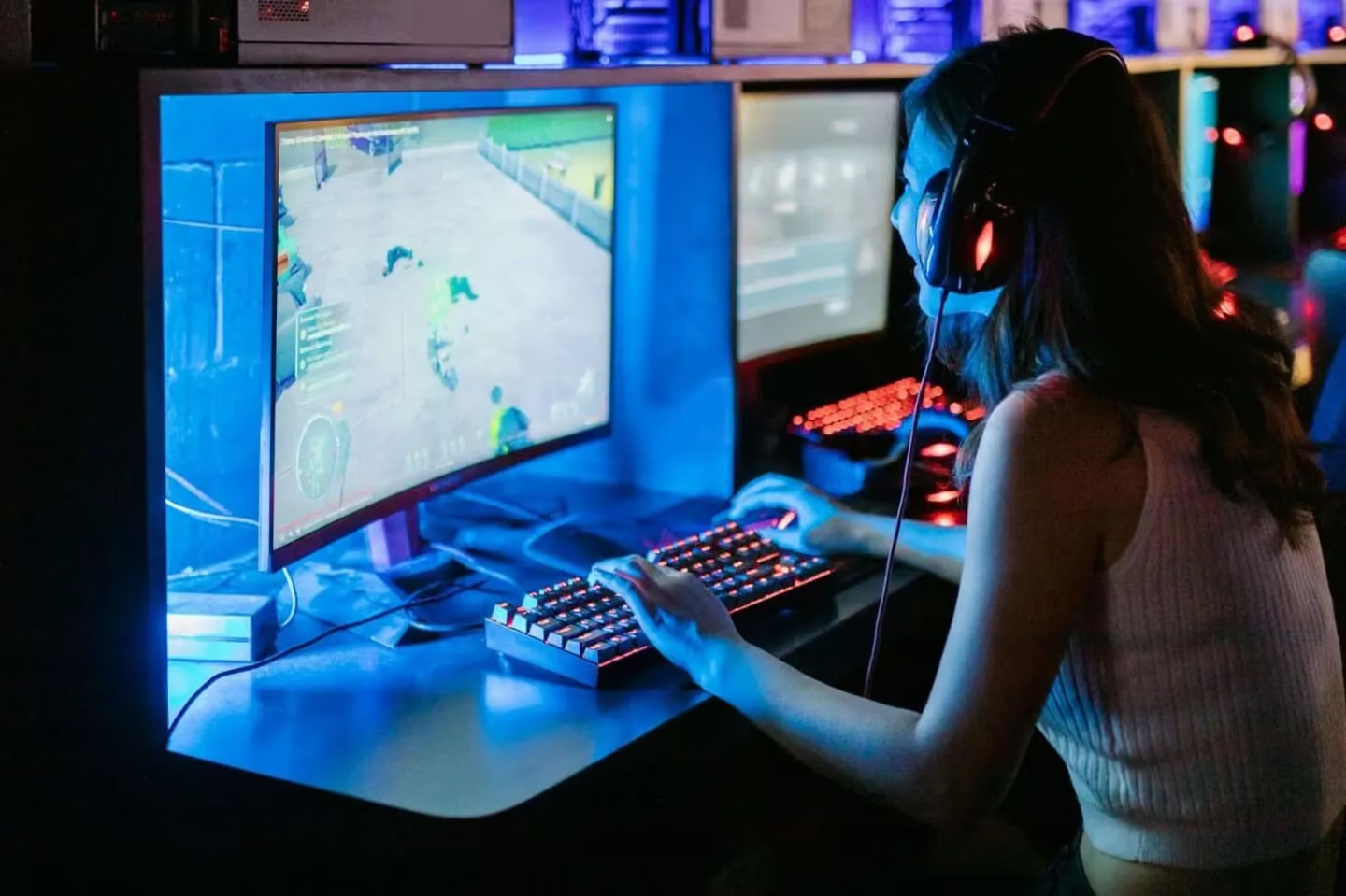
Twitch isn’t just for gamers anymore – it’s a massive live-streaming platform (now over 240 million monthly users and counting) where content creators and their communities connect in real time. One unique feature of Twitch is its virtual currency called Bits. But what are Twitch Bits, exactly, and why should e-commerce brands or Amazon sellers care? In this guide, we’ll break down everything you need to know about Twitch Bits in 2026. You’ll learn what Twitch Bits are, how they work as a monetization tool for streamers (including many micro influencers), and how understanding this feature can open up new influencer marketing opportunities for brands. Whether you’re a Twitch streamer looking to engage your audience or an e-commerce brand exploring new marketing channels, read on to discover how Twitch Bits can spark meaningful engagement – and how platforms like Stack Influence help brands tap into these creator communities.
What Are Twitch Bits?
Twitch Bits are a form of virtual currency on the Twitch platform that viewers purchase with real money to cheer on and support their favorite streamers. When a viewer uses Bits in a streamer’s chat (a process known as “cheering”), a special animated emote appears in the chat, often accompanied by a cheerful message. In essence, Bits are a built-in donation system on Twitch: viewers buy Bits (using Amazon Payments or PayPal) and spend them to celebrate awesome moments during a live stream, and the streamer earns real money from those Bits. Twitch awards fans digital badges and acknowledgments based on how much they’ve cheered in a channel, turning support into a fun, gamified experience. The more Bits someone cheers, the higher-level badge they can earn next to their username – signaling their status as a top supporter. In sub-only chats or special events, Bits can even unlock extra perks (for example, Twitch has run esports promotions where cheering with Bits earned viewers exclusive in-game loot).
In short, Twitch Bits let viewers tip streamers directly within Twitch while also adding flair to the chat. For streamers – from hobbyist micro influencers to top creators – Bits provide a valuable income stream and a way to foster community spirit. And since Twitch is an Amazon-owned platform, it’s no surprise that Bits are purchased through Amazon’s payment system (or PayPal) for a seamless experience.
How Do Twitch Bits Work? (Buying & Cheering)
Purchasing Bits: To use Twitch Bits, viewers first need to buy them from Twitch. Bits are sold in various bundles – for example, 100 Bits typically cost about $1.40 (on desktop) and larger packs come at bulk discounts. (On mobile apps the prices are slightly higher due to app store fees.) Transactions are handled via Amazon Pay, PayPal, or major credit cards, so it’s easy for viewers to top up their Bits balance. It’s worth noting that Twitch takes a cut upfront: roughly 30-40% of the money goes to Twitch when Bits are purchased. For instance, buying 100 Bits for $1.40 means $1.00 worth of support for the streamer and $0.40 to Twitch. This way, when Bits are used in chat, the streamer later receives a flat payout of $0.01 per Bit without any additional fees taken out. In other words, 1 Bit equals 1 cent for your favorite streamer.
Cheering in Chat: Once a viewer has a stockpile of Bits, they can “cheer” during a live stream to hype up the moment. There are two common ways to cheer:
- Using the Bits icon: In the chat box, Twitch provides a Bits gem icon. Clicking it lets the viewer choose a Cheermote (an animated emote) and the number of Bits to spend. Twitch offers default gem emotes (e.g. a gray gem for 1 Bit, purple diamond for 100 Bits, etc.) and sometimes special event emotes. Some top streamers (Partners) even have custom Cheermotes with their branding. The higher the Bits value, the flashier the animation – so a 1,000 Bit cheer produces a more eye-catching emote than a 10 Bit cheer. The viewer can also add a message to accompany the cheer, which often appears highlighted in chat.
- Using text command: Alternatively, a viewer can type a command like cheer100 (to cheer 100 Bits) directly into chat. Twitch will convert that into the corresponding emote and charge the viewer’s Bit balance. If the user has multiple kinds of Cheermotes available, they can specify (for example, typing cheer1000 Kappa might use a Kappa emote style for the cheer). Twitch even builds in a short cancel window – a few seconds delay – to allow the user to undo a cheer if they made a mistake (like typing an extra zero).
When a cheer is sent, everyone in the chat sees the animated emote and message, and the streamer is alerted (often with an on-screen alert or sound if they’ve set one up). It’s an exciting moment: the fan gets to publicly show their support, and the streamer gets both encouragement and a bit of income. Streamers receive 1 cent per Bit cheered – so a cheer of 500 Bits means $5.00 added to the streamer’s earnings. (If a viewer cheers in a channel that is not eligible for Bits, Twitch simply won’t allow it – more on eligibility below.)
Behind the scenes, Twitch tallies all the Bits a streamer accumulates. These earnings are added to the streamer’s revenue dashboard and are paid out just like subscription revenue or ad revenue (typically after reaching a minimum payout threshold, e.g. $50 or $100). For viewers, the Bits they’ve cheered also count toward their Cheer Chat Badge levels in that channel. Twitch keeps a running total for each viewer per channel, unlocking new badge icons as milestones are hit (for example, a green badge at 1,000 Bits, blue badge at 5,000 Bits, etc., scaling all the way up to special badges for 100,000+ Bits and beyond). These badges persist indefinitely in that channel, proudly displaying that viewer’s contribution level every time they chat.
Tip: Frequent supporters can even enable Auto-Refill for Bits – an optional setting where Twitch will automatically charge and top-up your account with a chosen Bits bundle whenever your balance falls below a set amount. This ensures die-hard fans never miss a chance to cheer due to an empty wallet. (This feature is handy for power-users, though casual viewers can purchase Bits one-off as needed.)
Why Do Viewers Use Twitch Bits?
For viewers, cheering with Bits is about more than just money – it’s about interaction, recognition, and community. Here are some of the top reasons Twitch fans love using Bits:
- To support streamers they love: Bits provide an easy, fun way to financially support a streamer without leaving the Twitch site. It’s akin to tipping your favorite creator for their content. Many viewers feel good knowing that their cheer directly benefits the streamer (since the streamer gets paid for each Bit) and helps them continue doing what they do.
- To get attention and engagement: Cheering with Bits makes a viewer’s chat message stand out. The animated cheer emotes and special text highlights draw the streamer’s (and everyone’s) attention. Often, streamers will shout-out or thank users who cheer. It’s a way for viewers to participate in the stream’s big moments – for example, dropping a huge Bit cheer when something exciting or hilarious happens. This interactive element keeps viewers more engaged.
- To earn badges and status: As mentioned, Twitch grants Cheer Chat Badges as viewers accumulate total Bits in a channel. These badges, displayed next to the username, confer prestige – they essentially say “I’m a top supporter of this channel.” Fans take pride in these status symbols. Climbing the badge tiers can be motivating in itself; some community members engage in friendly competition to have the highest badge or appear on the channel’s Bits leaderboard (if the streamer enables one).
- To join community challenges and events: Twitch often encourages a fun, community-centric atmosphere. Features like Hype Train reward viewers for collective support – if multiple people cheer or subscribe in a short window, a hype meter fills and unlocks bonus emotes for participants. Bits are a big part of that. Additionally, special events (charity streams, esports tournaments, etc.) sometimes offer rewards for cheering – e.g. limited-time emotes or game loot – adding extra incentive to spend Bits.
- For the fun of it: Ultimately, using Bits is just plain fun. Twitch culture has its own memes and inside jokes, and cheer emotes (like the famous Kappa emote used as a Cheermote) play into that. Sending a goofy animated gem or a custom Cheermote tailored to the streamer’s theme can make the chat experience more enjoyable. It’s a way for viewers to express themselves beyond plain text. As Twitch itself notes, “Cheering with Bits celebrates the moments you love with the community, all right in chat.” It adds to the entertainment on both sides of the screen.
In summary, viewers use Bits not only to tip streamers, but to feel more connected and acknowledged in the stream. It’s a win-win: the streamer earns income, and the viewer becomes an active part of the show. For brands interested in Twitch, this behavior is gold – it demonstrates just how engaged these communities are (fans are literally willing to pay to participate!), an insight we’ll revisit later.
Who Can Earn Bits on Twitch? (Affiliate/Partner Eligibility)
If you’re a brand-new streamer on Twitch, you won’t have Bits enabled on your channel immediately. Twitch restricts the Bits feature to monetized creators – those who have achieved at least Affiliate status. The Twitch Affiliate program is the first step to becoming a monetized streamer, and it has some modest requirements. To qualify as an Affiliate, a streamer must, within a 30-day period, achieve:
- 50 followers on their channel
- At least 8 hours of total stream time
- At least 7 unique streaming days
- An average of 3 concurrent viewers during those streams
Once you meet these milestones, Twitch will invite you to the Affiliate Program. Affiliates can start earning from Bits, channel subscriptions, and other revenue features. In other words, only Affiliates and Partners can accept Bits from viewers.
For context, Twitch now has millions of Affiliates (over 3.5 million as of late 2024) and tens of thousands of Partners – so the good news is that many small creators (the kind of micro influencers with tight-knit audiences) are eligible to earn Bits. If you go into a Twitch channel and see a “Get Bits” button or the ability to cheer in chat, that streamer is monetized. Conversely, if a streamer is just starting out (below 50 followers, etc.), their viewers won’t be able to cheer with Bits yet – those fans might support them through other means like follows or external donations until the channel grows.
Twitch Partners, by the way, are the top-tier creators on the platform (typically requiring a larger audience and meeting higher metrics). Partners also earn from Bits (at the same 1 cent per Bit rate) and have access to even more perks – for example, Partners can create custom Bit badges and Cheermotes for their channel, whereas Affiliates use Twitch’s default Bit emotes and badges. Essentially, Affiliates and Partners both can receive Bits; Partners just get a few more customization options which we’ll discuss next.
Custom Bit Badges and Cheer Emotes
One of the clever ways Twitch keeps the Bits ecosystem engaging is by allowing customization for successful streamers. By default, Twitch provides a set of shiny gem icons for various Bit amounts and preset animated Cheermotes (like the red cheering gem, or fun ones like Kappa, SwiftRage, etc.). However, once a streamer becomes a Partner, they can upload their own Bit badge artwork and even custom Cheermotes to personalize how Bits appear in their channel.
Custom Bit Badges: Partners can reward their biggest supporters with unique chat badge icons. Instead of the generic Bit badges, a streamer might design badges that match their channel’s theme (for example, a streamer who’s an artist might create paint palette badges for different Bit tiers, or a gaming streamer might use bronze/silver/gold shields, etc.). Twitch supports a wide range of Bit badge tiers – from as low as 1 Bit all the way up to 5,000,000 Bits total cheered in a channel. Streamers can upload custom images for various milestone levels (some channels offer dozens of different badge designs to chase). This motivates fans: there’s always a cooler badge to earn if they keep cheering. For instance, a viewer might start with a small badge after 1,000 Bits, but see that at 5,000 Bits there’s a really awesome-looking badge, which might entice them to cheer more over time to unlock it. It’s a powerful loyalty system.
Custom Cheermotes: In addition to badges, Twitch Partners can also create a set of custom Bit emotes (Cheermotes). These are the animated emotes that fly up when someone cheers. Partners get to design up to five tiers of Cheermotes, which correspond to different Bit amounts. For example, a Partner could have a custom “logo dance” emote that plays for 1 Bit, and an even flashier version of that animation for 1,000 Bits. Viewers love these because it feels more personal to the channel – you’re not just dropping a generic Twitch gem, you’re dropping the streamer’s own mascot or inside-joke emote into chat. The bigger the cheer, usually the more elaborate the animation. Custom Cheermotes give established creators another way to differentiate their channel and encourage larger cheers (since fans want to see the cool animations).
Managing Bit Settings: Both Affiliates and Partners can configure some Bits settings in their dashboard. For example, streamers can set a minimum Bits to cheer if they wish (e.g. require at least 10 Bits per cheer message) to prevent spam of 1-Bit cheers flooding the chat. They can also toggle whether to display weekly/monthly top Bit leaderboards for some friendly competition among fans. All these settings help creators fine-tune how Bits integrate into their community.
From a community standpoint, these customization features make Bits more than just a currency – they become part of the channel’s branding and culture. For brands or marketers observing Twitch, the prevalence of custom badges and emotes is a testament to how much user-generated content (UGC) and personalization matter in influencer communities. The more a fan feels “at home” in a streamer’s channel (with unique visuals, in-jokes, rewards), the more likely they are to engage deeply – even financially through features like Bits.
Twitch Bits vs. Subscriptions vs. Donations: What’s the Difference?
Twitch offers streamers multiple ways to earn revenue, and if you’re new to the platform you might wonder how Bits compare to other support methods like channel subscriptions or direct donations. Here’s a quick rundown of how they differ:
- Twitch Bits (Cheering) – One-time micro transactions inside Twitch. Viewers buy Bits from Twitch and spend them to cheer in chat, sending money to the streamer in the process. Streamers earn $0.01 per Bit, and Twitch’s share comes from the markup on Bit purchases. Bits trigger on-platform effects (chat badges, emotes, alerts) that make the support visible. Only available for Affiliate/Partner channels. No chargeback risk to streamers (since payments are handled by Twitch) – this is a safe, Twitch-endorsed donation system.
- Channel Subscriptions – Recurring support on a monthly basis. Viewers can subscribe to a streamer’s channel at tier levels (Tier 1 is typically $4.99/month). A subscription gives the viewer perks: custom sub-only emotes to use across Twitch, a sub badge (different from Bit badges), ad-free viewing in that channel, and sometimes exclusive content (e.g. sub-only chat or streams). Streamers split revenue with Twitch, usually 50/50 for Affiliates (so about $2.50 to streamer from a Tier 1 sub) unless a better rate is negotiated for top Partners. Subscriptions are great for steady income and community building (subs feel like members of a club), whereas Bits are more ad-hoc and event-driven. Both subs and bits often run in parallel – fans might subscribe for basic support and also cheer with Bits during hype moments.
- Donations/Tips (Third-Party) – Voluntary payments outside of Twitch’s official systems. Many streamers set up donation links via services like PayPal, Streamlabs, or others. These allow viewers to contribute any amount (often for alerts or messages to show on stream). The key differences: donations do not give Twitch a cut (the streamer gets most of it, minus small payment processing fees), and they aren’t tied to Twitch features – meaning no built-in badges or emotes (streamers often create their own alerts to thank donors). However, donations can be risky for streamers due to chargebacks (a viewer might try to reverse a PayPal transaction after the fact, which can be a headache). Bits have an advantage here: they are non-refundable; once cheered, that money is secured for the streamer. For viewers, donating via PayPal might not be as fun or recognized in chat as using Bits, but it allows larger or more flexible amounts. Many channels display both options: “Cheer with Bits or donate via PayPal” depending on viewer preference.
In summary, Bits vs subs vs donations each serve different purposes in the Twitch ecosystem. Bits are all about quick, shiny bursts of support that boost engagement (great for on-the-spot excitement). Subscriptions are about ongoing support and belonging to a creator’s community. Donations are a more direct way to give money, often used by those who want to avoid Twitch’s cut or support non-Affiliate streamers. A savvy content creator utilizes a mix of all three. And for brands and marketers, these represent the avenues through which a Twitch influencer derives value – understanding them can help in structuring sponsorship deals or campaigns (for example, a brand could sponsor a streamer with bonus incentives tied to Bit milestones or encourage viewers to use Bits during a branded stream, etc.).
How Brands Can Leverage Twitch Bits (and Why It Matters)
You might be thinking: “Okay, Bits are cool for streamers and viewers – but where do brands, e-commerce businesses, or Amazon sellers come in?” The answer lies in the engagement and loyalty that Bits signify. If you’re an e-commerce brand or seller, especially one targeting Gen Z or millennial consumers, Twitch represents a thriving community space – and Bits are a key indicator of an engaged audience. Here’s how understanding and leveraging Twitch Bits can benefit brands in the influencer marketing space:
- Identifying Truly Engaged Creators: When evaluating Twitch influencers (streamers) to work with, Bits can serve as a metric of engagement. If a streamer’s community frequently cheers with Bits, it’s a sign those viewers are highly invested in the content. They’re not just passively watching; they’re participating and even spending money to interact. For a brand, partnering with such a creator can mean your message will land with a passionate, attentive audience. In contrast to some social platforms where follower counts can be deceiving, Twitch’s Bits and subs give tangible measures of fan involvement. Many micro influencers on Twitch foster extremely dedicated followings; in fact, smaller creators often see higher engagement rates (e.g. micro influencers on Instagram average ~3.8% engagement vs ~1.2% for mega-influencers) – a pattern likely true on Twitch as well. An intimate Twitch community might rally behind a product or brand a streamer genuinely loves, leading to authentic word-of-mouth buzz.
- Creative Brand Promotions Using Bits: Some forward-thinking brands have already experimented with Twitch’s Bits ecosystem. A notable example is Gillette’s “Bits for Blades” campaign. Gillette teamed up with popular Twitch streamers (the “Gillette Gaming Alliance”) and offered viewers an interactive deal: if fans purchased Gillette products through a special link or banner (on Amazon, naturally), they earned free Twitch Bits as a reward. In other words, buy a razor and get bonus Bits to cheer on your favorite streamer. This campaign brilliantly connected e-commerce purchases with Twitch engagement. It not only drove sales (people love a good deal), but also injected more Bits into Twitch communities – which in turn helped streamers earn and sparked more activity in their chats. The takeaway for brands is that Twitch Bits can be woven into marketing promotions. For instance, an Amazon seller might offer a limited promo: “Buy our product, get 250 Bits free to cheer your favorite streamer!” This leverages Amazon’s ownership of Twitch and directly appeals to the Twitch viewer demographic. It’s a loyalty play that ties your brand to the viewer’s entertainment experience.
- Sponsoring Streams & Matches: Brands can also utilize Bits as part of sponsored stream events. For example, a company could sponsor a charity stream and pledge to match all Bits cheered during a certain period as a donation to charity, doubling the impact and encouraging viewers to cheer more. Or a brand could run a contest where viewers cheering with a specific branded Cheermote (Twitch allows special edition Cheermotes in some cases) enter a giveaway. These are hypothetical, but the idea is that Bits enable interactive sponsorships rather than static ads. Unlike traditional ads, these campaigns engage viewers to take action (cheer, purchase, etc.) which creates a more memorable brand interaction.
- Twitch as Part of a Broader Influencer Strategy: If you’re already using influencer marketing on platforms like Instagram or TikTok for your DTC or Amazon products, Twitch might be the next frontier – especially for products that resonate with gaming, tech, or pop culture audiences. The content on Twitch is live and UGC-driven (the streamer and their community create the content together). By collaborating with Twitch streamers, brands can tap into this live UGC phenomenon. The authenticity is high: imagine a tech gadget seller having a micro-influencer streamer do an honest live demo on Twitch. The chat buzzes, Bits fly as viewers show approval or ask questions – this kind of organic engagement is marketing gold you can’t fake. It’s not about a polished ad, but real-time user-generated reactions. Brands can amplify this by perhaps offering discount codes during the stream, or using Twitch’s extension that allows products to be showcased (there’s even an official Amazon Blacksmith extension for product links). When viewers are invested enough to cheer Bits, they’re likely receptive to recommendations from that creator.
- Building Community and Goodwill: Lastly, understanding Bits helps brands avoid missteps and instead build goodwill in these communities. For example, if you sponsor a streamer, knowing that Bits and subs are their livelihood means you might encourage (and not overshadow) those native support methods. Many Twitch viewers are wary of overly intrusive sponsorships; a savvy brand will integrate smoothly. Some companies even purchase Bits themselves to cheer the streamer during a sponsored segment (“Thanks for letting us be here!”) as a show of support – a small gesture that the community will appreciate, seeing that the brand supports the creator just like the fans do.
In summary, Twitch Bits matter to brands because they reflect an active, tight-knit audience – the kind of audience that influencer marketing thrives on. By respecting the Twitch ecosystem and creatively incorporating Bits or other Twitch-native features, e-commerce brands and Amazon sellers can engage this audience on its own terms. It’s about meeting consumers where they play and interact, rather than pushing traditional ads at them. And with the right strategy (and partners to help), even a smaller brand can punch above its weight in the Twitch sphere.
Stack Influence, for example, helps brands connect with micro influencers and content creators across platforms (Twitch included) to create authentic campaigns. By partnering with the right influencers and understanding tools like Twitch Bits, brands can spark genuine engagement that translates into sales and loyalty.
Conclusion to Threads vs Twitter (X)
The Threads vs Twitter debate in 2026 comes down to aligning your social media strategy with your brand’s goals. Threads has emerged as a compelling alternative, offering a fresh, micro-influencer-friendly environment with growing user engagement and a focus on authentic conversations. Twitter (X) remains the heavyweight for instant reach and trending visibility, albeit with more noise and potential brand safety concerns. For e-commerce brands and Amazon sellers, the best approach is often to meet your audience on both platforms – use Threads to cultivate community and gather UGC, and use Twitter to amplify your message when you need that viral spark.
Remember, effective influencer marketing isn’t about choosing one platform over another; it’s about using each platform’s strengths. A creative content creator can spark interest with a witty tweet and continue the story with a deeper thread on Threads. As you plan your social strategy this year, focus on where your customers engage most and how they prefer to interact with your brand.
Finally, don’t overlook the power of micro influencers in this equation. Whether on Threads or Twitter, micro influencers can drive meaningful engagement by bringing authenticity and trust to your brand’s message. Managing campaigns across multiple platforms can be challenging, but that’s where solutions like Stack Influence come in. Stack Influence helps connect e-commerce brands with vetted micro-influencers and content creators, streamlining cross-platform campaigns to deliver authentic UGC and real ROI. If you’re ready to boost your brand’s presence on social media – from Threads’ new conversations to Twitter’s trending topics – consider partnering with experts who can execute a cohesive influencer strategy. Embrace both platforms, stay authentic, and let the conversations fuel your growth.