




If you’re an e-commerce brand, Amazon seller, or DTC founder drowning in product photos, influencer images, and marketing videos, finding the best digital asset management system can be a game-changer. In today’s content-driven market, brands generate more visual assets than ever – from professional product shots to user-generated content (UGC) from micro influencers. A digital asset management (DAM) system acts as a central hub to organize all these files, making it easy to store, find, and share your content across campaigns. In this 2026 guide, we’ll explain what a digital asset management system is, why it’s crucial for e-commerce and influencer marketing, how to choose the right one, and review the top DAM solutions available. By the end, you’ll know how a DAM can save time, ensure brand consistency, and help you fully leverage content from your community of creators and customers.
What Is a Digital Asset Management System (DAM)?
Digital asset management (DAM) refers to software that centrally stores and organizes an organization’s digital files – images, videos, graphics, documents, and more. Think of a DAM as a secure, searchable digital library for all your brand’s content. Instead of files scattered across Dropbox, Google Drive, or different team members’ computers, a DAM provides one source of truth where everything lives. Modern DAM systems go beyond basic cloud storage by offering:
- Robust Organization – Tagging, categories, and metadata so you can quickly search and filter assets by keywords, dates, campaigns, etc.
- Version Control – Tracking edits and updates to ensure everyone uses the latest approved version of a file.
- Access Permissions – Control over who (team members, partners, or clients) can view, download, or edit specific assets.
- Collaboration Tools – Features like comments, approval workflows, and shareable links to streamline creative review and content distribution.
In essence, a DAM is like an advanced filing cabinet combined with a traffic control system for your content. It “turns scattered files into shareable stories” by enabling teams to seamlessly access and repurpose assets across channels. Marketing teams, creative agencies, and even small businesses all benefit: e-commerce sellers, for example, use DAMs to manage product images, videos, logos, and UGC in one place, ensuring that their Amazon listings, Shopify store, and social media all pull from the same up-to-date asset library. Not surprisingly, companies are investing heavily in DAM technology – the global DAM market is projected to grow from about $5.3 billion in 2025 to $10.9 billion by 2029 – underscoring how essential these systems have become for modern brands.
Why E-Commerce Brands Need the Best DAM System
For e-commerce and marketing teams, digital assets are the lifeblood of branding and sales. Without a proper system, managing these files can turn into “content chaos.” Here’s why the best digital asset management systems are especially valuable for online sellers, influencer marketers, and content creators:
- Time Savings & Efficiency: Marketers waste enormous time searching for files when assets are disorganized. One study found that around 33% of marketing teams spend about three weeks per year just looking for images, videos, and other files. A DAM’s powerful search and tagging can cut this search time from hours to seconds. Instead of recreating a misplaced product photo or requesting an influencer to resend a video, you can locate the asset instantly. This efficiency frees you to focus on strategy, not scavenger hunts.
- Consistent Branding: A DAM ensures everyone uses the most current, approved assets, which is critical for brand consistency. Your team (and even external partners) will always have the right logo designs, product images, and ad creatives at their fingertips. No more outdated packaging photo sneaking into an Amazon listing – the DAM becomes the single source of truth. Consistent use of on-brand visuals builds trust and a cohesive customer experience.
- Asset Protection & Rights Management: Digital assets represent significant investment. A DAM protects these assets by maintaining backups and controlling access. You can track usage rights, license expirations, and ensure that user-generated content or influencer photos are used within allowed terms. This avoids legal issues and prevents loss of valuable content. For instance, if you license UGC from a micro influencer, you can store the content in your DAM with metadata noting how and when you’re allowed to use it.
- Collaboration & Speed to Market: The best DAM systems include collaboration features that accelerate content production. Your designers, marketers, and even influencers or photographers can upload and share large files without endless email threads. Comments and approvals can happen right in the DAM platform. This speeds up workflows – from creating social media posts to updating your ecommerce site’s imagery – because everyone is literally on the same page (or rather, the same asset library). In fact, by improving content workflows, DAMs help teams launch campaigns faster and respond quickly to trends.
- Maximizing UGC and Influencer Content: Today’s brands thrive on user-generated content – like customer photos, unboxing videos, or micro influencer posts showcasing products. A DAM is invaluable for curating and reusing this content. Imagine you run an Amazon storefront and an Instagram campaign: you can store all the influencer images, TikTok videos, and customer review pics in your DAM, then easily pull them into new ads or product pages. Platforms like Stack Influence can coordinate campaigns with hundreds of micro-influencers to deliver a steady stream of UGC for your brand. A DAM allows you to harness that “trove of content” – organizing UGC by creator, campaign, or product – so that a single photo from a fan can be repurposed across marketing channels. The result? More content for your ads and social feeds without constantly shooting new material, and a more authentic connection with your audience.
In short, a digital asset management system brings order to the content chaos. It saves precious time, ensures your brand looks polished everywhere, and helps you squeeze maximum value from every photo or video you have. For e-commerce companies and Amazon sellers juggling thousands of images (from product galleries to influencer lifestyle shots), a DAM isn’t a luxury – it’s quickly becoming a necessity to stay efficient and competitive.
How to Choose the Best Digital Asset Management System
With dozens of DAM platforms on the market, how do you select the best digital asset management system for your business? Here are key factors and tips to guide your decision:
- Define Your Asset Needs: Start by auditing what types of assets you manage and how your team works. Do you have thousands of high-res product photos? Large video files? Do multiple people need to access and upload content (including external partners or agencies)? Listing your requirements will clarify if you need an enterprise-grade system or something simpler. For example, a small Amazon seller with mainly product images might choose a lightweight, budget-friendly DAM, while a growing DTC brand working with many content creators may need advanced collaboration features.
- Key Features to Look For: Prioritize DAM features based on your workflow. Common must-haves include robust search (by tags, keywords, color, etc.), easy uploading and downloading, version history, permission settings, and shareable links or portals for outside collaborators. If you rely heavily on UGC or influencer content, look for a system that makes it easy to create collections or albums for each campaign and perhaps offers AI tagging (some DAMs use AI to recognize image content and tag it automatically). Integration capabilities are also crucial—ensure the DAM can connect with your existing tools like Shopify, WordPress, Adobe Creative Cloud, social media schedulers, or project management apps. Seamless integration means you can pull assets into your store or marketing software without manual downloads, and with support for mobile continuous integration, teams can manage, test, and deploy updates efficiently across devices.
- Ease of Use: The fanciest DAM is useless if your team won’t use it. Evaluate the user interface with your end-users in mind. Many e-commerce teams prefer a clean, intuitive dashboard over a super technical system. Look for features like drag-and-drop uploads, clear folder structures or galleries, and simple sharing options. User reviews can be insightful here – if other marketers say a DAM is “delightfully feature-rich while still maintaining simplicity” (as noted about one popular platform), that’s a good sign. Most vendors offer free trials or demos – take advantage to have your team test drive the software.
- Scalability and Pricing: Consider your growth. Will the DAM still serve you as your product catalog or content library doubles? Ensure any storage limits, user limits, or costs per user align with your plans. Some solutions charge per user (which can get pricey as you add team members or external collaborators), while others offer unlimited users and charge by storage or features. Calculate the total cost of ownership based on your scenario. Also, inquire about different tiers – you might start with a basic plan and upgrade as needed. Keep in mind that investing in a good DAM can pay off by boosting team productivity and asset reuse – leading to a positive ROI.
- Support and Community: Finally, look at the support offered. As an e-commerce operator, you likely work around the clock – does the DAM provider offer 24/7 support or at least a speedy ticket system? A strong user community or knowledge base is also a plus, so you can learn best practices. Some well-established DAM companies have active forums or customer success teams that help with onboarding (for example, assisting in migrating your thousands of existing assets into the system and setting up a logical folder taxonomy). Reliable support ensures you get the most value from the tool and any issues won’t derail your workflow.
By evaluating these aspects – needs, features, usability, scalability, and support – you’ll be equipped to choose a DAM that fits your specific business. The “best” system isn’t one-size-fits-all: a large retail brand might need an enterprise solution with advanced analytics, while a lean Amazon seller may prioritize simplicity and cost-efficiency. Next, let’s look at some of 2026’s best digital asset management systems on the market and what makes each one stand out.
Top 10 Digital Asset Management Systems in 2026 (for Brands & Creators)
In no particular order, here are ten of the best DAM systems in 2026, ranging from enterprise platforms to small-business-friendly solutions. We’ve highlighted unique features and ideal use-cases for each:
1. Stack Influence

Stack Influence isn’t a traditional DAM; it’s actually a leading micro influencer marketing platform. So why is it on this list? Because Stack Influence helps brands generate and organize a steady pipeline of UGC content from real consumers and creators – essentially feeding your DAM with fresh, authentic assets. E-commerce brands and Amazon marketplace sellers use Stack Influence to run campaigns with hundreds of micro influencers at once. The platform coordinates everything from influencer sourcing and product shipment to content collection. As influencers post about your product (think unboxing videos, lifestyle photos, reviews), you receive that content to repurpose. Stack Influence provides a dashboard where you can easily download and manage all the UGC assets from your campaign. By using Stack Influence in tandem with a DAM, you solve two problems: getting high-quality content and having a system to manage it. If your goal is to scale social proof and customer content for your brand, Stack Influence offers an all-in-one solution to produce and gather assets – a perfect complement to whichever DAM you choose for long-term storage. (Stack Influence is unique to this list as a content source; it supercharges your asset library with influencer-generated media.)
2. Monday.com

Monday.com is well known as a work operating system for project and task management, but it also doubles as a simple digital asset management tool for teams. For small businesses or marketing teams that want an intuitive, all-in-one platform, Monday.com provides customizable boards where you can store files, assign owners, set due dates, and track progress. It’s highly visual – you can switch between list views, calendars, or kanban-style boards to see where assets are in your pipeline. Monday integrates with Google Drive, Dropbox, Slack, and many other apps, allowing you to pull in assets or push them out to those services easily. While it may not have the advanced AI tagging or enterprise features of dedicated DAMs, Monday.com is praised for its ease of use and flexibility. It’s ideal for teams that want basic asset organization coupled with project workflows (e.g., tracking an image from creation to approval to publication). Pricing is per user (with plans starting around $8/user/month), which is manageable for small teams. If you’re already using Monday to manage your marketing tasks or influencer campaigns, leveraging it as a lightweight DAM can keep everything in one place.
3. Bynder
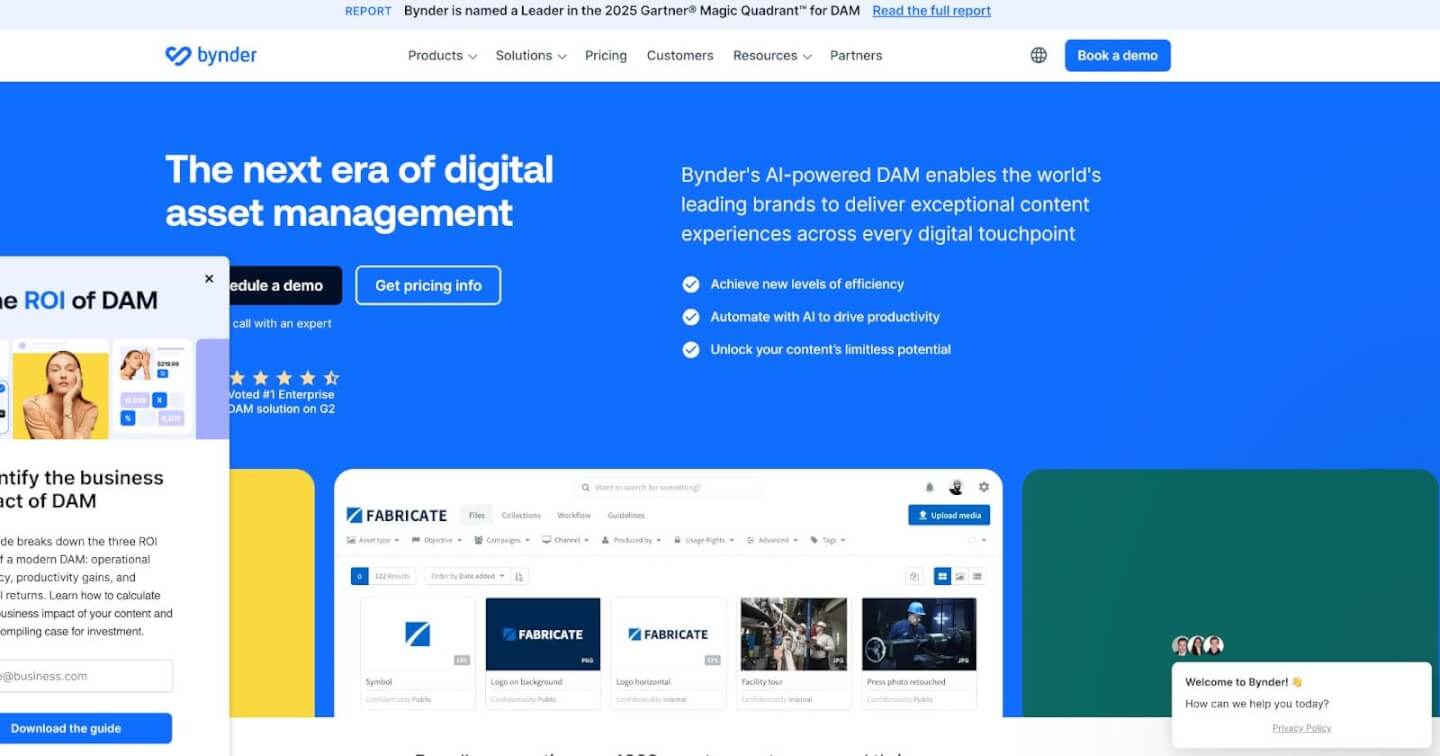
Bynder is a top-tier DAM platform trusted by many global brands for its robust feature set. Designed with brand consistency in mind, Bynder offers a centralized brand portal where all assets – logos, product photos, campaign videos, etc. – are stored and classified in a highly organized way. Its powerful metadata and taxonomy options make searching for assets very fast, even in libraries with tens of thousands of files. Bynder shines in brand governance: you can set up templates and brand guidelines within the system, ensuring that anyone who downloads an asset (whether an employee or retailer) gets the correct, on-brand material. Collaborative features include creative project management modules and in-app editing/annotation for feedback rounds. Bynder also uses AI (artificial intelligence) to assist with tasks like auto-tagging images or even detecting where and how assets are being used across the web. This is a premium solution – typically aimed at mid-size to enterprise companies – so pricing is upon request. For large e-commerce brands or those with extensive creative operations, Bynder provides the scalability and enterprise-level security needed. It’s an excellent choice when maintaining a strong, cohesive brand identity across many channels and markets is your priority.
4. Canto

Canto is a popular digital asset management system used by over 2,500 businesses including famous names like NASA and Harvard. It’s often praised for finding the sweet spot between powerful functionality and ease of use. Canto’s interface is clean and geared toward marketing professionals rather than IT folks. Key features include smart search filters, facial recognition for photos, custom shareable libraries, and branding tools to create branded portals for different stakeholders. For example, you could set up a portal for your wholesale partners to download product images and another for your PR team to access logos and press photos. Canto also offers granular user permissions and reporting – you can see who accessed or downloaded what, which is great for tracking asset usage. It runs on Amazon Web Services (AWS) cloud infrastructure for speed and reliability. Canto’s pricing is quote-based and can accommodate unlimited users, making it scalable as your team grows. For e-commerce and creative teams that want a proven DAM solution with strong support, Canto is often a top contender. It’s especially useful if you have many collaborators or external parties who need controlled access to your assets.
5. Brandfolder

Brandfolder is a DAM platform known for being “delightfully feature-rich while still maintaining simplicity and ease of use”. It caters to organizations ranging from startups to Fortune 500 companies, which speaks to its flexibility. One standout feature is Brand Intelligence – Brandfolder’s built-in AI and analytics engine. This feature can automatically recognize the content of images (objects, logos, even people) and tag them, and it provides insights into how assets are being used or performing. For instance, Brandfolder can tell you which product images are downloaded most by your sales team or which UGC photos get the most views internally – helping you understand what content resonates. The platform also makes it easy to create collections or lightboxes of assets, distribute them via custom links, and set user-specific permissions for security. This is great for segmenting assets by use-case (e.g., a collection of holiday campaign visuals to share with your social media agency). Brandfolder’s focus on intelligence and reporting means it not only stores your assets but also helps you optimize their usage. If you’re interested in the data side of content – or simply want a DAM that plays well with emerging tech – Brandfolder is worth a look. It’s a cloud-based system, with pricing available on request or via tailored plans through its parent company (Smartsheet).
6. Acquia DAM (Widen)

Widen Collective – now part of Acquia DAM – is a long-established player in digital asset management, known for its reliability and customization. Widen is used by clients like YMCA and Zippo and tends to fit mid-to-large businesses that may have very specific workflow needs. One of Widen’s strengths is that it’s highly configurable: admins can set up custom metadata schemas, define intricate user roles, and even build out bespoke workflows for asset ingest and approval. In addition to core DAM functionality, Widen offers modules for things like brand guidelines, video asset management, and even product information management (PIM), making it a more comprehensive marketing solution if you need those extras. Users appreciate features like “spotlight” search highlights (to pin frequently used assets at the top of search results) and the ability to automate asset expiry or archival. Because of its depth, Widen can have a steeper learning curve than some simpler tools, but their customer support and onboarding are strong. Pricing is custom. For an e-commerce brand with a massive content library and perhaps multiple sub-brands or international teams, Acquia DAM (Widen) provides the robustness and enterprise controls to keep everything running smoothly.
7. Filecamp
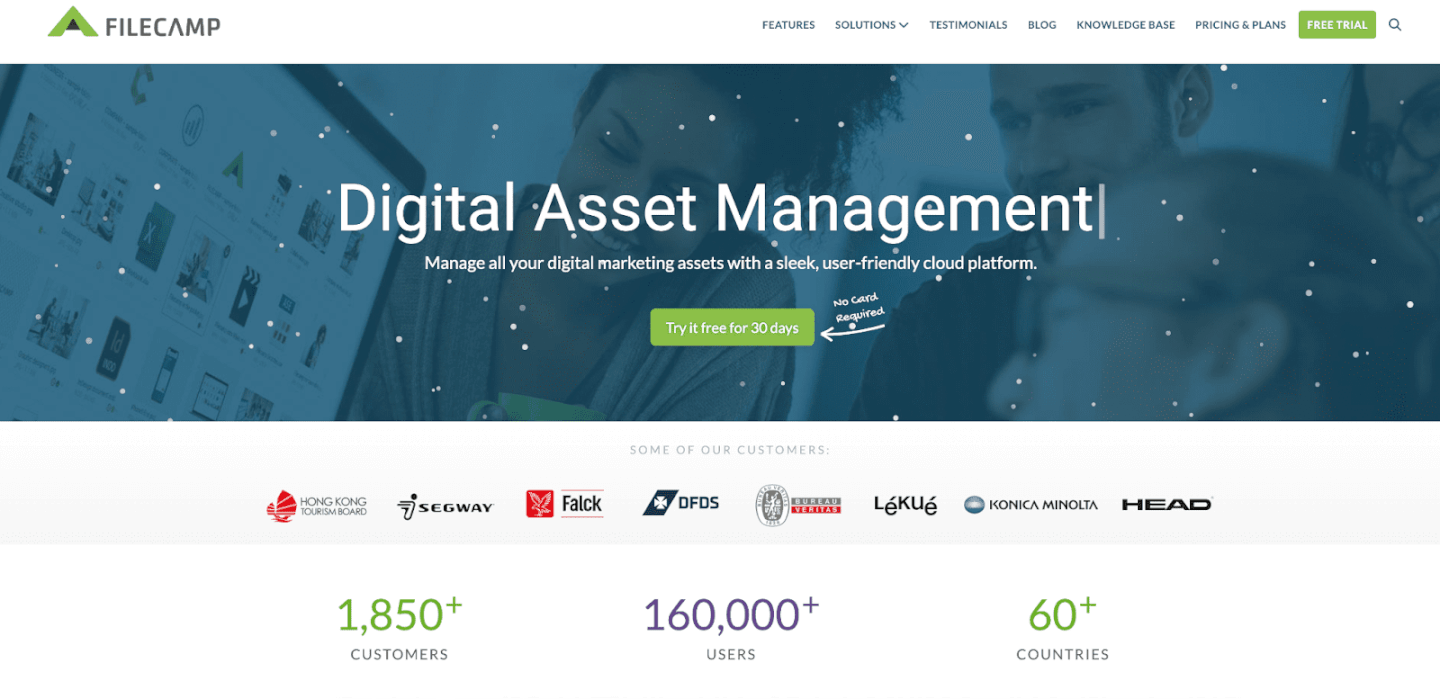
Filecamp is a budget-friendly, cloud-based DAM that’s especially popular with small businesses, marketing departments, and agencies. Its pricing is refreshingly straightforward, starting from around $29/month, and notably includes unlimited users on all plans. This means you can invite your entire team, plus freelancers, photographers, or retailers, without worrying about per-user costs – a huge win for growing brands or those collaborating with many partners. Filecamp focuses on simplicity and core DAM needs: you can organize images, videos, logos, and even brand guideline documents into folders and albums, all accessible through a web interface. It offers custom branding (so you can white-label the portal with your logo/colors) and has handy tools like built-in online proofing and commenting for creative feedback. Setting up download links or approvals for clients is straightforward. While Filecamp might not have the AI bells and whistles of pricier systems, it covers all the basics like metadata tagging, keywords, and permission controls. For many e-commerce sellers and small brands, Filecamp provides 90% of what you need at a fraction of the cost. It’s best for those who value affordability and ease of use, and who want to quickly get a DAM in place without heavy IT support.
8. Adobe Experience Manager Assets
Adobe Experience Manager (AEM) Assets is the DAM component of Adobe’s larger Experience Manager platform. This is an enterprise-grade solution tailored for marketing and creative teams, especially those already invested in the Adobe ecosystem. AEM Assets shines when you need tight integration with Adobe Creative Cloud apps (Photoshop, Illustrator, InDesign, etc.) and other Adobe marketing tools. Creatives can easily save files from Photoshop directly into the DAM, and marketers using Adobe’s Experience Cloud can pull content from AEM into web pages or emails seamlessly. The platform includes automation to speed up the content lifecycle – from creation to delivery – and offers dynamic media features (like auto-generating different image sizes or renditions on the fly for your website). With AEM, you can also manage not just static assets but dynamic ones, including 360° images or interactive media, which some advanced e-commerce sites leverage for richer product experiences. Another benefit is its scalability and performance; AEM is built to handle vast amounts of assets and high traffic for global brands. However, all this power comes with complexity and cost – AEM typically requires a dedicated implementation and is priced for large organizations. If you run a major e-commerce operation or content-rich brand and need enterprise-level capabilities with creative workflow integration, Adobe AEM Assets is a top contender (it will “streamline operations” and help deliver a consistent customer experience across channels). For smaller teams, this might be overkill, but at the enterprise level, it’s a leading solution.
9. Cloudinary

Cloudinary is a slightly different kind of platform on this list – it’s known both as a DAM and as a media optimization service. Developers and e-commerce sites often use Cloudinary to host and deliver images and videos with automatic optimization (like resizing, format conversion, or compression for faster loading). On the DAM side, Cloudinary provides a centralized media library where marketing and web teams can store all their product images, marketing graphics, and videos. It excels in scenarios where you have to manage rich media for web or mobile apps (for example, an online store with 10,000 product images that need to be served in different sizes). Cloudinary’s AI capabilities can auto-tag images (e.g., identify an image as “red shoes” or “smiling customer”) and even perform content moderation if needed. The platform also supports dynamic asset generation – for instance, you can create on-brand social media images on the fly by overlaying text on a template via Cloudinary’s URL-based transformations. For brands concerned with site speed and SEO, Cloudinary ensures that the right-sized image is delivered to the right device, improving page load times. It offers a free plan for modest usage and usage-based pricing beyond that. Cloudinary is an ideal choice for tech-savvy e-commerce teams or any brand heavily focused on digital experience. It combines DAM functionality with robust delivery and is used by many online retailers to handle the dual challenge of managing assets and publishing them efficiently to websites/apps.
10. CoSchedule Asset Organizer
CoSchedule is well known for its marketing calendar and content scheduling tools, and CoSchedule Asset Organizer is its integrated DAM solution targeted at content marketing teams. If your brand’s marketing revolves around a content calendar (blogs, social posts, emails, etc.), Asset Organizer provides a handy library right alongside your editorial calendar. This means as you plan campaigns, you can easily attach or find the relevant graphics, logos, or videos needed for each piece of content. The Asset Organizer isn’t as feature-heavy as some standalone DAMs, but it covers the essentials: tagging, folders, and a visual media library that’s accessible to your whole team. It also ties into CoSchedule’s workflow – for example, when a blog post is drafted, you can pull in images from the organizer without leaving the platform. For teams already using CoSchedule to orchestrate marketing efforts, adopting its Asset Organizer can streamline workflows by keeping everything in one ecosystem. The tool is especially attractive for content managers who want to improve efficiency – one source notes that a good DAM can reduce time spent searching for assets and free marketers to focus on strategy. CoSchedule’s solution embodies that principle within a content marketing context. Pricing comes as part of CoSchedule’s paid plans. This is best suited for small to mid-sized teams focused on editorial content and social media, rather than large-scale product asset management.
Conclusion to Best Digital Asset Management Systems
In 2026, managing your digital assets is no longer an afterthought – it’s a strategic necessity. The best digital asset management system for your business will act as a backbone for all your marketing and e-commerce efforts, bringing order, speed, and intelligence to how you handle content. By adopting a DAM, brands can save time, reduce stress, and get more mileage out of every photo or video in their arsenal. Imagine spending minutes instead of hours to find files, instantly updating images across your Amazon and Shopify channels from a single source, and confidently sharing libraries with partners knowing everything is up-to-date and on-brand. That’s the power of a good DAM: it turns your growing archive of content into a competitive advantage rather than a cluttered mess.
In summary, investing in digital asset management is investing in efficiency and consistency for your brand. Whether you’re a niche Amazon seller or a fast-scaling DTC startup, organizing your content with a DAM will free up your team’s energy to focus on growth. Now is the time to get your assets together (literally) and set up systems that empower your marketing. With the right DAM in place – and perhaps a network of micro influencers amplifying your content – you’ll be positioned to deliver a richer customer experience, drive higher engagement, and ultimately boost your bottom line. Don’t let your valuable photos and videos gather digital dust or chaos; take control with a DAM and watch your brand’s content strategy thrive.