Stack tools

Free Amazon Listing Optimization Tool Built on the {2026 Title Rules}

Our free Amazon listing optimization tool checks your title, Item Highlights, bullet points, description and backend search terms against Amazon’s current rules.

how to use this tool

Get started with the Free Amazon Listing Optimization Tool
1

Paste Your Listing Copy

Copy your title, Item Highlights, bullets, description and backend search terms from Seller Central.

2

Get a Compliant Title Rewrite

Get a version of your title trimmed to 75 characters, with your brand and product type kept up front.

3

Review Your Score and Fixes

See a 0 to 100 score, a pass, check or fix status for every field, and a preview showing exactly where your title runs past the limit.

benefits
Why use our Free Amazon Listing Optimization Tool

Current to the July 2026 Rules

Many checkers still test titles against the old 200-character limit. We check against 75 characters, the new Item Highlights field, and the bullet rules Amazon tightened in 2024.

Rewrites You Can Use Right Away

Trimming a long title by hand means deciding what stays. The rewrite keeps your brand and product type up front and moves the overflow into Item Highlights, without inventing claims.

Catches What Search Ignores

Backend search terms are measured in bytes, not characters, and one byte over can void the whole field. We count bytes and flag words you already rank for in your title.

Your Title Now Has {75 Characters}

Amazon now caps non-media titles at 75 characters and rewrites longer ones with its own AI. The new Item Highlights field adds 125 searchable characters, but it stays hidden until your title fits. Fix both yourself so you control what shoppers see.

‍

A Compliant Listing Is {Only the Start}

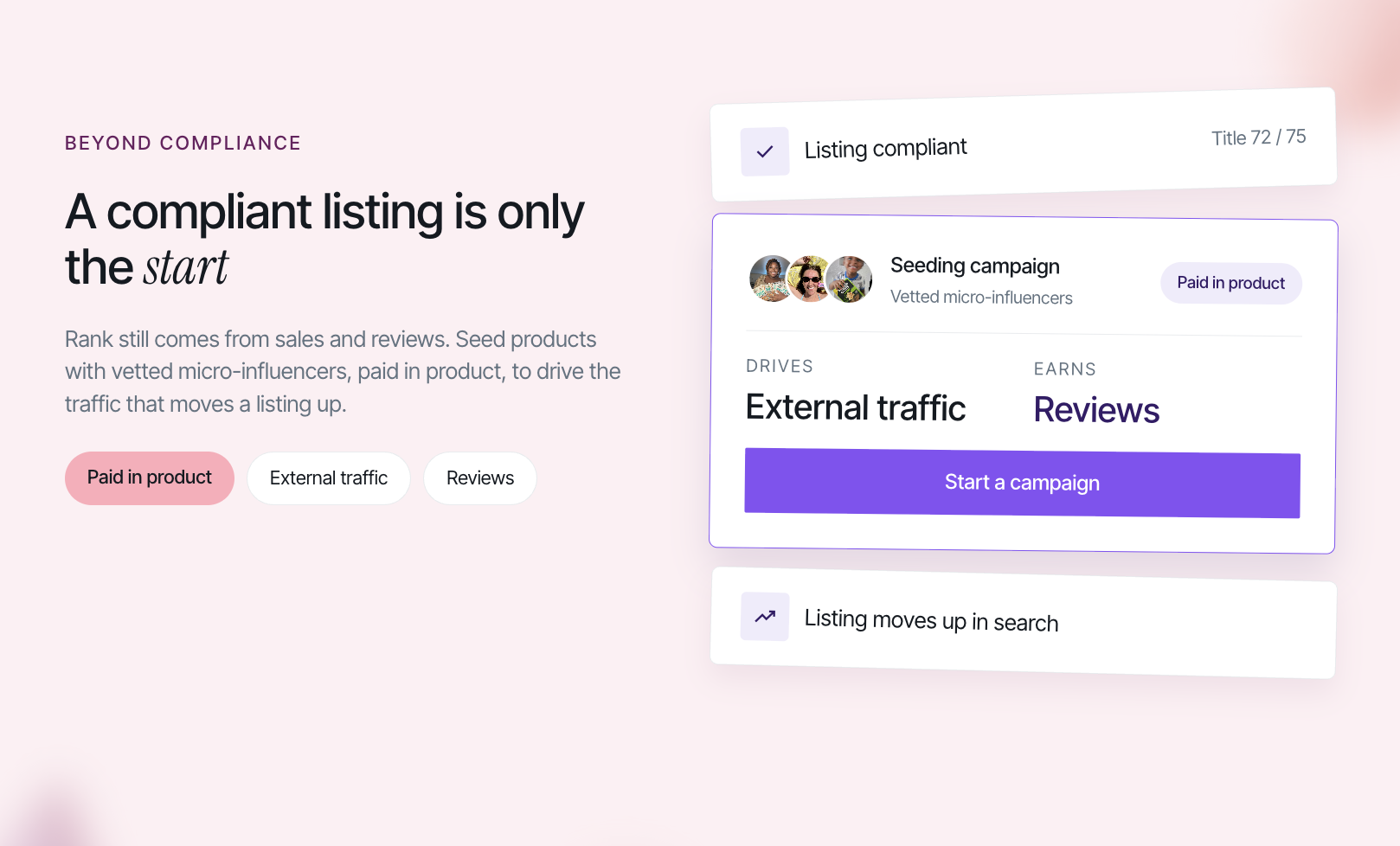
Clean copy keeps your listing from being rewritten or suppressed, but rank still comes from sales and reviews. We help Amazon sellers seed products with vetted micro-influencers, paid in product, to drive the external traffic and reviews that move a listing up.


‍

Frequently asked questions

Help with the Free Amazon Listing Optimization Tool

What Is the Amazon Title Character Limit in 2026?

Since July 27, 2026, product titles in every category except media must be 75 characters or fewer, including spaces. Books, music and video keep the 200-character limit. Titles still over 75 are being updated to Amazon’s AI recommendation, so we suggest trimming yours before that happens.

What Are Amazon Item Highlights?

Item Highlights is a searchable field of up to 125 characters that appears below your title. It is meant for details that no longer fit in the title, such as materials, sizes, compatibility or use cases. It only displays once your title is 75 characters or fewer.

How Is the Listing Score Calculated?

Every listing starts at 100. Each rule break removes points based on how much it matters, for example a title over the limit costs more than a comma in your search terms. The score is our own rubric built on Amazon’s published rules. It is not an Amazon score and does not predict rank or sales.

Which Characters Does Amazon Not Allow?

Titles cannot use ! $ ? _ { } ^ and two other symbols unless they are part of your brand name, and decorative characters are not allowed. Bullet points restrict emojis and symbols such as trademark, copyright and currency signs. The tool flags the exact characters it finds in each field.

Does the Title Rewrite Change My Listing on Amazon?

No. The tool never connects to your Seller Central account. The rewrite appears on the page for you to review, copy and paste in yourself. Suggested titles can contain mistakes, so check that every detail is accurate before you publish.

Is This Amazon Listing Optimization Tool Free?

Yes. You can check as many listings as you like without creating an account. Nothing you paste is stored by us. Limits can vary by category and marketplace, so confirm the final numbers on your listing form in Seller Central.
more free tools

Trusted by top & up-and-coming brands

Scale your eCommerce brand

Join 1000's of brands already growing with Stack Influence
Sign up as a brand

Join our creator community

You only need 200+ followers to get paid for your social posts
Sign up as a creator

What our creators say