
The latest info on influencer marketing trends, micro influencer news, and the world of social media

Instagram isn’t just a social platform—it’s a discovery engine and sales channel for modern brands. With around 2 billion monthly active users on Instagram as of 2025, e-commerce brands and Amazon sellers have a massive audience at their fingertips. In fact, 61% of social media users use Instagram to discover new products, making it a crucial platform for driving product awareness and sales. But with millions of content creators (and countless micro influencers competing for attention), managing an Instagram presence can feel overwhelming. How do you consistently post high-quality content, engage followers, and analyze what’s working—all without burning out?
This is where an effective Instagram account manager strategy comes into play. In this guide, we’ll break down how to manage Instagram accounts in 2026 using the latest tools and tactics. You’ll learn what an Instagram account manager (whether a person or a tool) really does, the key features to look for, and which top apps can streamline your workflow. We’ll also explore how leveraging micro influencers and UGC (user-generated content) can amplify your results on Instagram. By the end, you’ll have a roadmap to save time, increase engagement, and ultimately drive more ROI from your Instagram marketing efforts. Let’s dive in!
An Instagram account manager can refer to either a dedicated person or a specialized app/service that helps oversee and optimize your Instagram presence. For many growing brands, an Instagram account manager is essentially your social media command center – handling everything from content planning to follower engagement. Whether it’s an in-house social media specialist or an all-in-one management platform, the goal is the same: to maintain a consistent, engaging Instagram presence that drives results.
In the context of tools, an Instagram account manager app (often called an Instagram management tool) is software designed to streamline the many tasks of running a successful Instagram account. This goes beyond just posting pictures. It means having systems to schedule content at the right times, respond to comments and DMs promptly, analyze performance metrics, and even coordinate with team members or collaborators. In essence, it’s like having a digital assistant for your Instagram marketing.
Why you might need one: If you’re an e-commerce entrepreneur or Amazon seller, you’re likely juggling product development, customer service, and more. Manually posting on Instagram and tracking every comment can eat up hours. An Instagram account manager (tool or person) helps automate the repetitive work, so you can focus on strategy and creativity. As social media marketers put it, using management tools is a proven way to increase efficiency and ROI by streamlining your workflow. In a world where Instagram is “always on,” these tools ensure your brand stays active and responsive without requiring you to be glued to your phone 24/7.
To run an Instagram account like a pro, you’ll want to cover several core areas. Whether you hire a manager or use an app, look for these key features and capabilities:
By covering these core areas – content scheduling, analytics, engagement, collaboration, content creation, and influencer integration – you set the stage for an Instagram presence that is consistent, engaging, and growth-oriented. Now, let’s look at some of the top tools and apps that can make all this happen in 2026.
Which apps or platforms can help you manage your Instagram like a pro? We’ve curated a list of the best “Instagram account manager” tools available, each with unique strengths. These tools will help you automate repetitive tasks, stay on top of trends, and even source on-brand content from creators—all key to thriving on Instagram this year. Let’s explore the top options (including one solution for influencer marketing that e-commerce sellers are loving).

When it comes to fueling your Instagram with authentic content, Stack Influence stands out as a unique kind of management platform. Rather than a traditional scheduling app, Stack Influence is a micro-influencer marketing platform designed to connect brands with everyday content creators and turn those collaborations into Instagram gold. It’s essentially an Instagram account manager on the content production side: helping you source tons of user-generated posts and reviews that you can share to boost your brand’s credibility.
Key features: Stack Influence specializes in hands-off influencer campaigns for e-commerce brands. The platform boasts a vetted network of over 11 million micro-influencers across niches, focusing on real consumers (often with 1k–100k followers) who create high-engagement content. What’s unique is Stack Influence’s product-only compensation model: instead of paying hefty cash fees, brands send free product to influencers and only pay the platform when an influencer actually posts about the product. This pay-per-post approach keeps costs low and ROI high – perfect for Amazon sellers and DTC brands with tight budgets. Stack Influence handles everything from AI-driven influencer matching and outreach to product shipping logistics and content tracking. In other words, it automates the entire micro-influencer workflow, so you get a folder full of ready-to-post Instagram content (photos, unboxing videos, testimonials) without the usual hassle.
Why it’s great for brands: Micro-influencers often have engagement rates up to 60% higher than big macro-influencers, meaning their audiences are more actively liking, commenting, and clicking. By tapping into this trend, Stack Influence helps brands generate genuine buzz. Every collaboration results in authentic UGC – the kind of social proof that builds trust with shoppers. You can repost this content on your Instagram feed or Stories (with permission), instantly adding social proof and a human touch to your marketing. For example, a skincare brand could have 50 micro influencers each create a post or Reel using the product; the brand then reposts the best content over the next few weeks, populating their IG feed with diverse faces and real-life endorsements. It’s an UGC content engine. Additionally, Stack Influence’s dashboard provides analytics on influencer performance and campaign ROI, so you can see how those posts translate into engagement or even sales. This platform is especially useful for Amazon sellers who want to drive external traffic and reviews – influencers’ content can be used both on Instagram and on Amazon listings to improve credibility.
CTA: Considering an influencer campaign to boost your Instagram? Stack Influence offers a turnkey solution to get your brand in front of thousands of engaged followers. It’s an ideal first step if you lack in-house content or want to amplify your reach through word-of-mouth. You can sign up for a campaign on Stack Influence’s website and let their team handle the heavy lifting of finding and managing micro influencers while you sit back and watch the UGC roll in.
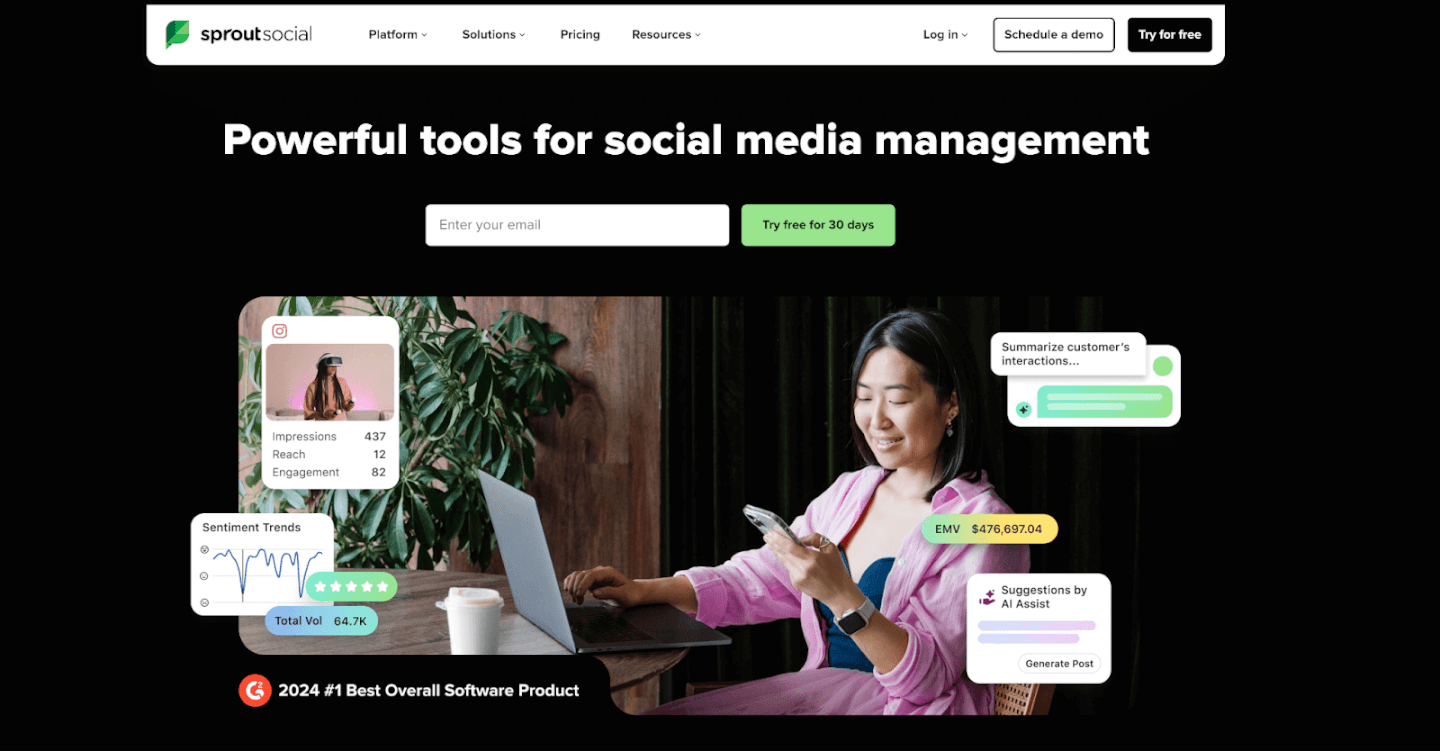
Sprout Social is often hailed as the gold standard for comprehensive social media management – and for good reason. It’s a powerful tool that serves as an Instagram account manager, planner, analytics suite, and team collaboration platform all in one. If you’re managing a growing brand (or multiple brands) on Instagram alongside other social channels, Sprout Social has you covered.
Key features: Sprout Social provides a robust content scheduling system that lets you plan and queue up posts, Stories, and even Reels across multiple Instagram accounts. You can craft posts within the platform and schedule them to publish at optimal times. In fact, Sprout’s proprietary ViralPost® feature analyzes your audience’s engagement patterns to automatically schedule posts when they’re most likely to see them, taking the guesswork out of timing. Sprout also shines in analytics: it offers in-depth Instagram performance reports, tracking metrics like engagement rate per post, hashtag performance, follower growth, and even competitor benchmarks. These analytics aren’t just vanity metrics; Sprout links your social data to business results so you can see the ROI of your efforts (one study found Sprout delivered a 268% ROI over three years for its customers).
On the engagement side, Sprout Social’s Smart Inbox aggregates all your social messages (including Instagram comments, mentions, and DMs) into a single feed. From there, you or your team can respond, assign tasks, or mark messages complete, which is invaluable when managing a high volume of customer inquiries. Collaboration tools include content approval workflows, user permissions, and team content calendars – perfect if you have multiple people creating and approving posts. Sprout even supports product tagging on Instagram (so you can tag your shop items in posts) and integrates social listening tools (to monitor brand mentions or trends).
Why it’s great for brands: Sprout Social is built for businesses that are serious about social media. For an e-commerce brand or Amazon seller expanding into multi-channel marketing, Sprout provides a central hub to manage everything efficiently. The benefit of an all-in-one tool is that you don’t need separate apps for scheduling, monitoring, and reporting – Sprout does it all with enterprise-level reliability. It’s known for an intuitive interface despite its deep features, so even if you’re not a social media expert, you can get up to speed quickly. Sprout is particularly useful if you manage multiple Instagram accounts (say, one for your brand and one for a sub-brand or a personal influencer account) – you can handle them in one dashboard without logging in and out. Also, Sprout’s reports can be exported to share with your team or investors, so you can easily communicate how Instagram is contributing to web traffic or sales. The catch: Sprout Social is a premium tool with pricing that reflects its power (it’s often used by agencies and larger companies). However, many find that the efficiency gains more than pay for the cost, especially if Instagram is a core part of your sales funnel. You can always take advantage of their free 30-day trial to gauge the impact.
CTA: If you’re ready for a pro-level tool, consider trying Sprout Social’s free trial. In one unified platform, you’ll be able to schedule your content calendar, engage your customers, and extract insights that drive smarter marketing decisions. Sprout Social is widely regarded as one of the best apps for Instagram planning and analytics, making it a top choice for brands aiming to scale their Instagram strategy in 2026.

Hootsuite is another heavyweight in the social media management space, and it’s particularly popular among small-to-mid size businesses for its balance of features and affordability. Hootsuite has been around for over a decade, making it one of the most trusted scheduling tools for platforms like Instagram, Facebook, Twitter, and more. If you need a reliable way to manage posts and monitor your Instagram activity without too many frills, Hootsuite is a fantastic option.
Key features: At its core, Hootsuite offers a user-friendly planner to schedule and auto-publish Instagram content. You can create posts (with images or videos), schedule the posting date/time, and Hootsuite will publish to Instagram for you. It also supports scheduling Instagram Stories via push notifications. One of Hootsuite’s signature features is its streams/dashboard interface: you can set up custom streams to monitor different feeds side by side. For example, you might have one stream showing your own Instagram timeline and scheduled posts, another stream showing a hashtag feed (like #YourBrand or #YourIndustry), and another showing all comments and mentions of your account. This multi-column view is super handy to get a quick pulse of everything happening on your Instagram without switching screens.
Hootsuite includes an Inbox for engaging with your audience (similar to Sprout’s, it collects comments and DMs for response). It also provides basic analytics on your posts and audience. You’ll see metrics such as likes, comments, follower growth, and top posts over time. While Hootsuite’s analytics aren’t as in-depth as some competitors, they cover the essentials and can even generate reports or social listening insights if you’re on higher-tier plans. Another perk: Hootsuite integrates with many third-party apps and has an app directory. For instance, you can plug in Canva to design images directly in Hootsuite, or add an app for URL shortening, etc.
Why it’s great for brands: Hootsuite is a tried-and-true tool that saves time and centralizes your efforts. For e-commerce owners and entrepreneurs, Hootsuite’s strength is in efficient scheduling and monitoring. You can plan a week’s worth of Instagram posts in one sitting and trust Hootsuite to publish them at the set times. This frees you up to focus on other parts of your business. The ability to monitor keywords and hashtags means you can keep an eye on customer posts or industry trends (say you want to catch UGC where customers mention your product – set that hashtag as a stream and engage in real time). Also, Hootsuite supports multiple social networks beyond Instagram, so if you’re also posting to Twitter, Pinterest, LinkedIn, etc., you manage it all together. They offer mobile apps too, so you can tweak your schedule or respond on the go. In terms of cost, Hootsuite has tiered plans and even a limited free plan (for very basic use) – making it accessible if Sprout Social’s price tag is too high for you.
CTA: Looking for a one-stop dashboard for Instagram and more? Hootsuite might be your answer. It’s known for its easy scheduling and monitoring capabilities that simplify social media management for busy teams. Sign up on Hootsuite’s website – you can start with a free plan or trial to get a feel for how much time it will save you in coordinating your Instagram marketing.

If Instagram is your primary focus, Later is a specialist tool tailor-made for visual content scheduling. Later (formerly Latergramme) rose to prominence as one of the first Instagram scheduling apps to use a visual content calendar. It’s widely used by influencers, small businesses, and e-commerce sellers who care about their Instagram feed aesthetics and timing. Later’s interface and features are built with Instagram and Pinterest in mind, making it a top pick for anyone who wants a simpler, visual way to plan posts.
Key features: Later’s hallmark is its drag-and-drop content calendar. You can upload all your images and videos into a media library, then drag them onto a weekly or monthly calendar view to schedule. This lets you preview how your Instagram grid will look with upcoming posts—a big plus if maintaining a cohesive feed look is important to your brand. Later allows you to schedule posts, carousels, and Stories. For feed posts, it’s an official Instagram Partner, so it can auto-publish images and videos (no push notification needed, as long as you have an Instagram business account connected). For Stories and carousel posts, it will send you a reminder and assist with posting.
Another beloved feature is Later’s Hashtag and caption management. You can save lists of hashtag groups (for example, a set of 15-20 hashtags relevant to “fitness apparel” if that’s your niche) and easily add them to posts. Later can also suggest hashtags based on your captions. Additionally, Later has a “Best Time to Post” feature on its paid plans, which analyzes your past engagement to recommend time slots for scheduling. This can take the guesswork out of choosing posting times. For analytics, Later provides straightforward insights on Instagram performance – showing your top posts, engagement rates, follower growth over time, and even story views. It’s not the deepest analytics suite, but it covers what most small brands need to gauge progress. Importantly, Later also offers a Linkin.bio feature: this creates a mini landing page that replicates your Instagram feed where each post can be clicked to a specific URL. Since Instagram only gives you one link in bio, using Linkin.bio (similar to tools like Linktree) helps drive traffic from multiple posts (great for linking product pages, blog posts, etc., from individual IG posts).
Why it’s great for brands: Later is very easy to use and focuses on the features that matter for Instagram success: consistent scheduling, hashtag strategy, and linking content to conversions. For e-commerce sellers, Later’s Linkin.bio is a valuable way to turn your feed into a shoppable gallery, guiding Instagram followers to your store or Amazon product listings. For example, you can post a photo of a product and, through Linkin.bio, have a direct link so users can “shop the look” – this makes Instagram more directly monetizable. The visual planner ensures your feed stays on-brand and attractive, which is important for impressing new visitors (you want that grid to look good at first glance!). Also, Later has affordable plans (including a free tier for 1 social set and 30 posts per month) – making it friendly for startups and small businesses. It even integrates with Canva, so you can design a quick graphic or edit an image within Later when scheduling.
Overall, Later is like a simplified dashboard that nails the Instagram-specific needs of brands and creators. It doesn’t overwhelm with features you won’t use; instead it helps you plan, polish, and publish content consistently, which is half the battle in social media marketing.
CTA: Ready to save time and stress on your Instagram planning? Give Later a try. With its free plan, you can experiment with scheduling and see your upcoming posts laid out visually. Many e-commerce brands find that using Later helps them stick to a regular posting schedule (since you can batch your content in advance) and grow their audience engagement as a result. It’s a straightforward tool to keep your Instagram content pipeline flowing smoothly.
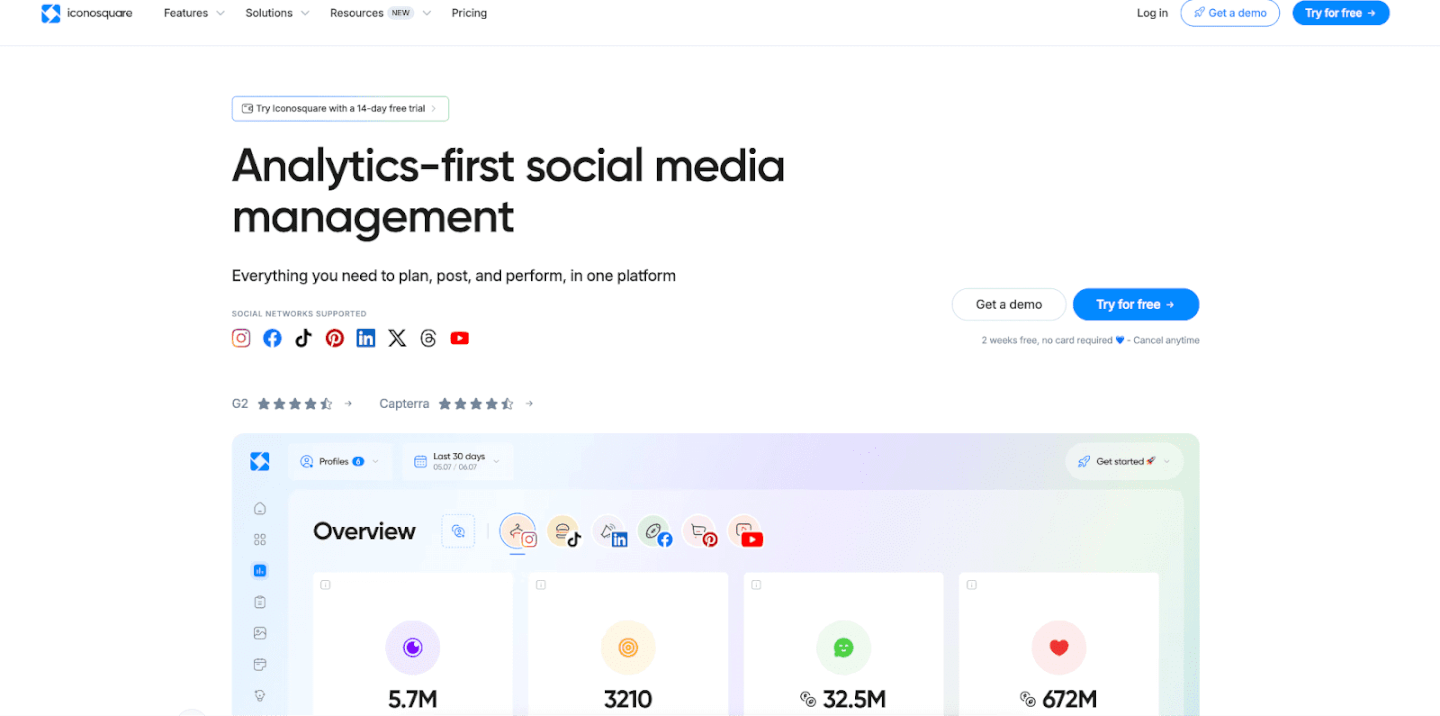
For brands that crave data and insights, Iconosquare is the go-to Instagram management tool. Iconosquare started as one of the first Instagram analytics services and has evolved into a full-fledged platform for analytics, scheduling, and social listening focused on Instagram (and now other platforms too). If you want to truly understand your Instagram metrics and benchmark your performance, Iconosquare provides a wealth of information in an easy-to-digest format.
Key features: Iconosquare’s biggest selling point is its comprehensive analytics dashboard. It dives deeper than Instagram’s native insights, giving you detailed metrics on follower evolution (including how many followers you gained or lost each day, and what might have caused spikes), engagement rate per post, reach and impressions, profile activity, and more. You can track how different content types perform (e.g., do your Reels get more comments than image posts? Are carousel posts saving better?) and even what your best posting times are based on past engagement. Iconosquare also provides competitive benchmarking: you can monitor up to 5 competitor accounts to see how your stats stack up, which is super useful to know if you’re keeping up in your niche.
In addition to analytics, Iconosquare offers a solid scheduling tool. You can schedule posts and Stories, complete with captions and first comments (for hashtags). It will show a preview of your Instagram feed as well. Another neat feature is conversation tracking – Iconosquare can display your recent comments and let you respond, though it’s not as full-featured an inbox as some other tools. For agencies or managers, Iconosquare has a report builder where you can create custom reports (including your logo and branding) to share with clients or team members. These reports can highlight KPIs like follower growth, top posts of the month, or hashtag performance over time. Iconosquare also incorporates social listening and hashtag tracking: you can track specific hashtags or mentions to see related posts, which might help you spot UGC or trends in your audience’s interests.
Why it’s great for brands: In today’s data-driven marketing world, knowing your numbers is key. Iconosquare arms you with the intel to make informed decisions. For example, you might discover through Iconosquare that posts with user-generated content have 30% higher engagement for you than studio-shot product photos – that insight could encourage you to pursue more UGC (perhaps by using a platform like Stack Influence in tandem). Or you might find a hashtag that consistently brings in new followers, informing your content strategy. For e-commerce brands, tracking things like referral traffic from Instagram (Iconosquare can show how your bio link traffic correlates with posts) and conversion metrics can connect the dots between Instagram activity and sales. Iconosquare’s competitor benchmarking is also a boon: if you’re an Amazon seller in, say, the fitness space, you can keep an eye on how rival brands’ Instagram accounts are growing or what content is getting traction for them. This competitive insight helps you stay ahead of the curve.
While Iconosquare is powerful, it’s still user-friendly. The interface is clean and the data visualizations are excellent for quickly grasping performance. It’s ideal for marketers who love to tweak and optimize – if you enjoy digging into which filters, captions, or posting times yield the best results, Iconosquare will be your playground. Even if you’re not a data geek, the tool will make you feel like one by highlighting the key stats that matter.
CTA: To truly get the most out of Instagram, you need to listen to the numbers. Iconosquare offers a free trial, so consider taking it for a spin. You’ll gain clarity on what’s working for your Instagram marketing and what isn’t, helping you refine your approach for better ROI. Remember, knowledge is power – and with Iconosquare’s insights, you can make data-backed decisions to outsmart your competition on the ‘gram.

Loomly is a rising star in the social media management scene, beloved for its simplicity and collaborative features. It markets itself as a “brand success platform,” which essentially means it helps teams create, schedule, and post content seamlessly. For Instagram, Loomly provides an intuitive content calendar and some handy tools that make content creation easier (especially for teams that might not have a dedicated designer for every post).
Key features: Loomly’s interface is all about the calendar. You get a clear calendar view where each social post (for any platform, including Instagram) is represented on the date it’s scheduled. Creating a post in Loomly is straightforward: you choose the date and time, select which platform (Instagram in our case), add your media and caption, and you’re set. What sets Loomly apart is its guidance and idea suggestions while you create posts. For example, Loomly will suggest trending topics, holidays, or even hashtag ideas as you draft – which can spark content ideas if you’re running low on inspiration. It also warns you of platform-specific requirements (like character limits or image sizes) as you compose, helping avoid errors.
Collaboration is a strong point: Loomly allows you to set up approval workflows. If you have a team where one person drafts the Instagram post and another needs to approve it, Loomly handles that with status labels (Draft, Pending Approval, Approved, etc.) and notifications. Team members can leave comments on each post draft for feedback (so, for instance, your colleague can suggest changing an image or tweaking the caption before it goes live). This is fantastic for ensuring quality and brand consistency when multiple people are involved. Loomly also integrates with Canva and Unsplash for easy design and stock photo access. You can actually open a Canva editor from within Loomly to design a quick Instagram graphic, save it, and it attaches to your post – a huge time-saver for those quick promotional posts or announcements where you need a nice visual but don’t want to fire up Photoshop.
When it comes to posting, Loomly supports direct publishing to Instagram for business accounts. It also offers community management basics: it can consolidate your post comments and let you respond (though it’s not as advanced as something like Sprout’s inbox). Analytics in Loomly are straightforward, covering each post’s performance and your page metrics over time, so you know how you’re doing.
Why it’s great for brands: Loomly hits a sweet spot, especially for small businesses and content teams. It’s user-friendly enough that even if you’re not a social media expert, you can get your content organized and scheduled with ease. The post idea suggestions and calendar reminders (for holidays, etc.) are like having a little social media coach by your side, ensuring you never miss relevant content opportunities. For e-commerce brands that juggle seasonal promotions, Loomly can remind you of upcoming events (e.g., “National Coffee Day” if you sell mugs – could be a fun tie-in post) or big shopping holidays like Black Friday, so you plan ahead. The collaborative workflow means if you’re an Amazon seller who hired a freelance social media manager, you can both use Loomly to stay aligned – the freelancer drafts the posts, you quickly review and approve them in the platform, and everything stays neat and organized. It reduces back-and-forth emails or spreadsheets for planning content.
Loomly is also relatively affordable compared to enterprise tools, with pricing based on the number of users and social accounts – making it scalable as you grow. In essence, Loomly provides structure and efficiency to your Instagram planning. It’s like a marketing calendar that not only reminds you what to post and when, but also helps you actually create that content and ensure it passes QA. That can lead to a more consistent posting rhythm, higher-quality posts, and better engagement from your followers over time.
CTA: If your Instagram content process feels chaotic or disjointed, Loomly could be the game-changer. By organizing your posts in a unified calendar and streamlining team input, Loomly ensures no post slips through the cracks. Give Loomly a try to bring more order and creativity to your Instagram strategy – many brands find that it quickly becomes the “brain” of their social media operations, where ideas turn into scheduled posts that drive results.
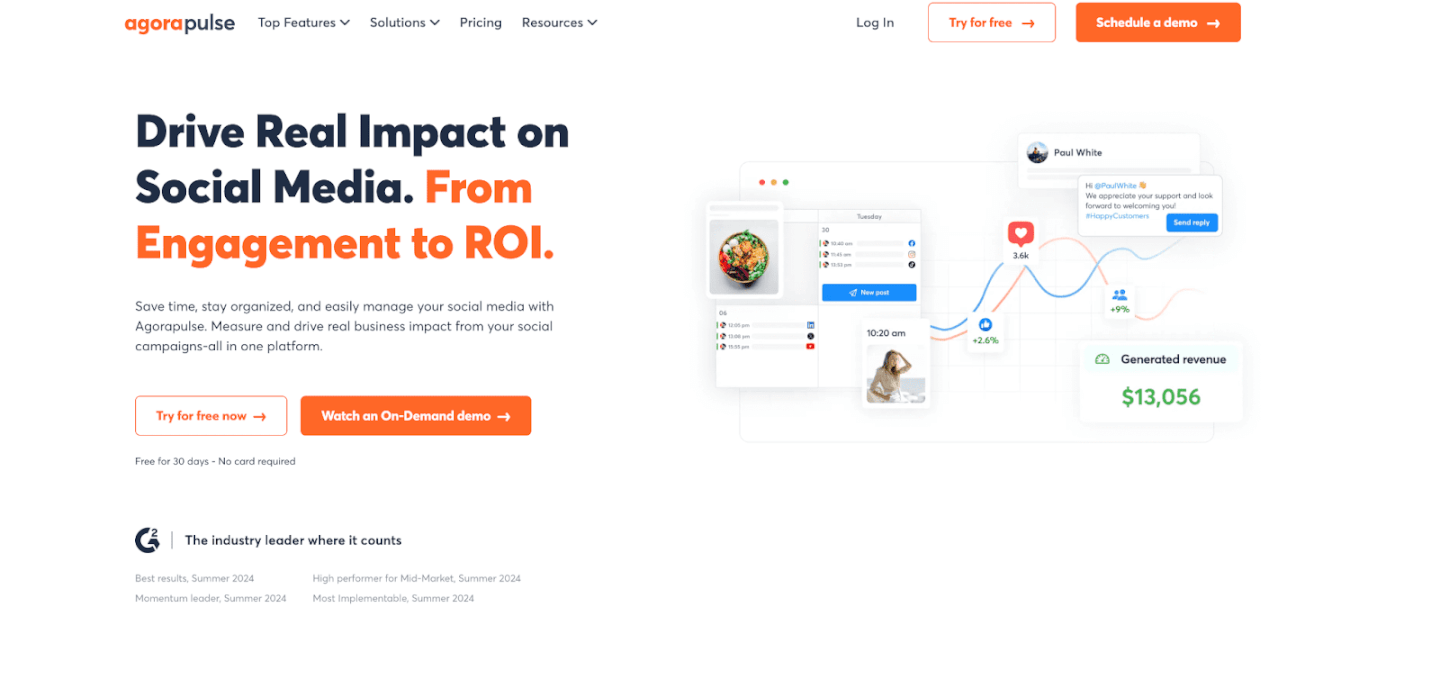
Agorapulse is a comprehensive social media management tool known for its excellent social inbox and moderation features. It’s often mentioned in the same breath as Sprout Social and Hootsuite, but one area where Agorapulse truly shines is helping you manage your incoming engagement efficiently. For brands who get a lot of comments, questions, or even occasional trolls, Agorapulse can be a lifesaver to keep your Instagram community healthy and responsive.
Key features: Like others, Agorapulse includes content scheduling for Instagram – allowing you to schedule or queue posts and Stories, complete with hashtags and @mentions. It also has a content library if you want to store groups of hashtags or frequently used assets. But the star feature is the Social Inbox. Agorapulse consolidates all your Instagram comments, direct messages, mentions, and even replies to your Stories into one feed. From there, you can take actions like reply, like, hide, or assign the conversation to a team member. The interface is akin to an email inbox (read, unread, archived), which is satisfying for those who want that “inbox zero” feeling. You can filter the inbox to just show unread items or specific types (say, only DMs), and you can bulk review or archive items once handled. This makes it incredibly efficient to ensure you’ve responded to everyone who engaged with you. No more scrolling through your Instagram notifications and potentially missing a comment from a customer – Agorapulse catches them all.
Another strength is moderation tools. Agorapulse lets you set up automatic moderation rules. For example, you can automatically flag or hide comments that contain certain keywords (curse words, spam phrases like “Check out my profile”, etc.). This is great to keep your Instagram comments section free of spam or harassment without manual effort. On the analytics front, Agorapulse offers solid reports similar to others – tracking follower growth, engagement metrics, best times to post, reach, etc., with the ability to export these reports for clients or teammates. It also has a competitor analysis feature, and even social listening for Instagram (so you can monitor when your brand is mentioned in captions even if not tagged). Team collaboration is supported with content approval workflows and assignment of messages/tasks. Notably, Agorapulse also has an Instagram contest manager – if you ever run giveaways where people have to comment or use a hashtag, the tool can help pick winners and track entries, which is a nifty add-on for marketing campaigns.
Why it’s great for brands: Agorapulse is ideal for those who view community engagement as a priority. Perhaps you’re scaling up and suddenly getting a lot more comments and messages from potential customers – that’s a good problem to have, and Agorapulse is built to handle it. Quick and thoughtful responses on Instagram can directly impact customer satisfaction and even sales (imagine someone comments asking “Is this in stock?” – a fast reply could be the difference in making that sale). Agorapulse ensures no customer inquiry goes unanswered. In fact, it’s highly regarded for helping social media managers stay on top of customer care. For e-commerce and Amazon sellers, this tool can effectively become your social CRM. You can see conversation history with a user, add internal notes (e.g., “This person is a repeat customer who loves our winter line”), and tag conversations for follow-up.
Additionally, if you advertise on Instagram, Agorapulse will also pull in comments from your Instagram ads into the inbox. This is huge, because those often get ignored by advertisers – but being responsive there can boost your ad credibility and performance. Agorapulse’s emphasis on reliability and support is also worth noting; it’s known to have responsive customer service if you need help (which can’t be said for all tools).
In short, Agorapulse gives you peace of mind that your Instagram presence isn’t just pushing out content, but also actively engaging and managing the community around your brand. That two-way interaction builds loyalty and trust over time – critical for brand longevity.
CTA: If you never want to miss a comment or DM again, Agorapulse is the tool to consider. It offers a free trial and even a limited free plan for small accounts, so you can test how its inbox helps you manage incoming engagement. Many businesses find that with Agorapulse, their customer response times improve dramatically, leading to happier followers and more conversions. Give it a try and experience the calm of a well-organized social inbox!
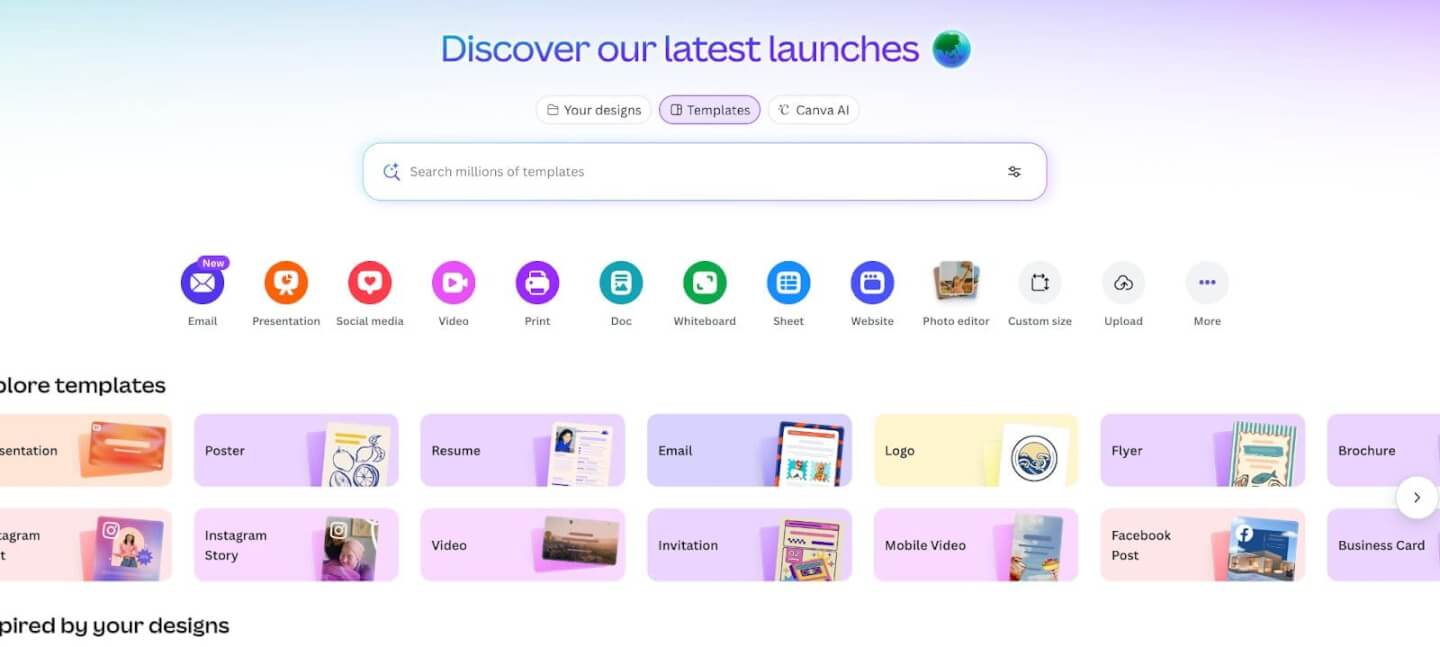
Great content is the heart of Instagram, and Canva has become the go-to design tool for marketers and content creators who need beautiful visuals without a graphic design degree. While not an “Instagram management app” in the scheduling sense, Canva is an essential companion tool to have in your Instagram toolkit. It empowers you (or your team) to create high-quality images, videos, and graphics for your posts and Stories quickly and easily.
Key features: Canva is an online design platform loaded with templates and an easy drag-and-drop editor. For Instagram, Canva offers countless templates tailored to IG post dimensions and Story dimensions – including layouts for product showcases, sale announcements, quote graphics, infographics, and more. You can pick a template, drop in your own images and text, customize colors to match your branding, and voila – a polished Instagram post is ready in minutes. Canva also provides a huge library of stock photos, icons, animations, and fonts, so even if you’re starting from scratch you have creative assets at your fingertips.
For e-commerce needs, Canva has templates for things like collage posts (to show multiple products), before-and-after layouts (useful for beauty or fitness brands), and testimonial quote posts with stylish typography. It even has short video templates and an animation feature – you can create quick video clips or animated Stories to grab attention (for example, a brief “new collection launching tomorrow” Story with text that fades in). Canva’s interface is beginner-friendly, meaning anyone on your team can jump in and create content without specialized training. You can also maintain a brand kit (saving your brand colors, logos, and preferred fonts) so that every design stays consistent with your brand identity – this consistency is key on Instagram for brand recognition.
Another boon: Canva integrates with many of the scheduling tools we discussed (like Later, Loomly, etc.). Some of those tools let you open Canva within them to design a post, or you can export from Canva and then upload to your scheduler. Canva also has a content planner feature itself now (you can schedule posts to Instagram via Canva on certain plans), but its strength is really in creation rather than scheduling.
Why it’s great for brands: In the past, creating professional-looking graphics often meant hiring a graphic designer or learning complex software. Canva disrupts that by making design accessible and fast. For a bustling e-commerce brand, this means you can respond to trends or make last-minute promotional posts in-house. Did a popular meme emerge that you want to riff off with your products? Canva’s there to help you whip up a witty graphic. Need to announce a 24-hour flash sale? Use a Canva template, change the text, and you’re done in 5 minutes. This agility can be a competitive advantage on Instagram, where visual trends and timely content perform well.
Also, consider the role of UGC and influencer content – you might want to spruce up UGC photos with your branding or combine influencer testimonials into a single collage. Canva makes it easy to add overlays, logos, or frames to UGC while keeping it looking native to Instagram. And since Canva is cloud-based, your team can collaborate on designs or share templates. For example, your marketing team can create a template for a “Product of the Week” post, and then each week someone just swaps in the new product image and description. This ensures consistency and saves time.
In a nutshell, Canva helps even “non-creatives” create scroll-stopping Instagram visuals. When paired with a scheduling app, it completes the workflow: create -> schedule -> post -> analyze. Neglecting the create phase isn’t an option on Instagram, and Canva is arguably the best friend of content creators worldwide at this point.
CTA: If you haven’t tried it yet, go to Canva and explore their Instagram templates. There’s a free version that offers tons of functionality (and affordable Pro plans with even more assets). By leveling up your content quality, you’ll likely see better engagement on Instagram (because let’s face it, better visuals = more stopping power when users scroll). Combine those visuals with your strategic scheduling and you have a recipe for Instagram success.
Instagram’s roots are in photography, and even in 2026, a beautifully edited photo can make your brand stand out in the feed. VSCO is a popular mobile photo editing app known for its gorgeous filters and advanced controls. Many Instagram influencers and creators swear by VSCO to give their photos a unique, polished look. For brand managers who want their product shots or lifestyle images to look more professional and cohesive, VSCO is a handy tool to have on your phone.
Key features: VSCO offers a wide range of preset filters (also called “looks”) that can dramatically improve the aesthetic of a photo with one tap. These filters are more sophisticated than Instagram’s native ones – often mimicking the feel of vintage film or creating a consistent mood. Whether you want a warm, inviting vibe for your home decor products or a cool, minimal vibe for your tech gadgets, VSCO has presets to match. Moreover, each preset can be adjusted in intensity, and you can layer adjustments on top. Speaking of adjustments, VSCO provides manual editing tools that rival some desktop editors: you can tweak exposure, contrast, color balance, sharpness, crop, and apply vignette or grain effects, among others. This means you’re not limited to filters; you have full control to fine-tune an image.
For example, you could take a raw photo of your product, crop it to the right aspect ratio for Instagram, straighten it, bump up the brightness, enhance the colors, and apply a subtle filter that matches your brand’s style – all in VSCO, within a couple of minutes. VSCO also supports video editing and filtering on its premium subscription, so you can give your short video clips a similar color grade as your photos, keeping your feed’s look consistent. Another feature is the VSCO montage and collage tool, which allows you to get creative by layering images or videos, useful for making unique Story content or dynamic posts.
Why it’s great for brands: Consistency is key in branding. Using VSCO, you can develop a signature look for all your Instagram visuals. Perhaps all your photos use the “A4” preset with a slight fade and warm tone – over time, followers recognize that aesthetic and associate it with your brand’s identity. This can set you apart in a crowded feed. Also, high-quality editing simply makes your products look better. Colors pop, textures stand out, and overall the image looks more professional, which can increase viewer engagement. Considering that Instagram is often the first impression of your brand for new customers, you want your imagery to be top-notch.
Another scenario: If you work with content creators or receive UGC, the photos you get might be great but not perfectly on-brand in terms of coloring or exposure. Running them through your VSCO preset can align them with the rest of your feed. VSCO essentially brings some of the power of Photoshop/Lightroom into a simple mobile app. It’s perfect for entrepreneurs or social media managers on the go – you can snap a photo on your phone or camera, transfer it to VSCO, edit swiftly, and then post to IG (or send to your scheduling app) all from your phone while, say, at an event or on the warehouse floor.
Finally, VSCO has a community aspect (people share their edits, etc.), which can inspire you with new ideas for editing styles or creative looks. But even if you ignore the community, the app as a tool is incredibly valuable for maintaining a high bar of visual quality.
CTA: Elevate your Instagram visuals by giving VSCO a try. Download the app (it has a free version with basic presets and a paid membership for the full collection) and experiment with a few of your existing photos. You’ll see how a little tweaking can turn a bland image into something eye-catching. This level of photo polish can be the difference between someone scrolling past or stopping to really look at your post. As an e-commerce brand, that could mean the difference between window shoppers and engaged potential customers.
Video content, especially Instagram Reels and Stories, is dominating engagement right now. But you don’t need a film crew or expensive software to create compelling videos for your brand. InShot is a highly popular mobile video editing app that allows anyone to cut, edit, and enhance videos straight from their phone. It’s perfect for creating short, sharp videos of your products, behind-the-scenes clips, or any content that can bring your brand to life through motion.
Key features: InShot’s interface is simple yet surprisingly powerful. You can import video clips (or photos to make a montage) and then start editing on a timeline. Basic editing tasks like trimming, splitting, or merging clips are very easy – just a matter of tapping and dragging. InShot also lets you adjust video settings such as aspect ratio (e.g., 9:16 vertical for Stories/Reels, or 1:1 square for feed), background colors (blurring or solid color if your video isn’t the exact IG dimensions), and speed (speeding up or slowing down clips).
One standout feature is the text and sticker overlays. You can add animated text to your videos, choose fonts and colors that match your brand, and time the text to appear/disappear at the right moments. This is great for adding captions (important since many people watch without sound) or calls to action in a Reel. InShot has a library of fun stickers and emojis too, which can add personality to Story videos or lighter content. Additionally, you can insert music or voice-overs. InShot provides a selection of royalty-free music tracks and sound effects that you can use as background music for your videos (or you can import your own audio). Synchronizing cuts to music beats or adding a cheerful tune to a product demo can significantly increase a video’s impact.
For more polished editing, InShot allows picture-in-picture, so you could overlay a small video on top of another (imagine a reaction video or before/after side by side). It also has filters and effects for video – similar to photo filters, you can give your video a certain tone or use effects like glitch, vintage film looks, etc., to catch attention in the feed. Once your video is edited, you can export it in high resolution and upload directly to Instagram. The whole process, from shooting a quick clip on your phone to editing in InShot to posting, can take just minutes, making it an ideal on-the-fly content creation tool.
Why it’s great for brands: In the era of Instagram Reels (and TikTok), brands that incorporate short-form video can see huge boosts in reach and engagement. In fact, Instagram’s algorithm has been favoring Reels, meaning a well-done 15-second product demo or unboxing video might get significantly more exposure than a static photo. InShot empowers you to jump into this format without needing professional video editors. For example, an Amazon seller might use InShot to piece together a few customer testimonial clips into a single compelling Reel with captions and music. Or a DTC founder could film a quick “day in the life” or production process snippet and make it engaging with fast cuts and stickers, maintaining viewers’ interest.
The ability to add text is critical – it ensures your message gets across even if sound is off. You can highlight product benefits or discounts right on the video. And because InShot lets you use your brand’s colors and import custom fonts (with a little creativity), your videos can still adhere to your branding guidelines. Another plus: if you collaborate with influencers or content creators who send you raw footage, you can easily splice in your branding (like intro/outro cards or a logo) using InShot, then post it.
Overall, InShot helps your brand tell stories and showcase products in motion, which often conveys more context and emotion than a static image. Users are more likely to pause and watch a fun video, and perhaps visit your profile or site after being entertained or informed. And given attention spans, the fact that you can quickly edit to keep videos snappy is a big advantage.
CTA: Don’t be intimidated by video – embrace it! Download InShot (it’s free with optional paid features) and try editing a short video for your next Instagram post. Even a 10-second before-and-after video or a simple how-to tutorial can perform great. InShot makes it drag-and-drop simple. By incorporating more Reels and Stories edited in InShot, you’ll likely boost your Instagram engagement and reach new audiences, all while showing off your brand’s personality in a dynamic way.
We’ve covered a variety of Instagram account manager tools—from full-suite schedulers to creative apps. You might be wondering: which ones do I actually need? The answer depends on your specific needs, resources, and goals. Here’s a quick framework to help you decide and build your ideal Instagram toolkit:
By reflecting on these points, you’ll narrow down the options to the ones that align with your brand’s workflow. Sometimes the answer is a stack of tools – maybe you use Canva + Later + Agorapulse together because each serves a different purpose. That’s perfectly normal. The end goal is to create an ecosystem that makes managing Instagram efficient and effective, freeing you to focus on creating great content and engaging with your customers.
And remember, no matter which tools you choose, the human element remains crucial. Tools will handle the scheduling, the reminders, the number-crunching – but your creative vision and authentic voice are what will truly make your Instagram thrive.
Managing an Instagram account in 2026 might seem like juggling a dozen balls at once—content creation, scheduling, hashtags, comments, DMs, analytics, influencers, and more—but with the right tools and strategy, it becomes not only manageable, but a game-changing asset for your business. We’ve explored how Instagram account manager tools can save you time, enhance your content, and grow your presence: from scheduling apps that streamline your workflow and boost ROI, to analytics platforms that illuminate what’s driving engagement, to creative tools that ensure every post looks on-point. The key takeaway is that investing in these tools is an investment in your brand’s growth.
For e-commerce brands and Amazon sellers especially, a well-run Instagram can translate directly into traffic and sales. It’s where you build a community around your products, showcase your brand’s personality, and earn trust through consistent engagement and UGC. Micro influencers and UGC content have become secret weapons for brands of all sizes – remember that micro influencers often deliver far higher engagement and authenticity, giving you more bang for your buck. Incorporating that into your Instagram strategy (with platforms like Stack Influence or simply by encouraging customers to share posts) can take your marketing to the next level. When shoppers see real people loving your product on Instagram, they’re more likely to become customers themselves. In fact, a huge portion of consumers actively seek out this kind of content before purchasing – 63% of Amazon shoppers check social media (like IG) for product research. That’s a compelling reason to get your Insta-game in top shape!
Now, with all this knowledge, it’s action time. Pick one or two tools from the list and try them out this week. Maybe start with a free Canva design for your next post, or schedule a week’s worth of content in Later to see how it frees up your schedule. If you’ve been drowning in DMs, test Agorapulse’s inbox and feel the stress melt away as you hit inbox zero. The difference will be immediately noticeable: more consistency, less stress, better engagement.
E-commerce brands – from niche DTC startups to powerhouse Amazon sellers – face a double-edged sword in 2026: online shopping is surging, but competition is fiercer than ever. Global e-commerce sales are on track to near $6.9 trillion by 2026, yet reaching your target customers amid this digital crowd can be challenging. Paid channels like Google Shopping have become critical for standing out. In fact, Google Shopping ads now drive over 85% of all clicks in online retail searches, making them a go-to for brands aiming to capture high-intent shoppers. But to fully capitalize on this opportunity – and avoid wasting ad spend – many merchants enlist Google Shopping agencies for expert help.
In this guide, we’ll explain what Google Shopping agencies do and why they matter for e-commerce success. You’ll learn how specialized agencies optimize your product feed, ads, and bidding strategy to maximize ROI (return on investment). We’ll also highlight some of the top Google Shopping agencies (and a unique micro-influencer solution) to consider in 2026. Whether you’re a growing online store or an Amazon seller looking to expand beyond the marketplace, this overview will help you find the right partner to boost your visibility, conversions, and sales.
Google Shopping agencies are marketing specialists that focus on managing and optimizing Google Shopping ad campaigns for online retailers. In a Google Shopping campaign (also known as Product Listing Ads), your products appear with images, prices, and reviews at the top of Google search results when shoppers look for items you sell. These agencies handle the complexities behind the scenes to ensure your products show up to the right shoppers, at the right time, with the right information.
Key services provided by Google Shopping agencies include:
In short, Google Shopping agencies act as an extension of your marketing team, handling the technical and strategic work needed to make your products stand out on Google. They stay up-to-date on Google’s latest features and policies, ensure your Merchant Center account is healthy, and leverage insider knowledge (many are Google Premier Partners with access to exclusive training and support). The payoff can be significant – according to Google, retailers advertising on Google Shopping see 45% higher click-through rates and 30% more conversions on average than those relying on text-only search ads. With the visually rich, comparison-friendly format of Shopping ads (which include product images and prices), it’s no surprise they tend to attract more shopper interest. However, realizing those gains requires careful optimization, which is exactly what these agencies deliver.
If you’re on the fence about outsourcing your Shopping ads, consider the following benefits that specialized Google Shopping agencies bring to e-commerce brands:
In summary, partnering with a Google Shopping agency allows you to maximize ROI from a critical advertising channel while offloading the complexity to specialists. The result is often faster growth, higher conversion rates, and better cost efficiency than most brands can achieve on their own. Now, let’s look at some of the top Google Shopping agencies (and solutions) you should know about in 2026, each with its own strengths that cater to different needs.
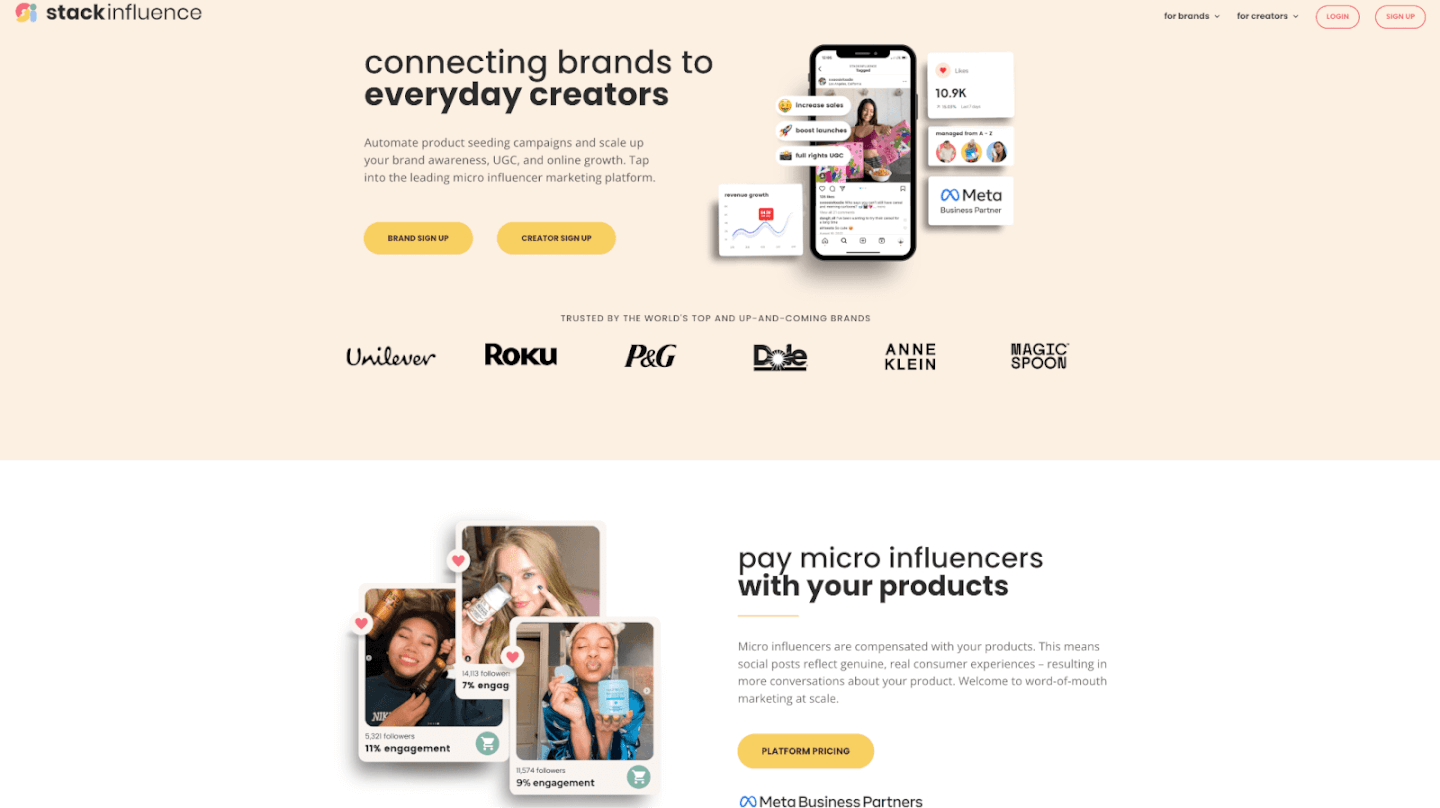
Stack Influence isn’t a traditional Google Shopping agency – it’s actually a leading micro-influencer marketing platform – but we’re listing it first because of its unique value to e-commerce brands’ advertising efforts. Rather than managing your PPC bids, Stack Influence helps you generate massive amounts of authentic user-generated content (UGC) via micro-influencers, which can dramatically improve the performance of your Google Shopping campaigns and other marketing channels.
What makes Stack Influence stand out is its network of 11+ million vetted micro-influencers across all consumer niches. These are everyday content creators (often with 5k–100k followers) who create relatable product photos, unboxing videos, reviews, and other UGC. Stack Influence runs campaigns at scale by sending your product to hundreds of micro-influencers who then post about it on social media – and you only pay when an influencer actually posts content. This pay-for-performance, product-only compensation model keeps costs low for brands while ensuring real engagement. Essentially, influencers are rewarded with free product (not cash), so you get genuine word-of-mouth buzz and content without a hefty price tag.
Behind the scenes, Stack Influence provides end-to-end automation. They use AI to hyper-target the right creators for your brand and handle all the logistics – outreach, shipping, content tracking, and compliance. For an e-commerce brand, this means you can run a hands-off micro-influencer campaign that yields hundreds of pieces of UGC (photos, testimonials, videos) to repurpose in your marketing. This content is a goldmine for Google Shopping: you can incorporate influencer lifestyle images and customer testimonials into your product listings and ads, making them far more compelling. Shoppers are much more likely to trust and click ads that showcase real people using the product. Studies show UGC-based ads have significantly higher click-through and conversion rates, so this can directly boost your Shopping ROI.
Stack Influence’s platform is best for e-commerce brands and Amazon sellers seeking authentic social proof and creative assets to complement their paid advertising. By leveraging micro-influencers, you not only increase brand awareness on social media, but also enhance your Google Shopping presence with social-proofed content. It’s like adding a turbocharger to your marketing engine – the UGC builds trust and interest, which in turn improves ad performance and onsite conversion. For brands that need fresh content at scale (for example, to populate a Google Shopping feed with eye-catching lifestyle images or to get more reviews), Stack Influence offers a scalable, cost-effective solution. Tip: Many successful Amazon sellers use Stack Influence to get a flood of review content and external buzz when launching new products, which can indirectly boost Amazon rankings while also giving assets for Google Ads creatives. Overall, Stack Influence is an innovative partner to drive influencer-powered growth alongside your traditional ad campaigns.
When it comes to specialist Google Shopping agencies, Disruptive Advertising is widely regarded as a top choice for brands focused on data-driven results. Disruptive is a Google Premier Partner agency known for coupling creative insight with deep expertise in the nitty-gritty of Google Shopping and feed management. They have a direct line to Google’s team and training resources, having earned Premier status by consistently maximizing clients’ performance on Google’s ad platforms. In fact, Disruptive was honored as a finalist for Google’s Partner Innovation Award – a testament to their cutting-edge approach.
What they do best: Disruptive takes a very analytical, process-driven approach to Google Shopping. They consider product feed optimization the “lifeblood” of e-commerce success, and emphasize that healthy feeds = healthy campaigns. When you work with them, expect a thorough audit and overhaul of your Merchant Center feed – fixing any data issues, improving relevance (they might rewrite your product titles/descriptions for better keywords), and ensuring your product data meets all Google’s best practices. They then execute a four-step campaign process (data-driven decisions, test, analyze, optimize) continuously. Disruptive smartly balances automation and human oversight: they leverage machine learning tools for bidding where it makes sense, but also manually fine-tune things that algorithms might miss.
One standout strategy is how they intertwine Shopping and feed management efforts. For example, if certain products underperform in ads, they’ll tweak those product feed attributes (like images or descriptions) to improve quality score and results – and vice versa. This holistic view yields big gains. Disruptive notes that clients who switch from a basic Shopping setup to Disruptive’s approach see an average 34% jump in revenue, and those adding their advanced feed management get an additional 25% boost. Those are huge numbers in e-commerce, underlining how effective their methods can be.
Who it’s best for: Disruptive Advertising works with businesses of all sizes, but they’re especially great for established e-commerce retailers aiming to scale aggressively or solve stagnant ad performance. If you have a sizable product catalog and ad budget (their typical minimum is around $5k/month in ad spend), Disruptive’s team can likely squeeze substantially more ROI from it. They’re ideal if you want a proactive partner that will not only manage campaigns but also suggest broader improvements (landing page tweaks, new audience tests, etc.) to drive growth. Additionally, Disruptive’s emphasis on authenticity – their motto is “AUTHENTICITY WINS™” – means they focus on attracting quality customers over just any clicks. Many top e-commerce brands trust Disruptive to make Google Shopping their #1 revenue channel, and given their track record, it’s easy to see why.
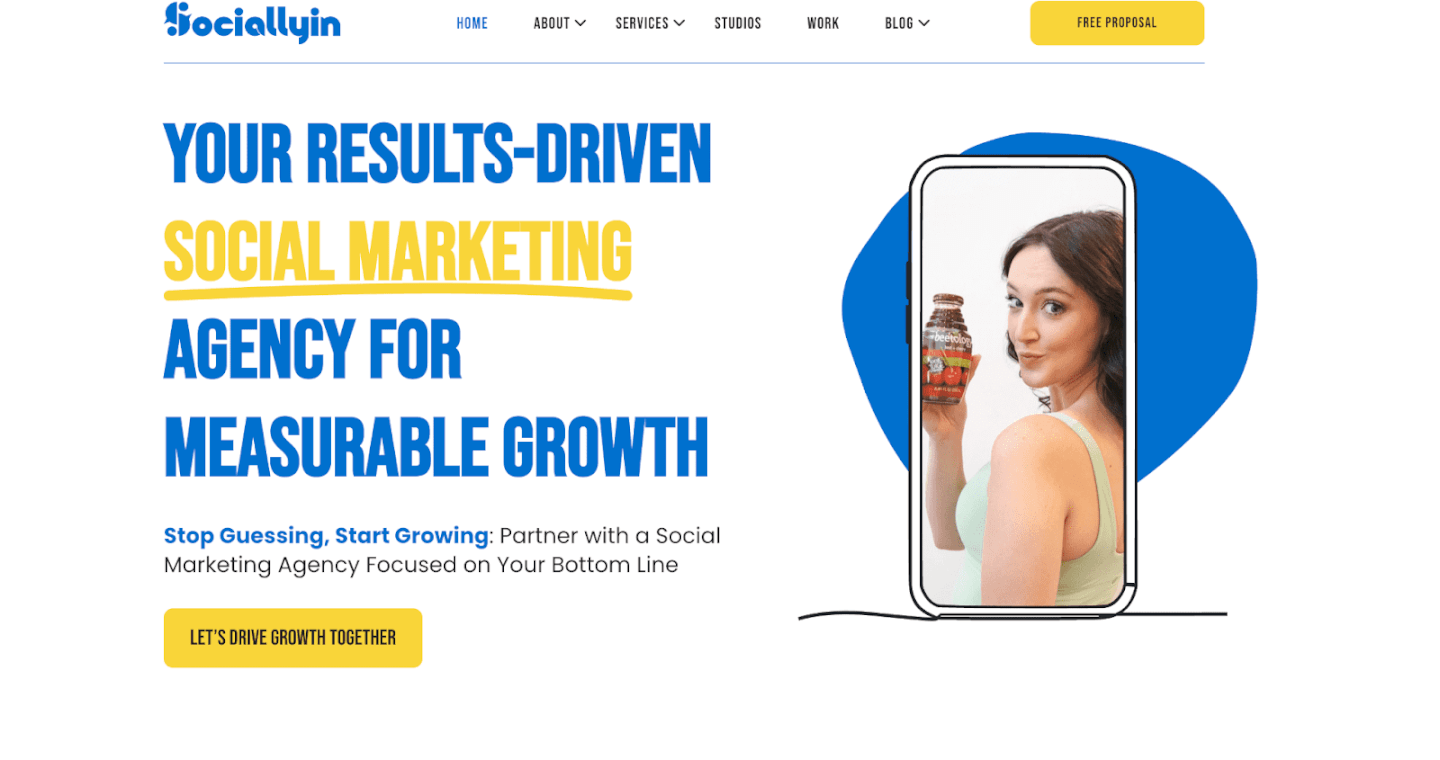
Sociallyin is a bit different from a pure PPC agency – they are a social media and content creation powerhouse that also excels in Google Shopping management. For brands that understand the importance of visual appeal and engaging storytelling in e-commerce, Sociallyin brings creative firepower to their advertising approach. This agency, based in Atlanta, has a strong background in influencer marketing, social media advertising, and studio-quality content production. Such capabilities are extremely valuable for Google Shopping, where high-quality product images and eye-catching visuals directly influence ad performance.
What Sociallyin offers: The team at Sociallyin can handle your Google Shopping campaigns end-to-end, but what truly sets them apart is the creative polish they add. They produce stunning e-commerce photography and video – from crisp product shots on white backgrounds to lifestyle images that show your product in real-world use. According to client case studies, Sociallyin’s in-house studio delivers top-notch product visuals that “speak loud and clear” on platforms like Google Shopping. By keeping up with the latest visual trends, they ensure your product listings don’t look dated or generic.
Beyond visuals, Sociallyin infuses influencer marketing and social proof into the strategy. They can coordinate campaigns with content creators or micro-influencers to generate buzz, then leverage that content in your Shopping ads or feed. For example, they might run an influencer-driven photoshoot for your product and then use those authentic images (with real people) in your Google Shopping gallery – instantly making your ad stand out among stock photos. Given that ads with real customer or creator images are far more engaging to shoppers, this integrated approach can increase click-through rates. Sociallyin also offers social media retargeting and paid social ads (on Facebook, Instagram, TikTok, etc.), which can work hand-in-hand with Google Shopping (multi-channel campaigns tend to reinforce each other).
Who should consider Sociallyin: Brands that want more than just basic PPC management – particularly those who value branding, creativity, and social media presence – will find Sociallyin a great partner. If you have an online store and need to refresh your product imagery, develop UGC, or run influencer collaborations alongside your Google ads, Sociallyin covers all those bases under one roof. They are accustomed to working with businesses of all sizes (from scrappy startups to big enterprises) and typically require a ~$5k+ monthly ad budget. Sociallyin’s clients often praise their professionalism and the trust they build (as one testimonial from Four Naturals noted) due to the agency’s commitment to quality. In summary, Sociallyin is an ideal choice for e-commerce brands that understand that great content is key to great ads – they’ll ensure your Google Shopping campaigns are not only optimized in targeting, but also visually compelling and culturally relevant to your audience.

If you’re looking for a proven, full-service digital marketing agency to handle Google Shopping, SmartSites should be on your radar. Headquartered in New Jersey, SmartSites has built a reputation as one of America’s highest-rated digital agencies (boasting over 1,000 five-star client reviews on platforms like Clutch and G2). They combine that client-centric approach with deep expertise in e-commerce advertising – making them a versatile choice for brands of all sizes.
Why SmartSites shines: With 10+ years in the industry, SmartSites is a certified Google Partner and has experience running PPC campaigns across Google, Bing, Facebook, Amazon, and more. For Google Shopping specifically, they have a team of certified e-commerce PPC specialists who focus on driving measurable results for online stores. SmartSites takes a very results-oriented approach: they emphasize increasing traffic, acquiring more customers, and ultimately “selling more stuff,” as their mantra goes. A key benefit of working with SmartSites is their breadth of knowledge – they’re adept not just at Google Shopping ads, but also at complementary areas like SEO, website optimization, and email marketing. This means they can advise on improving your site to convert the new traffic their ads bring in, truly offering a one-stop solution.
For smaller e-commerce businesses or Amazon sellers transitioning to running their own site, SmartSites is particularly accommodating. Their minimum campaign budget is around $1,000 (much lower than some elite agencies), making their services accessible to small and mid-market brands. Despite working with Fortune 500 companies, they don’t price out the little guys, which is a big plus. They can scale accounts up from modest beginnings, iterating and expanding campaigns as ROI grows. Additionally, SmartSites provides transparent reporting – clients often note how they appreciate the clarity of SmartSites’ communication and data sharing. You’re never left guessing what your ad spend is doing; you’ll see metrics and get insights regularly.
Ideal for: E-commerce brands that want a trusted, highly rated agency to manage and grow their Google Ads holistically will find SmartSites a great fit. If you’re concerned about choosing an agency with a solid track record, SmartSites’ long list of positive testimonials provides peace of mind. They have experience in virtually every industry (retail, automotive, medical, B2B, etc.), so they can quickly understand your business and target audience. Also, if you anticipate needing help beyond just Google Shopping – say, web design improvements, or ramping up your Amazon marketplace ads – SmartSites has specialized teams for those areas too. In essence, they can plug into whatever marketing gaps you have. With SmartSites, you get the firepower of a big agency combined with a personalized touch (they are known for being responsive and dedicated to client success). For many e-commerce merchants, that balance is hard to beat.
Thrive Internet Marketing Agency is a full-service digital firm that has made a name by helping online store owners “thrive” through a combination of smart SEO and paid advertising strategies. With over 16 years of experience in e-commerce marketing, Thrive offers a comprehensive approach – they can improve your organic visibility in Google Shopping (free listings) as well as manage high-performing paid Shopping campaigns. This dual focus on SEO and PPC makes Thrive a powerful ally for e-commerce brands looking to dominate search results from all angles.
Thrive’s approach to Google Shopping: On the paid side, Thrive provides Google Shopping management services designed to bring in high-intent shoppers efficiently. One technique they use is segmenting your Shopping campaigns by user intent – for example, creating separate ad groups for branded searches (people specifically searching your brand or product names) versus generic product searches. This way, they can bid appropriately (usually higher on the high-converting branded terms, and carefully on broader terms) and tailor ad content to each segment. It’s a savvy strategy to optimize cost per conversion. Thrive also pays close attention to competitive pricing and feed data optimization. They will analyze your product pricing relative to competitors (since Google Shopping directly compares prices) and help you adjust or highlight deals to improve click-through. Additionally, they fine-tune product titles and descriptions with strategic keywords and ensure every item in your feed meets Google’s specs – no missing GTINs or disapproved products on their watch.
What sets Thrive apart is how they connect all the dots for a merchant. They integrate Google Shopping with your broader operations – for instance, linking ads with your physical store inventory (if you have retail locations) and setting up real-time reporting dashboards so you can monitor performance easily. Over the years, Thrive has helped countless U.S. businesses (small and large) refine their e-commerce PPC strategies and even their on-site conversion funnels. They are big on CRO (conversion rate optimization) – employing data-driven tweaks to increase the percentage of ad-clickers who end up purchasing. For example, Thrive’s team might suggest layout changes on your product pages or implement better call-to-action buttons based on their data insights. They know that getting the click is only half the battle, so they work to ensure your Google Shopping traffic translates to sales.
Who should work with Thrive: If you’re an e-commerce brand that wants a well-rounded strategy – improving organic rankings, paid ads, and on-site UX together – Thrive is an excellent choice. They have a strong SEO pedigree (able to help you rank in the free Google Shopping listings and traditional search results), which complements their PPC work. This is beneficial for merchants on a budget, as you can capture free traffic while paying for ads in a balanced way. Thrive is also a good fit for businesses that sell on multiple channels; notably, they list Amazon Advertising as one of their services, meaning they understand the Amazon ecosystem too. If you’re an Amazon seller with your own website, Thrive can manage both your Google Shopping ads and Amazon Sponsored Product campaigns in tandem, ensuring a cohesive approach. With offices in Texas and California and a team of 50+ people, Thrive combines big-agency capabilities with a small-agency feel. They welcome e-commerce clients of all sizes (minimum ad budgets around $1k), so it’s a particularly accessible option for entrepreneurs and growing brands that need expert guidance without breaking the bank.
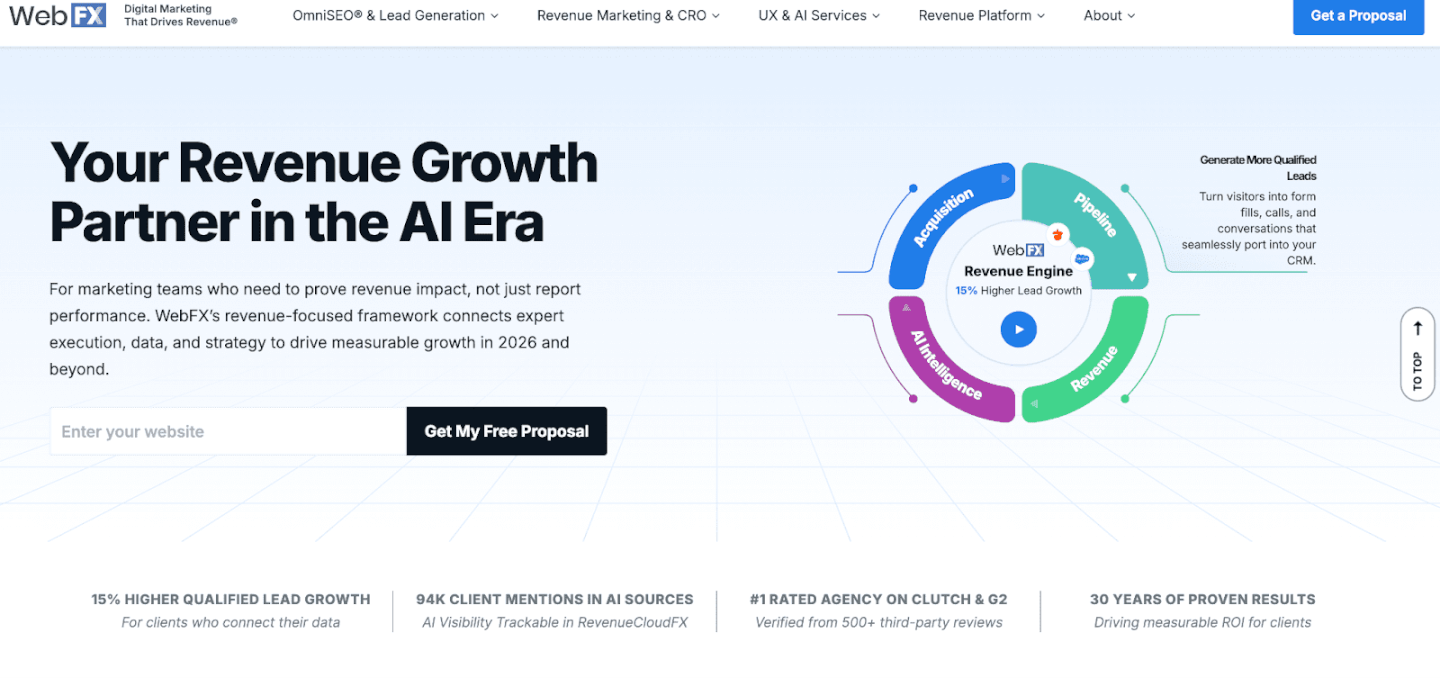
Rounding out our list is WebFX, a veteran digital marketing agency that brings over two decades of experience and a tech-driven approach to Google Shopping management. WebFX has worked with more than 1,000 clients (including well-known brands like Fujifilm and Wrangler) and has developed its own marketing technology platform to give clients an edge. For e-commerce companies that value data, automation, and breadth of service, WebFX is a top contender.
What WebFX offers: This agency is known for its proprietary platform called MarketingCloudFX, which consolidates marketing analytics and uses AI to improve campaign performance. When you sign on with WebFX for Google Shopping management, they leverage this platform to track your ad performance in granular detail – attributing sales to ads, analyzing user behavior from click to purchase, and identifying optimization opportunities. It’s like having a marketing command center that continuously crunches numbers to find ways to boost ROI. WebFX’s team then uses those insights to adjust your Google Shopping bids, budget allocation, and product targeting dynamically. They emphasize transparent ROI reporting; you’ll see exactly how your ad spend translates into revenue through their dashboards, which is reassuring for data-driven brands.
Aside from their tech advantage, WebFX provides a full suite of digital marketing services that can complement Google Shopping. Need better product page SEO? They have a team for that. Want to run email campaigns or content marketing to re-engage shoppers? They do that too. This integrated approach means WebFX can create synergy between your Google Shopping ads and other channels. For instance, if their data shows that certain search terms convert well on Shopping ads, they might feed that info to your SEO strategy to target those keywords organically as well. Or, they might notice your Shopping ads get lots of clicks but limited conversions in a particular category – which could prompt a landing page redesign by their web dev team to improve results. In essence, WebFX looks at your entire customer acquisition and conversion path, not just the ads in isolation.
Who it’s best for: WebFX is an ideal partner for mid-size to large e-commerce businesses that want a technologically advanced, hands-on approach to marketing. If you have significant ad spend and desire a partner that will treat your campaigns with scientific precision, WebFX delivers. Their services come at a premium (they’ve earned numerous awards and have a large team of 300+ professionals), but the investment often pays off in higher efficiency. WebFX is also a great choice if you appreciate having a single agency manage multiple aspects of your digital strategy – it simplifies communication and ensures consistency. Notably, WebFX has experience in B2C and B2B e-commerce, and even niche markets, adapting their Google Shopping tactics accordingly. With their long history, they’ve likely tackled challenges similar to yours before. In summary, for brands that want to plug into a proven system backed by proprietary tech and a wealth of expertise, WebFX can be the powerhouse that drives your next phase of growth.
In the fast-moving world of e-commerce, Google Shopping agencies have become indispensable allies for brands intent on scaling up. The right agency will optimize every facet of your Shopping ads – from your product feed data to bidding strategy to creative assets – ensuring that your products not only appear in front of relevant shoppers, but also compel those shoppers to click and buy.
When choosing among the best Google Shopping agencies, consider your brand’s specific needs. Do you require more creative content to improve your ads? Is your catalog huge and in need of meticulous feed management? Are you a smaller seller who needs flexibility, or a larger enterprise looking for enterprise-level analytics? There’s a partner out there tailored to those needs. Don’t be afraid to reach out for consultations – many of these agencies will audit your current Shopping campaigns or provide a proposal, so you can gauge the potential improvement.
Now is the time to take your e-commerce growth to the next level. A well-run Google Shopping campaign can consistently bring in high-intent buyers who are ready to purchase – and with professional help, you can capture that demand efficiently and at scale. If you’re an Amazon seller looking to diversify traffic or an online store aiming to outperform competitors, investing in expert Shopping ad management is a smart move for 2026. The payoff isn’t just in immediate sales, but in long-term insights, better branding, and a stronger market position. In short, partnering with a Google Shopping agency or solution can be the catalyst that drives sustained ROI for your business. Ready to boost your visibility and conversions? Consider contacting one of the agencies above, or reach out to Stack Influence to amplify your campaign with micro-influencer fueled UGC. By leveraging these resources, you’ll be well on your way to dominating the digital shelf and watching your e-commerce sales soar.
In today’s digital landscape, e-commerce brands and Amazon sellers face an overwhelming array of marketing channels – from SEO and email to TikTok trends and influencer collaborations. It’s challenging to know where to focus first. That’s where a well-structured digital marketing package comes in. In this 2026 guide, we’ll explain what a digital marketing package is and how to create a digital marketing package tailored to your brand’s needs. You’ll learn how to bundle key services (SEO, social media, content, micro influencers, etc.) into one coherent strategy that drives ROI. By the end, you’ll understand how to leverage everything from Amazon’s platform to TikTok UGC trends in a unified plan for maximum impact.

A digital marketing package is a bundled set of marketing services and strategies designed to cover all the essential channels needed to grow an online business. Instead of handling SEO, social media, email, and other tactics separately, a package combines them into one comprehensive plan or offering. This approach gives e-commerce brands a one-stop solution for their marketing – often at a better value than buying each service à la carte.
What’s typically included? Most digital marketing packages include a mix of: strategy development, social media marketing, content creation, paid advertising (PPC or social ads), search engine optimization (SEO), and data analytics/reporting. Many also incorporate email marketing and sometimes newer components like influencer marketing (partnering with content creators) or affiliate marketing. For example, a package might cover your brand’s Facebook and Instagram management, blog content, Google Ads, and monthly performance reports all together.
These packages are often offered by agencies or marketing platforms, but you can also create your own internal “package” or plan as a business. The key idea is bundling complementary marketing efforts so they work in sync. For instance, running social media campaigns alongside SEO ensures you’re building both immediate engagement and long-term organic growth. The bundled approach also makes it easier to budget – 72% of marketing budgets now go toward digital channels, so having a clear package helps allocate that spend efficiently. Ultimately, a digital marketing package acts as a roadmap of marketing activities, tailored to your brand’s goals, that you or your agency will execute consistently.
Even in 2026, many brands struggle to prioritize digital strategies. A digital marketing package helps solve that by providing a clear framework. Here’s why it’s especially valuable for e-commerce businesses and Amazon sellers:
By now, you know what a digital marketing package is and why it matters. Next, we’ll walk through how to build a digital marketing package step by step, tailored to your brand’s needs. Whether you’re doing it yourself or evaluating an agency’s offerings, these steps will ensure your package covers all the bases.
The first step in creating a digital marketing package is to list out all the marketing channels and services relevant to your business. Digital marketing today spans a long list of possibilities, so start by making an inventory of what you might include. Think about the channels where your target audience spends time and the tactics that align with your product. Common components to consider include:
Take an honest look at your team’s capabilities and your resources as well. If you’re assembling this package for yourself, which areas can you handle in-house and which will require outside help or a platform? It’s okay if you can’t do everything at expert level. Focus on core areas first. For instance, if your strength is visual content, lean into social media and influencer marketing; you can always outsource technical SEO or PPC management. The idea in Step 1 is to outline all potential services you want in your marketing mix. We’ll narrow it down and group them logically in the next steps.
Once you have a list of possible marketing channels and tactics, market research will help you prioritize the ones that make sense for your target audience. Not every business needs every service – it depends on what your customers respond to and what your competitors are doing. Ask yourself a few key questions before finalizing your package:
By answering these questions, you’ll get a clearer picture of demand. For instance, an Amazon seller launching a new kitchen gadget might discover through research that their target customers frequently search Google for “best kitchen gadgets 2026” and watch a lot of YouTube reviews. In response, that seller’s digital marketing package should probably include SEO (to rank for those searches), content creation (like a blog post or guide on kitchen gadgets), and YouTube influencer outreach to get their product reviewed. Meanwhile, a direct-to-consumer (DTC) brand in fashion might learn their audience loves Instagram and TikTok, so they’d emphasize social content, influencer challenges, and UGC campaigns in their package, with perhaps a smaller portion of budget on Google Ads or email.
Tip: Let demand guide you. It’s better to focus on a handful of channels that align with your audience than to spread yourself too thin. You can always expand later. Use industry reports, surveys, and your own customer feedback to validate where to invest. Remember, the services you include should solve your customers’ main needs – whether that’s discovering your product, trusting your brand, or getting incentives to buy. In the next step, we’ll combine those services into smart groupings.
Now that you’ve identified likely marketing tactics and prioritized them through research, it’s time to bundle them into a cohesive package. The goal here is to group complementary services that enhance each other and provide both short-term and long-term value. Rather than treating each channel in isolation, think of how they can work in tandem as an integrated campaign.
Consider these principles when bundling services:
By bundling smartly, you also make it easier to communicate the value. For instance, you can say, “This package pairs influencer marketing with content creation – so you not only get influencers promoting your product, but you also get a library of authentic UGC content to fuel your social media and ads.” That’s a compelling combo: the influencer provides reach and credibility, and the content they create can be reused to improve your other channels (a double win).
Another example of synergy: combining social media marketing + email marketing. Social keeps your brand visible daily, while email provides a direct line for promotions – together they can be used to funnel social followers into subscribers and then buyers. The whole is greater than the sum of parts.
Take a look at your list from Step 1 and group those items now. If something doesn’t seem to pair with anything else, maybe it doesn’t belong in this package (or you earmark it as an optional add-on, which we discuss next). The end result of Step 3 should be a clear outline of what your package includes, with services that logically fit and reinforce each other to drive results.
With your services bundled into a package outline, the next consideration is budget and pricing. If you’re a brand doing this internally, “pricing” translates to how you allocate your budget across the channels in the package. If you’re considering an agency’s package, you need to evaluate the cost and value. And if you’re an agency or consultant building packages to offer, setting the right price points is crucial.
Start by determining how much you can invest in marketing monthly or quarterly. A common benchmark: many businesses allocate around 5–10% of their revenue to marketing, sometimes up to 14% for aggressive growth. So if you aim for $1M in revenue, a $50k–$100k annual marketing budget (around $4k–$8k per month) could be reasonable. Of course, this varies by industry and stage – a new Amazon seller might spend more initially to gain traction, whereas an established DTC brand might get efficient results with lower spend due to organic momentum.
If you’re looking at agency packages, know that digital marketing packages can range widely in cost. A basic package from a reputable agency might start around $1,000 per month, whereas advanced packages (targeting enterprise scale or including extensive services) can run $5,000–$10,000+ per month. These often come in tiers:
Even if you’re not selling these packages, thinking in tiers helps you plan for scale. You might essentially create a “small, medium, large” version of your marketing plan. For instance:
When allocating budget, consider the typical ROI and cost of each channel. Earlier, we mentioned email can yield enormous ROI and SEO has high long-term ROI, whereas PPC and paid social have costs that scale with spend for more immediate traffic. Also note some channels have fixed costs (e.g., tools subscriptions, agency fees, content production costs) and others variable (ad spend itself). Make sure your package budget covers both. For example, if your package includes $500 of Facebook Ads and $500 of Google Ads monthly, that’s $1k in media spend, and you might allocate additional for content creation or management time.
Pro Tip: Always leave room for profitability (if you’re an agency) or positive ROI (if you’re a brand). Pricing should account for your costs to deliver services plus a margin. If you’re a brand, ensure the expected returns justify the cost – track metrics like cost per acquisition and lifetime value. Many small businesses put money into digital marketing confidently because, for instance, 49% say organic search (SEO) brings the best ROI and paid ads like Facebook/Google reliably drive sales when optimized. Know your numbers so your package pays off.
Finally, be transparent and flexible. If offering packages to clients, communicate exactly what’s included for the price and how additional requests will be handled. If you’re the client (the brand), look for clarity: how many posts, how many emails, how many hours of work are included? Ensure the package fits your budget but also that it’s realistic – an extremely cheap package might not deliver much, whereas a higher-priced package should come with proportional value.
Many businesses find it useful to start with the lowest tier that makes sense and scale up. For example, try a basic package for three months; if you see good results and need more, upgrade to the next level. Having tiered options allows this gradual increase without overwhelming you or blowing your budget from day one.
One size rarely fits all in marketing. That’s why, even with a well-defined package, it’s wise to plan for optional add-on services that clients or your team can plug in for extra impact. These are typically one-off or occasional tasks that not every brand will need continuously, but offering them (or planning them) makes your digital marketing package more flexible and customized.
For example, consider adding à la carte services like:
These extras serve a few purposes. For one, they create another revenue stream (for agencies) or an extra way to monetize skills. For brands, they ensure you have the option to address unique needs without overhauling your whole marketing plan. Importantly, they introduce customization – every brand’s needs are a bit different, and add-ons let you tailor the package so the client feels it’s made just for them.
When offering add-ons, communicate clearly what is and isn’t included in the base package versus as an extra fee. Transparency avoids any confusion or disappointment. For instance, if your package covers 2 social channels and the client asks for TikTok support, be upfront that it’s available as an add-on for $X more, not within the base price. As a brand, if you’re purchasing a package, clarify this with your agency – know which requests will incur extra charges.
A real-world example: Some social media packages include management of Facebook and Instagram, but additional platforms like TikTok or YouTube might cost an extra $100/month each. An Amazon marketing package might include managing Amazon PPC, but doing Walmart Marketplace or eBay marketing could be an add-on. By structuring it this way, you ensure the base package stays focused and affordable, while still giving room to expand.
In summary, think of Step 5 as building a menu of upgrades. Even if you don’t need them now, having them defined means you can quickly pivot if the situation calls for it (e.g., a new social network gains popularity or you have an opportunity for a PR campaign). It keeps your marketing package adaptable in the fast-changing digital world.

This step is crucial, especially if you are an agency or consultant offering packages to others – but it also has value even if it’s an internal plan. It’s about how you present and communicate the package. If you’re a brand making your own plan, you might think naming doesn’t matter, but giving your strategy a codename or theme can actually help sell it internally to your team or stakeholders. And if you’re selling packages to clients, the name and description can influence their buying decision.
Choose a compelling name: Instead of generic labels like “Basic Package” or “Silver/Gold Plan,” opt for names that imply value or outcome. For example, an agency might call their packages “Growth Starter,” “Accelerator,” and “Dominance” or something along those lines, rather than Basic/Standard/Premium. As noted in one case, a company renamed “Basic” to “Bronze” and it felt more appealing while still indicating it’s an entry level. Another agency used terms like “Steady Growth,” “Faster Growth,” and “Full Speed Growth” for tiers – these imply what benefit the client gets (growth) and sound positive. The idea is the name should instill confidence and convey the core benefit. For a digital marketing package focusing on e-commerce, you might use names like “Launch and Learn” (starter), “Omnichannel Booster” (mid-tier), and “E-Commerce Dominator” (top tier) – these immediately signal the intent.
Describe the benefits, not just features: When writing a package description or summary, don’t just list what’s included; highlight what results or value those inclusions bring. For example, instead of saying “Includes 8 blog posts and 20 social posts per month,” frame it as “Attract customers with SEO-optimized blog content and keep them engaged with daily social media posts. 8 blogs and 20 social posts per month ensure consistent visibility and authority for your brand.” See how that ties the feature to a benefit? Similarly, if a package includes “Influencer campaign management,” you might describe it as “Leverage trusted voices in your niche – we’ll handle finding and managing micro influencers who create authentic buzz around your products, driving both engagement and conversions.” The client (or your boss) should immediately grasp why each element matters.
If you have multiple packages, also clarify the difference between them in descriptions. Perhaps the higher tier includes more frequent content, more channels, or advanced strategies like AI-driven analytics. Spell out those distinctions so the choice is easy. Often, brands will gravitate to the middle option if it clearly offers more value for somewhat more cost – which is why you might label one package as “Most Popular” to guide the decision. Highlighting a “recommended” or popular package can nudge people toward it, as they feel it’s proven.
Include social proof or credibility markers: This is more for agencies pitching to clients, but even internal marketing teams can benefit from citing evidence. In package descriptions, it helps to mention any credentials or results backing your methods. For example, “Our strategies are managed by a Google-certified team” or “We’re a Meta Business Partner” if applicable. Or reference results: “Our content marketing approach has helped previous clients achieve 3x increase in organic traffic in a year.” If you’re the client evaluating an agency, look for these signals in their package descriptions – it shows they have experience and success. Some top agencies even include case studies or ROI figures (e.g., one mentions their PPC services delivered a specific ROI in a client testimonial). That kind of info is reassuring.
In short, Step 6 is about packaging the package – branding it in a compelling way. If you are doing a DIY marketing package for your startup, write it up like a proposal: give it a name, list what’s included, and the expected outcomes. This will help you articulate to your team (or just clarify for yourself) why you’re investing in these areas. And if you’re selling the package, this step can make the difference between someone glossing over a list of services vs. getting excited about what those services can do for them.
After launching your digital marketing package – whether you’re executing it in-house or delivering it to a client – the work isn’t over. In fact, the real world has a way of surprising even the best-planned strategies. That’s why the final step is to continually test and adapt your package for optimal results.
Monitor performance closely: From day one, set up your analytics and KPIs (Key Performance Indicators) to track each part of the package. This could include Google Analytics for web traffic, social media insights for engagement, email open/click rates, Amazon Seller Central metrics for listing views and conversion, etc. If you’re using an influencer marketing platform or working with Stack Influence for micro-influencer campaigns, track metrics like engagement rate, content quality, and referral traffic from those collaborations. Make sure to attribute results to the right channel; for instance, use unique tracking links or promo codes for influencer posts to measure their direct impact.
Identify what’s working (and what’s not): After a few weeks or months, review the data. Perhaps you find that SEO is driving a ton of organic traffic, but your paid Facebook ads aren’t converting well. Or your email newsletter has a great open rate, but your Instagram engagement is lagging. These insights are gold. They tell you where to double down and where to pivot. A good digital marketing package isn’t static – it should evolve based on performance. As the Influencer Marketing Hub’s guide noted, your first attempt at packaging services may not be perfect, and that’s normal. The key is to adjust until it aligns with what truly delivers results for your brand.
Be ready to pivot strategy: Digital marketing is dynamic – algorithms change, consumer trends shift, new platforms emerge. Build in regular checkpoints (say, monthly or quarterly) to reassess your package mix. For example, if a new social platform rises to popularity (remember how fast TikTok grew), you might need to incorporate it as a core channel rather than an add-on. Or if an algorithm update causes your Google rankings to drop, you may allocate more resources to paid search or alternative traffic sources while re-optimizing SEO. Flexibility is essential. In recent years, we’ve seen how major changes (like privacy updates affecting ads, or search engine algorithm tweaks) can suddenly impact marketing results – those who adapt quickly keep thriving. So treat your package not as a fixed menu, but as a living strategy.
Gather feedback: If you’re an agency, get feedback from your client regularly. Are they seeing the value? Are there new pain points or goals that emerged? Maybe the client’s business pivoted to a new product line – your package might need a tweak to address a different audience or market. If you’re the brand, gather input from your team or even customers. Perhaps customers respond better to the UGC contests you ran (great, continue that!) or maybe they complain they never saw your email offer (maybe it went to spam – time to improve email strategy). Use both quantitative data and qualitative feedback to refine your approach.
Scale what works: Adaptation isn’t just about fixing underperformers – it’s also about recognizing home runs and amplifying them. If your collaboration with a particular micro-influencer yielded tons of sales, consider an extended partnership or finding more influencers like them. If your blog content about “How to use ” is getting shared widely, maybe invest in more content or even video tutorials. Some channels might exceed expectations; don’t be afraid to reallocate budget or effort to capitalize on that momentum.
In conclusion, continuously optimize your digital marketing package. The benefit of having a structured package is you have a clear framework to adjust: you can tweak one element without losing sight of the whole. Over time, you’ll hone in on the ideal mix that delivers the best ROI for your marketing spend. And remember, marketing is an ongoing experiment – by staying agile and data-driven, your 2026 digital marketing package will keep yielding results well into 2027 and beyond.
Building a digital marketing package in 2026 is one of the smartest moves for e-commerce brands and Amazon sellers looking to maximize their ROI. It brings structure to the chaotic world of online marketing by bundling all the critical pieces – from SEO and content to influencer marketing with micro influencers – into a cohesive strategy. A well-crafted package ensures you’re visible on key platforms like Amazon, Google, Instagram, and TikTok, all while delivering a consistent brand message. It also simplifies budgeting and allows you to leverage cost-effective tactics (like SEO, email, and UGC) alongside quicker wins (like PPC and influencer buzz).
By following the steps above, you can create a tailored package that fits your audience and goals. Start by identifying the channels that matter for your customers, research what they need, bundle complementary strategies, set a sensible budget with room to grow, and don’t forget to include some flexibility with add-ons. Present your plan with clear value propositions, and then execute – watching the data and tweaking as needed.
In today’s e-commerce landscape, simply posting content at random isn’t enough – you need a strategic map. Brands often churn out blogs, social posts, and emails hoping something sticks. The result? Mixed engagement and missed opportunities. That’s where content mapping tools come in. By aligning each piece of content (from product videos to UGC reviews) to a specific audience and stage of the buyer’s journey, marketers can deliver the right message at the right time. In fact, content mapping forces you to consider who your content is for and when they need it, so every article, email, or micro influencer post has a clear purpose. This comprehensive 2026 guide will explain what content mapping is, why it matters for influencer marketing and e-commerce success, the top tools to use, and how to create your own content map. Whether you run a DTC brand or sell on Amazon, you’ll learn to plan targeted content that drives engagement and sales. Let’s dive in!
Content mapping (also called content journey mapping) is the process of creating a master plan for your content and aligning it with each stage of your customer’s journey. Essentially, it’s a framework that ties buyer personas (who your audience is) to the buyer’s journey (where they are in the purchase process). A content map is often laid out as a simple grid or spreadsheet that shows: the persona, their stage (awareness, consideration, decision), their key questions or pain points, and the content you will deliver to address those needs.
This approach brings structure and intent to your marketing. Instead of guessing what to publish next, you use data and empathy to guide content creation. For example, a fashion retailer might identify a persona “Budget-Conscious Mom” who is in the awareness stage looking for affordable style tips. The content map would assign her an educational blog post or a Pinterest infographic to pique interest. Later, when she’s in consideration, the map might offer a comparison of outfit costs or a micro-influencer’s YouTube review of the store’s budget line. By mapping content to each stage, you ensure no potential customer falls through the cracks.
Importantly, content mapping is execution-focused. It differs from a broad content strategy in that it gets very tactical – it spells out exactly what piece of content goes to which audience at what time. The benefit is a bird’s-eye view of your content universe, making it easy to spot gaps or overlaps. If you notice you have plenty of top-of-funnel social media posts but nothing for loyal repeat buyers, the map highlights that gap so you can fill it. In short, a content map is your blueprint for delivering personalized, purposeful content consistently.
Mapping your content to the customer journey isn’t just a marketing exercise – it’s a competitive advantage. Here’s why a content map is so valuable, especially for e-commerce brands, Amazon sellers, and anyone leveraging influencer marketing:
Stack Influence, as a micro-influencer marketing platform, recognizes the power of content mapping firsthand. We’ve seen e-commerce campaigns perform better when brands map out where influencer-generated content will hit the customer journey (for instance, seeding TikTok unboxing videos in the awareness phase, and using influencer coupon codes at decision phase). The takeaway: content mapping isn’t a “nice-to-have” – it’s a must-have for any brand looking to maximize engagement and sales via targeted, data-informed content.
You don’t need expensive or highly specialized software to start mapping your content. Many content mapping tools are likely already at your fingertips. Below are 10 of the best tools (ranging from free basics to advanced platforms) that help e-commerce teams and content creators plan, organize, and execute a winning content map. Each tool serves a different purpose – from researching your audience to scheduling content – and together they’ll cover all the bases of your content mapping process.

Stack Influence is not a traditional content mapping software – it’s a leading micro influencer marketing platform – but it’s first on our list because of its unique role in the content mix. For e-commerce brands and Amazon sellers, Stack Influence helps you source and manage authentic UGC from armies of micro-influencers. How does this tie into content mapping? Simple: as you map out content for each stage, you’ll likely include influencer touchpoints (like unboxing videos at awareness or testimonial posts at consideration). Stack Influence automates the hard part of finding and coordinating with those influencers at scale. You can run campaigns with hundreds of influencers who create product photos, videos, and reviews tailored to your target audience. By plugging Stack Influence into your content map, you ensure a steady stream of real customer voice content. This boosts authenticity and trust – remember that peer content is highly trusted by consumers. Differentiator: Unlike generic marketing tools, Stack Influence focuses on product seeding campaigns with micro influencers, making it ideal for brands that want lots of UGC to fill their content calendars. It’s essentially your pipeline for fresh, relevant influencer content that you can map into blog posts, product pages, social media, and beyond. (Pro tip:) Use Stack Influence to gather influencer content early, then distribute those assets across your mapped buyer journey (for example, include an influencer’s tutorial video in your email nurturing sequence for mid-funnel prospects).
Sometimes the best tools are the ones you already use daily. Google Docs (and Google Sheets) provide a flexible canvas for building your content map. Many marketers start their content mapping with a basic spreadsheet template – listing personas down one axis and buyer journey stages across the other, then filling in content ideas for each cell. Google Docs/Sheets let you do exactly that in a shareable format. You can create a content map document or grid and invite team members to contribute in real time. For example, your SEO specialist can fill in blog topics for the awareness stage while your sales lead adds ideas for decision-stage case studies – all in the same doc. Google Docs also allows inserting comments, using suggested edits, and even drawing diagrams if needed. The big advantage here is accessibility: it’s free and everyone knows how to use it, which lowers the barrier to getting your content map out of your head and onto “paper.” Additionally, you can link out to content resources or insert charts if you’re tracking content metrics. It’s not flashy, but Google Docs is a reliable workhorse for organizing your content plans. (Tip: Google offers ready-made templates for marketing plans; you can adapt these as a starting point for your content map.)
View this post on Instagram A post shared by Lucid Software (@lucidsoftware)
If you’re a visual thinker, Lucidchart is a fantastic tool to map content in flowchart form. Lucidchart is an intelligent diagramming application that lets you create flowcharts, mind maps, and concept diagrams with ease. For content mapping, you can sketch out the buyer’s journey as a flow (e.g. boxes for Awareness, Consideration, Decision stages) and then visually connect which content leads the customer from one stage to the next. For example, you might draw a box labeled “Instagram giveaway post (Awareness)” with an arrow leading to “Email sign-up offer (Consideration)” and then to “Promo code email (Decision).” This visual content map helps you and your team literally see the customer’s path and ensure it makes logical sense. Lucidchart is also great for mapping buyer personas or content ecosystems – you can create separate diagrams for different personas or product lines. It even supports collaborative editing, so multiple team members can build the map together during a brainstorming session. Many marketers use Lucidchart to map complex campaigns or multi-channel funnels because it handles decision points and branches elegantly. With drag-and-drop shapes and connectors, you don’t have to be a designer to create a clear content flowchart. Bonus: You can export Lucidchart diagrams to include in presentations, which is handy when you need to explain your content plan to stakeholders. In short, Lucidchart turns your content map into an easy-to-digest visual guide for everyone involved.
View this post on Instagram A post shared by Airtable (@airtable)
Airtable is a versatile tool that’s part spreadsheet, part database, and part project management platform. For content mapping, Airtable shines as an interactive content calendar and tracker. It offers content calendar templates (including ones specifically for marketing) where you can list each content piece alongside attributes like target persona, funnel stage, publish date, content type, owner, etc. The power of Airtable is in its filtering and view capabilities: you can filter your content list to show, say, only content for the “Awareness” stage, or only content targeting “Persona A”. This is incredibly useful for a content map, as it lets you slice and dice your planned content by stage or audience to ensure balance. For example, you might create a Kanban view grouped by buyer’s journey stage – quickly revealing if one column (stage) looks sparse compared to others. Airtable also enables you to attach files (drafts, images), check off status, and even assign tasks to team members, blending content mapping with workflow management. Another plus: integration. Airtable can integrate with other apps (email marketing, social schedulers, etc.), so when it’s time to push content live, your content map in Airtable can tie into execution. Teams often use Airtable to centralize all content ideas, from blog topics to influencer collaborations, in one place. With real-time collaboration and cloud access, everyone stays on the same page. In summary, Airtable helps you organize and oversee your content map like a pro, ensuring nothing slips through the cracks.
View this post on Instagram A post shared by Trello by Atlassian (@trelloapp)
Trello is a popular project management tool that uses Kanban boards (think of a bulletin board with sticky notes in columns). While Trello isn’t a content mapping tool per se, it’s excellent for managing the workflow of your content map. You can create a Trello board for your content plan with columns such as “Ideas/To Map,” “To Create – Awareness Stage,” “To Create – Consideration Stage,” “In Production,” “Scheduled/Published,” etc. By doing this, Trello gives life to your content map: each card on the board represents a content piece (with labels or tags for persona and stage), and you move the card through the content pipeline as it gets created and published. This visual approach ensures your mapped content actually gets delivered. It’s also a collaborative hub – each Trello card can contain the content brief, responsible team member, due date, and checklist (for tasks like write, design, approve, publish). Trello’s automation (Butler) can even be set up to notify people or move cards when certain conditions are met (for example, when a card is marked “Approved,” it could auto-move to the Scheduled column). Many content teams find Trello intuitive because it mirrors a familiar whiteboard and sticky note process. In the context of content mapping, Trello helps you brainstorm and capture content ideas aligned to different stages (with separate lists or color codes by stage). You might have one list for each buyer journey stage and fill it with content ideas (cards). As you decide which to execute, you move them into an “Active Content” list and then through to completion. This way, Trello keeps your content map actionable and on schedule. It’s particularly useful for smaller teams or those that appreciate a highly visual task board.
While Google Analytics (GA) might not create content, it provides the data that informs your content map. A key part of mapping content is knowing your audience’s behavior and preferences, and GA is invaluable here. Using Google Analytics, you can dive into the Audience reports to learn your website visitors’ demographics, interests, and behaviors. For instance, GA can tell you the age, location, and even interest categories of people visiting your product pages – insights that feed into your buyer personas. It can also reveal which channels bring in new visitors (awareness stage) versus which pages convert users (decision stage). When building your content map, use GA data to answer questions like: What topics is my audience already engaging with? Which blog posts have high time-on-page (signaling strong interest)? What content paths lead to conversions? Additionally, GA’s Behavior Flow report can visualize how users navigate through your site content – effectively showing a content journey. Once your content map is in action, Google Analytics helps monitor if it’s working. For example, if you mapped a series of educational blog posts for awareness, GA will show you if those posts are indeed drawing new traffic and leading people to further pages. If you set up goals in GA (such as email signups or purchases), you can attribute conversions to the content pieces and stages that influenced them. In summary, Google Analytics is the insight engine behind a smart content map: use it to identify what content your audience wants, and later to measure and refine your mapped content strategy.
Understanding your audience is crucial for effective content mapping, and that extends to social media platforms. Facebook Audience Insights (now largely integrated into Meta’s Business Suite) and Instagram Insights, as well as TikTok Analytics for Pro accounts, are powerful free tools to learn about your followers and target customers on those channels. By leveraging these social insights, you can better segment your audience and tailor content for them in your map. For example, Facebook’s insights can reveal your audience’s age ranges, gender split, locations, and even interests and online behavior of people who like your page. This can validate or enhance your buyer personas (maybe you discover a surprising interest that many of your followers share, which you can reference in content). Instagram Insights shows you when your followers are most active and which content formats they engage with most (e.g. Reels vs Stories), which is golden information for planning platform-specific content in your map. If your content map calls for an influencer marketing push on Instagram at the awareness stage, you’d want to schedule posts when followers are online and focus on formats they engage with. TikTok’s analytics (for content creators or business accounts) similarly provide data on follower activity times and top territories, plus which of your videos got the most views and why (e.g. trending sounds). All these insights help ensure that the content you map out for social channels resonates and reaches people effectively. In practice, you might use social audience insights to decide: Should my awareness content be a TikTok challenge or a series of Instagram carousel posts? If your target is Gen Z, TikTok data might show high engagement on short, humorous videos – informing your content plan. Bottom line: Social media audience tools inform the who/what/when of your social content, making your content map more precise and your influencer collaborations more impactful.
Sometimes the best way to know what content your audience needs is to ask them directly. SurveyMonkey is a popular online survey tool that allows you to gather feedback, preferences, and ideas from your target audience or customers. When mapping content, surveys can help identify common questions, pain points, or topics of interest for each stage of the journey. For example, you might send out a survey to your email list asking, “What information did you wish you had before buying ?” The answers could reveal content you need to add to your map (such as a comparison guide or how-to video in the consideration phase). Or you could poll your social media followers about what problems they’re trying to solve – their responses directly inform awareness-stage content. SurveyMonkey (and alternatives like Google Forms or Typeform) makes this process easy with templates and analysis tools. You can create separate questionnaires for different personas too. Use case: An Amazon seller might survey customers right after purchase to ask how they heard about the product and what convinced them. If many cite “saw an unboxing on YouTube,” that’s a clue to map more influencer unboxing videos into awareness. If others say “wanted to see it compared to alternatives,” you know to create comparison content for consideration stage. Survey tools also help test content ideas – you can float concepts or titles and have your audience vote on what interests them. The real-time feedback ensures your content map is grounded in actual customer needs, not just assumptions. Plus, SurveyMonkey’s analysis can segment responses by demographics, giving deeper insight for persona-based mapping. After deploying content, surveys can again be used (feedback loop) to see if content answered customer questions or if gaps remain. In short, SurveyMonkey is like having an ongoing conversation with your audience that guides your content mapping to be customer-centric.
Any robust content strategy will consider SEO, and Google Search Console (GSC) is the go-to tool for understanding how your content performs in organic search. In content mapping, there’s an important practice called keyword mapping – assigning target keywords to specific pages or content pieces so that you cover all relevant search queries without cannibalizing yourself. GSC helps by showing which queries are bringing people to your site and which pages Google is ranking for those queries. When you build your content map, you can use Search Console to ensure each stage of the funnel has content optimized for the queries users at that stage might search. For example, awareness-stage users might search broad “how to” or “best ways to ____” queries, whereas decision-stage users search for specific product names or “Brand A vs Brand B” comparisons. GSC’s Performance report lets you filter queries by intent and see if you have content matching them. If not, that’s a gap to fill on your map. Additionally, GSC reveals your site’s top-performing pages and their keywords – you might discover content ideas from what people are already finding you with. Say your blog post on “DIY product hacks” is getting impressions; you might expand that into a guide or video series mapped to the appropriate stage. GSC also flags issues (like mobile usability or page errors) that, if unresolved, could hurt your content’s performance with your audience. In terms of audience targeting, Search Console can show which countries or devices most of your searches come from, informing your content format (e.g. if many use mobile, ensure your content is mobile-friendly – maybe more short videos or concise copy). And let’s not forget: GSC allows you to submit sitemaps, helping Google crawl your content – useful after you implement a bunch of new mapped content pages. Overall, integrating Google Search Console data into your content mapping process ensures your plan aligns with real search behavior and that each piece of content is set up to reach your audience via search engines.
View this post on Instagram A post shared by Semrush (@semrush)
Rounding out our list is Semrush, a powerful SEO and content marketing suite. Semrush can greatly assist in the early stages of content mapping by identifying what topics and keywords your target audience is searching for at each stage of their journey. Using the Keyword Magic Tool, you can enter broad terms related to your product or niche and discover hundreds of related queries, questions, and subtopics. These can be sorted by intent (informational vs. transactional) to slot into your funnel stages – for example, informational “how do I ___” keywords map to awareness content, whereas comparison or “price” keywords map to consideration/decision content. What makes Semrush especially useful is its Content Gap analysis: you can input your website and a competitor’s to see keywords they rank for that you don’t. This reveals content opportunities that your content map might be missing. If a competitor has a popular “Ultimate Guide to ___” and you don’t, you might want to add a similar top-of-funnel piece to your map. Semrush also provides Topic Research tools that generate content ideas and headlines based on what’s trending or performing well in your industry. This helps ensure your content map covers timely, engaging topics (perhaps integrating UGC trends or platform-specific content like a TikTok challenge idea). Additionally, Semrush’s SEO Content Template can guide how to optimize a piece for a target keyword – useful when you’re ready to execute on a content item from your map. It even suggests content length, readability, and semantically related words to include, based on top results, which can improve your content’s success. Finally, Semrush allows you to track rankings for your content. As you publish mapped content, you can monitor how it climbs in search results for its target keywords – closing the feedback loop and helping you refine your content mapping (e.g. maybe you need additional supporting content or internal links if something isn’t ranking as expected). All in all, Semrush is like a compass that ensures your content map is oriented correctly toward what your audience is actively seeking online, giving you an edge over competitors.
Ready to build your own content map? Follow these steps to map out an effective content strategy tailored to your audience. By taking a systematic approach, you’ll ensure nothing is overlooked and that every piece of content has a purpose.
1. Define Your Content Marketing Goals and Purpose – Start with the big-picture why. Clarify the main purpose of your content efforts and how they align with your business goals. Are you aiming to drive brand awareness? Increase online sales by 20%? Grow an email list? Having clear goals will guide the entire mapping process. For example, an Amazon seller might set a goal to improve product page conversion rate – the content map then might focus on adding more persuasive UGC and FAQs to nurture purchase decisions. Also consider what value you want to provide to customers (education, inspiration, proof, etc.). Defining the purpose ensures your content map stays focused on outcomes that matter.
2. Know Your Target Audience (and Build Personas) – You can’t map content effectively without understanding who you’re speaking to. Gather data on your target audience through research and analytics. Look at demographics (age, gender, location), psychographics (interests, values), and behaviors (e.g. do they shop on mobile? active on Instagram?). Use tools like Google Analytics and social media insights to extract this info. Often, you’ll segment your audience into buyer personas – semi-fictional profiles representing key customer groups. For instance, you might have “Eco-minded Emma” who cares about sustainability and “Bargain Hunter Bob” who cares about price. Flesh out what each persona’s goals, pain points, and typical buyer behavior are. This step might involve talking to real customers, surveying your audience (using tools like SurveyMonkey), or analyzing customer reviews/comments for recurring themes. The result should be 2-5 detailed personas that will serve as the anchors for your content map. Tip: Give each persona a name and a short story so they feel real to your team.
3. Outline the Customer Journey Stages – Next, map out the buyer’s journey for your product or service. Typically, this includes stages such as Awareness (the customer realizes they have a problem or need), Consideration (they actively research solutions or compare options), Decision (they are ready to buy and just need that final nudge), and sometimes Retention/Loyalty (post-purchase engagement). For each stage, put yourself in the customer’s shoes and list their mindset and key questions. For example, in Awareness: “What is my problem? What solutions exist?”; in Consideration: “Is this product right for me? How does it compare to others? What do others say about it?”; in Decision: “What’s the cost? Is there proof this works? Can I trust this brand?”. This exercise ensures you understand the information needs at each stage. It can help to use a simple table – stages on one axis and questions/needs on the other. Remember that with influencer marketing in play, a customer’s journey might involve touchpoints like seeing an influencer’s post (awareness), then visiting your site (consideration), etc., so consider those influences in the journey outline as well.
4. Audit Your Existing Content – Before creating new content, evaluate what you already have. Conduct a content audit by listing all existing content assets: blog posts, videos, webinars, whitepapers, case studies, social media content, product pages, reviews, etc. For each, note which persona(s) it speaks to and which stage of the journey it fits. You might be surprised – content often can serve a different stage than originally intended when repurposed or reframed. For example, a general blog post about “10 Benefits of XYZ” could be great awareness content, whereas a customer testimonial video is decision-stage gold. Also assess each content piece’s performance (views, engagement, conversion) if data is available – this highlights what’s working. The goal here is to map your current content to the journey and see where it stands. You’ll likely find some stages are rich with content while others are thin. Also identify outdated or off-target content that doesn’t fit any more (this might be pruned or reworked). By the end of the audit, you should have a clear picture of content coverage and quality across stages and personas.
5. Identify Gaps and Opportunities – Now, compare your audience’s needs (step 3) against your existing content (step 4). Any need/question that isn’t adequately answered by current content is a gap – and an opportunity for new content. For instance, you might realize you have no content addressing a common customer concern that came up in your research (e.g. a tech company finds a gap: “no article explaining how our solution integrates with other tools” for the consideration stage). List out all these gaps for each persona and stage. Additionally, look for opportunities to better meet needs: maybe you have a text FAQ for a question, but an infographic or short video would deliver the answer more effectively – that’s an opportunity to enhance content. Prioritize the gaps based on impact; which missing content, if created, would most likely move the needle? Perhaps you lack social proof at decision stage – plugging that gap with influencer testimonials or case studies might be high priority because it directly affects conversion. This step is crucial because it defines your content map’s to-do list. Essentially, you are sketching the roadmap of content to create or repurpose so that every important customer question at every stage has a stellar piece of content addressing it.
6. Brainstorm and Map New Content Ideas – With your gap list in hand, start ideating the specific content pieces that will fill those gaps and engage your personas. For each gap or need, brainstorm what format and angle would work best. In this phase, involve your team (and even sales or customer support colleagues) to pitch ideas – multiple perspectives enrich content ideas. For example, if a gap is “awareness content for eco-minded shoppers,” ideas might include an infographic on industry environmental stats, a blog post “Beginner’s Guide to Eco-Friendly Choices,” or a collaboration with a green lifestyle micro-influencer for a YouTube video. List potential topics, titles, and content types for every stage of each persona’s journey. It helps to group ideas by main topics (pillar themes) and subtopics (supporting pieces), known as topic clusters. Don’t forget to perform keyword research here: use tools like Semrush or Google’s Keyword Planner to find popular search queries related to your topics, ensuring the ideas have SEO value. Jot down primary keywords for each content idea – this will guide content creation and also serve to avoid overlap. Once you have a solid list of new content ideas, plot them onto your content map framework. This could mean placing each idea into the persona-stage grid you created, essentially drafting your future content map. At this point, every cell in the grid (each persona at each stage) should have at least one content piece (existing or planned) associated with it. This visualization confirms that your content plan will cover the full journey.
7. Build an Editorial Calendar and Workflow – A content map is only as good as its execution. The final step is to turn the mapped content into a manageable schedule and process. Create an editorial calendar that outlines when and where each content piece will be published, and who is responsible. You might schedule content rollout over weeks or quarters – for example, “Q1: publish 3 awareness blogs, 2 consideration case studies, 1 decision-stage webinar.” Mark key dates (like product launches or holidays) that might affect content timing. Each content item should have a tentative publish date, assigned content creator, and distribution plan (which channels will you promote it on – e.g. email, LinkedIn, Instagram, etc.). Using tools like Airtable or Trello (from our list above) can help keep this organized. Also, incorporate CTAs and cross-links in your planning: decide how a prospect will move from one piece of content to the next. For instance, a blog post (awareness) might have a CTA to download a buyer’s guide (consideration), which then emails them a case study (decision). Map those connections so your content works as a cohesive funnel. Lastly, set up a mechanism to monitor progress and results. Plan to track KPIs like website traffic, engagement, and conversion rates for the new content. Schedule periodic reviews (monthly or quarterly) to evaluate what’s working and adjust the content map as needed. Remember, content mapping is iterative – as you learn more about your customers or market, you’ll refine the map. Having an editorial calendar keeps you on track, while continuous monitoring closes the loop, ensuring your content map delivers on its promise of guiding customers smoothly from first touch to loyal repeat purchase.
By following these steps, you’ll create a living content map that serves as a strategic compass for all your content marketing and influencer campaigns. Each step builds on the last – from knowing your audience to scheduling the content – so you end up with a clear plan to offer the right content at the right time for every potential customer.
There’s no magic wand in marketing, but content mapping comes close. By diligently aligning content with your customers’ needs and journey, you transform your marketing from a shot in the dark to a guided tour that leads buyers straight to conversion. Instead of overwhelming your audience or leaving them under-informed, you’ll be delivering exactly what they need—be it a helpful blog post, a persuasive micro-influencer testimonial, or an engaging product demo—when they need it. The end result? A more streamlined customer experience that builds trust, boosts engagement, and ultimately drives more sales for your e-commerce business.
As we’ve explored, you don’t have to do this alone or from scratch. Modern content mapping tools and platforms make the process manageable, even automatable. From using Google’s free tools to plan and measure, to tapping Stack Influence’s network of micro-influencers to generate authentic UGC at scale, you have an entire arsenal to execute your content map. The key is to start with a clear strategy (your map) and then consistently follow through and refine it.
For Amazon sellers and e-commerce brands, the opportunity is huge. Many sellers still rely on generic content or ads; by contrast, your brand will stand out by offering a coherent narrative and valuable content throughout the buyer’s journey. Imagine a potential customer encountering your product via an engaging TikTok from a micro-influencer, finding answers to their questions on your blog and YouTube channel, and seeing glowing customer reviews and unboxing videos right on your product page. By the time they’re ready to buy, they feel confident and eager — and it’s your content map that made that happen.
Now it’s your turn to put this into action. Take the insights and steps from this guide and start mapping out your own content strategy. Begin with one persona or one product line if that’s easier, and build from there. The sooner you start, the sooner you’ll see the benefits in more efficient marketing and happier customers. In 2026, content mapping isn’t just an advanced tactic – it’s a foundational practice for successful content and influencer marketing. Chart your course now, and you’ll be set to navigate the year ahead with clarity and confidence.
Ready to supercharge your content strategy? Map your content, enlist the right tools, and consider leveraging micro-influencers to amplify your reach. A well-crafted content map paired with authentic influencer-driven content can become a growth engine for your brand. Don’t leave your customer journey to chance – plan it, map it, and watch the ROI roll in.
If you’re an e-commerce brand, Amazon seller, or DTC founder drowning in product photos, influencer images, and marketing videos, finding the best digital asset management system can be a game-changer. In today’s content-driven market, brands generate more visual assets than ever – from professional product shots to user-generated content (UGC) from micro influencers. A digital asset management (DAM) system acts as a central hub to organize all these files, making it easy to store, find, and share your content across campaigns. In this 2026 guide, we’ll explain what a digital asset management system is, why it’s crucial for e-commerce and influencer marketing, how to choose the right one, and review the top DAM solutions available. By the end, you’ll know how a DAM can save time, ensure brand consistency, and help you fully leverage content from your community of creators and customers.
Digital asset management (DAM) refers to software that centrally stores and organizes an organization’s digital files – images, videos, graphics, documents, and more. Think of a DAM as a secure, searchable digital library for all your brand’s content. Instead of files scattered across Dropbox, Google Drive, or different team members’ computers, a DAM provides one source of truth where everything lives. Modern DAM systems go beyond basic cloud storage by offering:
In essence, a DAM is like an advanced filing cabinet combined with a traffic control system for your content. It “turns scattered files into shareable stories” by enabling teams to seamlessly access and repurpose assets across channels. Marketing teams, creative agencies, and even small businesses all benefit: e-commerce sellers, for example, use DAMs to manage product images, videos, logos, and UGC in one place, ensuring that their Amazon listings, Shopify store, and social media all pull from the same up-to-date asset library. Not surprisingly, companies are investing heavily in DAM technology – the global DAM market is projected to grow from about $5.3 billion in 2025 to $10.9 billion by 2029 – underscoring how essential these systems have become for modern brands.
For e-commerce and marketing teams, digital assets are the lifeblood of branding and sales. Without a proper system, managing these files can turn into “content chaos.” Here’s why the best digital asset management systems are especially valuable for online sellers, influencer marketers, and content creators:
In short, a digital asset management system brings order to the content chaos. It saves precious time, ensures your brand looks polished everywhere, and helps you squeeze maximum value from every photo or video you have. For e-commerce companies and Amazon sellers juggling thousands of images (from product galleries to influencer lifestyle shots), a DAM isn’t a luxury – it’s quickly becoming a necessity to stay efficient and competitive.
With dozens of DAM platforms on the market, how do you select the best digital asset management system for your business? Here are key factors and tips to guide your decision:
By evaluating these aspects – needs, features, usability, scalability, and support – you’ll be equipped to choose a DAM that fits your specific business. The “best” system isn’t one-size-fits-all: a large retail brand might need an enterprise solution with advanced analytics, while a lean Amazon seller may prioritize simplicity and cost-efficiency. Next, let’s look at some of 2026’s best digital asset management systems on the market and what makes each one stand out.
In no particular order, here are ten of the best DAM systems in 2026, ranging from enterprise platforms to small-business-friendly solutions. We’ve highlighted unique features and ideal use-cases for each:

Stack Influence isn’t a traditional DAM; it’s actually a leading micro influencer marketing platform. So why is it on this list? Because Stack Influence helps brands generate and organize a steady pipeline of UGC content from real consumers and creators – essentially feeding your DAM with fresh, authentic assets. E-commerce brands and Amazon marketplace sellers use Stack Influence to run campaigns with hundreds of micro influencers at once. The platform coordinates everything from influencer sourcing and product shipment to content collection. As influencers post about your product (think unboxing videos, lifestyle photos, reviews), you receive that content to repurpose. Stack Influence provides a dashboard where you can easily download and manage all the UGC assets from your campaign. By using Stack Influence in tandem with a DAM, you solve two problems: getting high-quality content and having a system to manage it. If your goal is to scale social proof and customer content for your brand, Stack Influence offers an all-in-one solution to produce and gather assets – a perfect complement to whichever DAM you choose for long-term storage. (Stack Influence is unique to this list as a content source; it supercharges your asset library with influencer-generated media.)

Monday.com is well known as a work operating system for project and task management, but it also doubles as a simple digital asset management tool for teams. For small businesses or marketing teams that want an intuitive, all-in-one platform, Monday.com provides customizable boards where you can store files, assign owners, set due dates, and track progress. It’s highly visual – you can switch between list views, calendars, or kanban-style boards to see where assets are in your pipeline. Monday integrates with Google Drive, Dropbox, Slack, and many other apps, allowing you to pull in assets or push them out to those services easily. While it may not have the advanced AI tagging or enterprise features of dedicated DAMs, Monday.com is praised for its ease of use and flexibility. It’s ideal for teams that want basic asset organization coupled with project workflows (e.g., tracking an image from creation to approval to publication). Pricing is per user (with plans starting around $8/user/month), which is manageable for small teams. If you’re already using Monday to manage your marketing tasks or influencer campaigns, leveraging it as a lightweight DAM can keep everything in one place.
Bynder is a top-tier DAM platform trusted by many global brands for its robust feature set. Designed with brand consistency in mind, Bynder offers a centralized brand portal where all assets – logos, product photos, campaign videos, etc. – are stored and classified in a highly organized way. Its powerful metadata and taxonomy options make searching for assets very fast, even in libraries with tens of thousands of files. Bynder shines in brand governance: you can set up templates and brand guidelines within the system, ensuring that anyone who downloads an asset (whether an employee or retailer) gets the correct, on-brand material. Collaborative features include creative project management modules and in-app editing/annotation for feedback rounds. Bynder also uses AI (artificial intelligence) to assist with tasks like auto-tagging images or even detecting where and how assets are being used across the web. This is a premium solution – typically aimed at mid-size to enterprise companies – so pricing is upon request. For large e-commerce brands or those with extensive creative operations, Bynder provides the scalability and enterprise-level security needed. It’s an excellent choice when maintaining a strong, cohesive brand identity across many channels and markets is your priority.

Canto is a popular digital asset management system used by over 2,500 businesses including famous names like NASA and Harvard. It’s often praised for finding the sweet spot between powerful functionality and ease of use. Canto’s interface is clean and geared toward marketing professionals rather than IT folks. Key features include smart search filters, facial recognition for photos, custom shareable libraries, and branding tools to create branded portals for different stakeholders. For example, you could set up a portal for your wholesale partners to download product images and another for your PR team to access logos and press photos. Canto also offers granular user permissions and reporting – you can see who accessed or downloaded what, which is great for tracking asset usage. It runs on Amazon Web Services (AWS) cloud infrastructure for speed and reliability. Canto’s pricing is quote-based and can accommodate unlimited users, making it scalable as your team grows. For e-commerce and creative teams that want a proven DAM solution with strong support, Canto is often a top contender. It’s especially useful if you have many collaborators or external parties who need controlled access to your assets.

Brandfolder is a DAM platform known for being “delightfully feature-rich while still maintaining simplicity and ease of use”. It caters to organizations ranging from startups to Fortune 500 companies, which speaks to its flexibility. One standout feature is Brand Intelligence – Brandfolder’s built-in AI and analytics engine. This feature can automatically recognize the content of images (objects, logos, even people) and tag them, and it provides insights into how assets are being used or performing. For instance, Brandfolder can tell you which product images are downloaded most by your sales team or which UGC photos get the most views internally – helping you understand what content resonates. The platform also makes it easy to create collections or lightboxes of assets, distribute them via custom links, and set user-specific permissions for security. This is great for segmenting assets by use-case (e.g., a collection of holiday campaign visuals to share with your social media agency). Brandfolder’s focus on intelligence and reporting means it not only stores your assets but also helps you optimize their usage. If you’re interested in the data side of content – or simply want a DAM that plays well with emerging tech – Brandfolder is worth a look. It’s a cloud-based system, with pricing available on request or via tailored plans through its parent company (Smartsheet).

Widen Collective – now part of Acquia DAM – is a long-established player in digital asset management, known for its reliability and customization. Widen is used by clients like YMCA and Zippo and tends to fit mid-to-large businesses that may have very specific workflow needs. One of Widen’s strengths is that it’s highly configurable: admins can set up custom metadata schemas, define intricate user roles, and even build out bespoke workflows for asset ingest and approval. In addition to core DAM functionality, Widen offers modules for things like brand guidelines, video asset management, and even product information management (PIM), making it a more comprehensive marketing solution if you need those extras. Users appreciate features like “spotlight” search highlights (to pin frequently used assets at the top of search results) and the ability to automate asset expiry or archival. Because of its depth, Widen can have a steeper learning curve than some simpler tools, but their customer support and onboarding are strong. Pricing is custom. For an e-commerce brand with a massive content library and perhaps multiple sub-brands or international teams, Acquia DAM (Widen) provides the robustness and enterprise controls to keep everything running smoothly.
Filecamp is a budget-friendly, cloud-based DAM that’s especially popular with small businesses, marketing departments, and agencies. Its pricing is refreshingly straightforward, starting from around $29/month, and notably includes unlimited users on all plans. This means you can invite your entire team, plus freelancers, photographers, or retailers, without worrying about per-user costs – a huge win for growing brands or those collaborating with many partners. Filecamp focuses on simplicity and core DAM needs: you can organize images, videos, logos, and even brand guideline documents into folders and albums, all accessible through a web interface. It offers custom branding (so you can white-label the portal with your logo/colors) and has handy tools like built-in online proofing and commenting for creative feedback. Setting up download links or approvals for clients is straightforward. While Filecamp might not have the AI bells and whistles of pricier systems, it covers all the basics like metadata tagging, keywords, and permission controls. For many e-commerce sellers and small brands, Filecamp provides 90% of what you need at a fraction of the cost. It’s best for those who value affordability and ease of use, and who want to quickly get a DAM in place without heavy IT support.
Adobe Experience Manager (AEM) Assets is the DAM component of Adobe’s larger Experience Manager platform. This is an enterprise-grade solution tailored for marketing and creative teams, especially those already invested in the Adobe ecosystem. AEM Assets shines when you need tight integration with Adobe Creative Cloud apps (Photoshop, Illustrator, InDesign, etc.) and other Adobe marketing tools. Creatives can easily save files from Photoshop directly into the DAM, and marketers using Adobe’s Experience Cloud can pull content from AEM into web pages or emails seamlessly. The platform includes automation to speed up the content lifecycle – from creation to delivery – and offers dynamic media features (like auto-generating different image sizes or renditions on the fly for your website). With AEM, you can also manage not just static assets but dynamic ones, including 360° images or interactive media, which some advanced e-commerce sites leverage for richer product experiences. Another benefit is its scalability and performance; AEM is built to handle vast amounts of assets and high traffic for global brands. However, all this power comes with complexity and cost – AEM typically requires a dedicated implementation and is priced for large organizations. If you run a major e-commerce operation or content-rich brand and need enterprise-level capabilities with creative workflow integration, Adobe AEM Assets is a top contender (it will “streamline operations” and help deliver a consistent customer experience across channels). For smaller teams, this might be overkill, but at the enterprise level, it’s a leading solution.

Cloudinary is a slightly different kind of platform on this list – it’s known both as a DAM and as a media optimization service. Developers and e-commerce sites often use Cloudinary to host and deliver images and videos with automatic optimization (like resizing, format conversion, or compression for faster loading). On the DAM side, Cloudinary provides a centralized media library where marketing and web teams can store all their product images, marketing graphics, and videos. It excels in scenarios where you have to manage rich media for web or mobile apps (for example, an online store with 10,000 product images that need to be served in different sizes). Cloudinary’s AI capabilities can auto-tag images (e.g., identify an image as “red shoes” or “smiling customer”) and even perform content moderation if needed. The platform also supports dynamic asset generation – for instance, you can create on-brand social media images on the fly by overlaying text on a template via Cloudinary’s URL-based transformations. For brands concerned with site speed and SEO, Cloudinary ensures that the right-sized image is delivered to the right device, improving page load times. It offers a free plan for modest usage and usage-based pricing beyond that. Cloudinary is an ideal choice for tech-savvy e-commerce teams or any brand heavily focused on digital experience. It combines DAM functionality with robust delivery and is used by many online retailers to handle the dual challenge of managing assets and publishing them efficiently to websites/apps.
CoSchedule is well known for its marketing calendar and content scheduling tools, and CoSchedule Asset Organizer is its integrated DAM solution targeted at content marketing teams. If your brand’s marketing revolves around a content calendar (blogs, social posts, emails, etc.), Asset Organizer provides a handy library right alongside your editorial calendar. This means as you plan campaigns, you can easily attach or find the relevant graphics, logos, or videos needed for each piece of content. The Asset Organizer isn’t as feature-heavy as some standalone DAMs, but it covers the essentials: tagging, folders, and a visual media library that’s accessible to your whole team. It also ties into CoSchedule’s workflow – for example, when a blog post is drafted, you can pull in images from the organizer without leaving the platform. For teams already using CoSchedule to orchestrate marketing efforts, adopting its Asset Organizer can streamline workflows by keeping everything in one ecosystem. The tool is especially attractive for content managers who want to improve efficiency – one source notes that a good DAM can reduce time spent searching for assets and free marketers to focus on strategy. CoSchedule’s solution embodies that principle within a content marketing context. Pricing comes as part of CoSchedule’s paid plans. This is best suited for small to mid-sized teams focused on editorial content and social media, rather than large-scale product asset management.
In 2026, managing your digital assets is no longer an afterthought – it’s a strategic necessity. The best digital asset management system for your business will act as a backbone for all your marketing and e-commerce efforts, bringing order, speed, and intelligence to how you handle content. By adopting a DAM, brands can save time, reduce stress, and get more mileage out of every photo or video in their arsenal. Imagine spending minutes instead of hours to find files, instantly updating images across your Amazon and Shopify channels from a single source, and confidently sharing libraries with partners knowing everything is up-to-date and on-brand. That’s the power of a good DAM: it turns your growing archive of content into a competitive advantage rather than a cluttered mess.
In summary, investing in digital asset management is investing in efficiency and consistency for your brand. Whether you’re a niche Amazon seller or a fast-scaling DTC startup, organizing your content with a DAM will free up your team’s energy to focus on growth. Now is the time to get your assets together (literally) and set up systems that empower your marketing. With the right DAM in place – and perhaps a network of micro influencers amplifying your content – you’ll be positioned to deliver a richer customer experience, drive higher engagement, and ultimately boost your bottom line. Don’t let your valuable photos and videos gather digital dust or chaos; take control with a DAM and watch your brand’s content strategy thrive.
TikTok isn’t just about viral dances anymore – it’s also a live shopping and engagement hotspot. One feature fueling this trend is TikTok Live Gifts, which let viewers send virtual gifts to creators during live streams. These gifts have real monetary value, turning fan support into income for content creators. What are TikTok Live Gifts, and why should e-commerce brands and Amazon sellers care? In this guide, we’ll break down how TikTok Live Gifts work, how creators (including micro influencers) earn from them, and how brands can leverage this interactive feature to boost engagement and sales in 2026. Live video has become one of TikTok’s most engaging formats (over a third of marketers rank TikTok Live as the platform’s top engagement driver), meaning live gifting is a trend you can’t ignore. Read on to learn how TikTok Live Gifts fit into the influencer marketing landscape and how both creators and brands can benefit.
TikTok Live Gifts are virtual items that fans purchase with TikTok Coins and send to creators during a live stream as a token of appreciation. When a creator goes live on TikTok, viewers see a gift icon in the live chat. Tapping that icon lets fans choose fun digital gifts (like emojis or animations – for example, a **Rose, Doughnut, Lion, or even a TikTok “Universe” gift) to send in real time. These gifts appear on-screen during the stream, making a flashy shout-out to the sender and encouraging even more interaction.
For the content creator, Live Gifts aren’t just cute animations – they’re a revenue source. TikTok converts each gift into Diamonds in the creator’s account. Diamonds are an in-app currency that represents a share of the gift’s monetary value. Creators can later redeem Diamonds for real money (more on that process soon). Essentially, TikTok Live Gifts create a direct way for fans to financially support their favorite creators during live sessions. This has revolutionized how creators make money on TikTok, turning live content into a potential business. Even relatively small creators can earn income if they have a loyal, engaged audience. For instance, reality TV star Spencer Pratt revealed he earned around $20,000 from TikTok Live Gifts in a single week after engaging fans through live streams – showing how powerful community support can be.
TikTok Live (the platform’s live streaming feature) was introduced in 2019 and has since become a core part of TikTok’s community experience. Going live lets creators interact in real time via video and comments, without the usual 60-second limit of TikTok videos. To unlock TikTok’s live streaming, users typically must meet a minimum follower count and age – TikTok requires about 1,000 followers and the user to be at least 18 years old to go live (this threshold can vary by region, but it’s the general rule). Once you have live access, you can broadcast to your followers, and if you meet the gifting criteria, viewers can send Live Gifts during your stream.
Not every TikTok account can receive Live Gifts – TikTok has eligibility rules to ensure only genuine, active creators (and not organizations or underage users) monetize through gifting. Key requirements include:
If a creator meets these criteria, they can turn on Live Gifts in their TikTok settings (more on setup below). Once enabled, any viewer who also meets TikTok’s gifting rules (viewers generally must be 18+ and have purchased Coins) can start sending gifts during that creator’s livestream. The more engaging and interactive the live content, the more likely fans will be to send gifts as a show of support. Creators who build a strong community – often micro influencers with dedicated followings – tend to see the most gifting activity because their audience feels a personal connection. (TikTok’s own data shows nano- and micro-creators achieve very high engagement rates on the platform, reflecting the loyalty of their niche communities.)
If you’re a content creator wanting to monetize via TikTok Live Gifts, you’ll need to enable the feature first. TikTok doesn’t activate gifting by default; you must manually turn it on once you’re eligible. Here’s how to get started with Live Gifts:
By following these steps, creators ensure they’ve unlocked a new income stream. Just remember to thank your viewers when they send gifts – a simple shoutout or excited reaction can go a long way to encourage more support (we’ll cover more gifting etiquette later). And if you want to also allow gifting on your regular TikTok videos (not just lives), you can separately enable Video Gifts in Creator Tools, provided you meet the higher requirements for that feature (video gifting typically requires 10k followers and other criteria).
From the audience side, sending a TikTok Live Gift is straightforward, but there are a couple of prerequisites. Viewers who wish to send gifts must also be 18 or older (TikTok restricts minors from purchasing Coins or sending gifts) and need to have TikTok Coins in their account. TikTok Coins are the in-app currency users buy with real money (for example, 100 coins might cost around $1.00, with bulk discounts for larger coin packs). Here’s a quick rundown of how a viewer can send a gift during a live stream:
From a viewer’s perspective, Live Gifts are a fun way to interact with the streamer – it might trigger special on-screen effects or just get the creator’s excited reaction and thanks. It creates a sense of connection: the fan isn’t just watching passively; they’re actively participating and even contributing to the creator’s success. Many fans send gifts to support creators they love (akin to a tip or donation), to get a shout-out, or to simply be part of the moment. For brands, this behavior is interesting because it shows how much audiences value authentic engagement. An engaged TikTok Live can feel like a community event, and the gifting culture is proof of viewers’ enthusiasm.
(Safety note: All gifts cost real money via coins, so TikTok’s policies state that all gift purchases are final and non-refundable. Users should also beware of any scams – only send gifts through the official TikTok interface, and creators should not beg or promise rewards for gifts, as this violates TikTok’s rules.)
So what exactly happens after a viewer sends a gift? Let’s follow the money flow:
The important thing to realize is that TikTok takes a cut of the gift’s value as the middleman. TikTok doesn’t publicly disclose the exact split, but multiple reports and investigations show the platform keeps a significant commission (around 50–70%) of what the viewer spends. In a BBC investigation, streamers received roughly 30% of the gift value as their earnings, with TikTok retaining the rest. In simpler terms, if a fan buys a $10 worth of Coins and sends them as gifts, the creator might end up with about $3 (after TikTok’s cut, before any further small fees). While this split might seem steep, it’s the trade-off for using TikTok’s platform and reach – TikTok provides the audience and infrastructure, so they keep a sizable portion of the revenue.
Diamond value: TikTok assigns each Diamond a value that equates to roughly $0.005 USD (half a cent) in many regions, but this can change. For example, a gift that costs 100 coins might grant the creator 50 Diamonds (roughly $0.25). These numbers are illustrative – TikTok doesn’t make the exact conversion rate public, and they can adjust it. What creators see is their Diamond balance increasing after each gift. The app might show something like “You received 100 Diamonds” in the live summary. Over time, creators learn the approximate values of popular gifts. (A Rose gift is worth only a penny or two; a huge Lion gift costing 29,999 coins is worth maybe $250-$300 to the creator after TikTok’s cut, since the raw coin cost to viewers is about $500.)
Withdrawing earnings: When a creator wants to cash out their Diamonds for real money, they initiate a withdrawal in the TikTok app. TikTok currently typically pays out via PayPal for U.S. creators (in USD). The platform often has daily withdrawal limits and fixed increment options (for instance, you might only be able to withdraw set amounts like $100 at a time, up to a maximum per day). TikTok itself generally doesn’t charge a withdrawal fee, but if using PayPal, creators might incur a PayPal transaction fee (around 1.5% + $0.10 per transaction). TikTok’s help center notes a maximum of around $1,000 per day can be withdrawn, which is plenty for most creators (only an issue if someone is cashing out huge sums from viral success).
It’s worth noting that creators cannot buy Diamonds directly – they are only earned through gifts. And Diamonds cannot be transferred or used within TikTok except to redeem for money. This prevents any black market trading; Diamonds are strictly a measurement of your gift earnings. Also, unused Coins stay in the viewer’s account for future use, but they’re non-refundable (so TikTok encourages users to spend them on gifts or other in-app purchases).
Reality check on earnings: While gifts can generate income, creators shouldn’t bank on it as a guaranteed salary. Success varies widely. A mid-level micro influencer might get a few small gifts per stream, adding up to a few dollars here and there. But a highly engaging creator who fosters a loyal fanbase can see gifts snowball. For example, imagine a creator who gets 10,000 coins worth of gifts in a live (that’s about $100 spent by fans). TikTok might keep ~$70, and the creator earns ~$30. If that creator goes live frequently and grows their audience, those numbers can scale. Some TikTokers even host marathon live sessions or special events to encourage more gifting.
From a brand’s perspective, the key takeaway is not the exact dollar amount creators earn, but the level of engagement and fan dedication represented by gifting. When fans are willing to pay money to interact with a creator, it shows the influence and trust that creator has built. Brands partnering with such creators (for product shoutouts, live shopping events, etc.) can tap into that creator’s passionate community. Amazon sellers and DTC brands, for instance, could collaborate with TikTok creators to host live product demos or unboxings. During those lives, the creator might earn gifts (as a bonus incentive), while the brand benefits from real-time product exposure to an engaged audience. It’s a win-win: the content creator gets paid both by the brand and via fan gifts, and the brand gets an interactive promo session where viewers are highly attentive (because they might be sending gifts or waiting for shoutouts).
Finally, one limitation to note: since business accounts can’t receive gifts, a brand itself typically wouldn’t go live expecting to earn Diamonds. Instead, brands should either use a personal-style account or, more commonly, work with individual influencers to drive these live engagements. This is where agencies and platforms like Stack Influence come in – they can help connect brands with micro influencers skilled in live content and UGC (user-generated content) creation. Those creators can authentically promote the brand’s products on live streams, leveraging the gifting culture to keep the audience hooked while delivering the brand’s message.

TikTok Live Gifts offer a unique intersection of community engagement and monetization. Here are some best practices and tips, whether you’re a creator looking to maximize gifts or a brand encouraging your influencer partners to utilize live gifting:
By following these tips, creators can maximize their TikTok Live Gifts earnings while keeping their integrity and audience trust. Brands should communicate these best practices to any influencers they partner with for live content, to ensure the stream is effective and brand-safe.
Example: A beauty micro-influencer going live for an hour might do a makeup look using a new eyeshadow palette from a partner brand. She chats casually with viewers, answers skincare questions, and every so often says thanks as fans send various gifts. Because she’s engaging and not overly scripted, viewers feel connected. Some send gifts to show love; she cheerfully thanks each by name. At the end, she’s earned maybe a few thousand Diamonds (say $20-$50) in gifts – not a fortune, but a nice bonus – and the brand gets its product showcased to an engaged audience. If a viewer asks “where can I buy that palette?”, she can even drop a link or promo code (which the brand provided). This synergy of influencer marketing + live gifting creates a memorable, interactive shopping experience.
TikTok Live Gifts might seem creator-centric (after all, the money goes to the streamer), but there are indirect benefits for brands, e-commerce businesses, and Amazon sellers that make this feature worth noting in your marketing strategy:
Stack Influence has observed many DTC brands and Amazon marketplace sellers successfully harness TikTok micro-influencers in this way. The key is to choose the right creators whose audience aligns with your target market and who know how to work a live crowd. An agency or platform (like Stack Influence, which specializes in micro-influencer campaigns) can help identify those creators and coordinate live events that weave your brand organically into the content. The result can be a highly interactive brand promotion that feels fun, not forced – viewers enjoy a live show, creators earn via gifts and sponsorship, and brands get authentic exposure.
TikTok Live Gifts exemplify the evolving world of social media marketing in 2026: a blend of content, community, and commerce. For creators, live gifting offers a direct income stream and a way to deepen fan relationships. For e-commerce brands and Amazon sellers, it opens new avenues to engage audiences through influencers who can drive real-time buzz around your products. The core lesson is that success on TikTok (and any social platform) comes from authentic engagement. Creators who connect genuinely with their followers can turn that connection into tangible rewards – whether it’s Diamonds or product sales or brand deals.
As you plan your influencer marketing strategy this year, consider incorporating TikTok Live sessions. Whether you’re a content creator looking for monetization beyond ads, or a brand looking to humanize your marketing, live gifting is a trend worth exploring. Imagine hosting a live unboxing of your new product line with a charismatic micro-influencer: the chat is lighting up, fans are sending Gifts out of enthusiasm, and your product is front-and-center in a lively discussion. This kind of interactive experience can drive far more impact than a static ad – it creates memories and stories that viewers carry with them (and maybe even share afterward).
2026 and beyond will likely bring even more integration between social media entertainment and online shopping. TikTok Live Gifts are a step toward a creator-driven economy, where audiences financially participate in content they love. Brands that embrace this and support their influencer partners (perhaps even allowing creators to keep all their gift earnings as an extra perk) will build goodwill and stand out with consumers.
Finally, if you’re ready to amplify your brand’s presence on TikTok, start by tapping into the power of micro influencers and UGC creators. Host a live event, encourage engagement (maybe even friendly competition with gifting), and watch the ripple effect of genuine interaction. The ROI might surprise you – not just in immediate sales, but in loyal community growth. In the fast-moving world of TikTok, those who can create real connections will always have the edge. Now’s the time to go live, get gifting, and make your mark! 🚀
Affiliate marketing is a powerhouse in the 2026 digital landscape, driving significant revenue for e-commerce brands and content creators. But just how impactful is it, and what should Amazon sellers and DTC founders know to stay ahead? In this article, we unveil the Top 10 interesting facts about affiliate marketing – from industry growth stats to the rise of micro-influencers – that will surprise you. You’ll learn how influencer marketing, user-generated content (UGC), and other trends are reshaping affiliate programs. Let’s dive in and see how these facts can help you amplify your marketing strategy.
Affiliate marketing is a performance-based marketing model where brands partner with individuals or publishers (affiliates) who promote their products, usually online. In simple terms, an affiliate earns a commission for every sale or lead they generate for a business through a unique referral link. This model is popular across blogs, social media, and review sites, and it allows businesses to reach new audiences at low risk – you pay commissions only when results (sales or clicks) occur. For affiliates (which can be bloggers, content creators, or even micro influencers), it’s an accessible way to monetize their content by recommending products they genuinely like. Overall, affiliate marketing creates a win-win: brands get more sales through word-of-mouth style promotion, and affiliates earn income for helping drive those sales.

Affiliate marketing isn’t a niche tactic – it’s gone mainstream. Globally, over 80% of brands have an affiliate program in place. Major retailers, SaaS companies, and even small businesses leverage affiliates to expand their reach. On the publisher side, 84% of online publishers (bloggers, influencers, media sites) also participate in affiliate marketing. This high adoption means your competitors are likely already using affiliates to drive traffic and sales. Brands embrace affiliate programs because they offer cost-effective customer acquisition – you only pay a commission when an affiliate actually delivers a sale or lead. For e-commerce startups or Amazon sellers with limited ad budgets, affiliate marketing provides a scalable way to boost website traffic and sales without heavy upfront spend. In short, affiliate marketing has become a standard part of the marketing mix for most businesses today.
Did you know affiliate links account for a sizable chunk of e-commerce revenue? In the U.S. and Canada, around 16% of all online orders are driven by affiliate marketing. That’s nearly one out of every six purchases! This makes affiliate marketing comparable to other major channels like email and paid search in terms of contribution to sales. For e-commerce brands, this statistic highlights the importance of optimizing your affiliate program – it can be as critical as your social media or SEO efforts in driving revenue. The beauty is how affiliates can reach customers that you might not catch through your own advertising. For example, a niche tech blog’s product review (with an affiliate link) can tap into a focused audience and funnel those readers to your product page to purchase. For Amazon sellers, participating in Amazon’s affiliate ecosystem (Amazon Associates) means thousands of niche content creators are potentially pushing traffic to your product listings. The bottom line: affiliate marketing isn’t just “nice-to-have,” it’s a proven revenue driver that e-commerce businesses can’t afford to ignore.
When it comes to affiliate programs, Amazon Associates is the giant in the room. As of 2025, Amazon’s affiliate network holds roughly 43–46% of the market share worldwide. In other words, almost half of all affiliate marketers are promoting Amazon products. The next closest networks (like CJ, Rakuten, ShareASale, and Awin) each have single-digit percentages of the market. Amazon’s dominance is driven by its huge product catalog and the trust consumers have in Amazon’s platform. For affiliates, Amazon’s program is easy to join and offers commissions on a vast array of items. For Amazon sellers, this is a double-edged sword: the Amazon Associates program means there’s a large army of affiliates who could be driving traffic to your product pages (a big plus for exposure). However, the competition is fierce – if you sell on Amazon, your product needs strong reviews and conversion rates to win the affiliate traffic over competing products. Still, the sheer scale of Amazon’s affiliate network underscores how content creators and influencers are deeply integrated into the Amazon sales ecosystem. In 2026, being aware of Amazon’s influence in affiliate marketing is key – even if you run your own e-commerce site, consider that many customers discover products through Amazon affiliate links in blogs or YouTube videos.
Affiliate marketing isn’t just growing – it’s booming. Globally, the affiliate marketing industry is valued at well over $20 billion as of 2026. Industry research projects this market to nearly double by 2031, approaching $40 billion. That implies a robust annual growth rate (around 10%+ per year) as more brands and creators jump on board. In the U.S. alone, affiliate marketing spending is on track to hit ~$12 billion in the next year or so. Why the rapid growth? One factor is the continued expansion of e-commerce – more online retailers means more opportunities for affiliate partnerships. Additionally, advancements in tracking technology and the rise of social platforms have made it easier for anyone to share affiliate links (think TikTok or Instagram shopping features enabling affiliate product tags). We’re also seeing new niches and products embrace affiliate models (from subscription boxes to B2B software referrals). For marketers, this growth means affiliate marketing is no longer a side experiment – it’s a core strategy. If you’re not in the game, you might be leaving money on the table. The good news is that it’s never been easier to start: today there are all-in-one platforms and networks that help brands launch affiliate programs quickly, and agencies (like Stack Influence) that connect brands with ready-to-go micro-influencers/affiliates. With the pie getting bigger each year, now is the time to invest in affiliate marketing strategies.
Social media and influencer marketing have a huge impact on buying decisions – and this ties directly into affiliate marketing. An astonishing 88% of consumers have been inspired to purchase a product because of an influencer’s recommendation. In other words, nearly nine in ten people trust influencers (like YouTubers, Instagram creators, TikTokers, etc.) enough that those endorsements influence what they buy. This fact is crucial for affiliate marketers: many influencers monetize through affiliate links and discount codes. When a beauty guru on YouTube raves about a skincare item and provides an affiliate link, their influence drives their followers to buy – earning the creator a commission and the brand a sale. The high consumer trust in influencers is why brands are increasingly blurring the lines between influencer campaigns and affiliate programs. Micro influencers and niche content creators often participate in affiliate deals because it’s a natural extension of their content. For brands, leveraging influencer-driven affiliate marketing can yield big results – you tap into the authenticity and rapport that creators have with their audience. The key is to find influencers who genuinely align with your product and give them the tools (unique links, maybe free samples) to promote it authentically. Given this 88% statistic, it’s clear that influencer affiliate marketing is a force to be reckoned with in 2026’s marketing mix.
Consumers today place heavy trust in user-generated content like reviews and testimonials – which fuels affiliate success. About 90% of shoppers make purchasing decisions based on online reviews. Essentially, 9 out of 10 people trust what other customers say about a product as much as (or more than) brand advertisements. This is why content like blog reviews, YouTube unboxings, and TikTok product demos (often created by affiliates or customers) are gold for marketing. An affiliate review article or a UGC video showing a product in use provides social proof that builds trust. For e-commerce brands, encouraging affiliates to create honest reviews or featuring real customer UGC on your site can significantly boost credibility. In affiliate marketing, content creators who specialize in product reviews (think tech review blogs or mommy bloggers reviewing baby gear) wield a lot of influence – their followers trust their opinions. Brands should monitor their online reviews and even consider providing affiliates with free products or incentives to review products, as long as they disclose the partnership. Also, engaging with reviews (responding to questions or thanking users) shows that a brand values feedback. The dominance of reviews in consumer decision-making underscores a broader point: authenticity sells. By leveraging authentic voices – whether they’re micro-influencers or everyday customers – affiliate marketing campaigns can dramatically increase conversion rates.
Not all affiliate deals are created equal – the commission rate (the percentage of a sale that affiliates earn) can range widely depending on the product category or industry. On the low end, some mass retail programs offer tiny commissions. For example, Amazon’s commission rates range from about 1% up to around 10-20% in various product categories. Many consumer product affiliates (e.g., in electronics or apparel) might see single-digit percentage commissions. On the other hand, certain niches pay extremely high commissions. SaaS (Software-as-a-Service) and online services often offer affiliates 20% to 50% commissions, and sometimes even higher for digital products. It’s not unheard of for software or web hosting affiliate programs to pay $100+ per lead or 30-70% of the subscription’s first year value. Why such a difference? High-margin industries or those hungry for growth (like software startups) can afford to pay more per referral. Low-margin physical goods (like a $10 gadget on Amazon) naturally pay less. For affiliates, this means your earning potential depends a lot on what you choose to promote. A fashion blogger might need to sell a high volume of $50 dresses at 5% commission to earn meaningful income, whereas a B2B tech blogger could earn a big chunk from just a few software sign-ups. Brands setting up programs should consider competitive rates: offering a higher commission can attract top affiliates. Just ensure your margin can support it. Tip – some brands also use tiered commissions (rewarding higher rates to affiliates who drive more sales) to incentivize their partners. In summary, affiliate marketing spans everything from penny-per-click deals to lucrative revenue-share models, and understanding the norms in your sector is key.

When it comes to affiliate marketing channels, content is king. Bloggers and review sites are the leading channels for generating affiliate sales. To ensure the content is unique and avoids any unintentional duplication, many content creators use a free Plagiarism Checker to verify originality before publishing. In fact, a majority of affiliate marketers (about 65%) use blog posts as a primary way to drive traffic. Written content like how-to articles, top-10 lists (like this one!), and product comparisons are staples of affiliate marketing because they rank on search engines and inform purchase decisions. Alongside blogs, YouTube and social media creators also play a huge role. Think of all the “gear review” videos or Instagram posts with affiliate swipe-up links. These content creators weave affiliate promotions into engaging content. Micro-influencers on TikTok might showcase a favorite kitchen gadget in a recipe video, then direct viewers to a link in bio to buy it. Essentially, affiliates act as content marketers for your brand. For e-commerce companies, it’s crucial to empower these creators: provide them with product info, high-quality images, discount codes, or even free samples so they can create compelling content. Another top channel is email – some affiliates build newsletters that recommend deals or products with affiliate links. Additionally, coupon and deal websites are significant players (though less “personal” in content, they drive volume). The key takeaway is that authentic content drives affiliate performance. That’s why focusing on UGC and influencer partnerships can amplify your affiliate program. By tapping into bloggers, YouTubers, and other creators who align with your niche, you gain access to audiences who are primed for recommendations.
Micro-influencers – those smaller creators with perhaps 5,000 to 100,000 followers – are emerging as secret weapons in affiliate marketing. These “everyday influencers” may not have celebrity reach, but they command highly engaged niche audiences, which leads to better conversion rates. In fact, studies have found that micro-influencers can achieve about 22% higher conversion rates in affiliate campaigns compared to macro-influencers. Why? Their recommendations feel like advice from a friend, not an ad. Followers often trust a micro-influencer’s opinion on, say, the best keto snacks or a must-have baby stroller because they know that influencer specializes in that niche. This trust translates into followers clicking links and making purchases more readily. Brands are taking notice: partnerships with micro-influencers in affiliate programs are growing by roughly 25% annually through 2026. Working with micro-influencers is also cost-effective – they typically charge lower fees than big influencers, and many are happy to work purely for commission or free products if they genuinely like the brand. For e-commerce brands, incorporating micro-influencers into your affiliate strategy can yield a higher ROI. These creators often produce high-quality UGC content (authentic photos, demo videos, testimonials) that not only drives sales via their audience but can be repurposed in your own marketing. For example, a micro-influencer’s review of your product could be shared on your brand’s social channels or product pages (with permission). Platforms like Stack Influence specialize in connecting brands with micro-influencers to generate this kind of authentic content at scale. The result is a powerful cycle: micro-creators get to monetize their passion, while brands enjoy higher engagement and conversion from targeted communities.
Affiliate marketing can be lucrative, but the reality is that the big bucks are concentrated among a small elite. Statistics show that the vast majority of affiliates earn only modest amounts, while a small percentage are “super affiliates” making six or seven figures. For instance, roughly 80% of affiliate marketers earn under $80,000 per year from their efforts, whereas only about 1% make over $1 million annually. In terms of monthly earnings, recent data reveals 41% of affiliates make less than $1,000 per month, and only 9% exceed $50,000 per month in earnings. That 9% represents the high performers who treat affiliate marketing as a serious business – often those with years of experience, large audiences, or savvy SEO skills. They’re the ones posting screenshots of five-figure monthly revenues. For newcomers, these numbers are a reminder that success doesn’t happen overnight. Affiliate marketing has a low barrier to entry, which means lots of people try it, but many make only a few dollars or give up. To become one of the top earners, you need to treat it like a job: choose the right niche, create valuable content, build traffic (SEO, social, email list), and continuously optimize. The average affiliate marketer’s income (around $8,000/month) is skewed by those top earners, while the median is much lower – so don’t be discouraged by modest beginnings. Brands can glean insight here too: when recruiting affiliates, recognize that a small portion of your affiliates will drive the bulk of your sales (the 80/20 rule, or even 90/10). It’s wise to nurture your top-performing affiliates with extra support, higher commission tiers, or exclusive deals, since they can be incredibly valuable. And for those affiliates in the middle tiers, providing training and resources can help them grow – which grows your program’s revenue. Ultimately, affiliate marketing rewards those who put in the effort, and the gap between super affiliates and the rest underscores the importance of persistence and strategy.
Affiliate marketing in 2026 is more dynamic than ever – it’s a core revenue driver for brands, a key monetization method for creators, and a space constantly evolving with trends like micro-influencer collaborations and UGC content. Whether you’re an e-commerce brand owner or an Amazon seller, these facts highlight actionable insights: invest in building an affiliate program (because your competitors likely have one), cultivate relationships with content creators and micro-influencers to leverage their authenticity, and keep an eye on industry trends (like rising mobile traffic and new platforms). The beauty of affiliate marketing is that it creates a scalable win-win for both brands and marketers. By tapping into passionate affiliates – from bloggers to Instagram creators – you can drive more traffic, boost product sales, and improve ROI on a performance basis.
Remember, success in this channel comes from providing real value and building trust with audiences (through honest reviews, helpful content, and fair commissions). As the affiliate landscape grows, so do the opportunities for those willing to innovate. Now is the time to apply these insights to your own strategy. Ready to amplify your marketing through affiliates and influencers? Start by reaching out to micro-influencers in your niche or joining an affiliate network – and consider leveraging platforms like Stack Influence to connect with vetted creators who can produce the UGC and social proof your brand needs. Embrace these trends, and watch your affiliate program become a powerhouse that drives scalable growth for your business.
Imagine you’ve sent free samples to micro influencers on Instagram and TikTok to promote your new product. The posts get likes and comments – but did those translate into sales or tangible results? That’s where influencer marketing reporting comes in. As influencer marketing investments soar (projected to top $30 billion in 2025), e-commerce brands and Amazon sellers face growing pressure to prove ROI from creator collaborations. In fact, about half of marketers still can’t prove the ROI of their influencer campaigns, making robust reporting more critical than ever.
In this guide, we’ll break down what influencer marketing reporting is and why it matters in 2026. You’ll learn how to track key metrics (from engagement to conversions), practical tips to showcase the value of influencer campaigns, and how leveraging micro-influencers and UGC (user-generated content) can drive better results. Whether you run a DTC online store or sell on Amazon, these strategies will help ensure every influencer post is accounted for – and every dollar invested is delivering real business value.

Influencer marketing reporting is the process of measuring and analyzing the outcomes of your influencer campaigns – in other words, tracking what you put in (free products, fees, commissions) versus what you get out (views, clicks, sales, etc.). It goes beyond vanity metrics like “likes” to capture how influencer content contributes to your business goals. A good influencer marketing report typically includes data on:
In essence, it answers: Did our investment in content creators pay off? For example, if you spent $5,000 on an influencer campaign and it drove $20,000 in sales, that’s a 4× ROI (four dollars back for every dollar spent). Influencer marketing reporting involves collecting all these metrics (often from social platform analytics, Google Analytics, or influencer tracking tools) and compiling them into a clear report. This report helps you and your stakeholders understand the impact of influencer marketing on your e-commerce business.
Tracking and reporting on influencer campaigns isn’t just about crunching numbers – it’s about proving value. Here’s why solid reporting is especially important for e-commerce brands and Amazon sellers:
In short, influencer marketing reporting matters because it closes the loop between influencer activity and business results. It turns influencer marketing from a “trust me, it’s working” proposition into hard data that e-commerce and Amazon businesses can bank on.
When measuring influencer campaign success, you’ll want to track a mix of engagement, awareness, and conversion metrics. The exact metrics may vary depending on your goals (e.g. a campaign aimed at brand awareness versus one driving sales), but below are the essential KPIs for influencer marketing reporting:
By tracking these metrics, influencer marketing reporting turns a campaign into a wealth of actionable data. You’ll see exactly how each creator partnership contributed – be it sparking engagement, driving traffic, or ringing the cash register. Next, let’s look at how to present these results in a compelling way and maximize their value.

Collecting data is only half the battle – the other half is presenting insights clearly and using them to inform decisions. Whether you’re compiling a report for your own team or for a client, follow these best practices to showcase influencer marketing ROI in the best light:
Following these best practices will make your influencer marketing reporting more impactful and actionable. Essentially, you’re not just handing over data; you’re communicating insight and value. E-commerce brands that report well can iterate faster and double down on what works – leading to better results in future campaigns.
For Amazon sellers, influencer marketing reporting has some unique considerations. Amazon’s ecosystem is a bit different from driving traffic to a typical DTC e-commerce website, but the fundamentals of tracking ROI remain the same. Here’s how Amazon-focused brands can approach it:
1. Leverage Amazon’s Influencer Program & Affiliate Tracking: Amazon’s own Influencer Program allows creators to send traffic to Amazon product pages via personalized storefronts or affiliate links, earning commission on sales. For brands, this is a goldmine for tracking – you’ll only pay a commission when a sale actually happens. Be sure to use Amazon’s tracking links or affiliate codes for any influencer you work with. This way, Amazon’s reports will show exactly how many product views and purchases came from each influencer’s efforts. The reporting for Amazon campaigns will focus heavily on sales attributed (since Amazon can directly tie an influencer referral to a checkout). If you run a lot of influencer campaigns off Amazon, consider enrolling in the Amazon Attribution program, which provides analytics for traffic from external sources to your Amazon listings. Bottom line: make use of Amazon’s built-in tracking tools so you aren’t relying on guesswork.
2. Track Conversion Rate and Sales Uplift: Amazon is conversion-driven. As an Amazon seller using influencers, monitor the conversion rate of traffic they send. Often, traffic from influencer recommendations converts higher than generic traffic because it’s pre-warmed by trust. In fact, influencer-driven Amazon content (like storefront videos) can double e-commerce conversion rates and even increase average order value by 60%. That’s huge. Your report should note the conversion rate of clicks to sales for each influencer or campaign. Also, look at your baseline sales vs. sales during the influencer campaign period. Did your product’s sales rank improve? For example, if you normally sell 10 units/day but sold 30 units/day while an influencer promotion was running, that’s a clear uplift attributable to the campaign. Amazon’s business reports can show units ordered and sessions on your listing – use those to quantify the lift. Present in your report something like, “Product X saw a +200% increase in daily sales during the 2-week influencer campaign, and conversion rate on influencer-driven traffic was 15% (compared to site average of 5%).” This resonates strongly with Amazon-focused stakeholders.
3. Consider Amazon-Specific Metrics: Beyond sales, Amazon sellers might value metrics slightly differently. Customer reviews are one example – if an influencer campaign encouraged buyers to leave reviews or simply resulted in more sales (hence more review opportunities), note any bump in your review count or star rating. Positive new reviews that mention the influencer or the promotion are great social proof; include a snippet in your report if available (“Saw this on ’s video, had to buy – love it!”). Another metric is Best Seller Rank (BSR) or category rank – if a burst of sales from an influencer pushed your product into the Top 100 of a category, that’s a notable achievement to report. It indicates increased visibility on Amazon’s platform itself. You can also report on Amazon storefront visits if the influencer uses one – how many people browsed your Amazon storefront or followed your brand on Amazon as a result. While these metrics may not be standard in a typical influencer report, for Amazon-centric businesses they illustrate the campaign’s impact on the Amazon channel health. Essentially, connect the influencer activity to any improvements in your Amazon KPIs (sales velocity, ranking, reviews, etc.). This helps Amazon sellers see the full picture of how influencers boosted their presence on the marketplace.
4. Calculate ROI with Amazon’s Commission Model in Mind: One advantage of Amazon influencer campaigns is the pay-for-performance model. If you’re giving a commission (say 10% of sales) to an influencer, your cost is automatically proportional to results. This often leads to an impressive ROI. For example, if an influencer drove $10,000 in Amazon sales and you paid them a 10% commission ($1,000), that’s a 10× ROI on spend. Make sure to calculate and showcase this in your report. You might even find that some Amazon influencer campaigns achieve double-digit ROI like this – those are worth highlighting and potentially scaling up. Additionally, factor in the lifetime value of customers acquired. If an influencer’s followers bought your product on Amazon once, some will subscribe or re-order, meaning the true ROI could be higher over time. Mention if you observed repeat purchase uptick after the campaign. Finally, include any bonus Amazon benefits in your ROI analysis: for instance, if the increased sales velocity improved your organic search ranking on Amazon, that has ongoing value (even after the influencer campaign, your product might continue selling more due to higher visibility). While that’s hard to quantify exactly, it’s worth noting qualitatively as part of ROI – the influencer push acted as a catalyst for Amazon’s algorithm advantage.
In summary, for Amazon sellers, influencer marketing reporting should marry traditional metrics (reach, engagement, etc.) with Amazon’s rich sales data. The result is a clear view of how influencer content translated into Amazon marketplace success. By tracking these details, Amazon brands can double down on the influencer strategies that drive the most rank and revenue.
In the rapidly evolving world of social commerce, influencer marketing reporting is your compass. It turns the excitement of viral posts and creative collaborations into concrete data that e-commerce brands can act on. By diligently tracking key metrics – and learning from them – you ensure that your influencer campaigns aren’t just hype but a repeatable, optimizable part of your growth strategy.
Remember, successful reporting is about telling the story behind the numbers. The story might be that a handful of micro-influencers delivered a huge engagement boost on TikTok, or that one YouTube creator’s review drove an unexpected surge in Amazon sales. By surfacing these insights, you can make sharper decisions (like which influencers to re-engage, which platforms to focus on, and how to allocate budget next quarter). It also helps you justify increasing your influencer marketing spend by pointing to real ROI – something every brand wants to see.
As we head into 2026, brands that excel in influencer marketing reporting will be the ones who maximize ROI from this channel. They’ll build data-backed influencer programs that consistently drive revenue, foster authentic community, and supply a pipeline of UGC content for other marketing efforts. In an era where 92% of marketers say influencer content outperforms brand-created content in reach and engagement, the opportunity is massive – but only if you can measure and scale it.
By implementing the strategies and best practices outlined in this guide, you’ll be well on your way to turning influencer marketing into not just a buzzworthy experiment, but a reliable revenue driver for your brand. Here’s to making every post count – and knowing exactly how it counts!
Imagine scrolling through YouTube and finding a channel that looks exactly like your brand’s – same logo, similar name – promoting deals that seem too good to be true. For e-commerce brands and Amazon sellers, this scenario is all too plausible in 2026. YouTube impersonation policy updates have tightened the rules to combat copycat channels, but savvy scammers and AI tools are creating new challenges. In an era where micro influencers and content creators fuel brand awareness, impostors can hijack your hard-earned trust in minutes. This blog will explain what YouTube’s impersonation policy entails, how it compares to TikTok and Instagram rules, and what influencer marketing best practices can help safeguard your brand’s identity online. You’ll learn proactive steps to protect your business (and your customers) from fraud – whether you’re a DTC founder or an Amazon seller leveraging UGC and influencer content.
Why does this matter? In the past year, impersonation scams on social platforms have skyrocketed. AI-generated deepfakes and cloned profiles make it easier than ever for bad actors to mimic real brands or creators. Fraudsters have posed as popular YouTubers in giveaway scams and as brand reps selling counterfeit products. The damage ranges from confused customers and lost sales to serious reputation harm. The good news is that platforms are responding: YouTube, Instagram (Meta), and TikTok now treat impersonation as a high-risk violation. As a brand or creator, understanding these policies – especially YouTube’s – and having a game plan is key to staying a step ahead of impersonators.
YouTube’s impersonation policy is part of its Community Guidelines aimed at keeping the platform safe for creators, viewers, and brands. At its core, the policy prohibits any channel or content that impersonates someone else in a misleading way. This means you cannot copy another channel’s name, profile image, or overall look-and-feel with the intent to trick viewers. Even if the copy isn’t 100% identical, YouTube will shut it down if the intent is clearly to pass off as another person or brand. Importantly, YouTube also enforces protections for brand trademarks: if a channel or video causes confusion about the source of a product or service (for example, a fake “official” brand channel selling goods), that’s not allowed either.
What does this look like in practice? Examples of violations include: creating a channel with a nearly identical name and logo as another creator; re-uploading someone else’s videos while posing as them; or commenting on videos under a famous influencer’s name. YouTube even requires fan-run channels to clearly label themselves as fan accounts to avoid confusion. If someone violates the impersonation policy, YouTube may remove the content or terminate the entire channel – a strong deterrent against would-be imposters.
2024–2025 updates: With the rise of AI-deepfake technology, YouTube expanded its policy to address AI-generated impersonations. In mid-2024, YouTube rolled out a new likeness removal tool that allows anyone to request takedowns of AI-generated content that mimics their face or voice. In other words, if a video uses a synthetic version of you without permission, you can ask YouTube to remove it. The content is evaluated on how realistic it is and whether it’s disclosed as AI; if it’s truly deceptive, YouTube will force the uploader to take it down within 48 hours or the platform will do so itself. This was a direct response to incidents like deepfake “Elon Musk” livestreams promoting crypto scams – a trend that showed how impersonation can fool thousands of viewers at scale. (In fact, Elon Musk has become one of the most impersonated figures in deepfake scams, as criminals use his likeness to promote fake investments.) The bottom line: YouTube’s policy now covers not just old-fashioned copycats, but also AI-driven impersonation and likeness misuse.
Reporting impersonation on YouTube: If you find a channel or video impersonating you or your brand, YouTube urges you to report it immediately. There are different reporting forms depending on the case – e.g. an “Impersonation” report for channels copying your identity or a privacy/likeness report if someone is using your face/voice. We’ll cover specific takedown steps later in this guide. The key takeaway is that YouTube’s impersonation policy gives brands and creators a mechanism to get fraudulent accounts removed, but you need to act quickly and follow the proper channels.
Impersonation isn’t a new scam, but it has exploded in frequency and sophistication recently. For e-commerce brands, the threat is twofold:
Why now? The surge in these scams is largely due to technology and scale. AI tools can clone voices and generate realistic faces, making deepfake videos cheap and easy. Social platforms have billions of users, so a fraudster can spin up a fake profile and reach a huge audience before getting caught. Also, the pandemic-era e-commerce boom pushed more brands and shoppers online, which counterfeiters saw as an opportunity. According to TikTok’s own data, in just the first half of 2025 they blocked over 70 million suspected fake product listings and shut down 700,000+ seller accounts for fraudulent activity – a staggering indicator of how widespread the problem is for online marketplaces and social commerce.
The dangers for brands and consumers: If an impersonation scam succeeds, consumers might lose money or personal data, but your brand could lose something harder to regain – trust. Users might blame your company for the fake giveaway they fell for, or assume you were careless in allowing a copycat to exist. For small DTC brands and Amazon sellers, one high-profile scam can have an outsized impact on reviews and word-of-mouth. There’s also a direct financial risk: counterfeit sellers divert sales that should have been yours. And let’s not forget compliance – platforms will penalize impersonators, but they also expect real brands to be vigilant. Not taking action against impersonators could indirectly hurt your standing (for example, if scammers tarnish your brand’s search results or ad performance).
Bottom line: Impersonation scams are rising because they work. But platforms are responding with stricter rules and better detection, which we’ll explore next. As we dive into the specific policies on YouTube, TikTok, and Instagram, remember that prevention and quick action are now essential parts of running a brand online. It’s not just about promoting your products, but also defending your brand’s identity.
All major social networks recognize impersonation as a serious violation, but each has its own approach to fighting it. Here’s a quick look at how YouTube’s impersonation policy stacks up against TikTok’s and Instagram/Meta’s policies:
Key takeaway: YouTube, TikTok, and Instagram all ban impersonation, but the enforcement mechanisms differ. YouTube and TikTok place special focus on AI/deepfake abuse and scams, reflecting recent trends. Instagram/Meta leans on IP law and tools for brands to self-police. As a brand or creator, you should familiarize yourself with each platform’s reporting tools. If your business has a presence on all three, you need a cross-platform strategy: an impersonator might target the weakest link. For example, they could impersonate you on TikTok to drive traffic to a fake Instagram page, or vice versa. Understanding these policies helps you know where to report and how to get imposters removed quickly on each site.
While you can’t guarantee nobody will ever attempt to impersonate your brand or persona, you can make it much harder for them to succeed. Proactive brands and creators use a mix of branding consistency, verification, and audience education to reduce impersonation risk. Here are five practical tips:
By following these steps, you’re not only protecting your brand’s integrity but also making life easier for the platforms’ enforcement teams. Demonstrating these “authenticity signals” – consistent handles, watermarked content, verified links – can strengthen your case if you ever need to report an impersonator. It shows that you’ve done your part to distinguish yourself, so any clone account will stand out as suspect.
No matter how many preventive measures you take, you should also have a system to monitor for impersonation. Early detection can save you from a lot of damage. Here are some strategies to spot impostors across YouTube, Instagram, TikTok, or anywhere else before things get out of hand:
Catching an impersonator early can mean the difference between a handful of people seeing it versus thousands. The moment you confirm a fake account or scam, it’s time to spring into action with reporting and removal, as covered next.
When you discover someone impersonating your brand or persona, speed is critical. The longer a fake stays up, the more harm it can do. Here’s a straightforward plan to get impostors taken down, ideally within hours:
Step 1: Gather Solid Evidence (10 minutes) – Before you report anything, quickly collect proof of the impersonation. Take clear screenshots of: the fake account’s profile (showing the username, avatar, bio, any follower count); examples of content where they impersonate you (e.g. a video, post, or comment); and any user interactions that show confusion or fraud (such as comments like “Is this real?” or a fake giveaway instruction). Make sure to capture the URL or link to the fake profile or content – this is crucial because many platforms require the exact URL in the report form. If the impersonator is contacting people via DMs or email, save those messages. The goal is to have a mini “dossier” ready to submit. Platforms like Meta and YouTube highly value timestamped, unedited screenshots because they preserve context. Also, note dates/times – if the scam is ongoing (like a live stream), recording a snippet or noting “live now” can impart urgency. All this evidence not only helps prove the violation but also often speeds up the review.
Step 2: Report through the Right Channel (15–20 minutes) – Using the correct reporting form is half the battle. Each platform has multiple report types, and choosing the wrong one (say, reporting it as “spam” instead of “impersonation”) can delay action. Here’s a quick guide:
Double-check that you include all evidence in the reports. Use the description box to clearly state: “This account is impersonating my brand/identity . They have copied our content and are scamming users.” Reference the attachments (“See attached screenshots of the fake profile and our real profile for comparison”). Submit the report and take note of any case number or confirmation email you receive.
Step 3: Escalate and Safeguard (after reporting) – Once your reports are in, most platforms will review and act, often within 24-48 hours or sooner for serious cases. However, there are a few more things to do:
Finally, maintain a record of this incident. Save the screenshots, report IDs, dates, and outcomes in a file. This “incident log” is useful in case the same impersonator tries something on another platform or if you encounter copycats again down the line. You’ll be able to spot patterns (like the same scammer’s username style) and have evidence that you are proactive, which can only help future enforcement.
By executing this quick-response plan, you demonstrate to both the platform and your audience that you take impersonation seriously. Fast takedowns minimize harm – they stop scammers before too many people are affected and send a message that your brand monitors and reacts. This agility is part of modern brand trust: in the age of AI and ubiquitous social media, a safe brand is one that’s not only creative in marketing but also vigilant in security.
In 2026, protecting your brand’s identity online is as important as promoting your products. YouTube’s latest impersonation policy – along with similar rules on TikTok and Instagram – gives brands and creators a stronger safety net if they’re ready to use it. The companies behind these platforms have ramped up enforcement, from YouTube’s rapid removal of deepfakes to Meta’s trademark-driven takedowns and TikTok’s crackdown on fake sellers. But ultimately, the effectiveness of these policies comes down to how prepared you are.
For e-commerce entrepreneurs and Amazon sellers, this means making brand protection part of your daily operations. Think of it this way: you wouldn’t leave your physical store unattended; likewise, don’t leave your online presence unmonitored. Regularly apply the tips on prevention – consistent branding, watermarks, verified accounts, and clear communication with your audience. Build relationships with authentic micro influencers and content creators (Stack Influence can help with that), so that your brand’s voice is always genuine and any fraud stands out. When a suspicious account appears, act within minutes, not days, to report and remove it. This agility can turn a potential PR nightmare into a mere hiccup.
Impersonation scams and AI-driven fakes will likely continue to evolve, but so will the defenses. Brands that invest in identity protection now gain a competitive edge: you’re not easily knocked off your game by scammers, which means customers and partners can trust what they see from you. In a world flooded with content and voices, authenticity becomes a precious currency. By following YouTube’s impersonation policy and those of other platforms, and by fostering a vigilant community, you protect that authenticity.
Remember, every minute you save a customer from a scam or take down a fake account is a win for your brand’s reputation. Stay alert, stay informed, and don’t hesitate to leverage all available tools – including expert agencies or platforms – to keep your online presence secure. With the right approach, you can confidently use influencer marketing and UGC to grow your business, knowing you have safeguards in place. Your brand’s digital identity is an asset; defend it like one, and you’ll continue reaping the rewards of trust and loyalty in the long run.
Ready to bolster your brand’s social media strategy with authentic creators? Stack Influence is here to help e-commerce brands connect with real, vetted micro influencers and UGC creators (no bots or fakes, guaranteed). Reach out to learn how we can amplify your marketing – safely and effectively – this year. Your brand’s growth and protection can go hand in hand!
If you’re an e-commerce brand or Amazon seller using Instagram to reach customers, you’re probably wondering how to get more eyes on your content. One creative tactic gaining popularity is adding music to Instagram posts. Does adding music to Instagram posts help? Many content creators and micro influencers say yes – the right song can stop users mid-scroll and even prompt them to interact. In this post, we’ll explore why music in Instagram posts can boost engagement, how this feature works, and how e-commerce brands can leverage it in 2026. You’ll learn the benefits (from expanded reach to stronger brand voice), a quick how-to guide for adding music, and best practices to make the most of this Instagram feature.
Instagram’s “Add Music” feature allows you to include a short music clip with a photo post on your feed. Instead of a silent static image, your post gets a soundtrack – much like Stories and Reels have had for years. Instagram first rolled out music for feed posts in late 2022, letting users attach 5 to 90 seconds of a song to a single image or carousel. This means you can choose a track from Instagram’s music library (or Meta’s free Sound Collection for business accounts) and play a snippet of it over your photo post. The idea, as Instagram put it, was to “add a soundtrack to your favorite photo moments to bring them to life”.
For example, if you share a product photo or a UGC image from a customer, you can now add a fitting song in the background. Viewers will see a small music note icon on the post and hear the clip if their sound is on (or if they tap the post for audio). It’s an easy way to make a static image more dynamic and engaging. Importantly, this feature applies to regular feed posts (both single images and carousels), not just Reels or Stories. By 2024, Instagram expanded the feature to photo carousel posts as well, so you can even add one song to play across a multi-image post.
Note: For business/creator accounts, the available music selection may be limited due to licensing. Instagram restricts branded accounts to use royalty-free tracks from Meta’s Sound Collection, rather than mainstream commercial songs. If you’re an online seller with a professional account, don’t be surprised if certain popular songs aren’t available – stick to the provided library or use your own audio that you have rights to.
Now that we know what the feature is, let’s dive into why adding music can actually improve your Instagram post performance.
In a crowded Instagram feed, anything that makes a post more eye-catching and interactive can boost engagement. Adding music introduces an audio element that can stop users from scrolling past your post. Think about it: if someone is scrolling with sound on (or if they tap the post), a familiar or catchy tune will play, instantly making your content more immersive than a silent photo. This extra sensory layer compels people to pause and pay attention. The longer users stop on your post, the more likely they are to like, comment, or save it.
Music also helps evoke emotion and context that a photo alone might not convey. A well-chosen song can make your audience feel the vibe of your content – whether it’s excitement, nostalgia, calm, or joy. That emotional connection can translate into higher engagement, as people are more inclined to share or respond when they feel something. Additionally, when viewers hear a song they recognize and love, they might subconsciously associate those positive feelings with your post (and brand). This subtle branding effect means the user may remember your content later when they hear the song again. In short, music can turn a simple product photo into a memorable experience, increasing the chances that users will interact with the post.
One of the biggest advantages for engagement is that Instagram treats music-backed photo posts a bit like Reels in the algorithm. In 2024, Instagram confirmed that photos (and carousels) with music are eligible to appear in the Reels tab – exposing them to users who browse Reels (including those who don’t follow you). This is a game-changer for reach. Essentially, by adding a track, your photo post can be pulled into the discovery-heavy Reels feed, where Instagram shows content to people based on their interests, not just from accounts they follow.
Why does this matter? Reels content is known to get significantly more exposure on Instagram. According to a 2024 analysis by Buffer, Reels receive 36% more reach on average than other post types. They have their own algorithmic feed designed to introduce users to new creators and brands. By qualifying for that feed, your music-enhanced photo has a higher chance of being seen by new audiences, not just your current followers. More impressions from non-followers can lead to more likes, comments, and follows – a huge win for growing your engagement.
Moreover, using a trending song can amplify this effect. Just as with Reels or TikToks, if you use a popular audio track, your post might be discoverable through the song’s page or Explore tab. Users often browse Instagram’s audio pages to see other posts using a particular song. If your post taps into a trending sound, you could snag some extra views from curious scrollers. For example, if a certain song is viral this week and you add it to a relevant product photo, people checking out that song on Instagram might stumble upon your post. This trend-surfing tactic can net you bonus reach without additional ad spend. The key is ensuring the trend aligns with your brand (more on that in the tips section). Used wisely, music can be a growth hack for visibility – effectively letting your photos ride the coattails of Instagram’s preference for audio content and trends.
Beyond the algorithm and attention metrics, adding music can also benefit your brand building on Instagram. Every brand has a personality and tone – and music is an excellent tool to express that. By consistently choosing tracks that fit your brand’s vibe, you create a kind of audio branding that complements your visuals. For instance, a hip, youthful DTC fashion brand might stick to upbeat pop or trending dance tracks, while a luxury home décor brand might opt for mellow, instrumental pieces. Over time, your followers begin to associate certain moods or genres with your brand’s presence. The music sets a mood for your content, helping viewers “hear” your brand persona in addition to seeing it.
This strategy is something many savvy content creators (and the brands they work with) have embraced. For example, micro influencers often curate the music in their posts to match their personal brand or niche – an “emo nostalgia” influencer might frequently use 2000s pop-punk tracks to stay on-brand. Similarly, an outdoor gear company might choose folky acoustic songs that evoke nature. The consistency in music selection helps express your brand’s voice more effectively. It’s another layer of storytelling. When followers repeatedly encounter content from you with a cohesive audio style, it strengthens brand recall and identity.
To make this work, it’s wise to set some guidelines for track selection. Decide on the tone and themes that suit your brand and audience, and seek out songs that fit that profile. (You might create a shortlist or saved collection of tracks on Instagram that align with your brand image.) Sticking to those guidelines will ensure that the music enhances your message rather than confusing it. In our experience at Stack Influence, when we run micro-influencer campaigns for e-commerce brands, we often guide creators on music choice to maintain brand consistency. By having creators use tracks that match the brand’s aesthetic, the resulting UGC feels authentic and on-message, while still leveraging music’s engagement benefits. The takeaway: the right music can become part of your brand’s signature on Instagram, helping viewers instantly recognize and connect with your content.
Another practical benefit of music-in-posts is content production efficiency. We all know video content (like Reels) can drive huge engagement on Instagram, but producing videos regularly is time-consuming and resource-intensive – especially for small businesses or lean marketing teams. Filming and editing a polished video or Reel might take hours of work (planning shots, syncing transitions to music, adding captions, etc.). Not every brand has the capacity to churn out video every day. This is where adding music to a static post comes in handy as a shortcut to some of video’s advantages.
Creating a photo post with a music clip is much faster and simpler than producing a full video. All you need is a good image (which you likely already have from product shoots or user-generated content) and a relevant song. You can craft the post in minutes by following the normal upload steps and just selecting a track before publishing (see the step-by-step guide below). In return, you get a post that has a bit of the feel of a video – it has audio, it’s interactive, it can show up in Reels feeds – without the heavy lifting.
Because it’s so quick, this tactic allows you to scale up your content frequency. For example, if you normally only had bandwidth to make 1–2 Reels per week, you could supplement your calendar with several music-backed photo posts in between. You might go from posting three times a week to posting daily by mixing in these simpler music posts. More content (that still feels engaging) means more opportunities for follower interaction. Consistent posting is also favored by the Instagram algorithm, so increasing your output in a quality way can boost your overall performance. Essentially, adding music gives your regular images a boost in appeal, helping you get better results without investing a ton of extra time or budget into video production. It’s an efficient growth hack for busy entrepreneurs and marketers who want to keep their Instagram feed active and interesting.

Ready to try it out? Adding music to your Instagram feed post is straightforward. Here’s a quick step-by-step guide:
Tip: If you change your mind before publishing, you can tap on the music selection again to change or remove the song. Even after posting, you have the option to edit the post and adjust or delete the music if necessary. For example, you might swap in a catchier tune last-minute, or remove the music if you realize it doesn’t fit – it’s flexible until you’re fully satisfied.
To maximize the benefits of music on your Instagram posts, keep these best practices in mind:
By following these tips, you’ll ensure that adding music to your Instagram posts isn’t just a gimmick, but a smart part of your social media strategy. You’ll be using audio to amplify your message, not drown it out – and your audience (and the Instagram algorithm) will take notice.
In conclusion, yes – adding music to Instagram posts can definitely help your engagement when done right. It’s not a magic trick that guarantees virality, but it provides a richer content experience that today’s social media users crave. A well-chosen song can capture attention, evoke emotion, and even extend your reach by tapping into Instagram’s algorithm preferences. For e-commerce brands and Amazon sellers, this means more potential customers stopping to interact with your posts and more opportunities to build a community around your products. From reinforcing your brand’s identity with consistent audio themes to getting your content in front of new eyes via the Reels feed, the benefits are compelling.
As we move through 2026, Instagram (and its audience) continues to favor creative, immersive content. Features like music in posts are part of that evolution, blending the line between static and dynamic media. Brands that embrace these tools can stand out in the feed without necessarily increasing their content production costs. If you haven’t tried it yet, consider adding a soundtrack to your next product photo or promotional post – you might be pleasantly surprised at the uptick in likes, comments, or saves.
Finally, remember that adding music is just one piece of the engagement puzzle. It works best in conjunction with high-quality visuals, compelling captions (perhaps asking a question or encouraging feedback), and a genuine understanding of your audience. Also, keep an eye on your post insights to see how music posts perform versus non-music posts – every audience is different. But overall, the consensus so far is that a little music can go a long way in making your Instagram content more engaging. So go ahead and experiment with it. And if you need an extra boost, consider teaming up with micro influencers or content creators who excel at producing relatable, music-infused content. By combining authentic UGC, the power of audio, and a solid influencer marketing strategy, your brand can hit all the right notes on Instagram – and turn engagement into real business results.
Ready to amplify your Instagram marketing? Start by adding a catchy tune to your next post and see how your audience reacts. In the fast-paced world of social commerce, small tweaks like this can give you a competitive edge. Whether you’re promoting the latest product on your DTC site or driving traffic to your Amazon listing, an engaging Instagram presence is key – and music might just be the hook that gets customers to pause, listen, and take action.
We’ve compiled a comprehensive list of 100 social media platforms that matter in 2026. From mainstream networks to emerging apps, this list (ordered roughly by relevance and usage) explains each platform and how it can benefit e-commerce brands, Amazon sellers, and creators.
View this post on Instagram A post shared by Facebook (@facebook)
It’s no surprise Facebook tops the list. As the largest social network with around 3 billion monthly users, Facebook is a ubiquitous platform spanning virtually every demographic. Users share updates, photos, videos, join interest-based Groups, and more. For brands, Facebook offers:
Why it’s great for e-commerce: Facebook’s sophisticated advertising tools and large audience make it ideal for driving traffic to online stores or Amazon listings. Brands can also leverage user-generated content (like customer testimonials or unboxing videos) on their Pages to build trust. Many micro influencers share content on Facebook, but this platform is especially powerful for paid amplification and community engagement.
View this post on Instagram A post shared by YouTube (@youtube)
YouTube is the world’s go-to video-sharing site, with roughly 2½ billion logged-in monthly users. It’s not just a social network but a search engine for video content. From how-to tutorials to unboxing videos, YouTube is where content creators shine and where consumers research purchases. Key features and benefits:
Why it’s great for brands: A strong YouTube presence means tapping into customers actively looking for information. For example, an Amazon seller can work with a YouTube influencer to review their product, generating authentic UGC that builds trust. 69% of consumers trust influencer recommendations over info directly from brands, so a credible YouTube review can significantly boost your product’s appeal.
View this post on Instagram A post shared by Instagram (@instagram)
Instagram remains one of the most influential social media sites for visual content and influencer marketing. With around 2 billion monthly users, it’s a primarily mobile platform where people share photos, short videos (Reels), and Stories. Notable aspects for e-commerce:
Why it’s great for e-commerce: Instagram’s emphasis on visuals lets you showcase product aesthetics and customer lifestyle shots. Influencer campaigns on IG can produce high engagement – micro-influencers on Instagram average ~3.8% engagement vs just 1.2% for mega-celebrities. This means smaller creators often drive more interaction and trust, helping brands reach niche audiences effectively. For Amazon sellers, creating an Instagram page for your product and featuring influencer posts can funnel interested viewers to your Amazon product link (via your bio or swipe-up links).
View this post on Instagram A post shared by TikTok (@tiktok)
In just a few years, TikTok exploded into one of the top social media sites, especially among Gen Z and Millennials. TikTok’s short-form, music-backed videos (up to 10 minutes, but often 15–60 seconds) have set cultural trends and turned ordinary users into viral stars. Why TikTok matters for brands:
Why it’s great for brands: TikTok can drive massive awareness quickly. It’s particularly useful for showcasing product usage in an entertaining way. For example, a kitchen gadget seller could sponsor a TikTok cooking challenge that demonstrates the gadget, generating buzz and user videos. TikTok’s influence is undeniable – at one point it even overtook Google as the most visited site on the internet. If you want to reach younger consumers or spark viral trends, TikTok is a top platform in 2026.
Stack Influence isn’t a traditional social network; it’s a specialized platform that connects brands with micro influencers (everyday content creators with engaged followings). We’re including it as the fifth “site” because it’s incredibly valuable for e-commerce teams to run influencer marketing campaigns at scale. Key features that set Stack Influence apart:
Why it’s great for brands: Stack Influence is built for hands-off micro-influencer campaigns – perfect if you want lots of user-generated content (e.g. reviews, unboxing photos, lifestyle images) flooding social media without spending a fortune. For example, a DTC skincare brand can send products to 100 micro influencers via Stack Influence; in return, those influencers post candid testimonials to Instagram or TikTok, yielding a trove of UGC and genuine product endorsements. This kind of scaled campaign can dramatically boost brand visibility and trust, especially when 69% of consumers trust influencers and friends over direct brand ads. (Note: Stack Influence is a platform our team at Stack Influence offers, showcasing why we believe in micro influencer marketing for driving ROI.)
X, formerly known as Twitter, is the real-time microblogging network known for its 280-character posts. With hundreds of millions of active users, X is where news breaks and conversations happen in real time. For brands (including Amazon sellers) in 2026, X offers:
Why it’s useful: While X’s strength isn’t direct visual merchandising, it’s invaluable for community management and PR. A mention by a popular X user can drive traffic to your site. Also, content creators use X to connect and discuss opportunities. For UGC, a satisfied customer might tweet about your product – you can retweet that as social proof. Brands should be aware that X moves fast; maintaining an active presence helps control your narrative and catch opportunities, but it requires regular monitoring.
LinkedIn is the world’s largest professional social network, boasting over 900 million members globally. While it’s primarily used for networking and career growth, LinkedIn has emerged as a powerful platform for B2B marketing, industry thought leadership, and even some B2C brand storytelling. Key points:
Why it’s useful: While LinkedIn might not directly drive consumer product sales as much as Facebook or Instagram, it’s invaluable for networking and partnerships. Many influencer marketing collaborations and vendor relationships start via LinkedIn connections. Businesses that use LinkedIn for outreach may also automate LinkedIn messaging to scale prospecting efforts, though personalized communication typically delivers stronger engagement and relationship-building results.
Pinterest is a visual discovery engine where users (“Pinners”) save and share ideas on virtual pinboards. It has a strong focus on topics like home decor, recipes, fashion, DIY, and other lifestyle categories – making it a natural fit for product discovery. With Pinterest, e-commerce brands (especially those with tangible products or strong visuals) can:
Why it’s great for e-commerce: Pinterest is essentially a catalog of ideas. If you sell a product that is visually appealing or solves a common problem, you want it to appear in those idea catalogs. For instance, an Etsy seller or Amazon Handmade seller might get significant traffic by pinning their product images to relevant boards (with good SEO descriptions). The platform skews heavily female and is fantastic for niche marketing – from wedding planners discovering decor vendors to new parents saving baby product tips. Brands can also encourage customers to pin their content or run Pinterest contests to generate UGC. Given its referral power and the fact that nearly half of users find new products there, Pinterest is a top social site for driving external traffic to e-commerce listings.
Snapchat pioneered the concept of disappearing content with its 24-hour Stories and self-deleting messages. It remains popular with younger audiences (teens and young adults), though Instagram and TikTok have overshadowed some of its momentum. Still, Snapchat boasts over 750+ million monthly users and offers unique ways for brands to connect:
Why it’s useful: Snapchat is all about authentic connection and FOMO (fear of missing out). If your target audience is Gen Z, having a Snapchat strategy might be worthwhile. For example, an online streetwear brand could partner with a popular Snap influencer to post a “day in the life” wearing their apparel, building hype for a product drop. Keep in mind, Snap’s content isn’t permanent – use it for real-time engagement and fun, quirky branding rather than evergreen information. And as an Amazon seller, you might not use Snapchat heavily for direct traffic, but you could certainly work with Snap influencers or use AR lenses to build buzz that spills over to other platforms.
WhatsApp is a messaging app rather than a public social feed, but with over 2 billion users worldwide, it’s one of the top social communication platforms. Owned by Meta, WhatsApp is encrypted and primarily used for one-on-one or group chats. How can brands leverage a private messenger? Consider:
Why it’s useful: WhatsApp’s strength is direct, trustworthy communication – messages on WhatsApp have a phenomenal open rate, often around 99% for brand communications (far higher than email). If you operate internationally, WhatsApp is crucial, as it’s the primary social app in many countries for communication. Amazon sellers who have their own customer communities might start a WhatsApp chat for product tips or VIP deals, fostering loyalty. Just be careful to obtain user consent and avoid spamming, as WhatsApp is personal space. Used wisely, it can deepen customer relationships and provide quick resolution to issues, which in turn boosts satisfaction and repeat business.
In China, WeChat (by Tencent) is not just a messaging app – it’s a full-blown social media and e-commerce ecosystem rolled into one. Think of WeChat as a combination of WhatsApp, Facebook, PayPal, and Uber all on one platform. With over 1.3 billion monthly users, WeChat’s features include: messaging, “Moments” feed (similar to a Facebook timeline for sharing updates), official brand accounts, mini-programs (lightweight apps within WeChat), and mobile payments. If you’re a brand targeting Chinese consumers or international Chinese-speaking audiences:
Why it’s notable: For companies with any focus on Chinese customers or regions where WeChat is popular, it’s non-negotiable to have a presence on this platform. Even as a foreign brand, working with local KOLs (Key Opinion Leaders, essentially influencers) on WeChat can introduce your products to millions. WeChat’s integration of social and shopping is so seamless that it pioneered the concept of a “super-app.” If you sell on Alibaba or JD (big Chinese e-comm marketplaces), promoting on WeChat can funnel traffic to those listings as well.
(The list continues through all 100 platforms, covering a diverse mix. For brevity, we’ll group the remaining platforms by category with key highlights for each.)
(Many social platforms have large user bases in specific countries. If your marketing is global, consider these where relevant.)
(Phew! That’s 100 sites and platforms, each with a role in the social media ecosystem. Not every platform will suit your business, but knowing the landscape helps you choose the right mix.)
The top 100 social media sites above aren’t just tech curiosities – they’re tools you can leverage to grow your business. Here are a few closing insights on how to make the most of them:
In summary, the top social media sites of 2026 offer immense opportunities for those who use them wisely. From creating a loyal fanbase on mainstream networks to tapping niche communities and fueling influencer campaigns, there are more ways than ever to connect with your audience. The common thread is authenticity – share valuable content, build relationships, and let your customers’ voices (testimonials, UGC, reviews) amplify your brand story.
In today’s social-centric world, the brands that thrive are those that get social – by genuinely engaging and by harnessing the creativity of influencers and users. Whether you run a growing DTC e-commerce brand or sell on Amazon, the right mix of social platforms can drive sustainable growth. It’s time to take action: pick a platform from this list that you haven’t explored yet and dive in. Create an account, observe how people interact there, and experiment with posting content or running a small campaign. Need help running a micro-influencer campaign across multiple social sites? Stack Influence is here to simplify that process and help you generate impactful UGC at scale. Don’t miss out on the conversations happening online about products like yours – be part of them, shape them, and watch your brand buzz translate into sales.
Start today by leveraging these top social media sites, and make this year the one where social media truly stacks influence in your favor (pun intended!).
The influencer industry has exploded in recent years, turning online creators into multi-millionaires. In 2025 alone, the global influencer marketing sector was estimated at $250 billion, with forecasts nearing $500 billion by 2027. The top 50 creators now reach a combined 3.4 billion followers worldwide. For e-commerce brands and Amazon sellers, these richest influencers of all time are more than just headline-makers – they’re case studies in how content creators can build business empires. In this article, we’ll count down the top 10 richest influencers ever, see how they earned their fortunes, and highlight insights (from micro influencers to UGC) that can help drive ROI for your brand.
An influencer is a content creator with an online following large enough to affect the purchasing decisions or opinions of their audience. Influencers can be YouTubers, Instagram stars, TikTok creators, podcasters – anyone who’s built trust and engagement on social media. Brands engage in influencer marketing by partnering with these creators to promote products or create authentic user-generated content (UGC) featuring their brand. This strategy has become mainstream – over 80% of companies now use influencers for marketing – because influencers offer a word-of-mouth style of promotion that consumers tend to trust. Influencers range from celebrities with hundreds of millions of followers to micro influencers with niche audiences. In fact, smaller creators often enjoy higher engagement and trust with their fans, making them valuable for brands despite modest follower counts. The following sections showcase the most financially successful influencers ever, and how they achieved (and monetized) their massive influence.
Below are 10 of the wealthiest content creators in history, based on reported earnings and estimated net worth. These “legacy creators” started out making online content and have since expanded into entrepreneurs, entertainers, and global brands.
View this post on Instagram A post shared by Huda (@huda)
Huda Kattan began as a beauty blogger and YouTuber in 2010, sharing makeup tips. She leveraged her viral following (over 50 million social followers) to launch Huda Beauty in 2013. The cosmetics line was a runaway success – by 2019 Huda Beauty was valued at $1.2 billion. Huda herself amassed a fortune well over half a billion dollars. Notably, she built this empire with virtually no traditional advertising, relying on influencer-driven buzz. Her story shows how content creators can evolve into powerhouse e-commerce entrepreneurs by launching product lines that resonate with their audience.
View this post on Instagram A post shared by Jeffree Star (@jeffreestar)
Originally gaining fame on MySpace and YouTube, Jeffree Star pivoted from music to makeup and became one of YouTube’s biggest beauty influencers. In 2014 he founded Jeffree Star Cosmetics, known for viral makeup launches that sell out instantly. The brand reportedly hit $100 million in annual sales, catapulting Jeffree’s net worth to an estimated $200 million. He still produces YouTube content for his 15+ million subscribers, but much of his wealth comes from owning a cosmetics empire. Jeffree’s journey exemplifies how an influencer can turn loyal followers into customers of their own DTC product line.
View this post on Instagram A post shared by MrBeast (@mrbeast)
$85 million earned in 2025. MrBeast is often dubbed the richest content creator today. Famous for his YouTube stunts and philanthropic giveaways, he topped Forbes’ 2025 creator list by earning $85 million in just one year. MrBeast has an astonishing 634 million followers across platforms. Beyond ad revenue, he built a mini-empire: he launched MrBeast Burger (a ghost-kitchen fast food brand) and Feastables chocolate bars, and runs multiple YouTube channels. By diversifying his brand, MrBeast’s estimated net worth has climbed to about $100 million. His success illustrates the scale of modern influencer ventures – from viral videos to real-world products – and how content fame can translate into massive sales.
View this post on Instagram A post shared by Ryan’s World (@ryansworld)
Ryan Kaji might be the youngest name on this list – he’s the 11-year-old star of Ryan’s World, a YouTube channel started by his parents where he reviews toys. Ryan became the highest-paid YouTuber as a child, earning about $35 million in 2022 alone. His estimated net worth sits around $66–$95 million thanks to brand deals and a merchandise empire (toys, apparel, even his own line of Colgate kids’ toothpaste). Ryan’s success shows the broad reach of influencer marketing into even the kids’ space – and how a relatable persona can spark a lucrative franchise. (It also highlights the role of family in managing young influencers as businesses.)
View this post on Instagram A post shared by Jake Paul (@jakepaul)
Jake Paul first gained notoriety on Vine and YouTube for prank videos, then transitioned into professional boxing and entrepreneurship. By 2022, Jake reportedly pulled in $38 million in a single year from boxing matches and content deals. His current net worth is estimated around $40 million. Jake has also co-founded ventures like a betting app and an influencer marketing team (Team 10). Though controversial, he proved that an influencer can cross over into mainstream sports and continue earning handsomely. His story underscores the monetization of personal brand – Jake effectively turned himself into a revenue-generating entertainment brand.
View this post on Instagram A post shared by Logan Paul (@loganpaul)
Logan Paul, Jake’s older brother, also evolved from YouTube vlogger to multifaceted entrepreneur. Logan’s net worth is around $45 million. In recent years, he co-founded Prime Hydration (a sports drink) alongside fellow influencer KSI, which reportedly sold hundreds of millions of dollars’ worth of product in its first year. Logan also hosts the popular “Impaulsive” podcast and has dabbled in WWE wrestling. While his annual content earnings (about $10–$15 million) aren’t record-breaking, Logan’s savvy brand deals and companies have solidified his spot among the richest creators. His trajectory shows how influencers can leverage fame into equity – building and owning brands rather than just promoting others’.
View this post on Instagram A post shared by PewDiePie (@pewdiepie)
PewDiePie is a pioneering YouTuber who became the most-subscribed individual creator of the 2010s with his gaming commentary and humor. At his peak, he earned $15–$20 million annually from YouTube ads, sponsorships, and merchandise. Today his net worth is estimated at $40 million. Though he has scaled back posting, PewDiePie’s influence endures – his 111 million YouTube subscribers are testament to his decade-plus of dominance in online entertainment. He hasn’t launched major businesses like some peers, but he did publish a book and sell an apparel line. As one of the first “regular person” content creators to achieve superstar wealth, PewDiePie paved the way for the influencer industry and proved that playing video games (with personality) can be a multimillion-dollar career.
View this post on Instagram A post shared by Markiplier (@markiplier)
Markiplier is another veteran YouTube gamer turned mogul. Known for gaming Let’s Plays and comedy sketches, he was among YouTube’s top earners in 2022, making $38 million that year. His estimated net worth is around $35 million. Markiplier’s revenue streams include ad revenue, live tour shows, and a hugely successful merchandise line (his “Unus Annus” apparel drops generated millions). He’s also branched into traditional media, signing a deal to adapt one of his podcasts into a TV series. Markiplier’s career demonstrates the power of merchandise and community loyalty – his fans eagerly buy products tied to his content, illustrating how influencers can monetize beyond ads by selling branded goods that audiences love.
View this post on Instagram A post shared by Tyler “Ninja” Blevins (@ninja)
Tyler “Ninja” Blevins became the face of game streaming during the Fortnite craze, at one point streaming to tens of millions of viewers on Twitch. He famously signed an exclusive contract with Microsoft’s Mixer in 2019 reportedly worth $30 million, boosting his total net worth to about $40 million. Ninja has endorsement deals with brands like Adidas and has released a bestselling book. While his viewership has cooled since the Fortnite peak, he remains one of the richest gaming influencers ever. Ninja’s rise showed how live-streaming content creators could achieve celebrity status and big paydays, essentially by turning their hobby into a spectator sport. It also highlighted the value of platforms competing for top creators (as Mixer did) – effectively treating influencers like star athletes in terms of contracts.
View this post on Instagram A post shared by PRIME (@drinkprime)
KSI is a UK-based YouTuber-turned-rapper and entrepreneur who has built a diverse empire. Starting with FIFA videogame commentary on YouTube in 2009, he grew a massive following and then expanded into music (scoring a #1 album) and boxing (including high-profile matches against Logan Paul). KSI’s net worth is about $25 million. Notably, he’s co-founded several businesses: a restaurant chain (Sides), a vodka brand (XIX Vodka), and the Prime Hydration sports drink alongside Logan Paul. Prime’s viral success in 2023–2024 has further elevated KSI’s business profile. KSI exemplifies the multi-platform influencer who doesn’t rely on one revenue source – he earns from YouTube, music streaming, ticket sales, and product revenues. His story is a blueprint for content creators looking to diversify and partner with fellow influencers to create hit products.
Honorable mentions: Several other influencers have earned tens of millions and are on their way up. For example, TikTok star Charli D’Amelio (216 M followers) earned about $23.5 million in a recent year thanks to sponsorships and her family’s D’Amelio Brands venture. Her net worth (estimated $20–$30 million) will likely grow as she launches new products. Top Instagram personalities like fitness influencer Chiara Ferragni (who founded a fashion line) and YouTube group Dude Perfect (trick-shot athletes with a merchandise and live tour business) are also often listed among high-earning creators. The creator economy is dynamic – today’s richest influencers continually invest in new content and companies, while up-and-coming micro influencers may become tomorrow’s stars.
The creators above didn’t get rich by accident – their success stems from savvy monetization and audience connection. Here are key ways influencers earn money, and lessons for brands and sellers looking to tap into influencer marketing:
The richest influencers of all time prove that content creation is not just a hobby – it’s big business. From makeup moguls to pranksters-turned-entrepreneurs, these creators show that combining engaging content with savvy monetization can unlock enormous wealth. More importantly, their journeys offer a playbook for e-commerce brands and Amazon sellers looking to grow. Authentic storytelling, community trust, and strategic brand partnerships are the common threads in influencer success. You might not have MrBeast’s $85M budget, but you can leverage micro influencers and UGC creators who bring relatable voices and loyal followings. In fact, many brands find that a network of niche influencers yields higher ROI at lower cost than a single celebrity endorsement. The takeaway: incorporate influencer marketing into your strategy in a way that aligns with your brand values and customers. Whether it’s partnering with a YouTuber on a how-to series, sending free products to TikTok creators for honest reviews, or hiring a micro influencer as a brand ambassador, tapping into the creator economy can drive real results for your business. The next generation of influencer millionaires is already in the making – and your brand has the opportunity to be part of their story while driving growth for your own. Embrace the creativity and authenticity that influencers offer, and you could be the next case study of how smart influencer marketing drives ROI for e-commerce success.