Stack Influence blog

Resources and insights

The latest info on influencer marketing trends, micro influencer news, and the world of social media

Showing 0 results
William Gasner photo
William Gasner
February 17, 2026
-  min read

The year 2026 has ushered in a new wave of music influencers dominating TikTok and Instagram. These creator-artists have turned short-form videos and viral sounds into full-fledged music careers – and savvy e-commerce brands are taking note. In an era where a single catchy TikTok song can launch a product trend, music influencers offer unique opportunities for influencer marketing. Brands (from Amazon sellers to DTC startups) can partner with these rising stars to generate authentic buzz, UGC (user-generated content), and even sales lifts.

In this comprehensive guide, we’ll introduce seven of the top music influencers who rose to fame on TikTok or Instagram in the last five years (since ~2021). We’ll explore who they are, their platform stats, style/genre, and why they matter to brands. We’ll also discuss how e-commerce companies can collaborate with music creators – from micro-influencers to global stars – for product promotion, and why platforms like Stack Influence make it easier than ever to leverage micro influencers in the music niche. Let’s dive in!

What Are Music Influencers?

Music influencers are content creators who have built a significant following by creating or featuring music-centric content on social media. Unlike traditional musicians who might gain fame through radio or record labels first, music influencers often start by sharing songs, covers, beats, or dance challenges on platforms like TikTok and Instagram, attracting fans with their creativity and personality online. Many of today’s chart-topping young artists began as TikTok creators, blurring the line between “social media influencer” and “music artist”.

Key traits of music influencers include:

  • Musical Talent + Relatability: They might sing, rap, play instruments, or produce beats in short videos. Audiences feel a personal connection to them through candid behind-the-scenes posts or interactive content (Q&As, live jams).
  • Viral Trends & Challenges: Music influencers often spark or participate in viral trends – for example, a 15-second chorus that turns into a dance challenge. Their content can rapidly amplify songs (their own or others’), making them hit tracks. TikTok has become the launchpad for music discovery; being a musician and a content creator now go hand-in-hand.
  • Community Engagement: They engage heavily with followers, responding to comments or taking fan suggestions (e.g. writing songs from comments). This builds a tight-knit community.
  • Multi-Platform Presence: While TikTok might be where they go viral, most expand to Instagram, YouTube, streaming platforms, etc. They share music videos, lifestyle content, and updates across channels, increasing their influence.
  • Influence on Pop Culture: Music influencers can drive songs up the charts or bring niche genres into the mainstream. They’ve proven that social media virality can translate into real-world success (record deals, concerts, brand endorsements).

For brands, music influencers represent a powerful hybrid of entertainer and influencer. They can infuse a marketing campaign with creative energy – whether it’s a catchy jingle about a product, a dance featuring your brand’s gadget, or simply the cultural capital that comes with a trending song. And you don’t always need the biggest superstar; even micro music influencers (those with roughly 5K–100K followers) can have high engagement and devoted fanbases in specific niches – often feeling like trusted friends to their followers. This authenticity means recommendations or content from these creators can drive outsized impact on brand loyalty and purchase decisions (82% of consumers say they’re more likely to act on a micro-influencer’s recommendation).

In short, music influencers are the new-age rockstars of social media – and forward-thinking e-commerce companies are eager to partner with them to hit the right notes with Gen Z and Millennial consumers.

Top 7 Music Influencers on TikTok and Instagram (2026)

Below we profile seven of the most influential and trending music influencers as of 2026. These individuals all became popular primarily via TikTok or Instagram since around 2021, turning viral moments into massive followings. They range from pop singers to alt-rock stars – with each offering unique value to brands seeking influencer partnerships or UGC content creation. Let’s meet the top music creators you should know:

1. Addison Rae (@addisonre)

View this post on Instagram A post shared by Addison (@addisonraee)

Bio & Rise: Addison Rae is one of TikTok’s biggest success stories – she joined the platform in 2019 and quickly became one of its most-followed creators, known for her dance videos to popular songs. With her charismatic presence, Addison amassed over 88 million TikTok followers (as of January 2026). She leveraged that fame to expand into music and acting, releasing her debut single “Obsessed” in 2021 and a follow-up EP AR in 2023. By 2024, Addison had signed a major record deal with Columbia Records and dropped her first label-backed single “Diet Pepsi”, which surprisingly earned critical praise and even went platinum. In 2025, she released her debut album Addison, which debuted in the Billboard 200 top five – firmly establishing her as a pop singer in her own right (she even snagged a Best New Artist Grammy nomination). Not bad for a former college freshman who started posting TikToks out of her LSU dorm room!

Platform Stats: On TikTok, Addison Rae sits comfortably among the top 10 most-followed accounts globally, with ~88.2 million followers and over 5 billion likes. Her Instagram is also huge (tens of millions of followers), where she shares music teasers, fashion shoots, and personal snapshots. This cross-platform reach makes her a household name among Gen Z.

Musical Style/Genre: Pure pop. Addison’s music vibe is danceable, fun, and empowerment-focused. Tracks like “Obsessed” and others off her EP deliver glossy electro-pop beats and confident lyrics. She cites early-2000s pop and dance influences, which aligns with her image as a multi-talented dancer/singer.

Why She Matters to Brands: Simply put, Addison Rae is a massive influencer turned music artist – meaning she brings both a musician’s credibility and an influencer’s marketing savvy. For brands, her appeal lies in her mainstream visibility and fan engagement. When Addison wears or uses a product, it doesn’t just reach her fans – it often gets picked up by entertainment media and trends on social platforms. She has already collaborated with brands in various ways: launching her own Item Beauty cosmetics line, partnering with fashion and tech companies, and even headlining brand campaigns. Her ability to generate headlines (from starring in a Netflix film to appearing on magazine covers) translates to huge awareness for anything she’s associated with.

For e-commerce and Amazon sellers, Addison may be at the macro-influencer end of the spectrum, but she sets trends that trickle down. For example, if she starts sporting a new style of athleisure, expect countless TikTok micro-influencers to emulate the look. Brands have leveraged her influence via ambassador deals – she’s been a global spokesperson for American Eagle, and her presence on a product (like her Item Beauty kits sold on Sephora/Amazon) virtually guarantees sell-outs. While partnering with Addison directly comes at a premium, the “Addison Rae effect” – where products seen in her orbit gain popularity – is very real. Even a shout-out or a brief TikTok featuring a product (like a sponsored dance challenge wearing a certain sneaker) can drive significant sales uplift. Her content also often goes viral beyond her own channel, meaning brand integrations with Addison get amplified widely.

Brand Tip: If you’re a growing brand, you might not nab Addison for a campaign without a hefty budget. However, you can still ride the wave by working with micro-influencers inspired by Addison. For instance, Addison’s success in music underscores the value of dance challenges and pop songs – a brand could sponsor a music influencer to create a catchy dance or jingle that channels a similar fun energy. Essentially, Addison’s meteoric rise shows how powerful TikTok music trends can be – savvy marketers should aim to create campaigns that tap into those same viral dynamics

2. Bella Poarch (@bellapoarch)

View this post on Instagram A post shared by Bella Poarch (@bellapoarch)

Bio & Rise: Bella Poarch rocketed to internet fame in 2020 with what became the most-liked TikTok video of all time – a simple lip-sync of “M to the B” that captivated millions with Bella’s expressive head-bobs. Since then, she’s evolved from viral TikToker to bona fide music artist. Bella (a Filipino-American and U.S. Navy veteran) built an enormous TikTok following of over 92 million (making her the 4th most-followed person on the platform). In May 2021, she leveraged that audience to debut her music career with the single “Build a Btch”*. The song’s music video – a high-production, satirical take on build-a-doll factories – amassed hundreds of millions of views and positioned Bella as a rising pop star with an edgy, creative flair. She followed up with tracks like “Inferno” and an EP, further solidifying her in the pop/dance genre.

Platform Stats: TikTok is Bella’s primary domain (92.7M followers, 2.4B likes), but she’s also huge on Instagram (~12 million followers) and YouTube (her music videos trend on YouTube’s charts). Notably, Bella’s TikTok following rivals many mainstream celebrities, and her content consistently gets millions of views and shares.

Musical Style/Genre: Bella’s music falls under pop with a dark, playful twist. “Build a Btch”* is a pop track with hints of rock and a strong message about unrealistic standards, delivered with tongue-in-cheek humor. She often incorporates anime/gaming aesthetics and catchy beats. Her persona blends “cute” and “fierce” – one moment she’s doing a kawaii dance, the next she’s starring in a cinematic music video wielding a weapon. This style resonates deeply with Gen Z’s meme-driven, genre-mixing tastes.

Why She Matters to Brands: Bella Poarch has a global fanbase and a uniquely engaging personal brand that mixes sweetness, authenticity, and rebellion. For brands, working with Bella means tapping into massive reach and high engagement. She holds the record for TikTok’s most-liked video, a testament to how captivating her content is. When she endorses or creates something, her fans mobilize – her debut single topped charts in multiple countries and she has 94+ million followers watching her every move.

Bella’s story – a veteran and gaming enthusiast who became a pop star – gives her relatability across different communities (military folks, gamers, music fans). She has already partnered with notable brands: for example, she joined esports orgs 100 Thieves and FaZe Clan as a content creator, showing her crossover appeal in gaming. She’s done sponsored posts featuring everything from fashion to lifestyle products.

For e-commerce brands, Bella is gold because she naturally creates viral content. A makeup brand that sent Bella a product could get an informal shoutout in one of her get-ready-with-me TikToks, resulting in huge exposure. Her signature look (tattoos, cute hairstyles, e-girl makeup) has inspired product trends in beauty and apparel. If your product aligns with youth fashion, gaming culture, or pop music, Bella’s endorsement could supercharge its credibility. Additionally, Bella’s music itself can be an asset: brands have licensed her songs for campaigns to instantly grab attention with a track her fans know.

Brand Tip: Bella’s collaborations often feel like fun, organic extensions of her persona. Brands looking to partner should allow her creative freedom – whether it’s letting her incorporate your product into a quirky TikTok skit or co-creating a limited edition item that reflects her style (imagine a Bella-designed merch line or a co-branded cosmetic). Bella’s audience values authenticity, so campaigns that feel like her (playful TikTok transitions, anime references, etc.) will perform best. Also consider campaigns that span online and offline: e.g. Bella could appear in an online ad campaign and perform at a brand event, bridging her digital influence with real-world impact.

3. Jax (@jaxwritessongs)

View this post on Instagram A post shared by JAX (@jax)

Bio & Rise: Jax (born Jackie Miskanic) exemplifies how TikTok can catapult talented songwriters into the spotlight. A few years ago, Jax was writing songs for others and struggling to break through as an artist. She started posting on TikTok during the 2020 pandemic – often witty parody covers and comedic songs from unique perspectives (like a version of “Stacy’s Mom” from the mom’s POV). Her clever songwriting and bold personality struck a chord; by 2022, she had nearly 13 million TikTok followers and over 212 million likes on her content. The real breakthrough came with her original song “Victoria’s Secret” – a pop anthem calling out body-shaming in the lingerie industry. Thanks to TikTok virality, “Victoria’s Secret” charted on the Billboard Hot 100 and even got the attention of Victoria’s Secret’s CEO, who praised Jax for addressing important issues. Jax inked a deal with Atlantic Records and has since released more hit singles (like the fairytale-themed “Cinderella Snapped”) and her debut album Dear Joe (2024).

Platform Stats: Jax’s TikTok follower count is around 14–15 million today, with a highly engaged following that loves her “real talk” lyrics and humor. She also has a strong Instagram (hovering near 1 million) where she shares more personal life moments, and her YouTube hosts her music videos and acoustic sessions.

Musical Style/Genre: Upbeat pop with a storytelling twist. Jax infuses humor and relatability into her songs – whether it’s parodying a famous hit or belting out a body-positive pop chorus. Her style is often compared to a modern mix of singer-songwriter honesty with the catchy hooks of radio pop. Importantly, she’s unafraid to tackle themes like self-image, mental health, and personal empowerment, all wrapped in sing-along melodies.

Why She Matters to Brands: Jax brings something special to the influencer space: authentic storytelling. Her rise on TikTok came from being genuine and funny – attributes that make audiences trust her. When she endorses a product or cause, it comes off as a friend’s recommendation rather than an ad. This trust is marketing gold. In fact, micro-influencers (like Jax was, before her mainstream hit) often have engagement rates up to 60% higher than bigger celebs, and Jax’s engagement even as she’s grown is impressively high (fans flood her posts with comments about how her songs reflect their lives).

Brands can leverage Jax’s creative songwriting capability. Imagine commissioning a short, catchy jingle from Jax for a TikTok campaign – she has literally built her following on making songs go viral. A witty, musical take on your product (“the song about why my Roomba is my best roommate,” for example) would fit her style and entertain viewers, subtly plugging your brand. Jax is also known for involving her followers in content (she famously wrote “Victoria’s Secret” after a conversation with a young girl she babysat, then shared it on TikTok). A brand collab could integrate her fans – e.g. a contest where followers suggest lyrics about your product and Jax turns the best ones into a song on TikTok, generating tons of UGC and buzz.

Additionally, Jax’s personal image – a cancer survivor, body-positivity advocate, fearless goofball – aligns well with brands focusing on empowerment and community. She literally improved a major brand’s public image with her song calling them out (Victoria’s Secret responded positively to her and initiated changes). That demonstrates her cultural clout. Partnering with Jax, a brand could authentically join conversations on social issues. For instance, a fitness apparel company could team with Jax to promote healthy body image through a campaign with an original song + challenge.

Brand Tip: Let Jax’s personality shine. If she partners with you, expect some tongue-in-cheek humor – and embrace it! Content like “things I’d tell my younger self” or “if was a song” would allow her to do what she does best: tell a story through music. Consider multi-platform strategy: Jax could tease a song on TikTok (driving huge organic traffic), then the full version appears in your brand’s YouTube ad or Instagram campaign. This way, her followers feel like they’re in on something from the ground up. Given her songwriting prowess, UGC can be part of the plan – perhaps fans duet or remix her branded song, each adding their own lyric verse about how they use your product, amplifying the campaign’s reach through user content.

4. PinkPantheress (@pinkpantheress)

View this post on Instagram A post shared by 🫀 (@pinkpantheress)

Bio & Rise: Not every music influencer sets out to become one – some just post their art and let the algorithm work its magic. Such is the case for PinkPantheress, a British singer-songwriter who became a viral sensation on TikTok in 2021. In late 2020, while a university student, PinkPantheress began uploading short clips of her original songs to TikTok with cheeky captions like she was “posting a song a day until someone notices”. Well, people noticed. Her blend of bedroom pop with nostalgic 2000s beats (UK garage, drum and bass) mesmerized TikTok. In summer 2021, her song “Just For Me” exploded on the app – it was used in over 2.2 million TikTok videos by users globally, becoming the platform’s breakout song of the summer and reaching the UK Top 30 charts. Virtually overnight, PinkPantheress went from student to signed artist (she landed a deal with Parlophone Records as her songs went viral). In 2022, she was named the BBC Sound of 2022 winner (an honor akin to predicting the year’s next big artist), joining the ranks of past winners like Adele and Sam Smith. She has since released a mixtape (To Hell With It), collaborated with mainstream acts (e.g. a hit remix “Boy’s a Liar Pt. 2” with Ice Spice in 2023), and built a reputation as a trailblazer of Gen Z pop.

Platform Stats: PinkPantheress’s TikTok following, interestingly, is relatively modest in number – about 1.1 million as of early 2022, likely a few million by 2026. However, her influence far exceeds her follower count. The key stat is how often her music is used by others: millions of TikTok creators have featured her sounds in their posts, meaning her reach is magnitudes larger through UGC. On Spotify and YouTube she racks up tens of millions of streams, showing that TikTok virality converted to a broad listenership. She also engages her fan community on Instagram and Twitter with an artsy, enigmatic persona.

Musical Style/Genre: PinkPantheress’s style is genre-bending. She draws on retro UK garage, jungle, and alt-rock samples, layering her soft, airy vocals that often carry introspective or melancholic lyrics. The songs are typically short (many under 2 minutes, perfect for TikTok attention spans) and incredibly catchy – the kind you want to replay over and over. This “TikTok-friendly” song structure (hooky and concise) is now influencing how many artists write music. In aesthetic, she’s often described as an alternative/indie pop icon for the internet age.

Why She Matters to Brands: PinkPantheress represents the power of organic buzz. She didn’t have a flashy marketing plan – TikTok was her launchpad and the community did the rest. For brands, her story highlights how authentic content can galvanize masses of UGC without huge ad spends. Essentially, she created a sound that people loved so much they made 2.2 million videos with it – imagine your brand creating a hashtag challenge or jingle that inspires that level of participation!

While PinkPantheress herself isn’t a typical “brand promoter” (being more focused on her artistry), her influence on culture is one that brands can indirectly leverage. For instance, her Y2K-inspired fashion and nostalgic vibe sparked trends in apparel (think claw clips, baggy jeans, vintage graphic tees – all of which saw bumps as her popularity rose). A savvy fashion retailer could piggyback by featuring similar aesthetics in their influencer campaigns, perhaps even involving PinkPantheress if the fit is right (e.g. a limited capsule collection featuring her artwork or lyrics, which her fans would eagerly snatch up).

Additionally, PinkPantheress’s music itself can be a brand asset. Several companies have used her tracks in promotional content to harness the recognizability among young audiences. Because her music was essentially born on TikTok, it carries that viral energy – using one of her songs in an Instagram ad or a store’s TikTok post can make it feel current and in-the-now. Of course, proper licensing is needed for commercial use of any artist’s music, but the ROI in terms of audience attention can be high.

For direct partnerships, if PinkPantheress were to collaborate, it would likely be in creative domains aligning with her vibe: perhaps a tech brand doing a campaign about creativity where she scores the video, or an apparel brand doing an “inspired by PinkPantheress” line. She’s also an example of an influencer that brands should monitor for trends even without formal partnership – her TikTok presence clues marketers into what sounds and aesthetics are trending among Gen Z.

Brand Tip: Use the PinkPantheress phenomenon as a blueprint for organic marketing. She engaged TikTok users by inviting them into her creative journey (posting raw snippets asking “what do you think?”). Brands can similarly involve users in the creative process of campaigns. For example, you could release a snippet of a jingle or ad concept on social media and ask fans to remix it or guess the campaign, building hype through participation. Also, consider the length and format of content – short, looping, catchy elements work (her songs going viral were often just 15-second hooks repeated). For an Amazon product video or an Instagram Reel ad, hitting that quick, catchy note early is key. Essentially, think like a music influencer: hook the audience in seconds, use nostalgia or emotion if applicable, and encourage them to create content with you. That’s how PinkPantheress turned 15-second TikToks into a global music career – and how brands can turn short-form content into lasting engagement.

5. Nessa Barrett (@nessabarrett)

View this post on Instagram A post shared by baby cowboy (@nessabarrett)

Bio & Rise: Nessa Barrett is a prime example of a TikTok personality who successfully transitioned into a music career – carving out her own space in the pop-rock scene. Nessa first gained fame as a TikTok creator in 2019, amassing millions of followers with lip-syncs and relatable teen content. By 2020, at just 17, she had over 15 million TikTok followers. But Nessa always aspired to be a singer, not just an “influencer,” and she used her platform to leap into music. Her debut single “Pain” (July 2020) introduced her as an emotionally honest artist, and a collab with drummer Travis Barker and fellow TikToker-turned-musician Jxdn on “La Di Die” in early 2021 brought her pop-punk credibility. Since then, Nessa has released an EP (Pretty Poison) and her debut album Young Forever (2022), with tracks like “i hope ur miserable until ur dead” showcasing her dark, angsty pop style. She’s also been open about her mental health struggles, which has further endeared her to a young audience that values transparency on such issues.

Platform Stats: Across all platforms, Nessa has accumulated roughly 30 million followers to date – this includes ~19 million on TikTok (as of mid-2020s) and over 6 million on Instagram. Her YouTube music videos garner millions of views, and she has 2+ billion global streams of her songs. She also commands a passionate fanbase (sometimes dubbed #Nessababes or similar) that follows her every move, whether it’s a new single or a relationship update.

Musical Style/Genre: Nessa’s music sits in the alt-pop realm with strong pop-punk and emo influences. Think moody guitar riffs, diary-entry lyrics, and a blend of soft vocals with occasional gritty edge. She often explores themes of heartbreak, anxiety, and self-worth. Essentially, she’s giving Gen Z their own Avril Lavigne meets Billie Eilish vibe – which has been very well received. Her aesthetic is equally edgy: dark fashion, goth-inspired makeup, and an overall vibe of “beautifully broken.”

Why She Matters to Brands: Nessa Barrett connects with a young, passionate demographic on a deep level. Her followers have literally grown up watching her evolve from a TikTok teen to a Billboard-charting artist, so there’s a sense of loyalty and emotional investment. For brands, this means an endorsement from Nessa isn’t just a fleeting promo – it’s an authentic recommendation from someone her fans feel they know intimately.

Nessa’s openness about mental health and authenticity in addressing topics like online hate or depression give her a credible voice in areas many influencers shy away from. Brands focusing on self-care, beauty with a message (e.g. a makeup line promoting self-expression), or apparel that aligns with alt/emo fashion can find in Nessa an ideal ambassador. For instance, a skincare brand could partner with her on a campaign about routines as acts of self-love, which fits her narrative of personal growth and healing. In fact, her Instagram often features emo-chic fashion and beauty looks – any of those items she wears (from corset tops to eyeshadow palettes) often see interest from fans asking “where did you get that?” An official partnership could harness that product curiosity.

Another factor: Nessa’s music success underlines how influencer marketing now extends into music and entertainment products. If you’re a brand in media or tech (say, a new music app, headphones, or even a film/TV series with a theme of teen drama), having Nessa create a song for your soundtrack or be the face of a campaign can pull her fan community into supporting your product. She was named one of Billboard’s emerging artists and garnered industry respect, so she has both influencer clout and growing musical credibility.

For e-commerce specifically, Nessa could drive product sales through limited edition drops. Imagine a boutique fashion brand doing a “Nessa Barrett edit” of clothing – her fans would flock to dress like their idol, and because she’s very style-conscious, the collaboration would feel genuine. Similarly, a music equipment brand (microphones, home recording gear) could use Nessa in tutorials or ads, appealing to the many fans she’s inspired to write their own songs as an outlet.

Brand Tip: Approach partnerships with Nessa (or similar music influencers) as collaborations, not commercials. Her audience responds to her realness, so campaigns should center around her story or interests. For example, instead of a generic “I love this product” post, co-create content: maybe a mini Instagram series where Nessa shares journal entries and uses your wellness product at night to de-stress, or a TikTok where she reveals a new lyric while unboxing fan gifts using your sponsored makeup kit – integrating the product into content her followers already love. Also, be prepared for honesty: if she speaks about mental health, a campaign tied to World Mental Health Day or a charity would resonate. Music influencers like Nessa thrive when they can align with a cause or message; brands that provide that alignment (rather than just pushing for a salesy post) will see stronger engagement and goodwill from her fan community.

6. Jaden Hossler – “Jxdn” (@jxdn)

View this post on Instagram A post shared by jxdn (@jadenhossler)

Bio & Rise: Jaden Hossler, known professionally as jxdn, was one of the early TikTok mega-personalities who used that fame as a springboard into music. Hossler first blew up on TikTok in 2019 as part of the famed Sway House (a collective of popular teen creators). By mid-2020 he had millions of followers drawn to his e-boy bad-boy persona. But Jaden always had rockstar ambitions, and in early 2020 he released his debut single “Comatose” on his own. The track’s success – fueled by his TikTok promotion – got the attention of Blink-182’s Travis Barker. Barker not only signed Jaden to his label DTA Records (in partnership with Elektra), but also produced Jaden’s 2021 album Tell Me About Tomorrow. Suddenly, jxdn was at the forefront of a pop-punk revival, alongside contemporaries like Machine Gun Kelly and Nessa Barrett (with whom he collaborated and even dated, forming a sort of TikTok power couple of pop-punk). Jaden scored hits like “Angels & Demons” and “La Di Die” (feat. Nessa) and toured with Machine Gun Kelly. As of 2023–2025, he’s continued releasing music (a second album What The Hell in 2023) and refining his rock sound – all while maintaining a presence on social media.

Platform Stats: Jaden’s TikTok follower count is around 9 million (as of 2025). On Instagram he has about 5 million more. While his TikTok activity slowed as he focused on music (he’s even said he’s “done with TikTok” to not distract from art), he still wields influence: young fans track him across platforms, and his music videos and posts get high engagement from a dedicated core. Additionally, Jaden’s association with other influencers (like the D’Amelios, Josh Richards, etc., from his Sway House days) means he often pops up in collective trends or throwback discussions, keeping him relevant in the social sphere.

Musical Style/Genre: Pop-punk / rock. Jxdn’s style is full of angsty guitars, emotive vocals, and punk attitude. He channels the vibe of early 2000s pop-punk (think blink-182, Good Charlotte) but with a modern emo-rap twist at times. His personal style – tattoos, painted nails, grunge fashion – complements the music genre. This branding makes him particularly appealing to fans who miss rock energy in the current pop landscape.

Why He Matters to Brands: Jaden represents a bridge between influencer culture and rock stardom. For brands, he brings the cool factor of a rock artist who still has the digital savvy and fan connection of a social media creator. His followers aren’t passive; they’re moshing at his shows one night and liking his TikToks the next. This means campaigns with Jaden can have both online virality and real-world presence.

One clear angle is music and lifestyle products: guitar brands, music gear, concert apparel companies etc. Jaden’s audience skews slightly older teen/young adult (compared to, say, a purely pop TikToker’s tween fanbase), and they are deeply into music. A partnership with, for example, an electric guitar manufacturer or even a music education app (teaching guitar/drums) using Jaden as an ambassador could galvanize many young musicians. Similarly, energy drink and streetwear brands often seek out rock-inclined figures; Jaden’s edgy image would align well with campaigns targeting the skate/BMX, alternative sports crowd (Monster Energy, Vans, etc.).

He’s also proving that TikTok influencers can have substance behind the follower counts – a narrative some brands might want to highlight. For instance, a tech gadget for creators (like a new vlogging camera or a music production software) could use Jaden in marketing to say “look, social media stars are actual artists/entrepreneurs – empower your creativity with our product.” Jaden’s journey from making 15-second videos to making a full album is an inspiring case study in following your passion.

From a pure marketing standpoint, Jaden still draws on TikTok clout: his songs often trend on TikTok (fans make edits of him or use his audio in their posts). If a brand were to have Jaden involved in a challenge (imagine a “#RockstarChallenge” where he asks fans to post videos of them rocking out to a snippet of a new song or even interacting with a product), it would tap into both his music audience and his TikTok following.

Brand Tip: Leverage Jaden’s aesthetic and story. Visually, campaigns that feature him should lean into that punk-rock look – it’s what his followers expect and love. If you were a fashion brand releasing a new line of distressed jackets or chunky boots, having Jaden model them in a gritty, music-video-style photoshoot would be on point. Story-wise, don’t shy from his rebellious undertones – Jaden often speaks about doing things his way, leaving TikTok pressures behind to focus on art. A campaign theme like “Break the Mold” or “Create on Your Own Terms” with Jaden as the face could strongly resonate. This could apply to anything from a cologne (individuality-themed) to a creative platform. Lastly, remember Jaden’s audience is very music-driven: incorporate his music or performance into the marketing. For example, a live-stream shopping event on Amazon could feature Jaden playing a short acoustic set in between showcasing products – drawing in fans who then stick around to see the items. Blending entertainment and promotion is key with music influencers like him.

7. JVKE (@itsjvke)

View this post on Instagram A post shared by JVKE (@itsjvke)

Bio & Rise: JVKE (pronounced “Jake”, real name Jake Lawson) is a singer-songwriter and producer who exemplifies how TikTok can build an artist from the ground up. In 2020, JVKE began posting short-form videos of himself making music – often fun, innovative snippets like him creating a beat with random household objects or dueting with his mom on a piano riff. One of these original songs, the bouncy track “Upside Down,” went viral on TikTok and sparked a remix with superstar Charlie Puth. From there, JVKE’s popularity skyrocketed: he gained over 7.7 million TikTok followers by leveraging viral trends and his undeniable songwriting chops. Rather than immediately signing away his creative control, JVKE kept a lot of his work independent, releasing a series of songs in 2021 that each found big audiences (e.g. the romantic “this is what falling in love feels like”). In 2022, he dropped the lush piano-driven single “golden hour,” which became a massive crossover hit – debuting on the Billboard Hot 100 and accumulating billions of streams worldwide. By 2025, JVKE had a debut full-length album, multi-platinum certifications, and even forayed into unique brand partnerships (like making music out of sounds from space in a campaign with MAGNUM ice cream & NASA). Notably, JVKE has done all this while maintaining a strong presence on TikTok, continuously engaging fans with behind-the-scenes looks at his creative process.

Platform Stats: JVKE’s TikTok following is ~8 million and highly active. His Instagram has around 4 million followers (where he often posts aesthetic music visuals and life updates). Cumulatively, JVKE has built an audience of 28+ million across social media and garnered 100+ billion views of his music content online – staggering figures that show his content really travels far. On streaming platforms, he’s equally impressive with 6+ billion streams of his songs. Importantly, JVKE’s followers span international markets (his songs have been hits in multiple countries), and he’s particularly popular among teens and young adults who appreciate his wholesome personality and musical talent.

Musical Style/Genre: JVKE’s music is contemporary pop with an emotional, often cinematic twist. He’s skilled at blending digital beats with classical instrumentation (he frequently uses piano, strings) to create songs that feel both modern and timeless. “Golden Hour,” for example, is a sweeping ballad that crescendos with orchestra-like intensity – it struck a chord as a soundtrack to countless heartfelt TikToks. Lyrically, he leans into themes of love, wonder, and nostalgia. JVKE is also known for being a multi-instrumentalist and handling production himself, which is part of his brand (the self-made, one-man band).

Why He Matters to Brands: JVKE is a marketer’s dream because he innately understands social media virality and has genuine musical credibility. He literally says he “gained entire following via TikTok videos” – meaning every one of his fans is accustomed to engaging with him through bite-sized content. This makes any collaboration feel like a natural extension of his feed rather than an intrusion. He’s proved that by doing creative brand partnerships: for instance, in 2025 JVKE partnered with Yogurtland to launch a limited-edition flavor called “this is what red velvet tastes like”, directly nodding to his song naming style and encouraging fans to share their dessert experience on TikTok/Instagram with special hashtags. The campaign cleverly merged his music branding with the product, complete with “JVKE’s Beat Drops” chocolate chips topping – driving tons of UGC and in-store traffic. Another example: JVKE teamed up with MAGNUM Ice Cream on a “Pleasure Has No Bounds” campaign where he remixed “Golden Hour” using sounds from the sun (with actual NASA data!) – a highly novel concept that generated buzz in both music and advertising circles. These show JVKE’s willingness to co-create in ways that go beyond a typical endorsement.

For e-commerce brands, JVKE’s strengths lie in creativity and family-friendly appeal. He has a wholesome image (often involving his family in videos), so he’s a safe bet for brands who want an influencer with no controversy and broad likability. At the same time, he’s extremely creative, so you can toss an out-of-the-box idea at him and he’ll probably elevate it. Need a jingle or a musical challenge? JVKE can produce a catchy hook in his bedroom studio that might just become the sound of your next campaign. Need to demonstrate how fun your gadget is? JVKE could film himself making a song loop out of its sounds. His followers love these musical experiments, so they’d eat up content that doubles as promotion for your product.

JVKE’s cross-platform success (TikTok to charts) also means he can help bridge online campaigns with real-world results. For example, a beauty brand might sponsor a JVKE song release – he could write a song inspired by colors, drop teasers on TikTok (ensuring virality), and the full song appears in the brand’s commercials or store playlists. Fans feel like they contributed to the journey (by giving feedback on TikTok along the way, perhaps) and associate the positive feelings from the music with the brand.

Brand Tip: Collaboration with JVKE (or similarly savvy music influencers) should be approached as a two-way creative project. Instead of dictating an ad script, involve him in brainstorming: he might come up with a hook or concept that markets your product more naturally. Also, leverage his strength in interactive content. For instance, if you’re an electronics brand selling keyboards or music tech, run a campaign where JVKE challenges his followers to a “duet battle” using your app or device – he could post a starter beat using it and fans add onto it. This not only spotlights your product in action but also generates a ton of UGC as fans participate. And don’t forget the family-friendly angle: JVKE’s content is often heartwarming and positive, so brands in sectors like education, family entertainment, or lifestyle can benefit from that uplifting association.

Lastly, consider distribution: JVKE’s partnerships like Yogurtland didn’t just live on his social – they extended in-store (cups, flavors) and had life beyond a one-off post. If you sell on Amazon or your own site, maybe a JVKE-curated product bundle or a special edition packaging with a QR code to an exclusive JVKE song could be a hit. The key is to integrate the music element – that’s his magic touch that will draw fans into whatever you’re promoting.

Those are seven of the top music influencers making waves on TikTok and Instagram in 2026. Each has a unique story and audience, but they all demonstrate the new model of artist influencer. They aren’t just promoting products; they’re shaping culture, setting music trends, and engaging fans on a personal level. For brands, these creators open up innovative ways to connect with consumers through the universal language of music.

Stack Influence: Connecting Brands with Music Micro-Influencers and UGC

Coordinating an influencer campaign – especially if you want to involve dozens of creators for a UGC blitz – can be daunting. This is where Stack Influence comes in as a top solution in 2026 for brands looking to scale their influencer marketing, particularly with micro-influencers in niches like music.

What is Stack Influence? It’s a leading micro-influencer marketing platform that automates the process of discovering, recruiting, and managing influencers for your brand’s campaigns. Stack Influence specializes in connecting e-commerce brands (including Amazon sellers and DTC companies) with “everyday creators” who have engaged followings in relevant niches. For example, if you have a new line of headphones, Stack Influence can identify hundreds of micro music influencers – say TikTok singers, guitarists on Instagram, bedroom producers – who fit your target audience. Then, the platform helps you easily invite them to promote your product, handles communication and product seeding, and tracks the content they produce.

Why use a platform like this? A few key benefits:

  • Scale and Automation: Instead of manually reaching out to influencers one by one, Stack Influence lets you launch product seeding campaigns to a large group at once. You can automate product seeding campaigns – meaning the platform will facilitate shipping your product to creators and prompting them to post, which dramatically scales up brand awareness and UGC generation.
  • Micro-Influencer Focus: As we discussed, micro-influencers often have higher engagement and conversion rates. Stack Influence’s network is full of these creators. It’s “connecting brands to everyday creators,” not just big names. These smaller music influencers might only have 5k or 20k followers, but those followers trust them like a friend. Stack Influence allows you to tap into many such niche audiences at once.
  • Cost-Effective Product Payment Model: Many campaigns on the platform operate on a product-only compensation model – you essentially pay micro influencers with your products instead of hefty fees. Creators receive your product for free and in return post honest content about it. This means the content feels genuine (real user experience) and you don’t blow your budget on a single influencer. It’s word-of-mouth marketing at scale, facilitated by the platform.
  • Full Management & Analytics: From contracting influencers to ensuring posts go live, Stack Influence manages the campaign end-to-end (100% A to Z managed campaigns). You also get analytics on reach, engagement, and ROI, so you can measure results. This is crucial for Amazon sellers who want to see how influencer traffic might be converting to product page visits or reviews.
  • UGC Rights: The platform can help aggregate all the content created by influencers for your campaign, making it easy for you to review and request rights to repurpose that UGC in your own marketing. Having a vault of authentic customer-looking content (images, videos, even songs) is a huge asset for your social ads, product listings, and more.

Specific to music micro-influencers, Stack Influence can identify creators who, for example, frequently post using the music hashtag, or list “singing” or “music production” in their bio. You could run a campaign where all these creators incorporate your product into a song or music routine. Stack Influence would streamline the logistics (sending out perhaps a mini keyboard, a microphone, a record player, etc., depending on your product). The result: a wave of content hitting social media around the same time, all singing praises (literally, perhaps) of your brand. This kind of coordinated push can make a new brand or product trend online without needing a single superstar – the combined micro-influencer impact does the trick.

Stack Influence has been recognized as an innovator in this space and is trusted by top and up-and-coming brands alike. It’s been featured in marketing publications, and client case studies often highlight impressive ROI, like achieving double-digit sales growth from a micro-influencer campaign at a fraction of traditional advertising cost. The platform’s philosophy is that bigger isn’t always better in influencer marketing – a notion that aligns perfectly with how music influencers rose (many of our profiled stars started small and authentic).

For e-commerce companies, especially those on Amazon where competition is stiff and reviews are king, a service like Stack Influence can help generate that initial buzz and content you need. Imagine launching a product and within weeks having 100 videos of real people using it – singing a catchy tune about it on TikTok, or showing it off in an Instagram Reel with their genuine reactions. That social proof and ubiquity builds trust with consumers encountering your brand.

In summary, Stack Influence simplifies the hardest parts of influencer marketing and supercharges your ability to leverage micro music influencers and UGC. It’s like having a matchmaking and campaign management team rolled into one platform, ensuring you hit all the right notes with your influencer partnerships. As their tagline suggests, you can “tap into the leading micro influencer marketing platform” to automate product promotions and scale up your brand awareness, UGC, and online growth – exactly what any growing brand needs in 2026’s fast-paced social commerce landscape.

Conclusion to What Are Music Influencers

Music has a way of moving people – and in 2026, it’s moving products off the shelves, too. The top music influencers on TikTok and Instagram are not just entertainment figures; they’re trendsetters who can amplify a brand message with rhythm, creativity, and authenticity. As we’ve seen, whether it’s Addison Rae’s massive reach, Bella Poarch’s viral savvy, Jax’s relatable songwriting, or JVKE’s creative genius, these influencers each offer unique avenues for brands to connect with consumers in a fun and genuine way.

For e-commerce brands and Amazon sellers, partnering with music influencers – even on a micro scale – can transform your marketing. They can help your product become part of the cultural conversation, spark challenges that flood social media with UGC, and lend their credibility to your brand story. It’s influencer marketing meets the power of song, and the results can be magical: higher engagement rates, stronger brand loyalty (fans often stick with brands their favorite creator loves), and content that doesn’t feel like advertising at all.

William Gasner photo
William Gasner
February 17, 2026
-  min read

Social media success stories are everywhere in 2026 – from viral TikTok challenges boosting product sales to micro influencers helping unknown brands become household names. For e-commerce brands and Amazon sellers, these stories aren’t just feel-good anecdotes; they’re blueprints for driving ROI through influencer marketing and UGC (user-generated content). In this post, we’ll explore what makes these success stories tick, share inspiring examples (on platforms like Instagram, TikTok, and beyond), and break down how micro influencers and content creators are turning social media into a growth engine. By the end, you’ll learn practical strategies to collaborate with creators and spark your own success story.

What Are Social Media Success Stories?

Social media success stories generally refer to real-life examples of individuals or brands achieving remarkable success through social media platforms. This could mean an influencer turning a personal passion into a thriving business, or a brand skyrocketing sales thanks to a creative campaign or viral trend. What sets these stories apart is their authenticity and impact – they resonate with audiences on a personal level, often through relatable content or community engagement.

For influencers (including content creators and micro influencers), a success story might be growing from a few followers into a full-time career with brand partnerships and loyal fans. For brands (like e-commerce startups or Amazon sellers), it might be launching a product that goes viral on TikTok or collaborating with influencers to dramatically boost sales. In both cases, the key ingredient is trust and authenticity. In fact, 92% of consumers trust an influencer’s recommendation more than a traditional ad or celebrity endorsement. Younger consumers especially value these genuine voices – nearly 3 in 5 Gen Z shoppers trust recommendations from local or micro-influencers on social platforms.

Influencer marketing success stories highlight the power of word-of-mouth at scale. A single relatable post or creative video can eclipse a big-budget ad campaign, because it feels organic and credible. Whether it’s a YouTuber’s honest review or an everyday TikTok user’s viral moment, these stories show that social media can level the playing field. A small brand with a clever strategy (or a bit of luck) can achieve massive reach without Super Bowl-sized budgets.

In the sections below, we’ll dive into some of the most inspiring social media success stories up to 2026. Each example provides takeaways for how micro influencers, UGC, and community engagement are driving success – and how your brand can emulate these wins.

5 Inspiring Social Media Success Stories in 2026 (and What Brands Can Learn)

Social media trends evolve fast, but one thing remains constant: authenticity wins. The following success stories from recent years illustrate how aligning with genuine creators and content can propel brands to new heights. From TikTok sensations to micro-influencer campaigns, these examples offer practical lessons for e-commerce brands and Amazon sellers looking to write their own success story.

1. Eos

View this post on Instagram A post shared by eos Products (@eosproducts)

When a viral TikTok creates unprecedented demand: Skincare brand eos (known for lip balms and lotions) struck gold by embracing a piece of UGC that wasn’t even planned. A TikTok creator made a comedic, authentic tutorial praising eos’s shaving cream – dubbing it “Bless Your F*#%ing Cooch” cream in her candid how-to video. Rather than shy away, eos leaned in. The company quickly partnered with the influencer and even launched a limited-edition product line using her catchy phrase on the packaging.

The results were astounding. The once-understated shaving cream shot up in online rankings and sold out virtually everywhere. In fact, the shave cream’s rank on Amazon leapt from around 300,000 to 15,000 overnight, and it immediately sold out on eos’s own site, on Amazon, and across retail partners. This overnight success was powered entirely by social media buzz and an influencer’s authentic enthusiasm – no huge ad blitz required.

Why it worked: eos was agile and social-first in its approach. The brand actively monitored social conversations, spotted a viral moment early, and reacted quickly to amplify it. By giving credit to the creator (even printing her wording on the bottle!), eos showed authenticity and a sense of humor that fans loved. The case also highlights the synergy between social media virality and e-commerce: TikTok buzz led to Amazon sales practically in real time. For Amazon sellers, it’s a prime example of how TikTok trends (“TikTok made me buy it”) can translate into sales spikes. The takeaway? Stay engaged with your online community and be ready to pivot your marketing or even your product based on what resonates with real customers.

2. CoverGirl

      View this post on Instagram            A post shared by COVERGIRL (@covergirl)

When an influencer’s content becomes a brand’s best ad: Even big brands can have social media Cinderella stories. Cosmetics giant CoverGirl enjoyed a success story on TikTok by paying attention to an organic trend. Beauty influencer Jada Collins posted a TikTok raving that the CoverGirl Simply Ageless foundation was a perfect “dupe” (affordable look-alike) for a more expensive product. The short video wasn’t a paid ad – it was an authentic recommendation that started going viral among beauty enthusiasts.

CoverGirl’s marketing team seized the moment. They quickly boosted the influencer’s post with paid promotion, effectively turning her user-generated video into a shoppable ad. The impact was far beyond typical campaign metrics: the TikTok garnered over 8 million views, and viewers who saw the boosted post added the product to cart at a rate 5.4× higher than the category benchmark. In essence, a single piece of influencer content outperformed many traditional ads because it felt genuine and timely.

Why it worked: Instead of a top-down ad strategy, CoverGirl embraced a bottom-up content strategy – amplifying a real customer voice. This approach lent credibility with younger consumers and tapped into the existing buzz (the “dupe” conversation) already happening on social media. It also revealed a new target demographic for CoverGirl. Traditionally the foundation was marketed to an older audience, but the TikTok “dupe” trend showed a surge of interest from younger shoppers focused on skincare and value. By leveraging the influencer’s content, CoverGirl not only boosted short-term sales but gained insight to adjust its long-term strategy (e.g. repositioning the product for a broader age range). The lesson for brands: user content can be market research. Listen to what creators and customers are saying about your products (and even your competitors’ products). If an influencer organically touts your brand as the next big thing, don’t be afraid to spotlight that story through official channels. Authentic UGC can be a powerful trust signal that turns viewers into buyers.

3. Iceland Foods

      View this post on Instagram            A post shared by Iceland Foods (@icelandfoods)

When smaller influencers beat celebrity endorsements: Iceland Foods, a UK grocery chain, learned first-hand how effective micro influencers can be in changing brand perception. A few years ago, Iceland had a bit of an image problem – customer approval ratings had plummeted to around 10%. Traditional ads and even celebrity spokespeople weren’t moving the needle. So Iceland tried a different approach: collaborate with everyday content creators who truly connect with consumers.

The company launched a year-long campaign partnering with 50 micro-influencers, such as “mommy bloggers” and foodie Instagrammers, each with modest but engaged followings. These influencers created recipes, cooking videos, and honest posts featuring Iceland’s frozen foods in real-life scenarios. Essentially, Iceland traded polished celebrity ads for relatable stories from real families – a classic micro-influencer marketing strategy. They also layered in paid ads and social listening to amplify the message, but the core was authentic content from regular people.

The outcome? A dramatic turnaround in public sentiment. By showcasing a diverse array of genuine customers enjoying their products, Iceland’s approval rating jumped from 10% to 70%. Engagement soared too – their campaign videos held viewers’ attention, achieving a 55% view retention on Facebook (and 59% on YouTube). The campaign was so successful that Iceland doubled down with a follow-up micro-influencer initiative the next year.

Why it worked: Consumers today are more likely to trust micro-influencers over big celebrities, especially for everyday products. Micro influencers often come across as friends or “people like me,” so their endorsements feel more sincere. In Iceland’s case, seeing normal moms and dads incorporate the brand into family meals made the frozen food retailer seem more trustworthy and relevant. This success story teaches e-commerce and DTC brands that bigger isn’t always better in influencer marketing. A group of niche creators who truly love your product can outperform a superstar who doesn’t, in terms of engagement and credibility. Also, micro campaigns are usually more budget-friendly – making them perfect for Amazon sellers or small brands that can’t afford celebrity fees. The Iceland example encourages brands to identify passionate micro influencers in their niche (e.g., a vegan snack company might partner with 50 vegan micro influencers rather than pay for one TV star). The result can be not only increased sales, but a noticeable uplift in how consumers perceive your brand.

4. Daniel Wellington

      View this post on Instagram            A post shared by Daniel Wellington (@danielwellington)

When a small e-commerce startup scales via influencer strategy: Not all success stories happen overnight; some are the result of a consistently executed influencer game plan. Daniel Wellington, a fashion watch brand, is often cited as a textbook influencer marketing success. The company started as a modest online venture with a very limited budget. Instead of pouring money into traditional ads, they invested roughly $15,000 in sending free watches and discount codes to influencers – many of them micro influencers on Instagram and YouTube. These creators (both big and small) posted stylish photos wearing the minimalist watches, often including unique promo codes for their followers.

Over a few years, this grassroots strategy snowballed. Social media buzz made Daniel Wellington ubiquitous on Instagram feeds, effectively turning influencers into a global salesforce for the brand. The payoff was extraordinary: that initial $15K spend helped generate about $220 million in revenue as the brand’s popularity exploded. By 2018, almost anyone with an Instagram account had likely seen a Daniel Wellington post or heard an influencer mention the brand. It grew from a tiny e-commerce store into a fashion staple sold by major retailers worldwide.

Why it worked: Daniel Wellington was ahead of the curve in recognizing the power of ambassador programs and affiliate-style influencer partnerships. They weren’t chasing one-off sponsored posts with mega-celebrities. Instead, they cultivated a large network of micro and mid-tier influencers who each had a personal connection with their audience. Every influencer was given a custom discount code, which not only incentivized purchases but also let the brand track which creators drove the most sales. This data-driven approach meant they could double down on the most effective partnerships. It also created FOMO and social proof: seeing dozens of influencers and peers wearing the watch made it the trendy accessory of the moment.

For Amazon sellers and emerging brands, the Daniel Wellington story is a masterclass in scaling with micro influencers. Key lessons include: product seeding can be incredibly effective (even if you start by giving product away), consistency matters (DW kept up a steady drumbeat of influencer posts to maintain momentum), and tracking codes/links are your friend (to measure ROI). Most importantly, this case emphasizes that influencer marketing isn’t just for awareness – it can directly drive sales and build a brand’s credibility almost from scratch. When done right, today’s micro influencer collaboration can become tomorrow’s million-dollar success story.

5. Neutralyze

      View this post on Instagram            A post shared by Neutralyze | Effective Acne Skin Care ✨ (@neutralyzeacne)

Neutralyze, a skincare brand, partnered with Stack Influence on a micro-influencer campaign to boost both social engagement and Amazon sales. The campaign focused on Instagram, activating a network of beauty and wellness micro-influencers through free product giveaways. These influencers generated user-generated content (UGC) and word-of-mouth buzz around Neutralyze’s acne treatment products, aligning with the brand’s goal to increase awareness, social engagement, and product sales.

Campaign Objectives & Approach

  • Clear Goals: Neutralyze’s campaign goals were to distribute product giveaways to spark word-of-mouth traffic, increase social media engagement, drive more product sales, and accumulate branded UGC on Instagram. In short, the brand wanted both online visibility and direct e-commerce impact.
  • Targeted Micro-Influencers: Stack Influence identified beauty, health/wellness, and fashion micro-influencers (mostly U.S.-based women ages 18–50) whose interests aligned with skincare. By targeting creators who fit the product niche, the campaign ensured authentic content that resonated with relevant audiences.
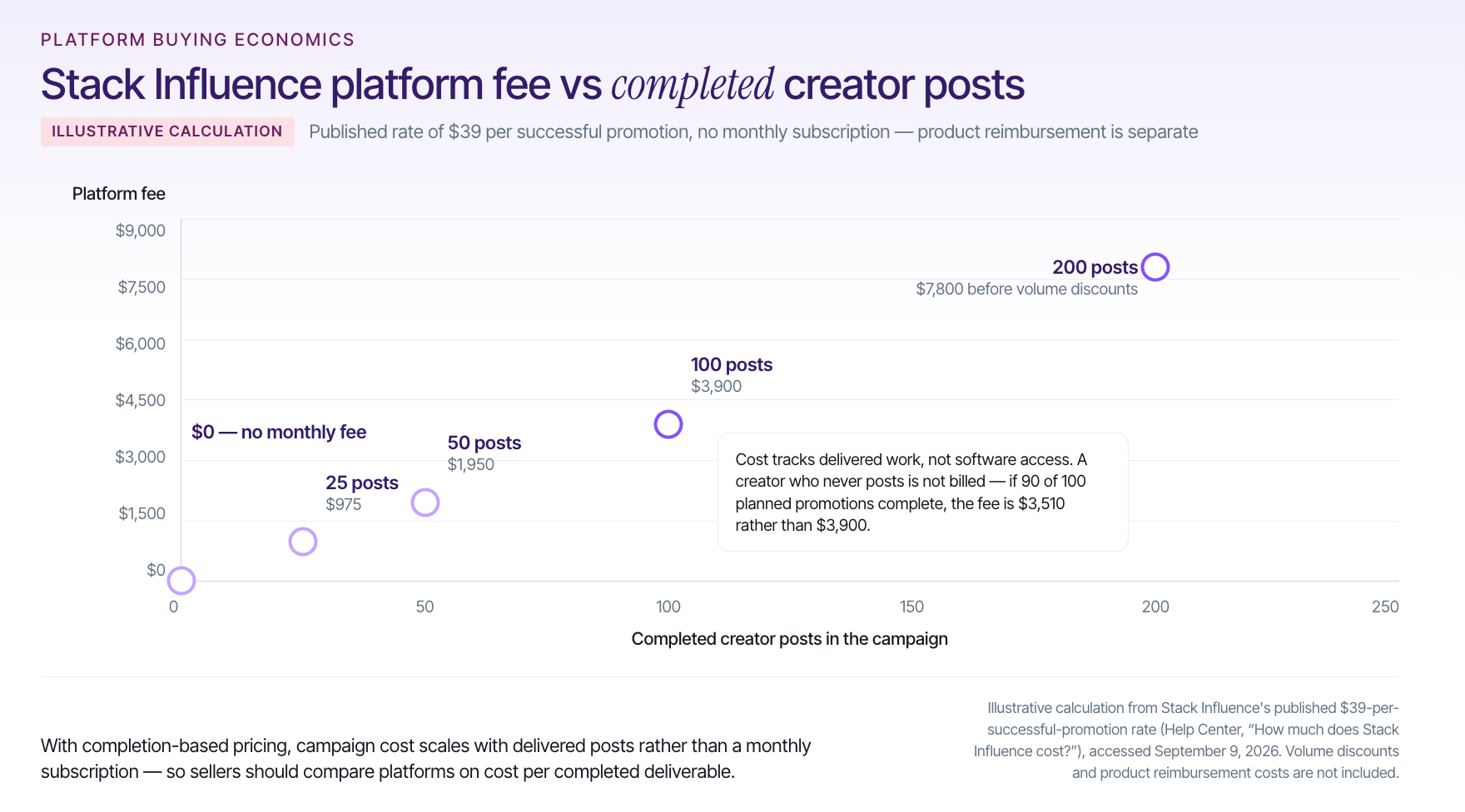
  • Product Giveaway Model: Influencers were not paid cash – instead, they received Neutralyze products to try and post about. This seeding strategy leveraged free product as compensation, a cost-effective approach to influencer marketing. (Stack Influence only charges a flat fee per completed post, and brands “only have to pay influencers in product” rather than hefty fees.)
  • Scale of Activation: The brand invited nearly 2,900 Instagram micro-influencers to participate. Over a two-month period, 1,159 influencers accepted and created posts featuring Neutralyze. This large-scale activation gave Neutralyze broad reach while staying within the micro-influencer tier. Each influencer had on average ~2,400 followers, adding up to a combined follower reach of about 2.78 million across the campaign. The influencers’ content ranged from before-and-after skincare photos to personal testimonials, all branded with Neutralyze and shared on Instagram.

Results & Performance Metrics

In just a few months, the micro-influencer campaign delivered impressive social media metrics and tangible business outcomes. Key results included:

  • Influencer Posts & Reach: 1,159 Instagram posts were generated by micro-influencers, reaching a cumulative 2,776,964 followers (total audience size). This widespread reach significantly boosted Neutralyze’s brand visibility in the beauty niche.
  • Social Engagement: The campaign’s content accrued 1,368,487 impressions and 118,253 engagements (likes, comments) on Instagram, averaging a strong 8.6% engagement rate. Such a high engagement rate indicates that the micro-influencers’ audiences were highly interested and interacting with the posts – a level of engagement often higher than typical macro-influencer campaigns.
  • Quality UGC Content: Neutralyze gained a large library of influencer-created content. 94% of the photos and videos from the campaign were high-resolution and on-brand, which the company plans to repurpose for future marketing and ads. In effect, the campaign doubled as a content creation engine, providing the brand with authentic UGC for ongoing use in social media, product pages, and advertising.
  • Amazon Sales Uplift: Beyond social metrics, the influencer activity drove a sharp increase in Amazon sales for Neutralyze. During the campaign, the brand’s average monthly Amazon revenue doubled from about $19.3K to $39K, and in total the campaign generated $233,928 in revenue, representing a 3.8× ROI on the marketing spend. This means Neutralyze earned back about 3.8 times what it invested into the campaign – a clear return on investment for an e-commerce brand.
  • Amazon Rankings & Reviews: The surge of external traffic and buzz translated into better organic performance on Amazon. Neutralyze’s product keyword rankings improved dramatically – the number of search terms where it ranked on pages 1–3 jumped from 87 to 434 – making the product much more visible to Amazon shoppers. The campaign also helped generate an estimated 612 new product reviews on Amazon, boosting social proof for the brand. Notably, the sales momentum and positive reviews even earned Neutralyze an “Amazon’s Choice” badge for one of its products during the campaign, which can further increase click-through and conversion on Amazon.

Takeaways for Brands

Neutralyze’s success with micro-influencers offers several lessons for e-commerce founders and Amazon sellers looking to amplify their brand through social media:

  • Leverage Cost-Effective Micro-Influencers: Coordinating hundreds of micro-influencers can be done at relatively low cost by offering free product instead of large fees. This product-seeding model allowed Neutralyze to generate thousands of engagements and pieces of content at a fraction of the cost of traditional ads or big influencers. It’s a scalable strategy where the cost per engagement ends up very low, maximizing marketing ROI.
  • Authenticity Drives Engagement: Micro-influencers tend to have close-knit, trusting audiences. The campaign’s 8.6% engagement rate shows that authentic endorsements from smaller creators can outperform generic advertising in engagement. Other brands can similarly benefit by choosing influencers whose followers genuinely connect with the product niche, resulting in higher likes, comments, and shares.
  • Turn UGC into a Marketing Asset: The high-quality user-generated content from influencers wasn’t just a one-off boost on Instagram – it became a reusable asset for Neutralyze’s broader marketing efforts. Brands should view influencer collaborations as a way to stockpile real-world content (images, videos, testimonials) that can be repurposed across Amazon listings, social media, and ads to add social proof and creative variety.
  • Bridge Social Media and Amazon for Sales: This case demonstrates that a well-run social media campaign can directly fuel e-commerce growth. By driving external traffic and awareness, Neutralyze’s influencer campaign improved its Amazon search rankings, increased product reviews, and ultimately lifted sales. The takeaway for Amazon sellers is that external influencer marketing can boost marketplace performance – helping new or niche products gain visibility and credibility in a crowded online market. Integrating social media strategies with Amazon optimization (e.g. encouraging reviews, obtaining badges like Amazon’s Choice) can create a powerful virtuous cycle for sales growth.

Overall, Neutralyze’s micro-influencer campaign (managed by Stack Influence) showcases how influencer marketing at scale can deliver both rich social content and measurable sales impact. By clearly defining campaign goals and leveraging a targeted network of passionate micro-influencers, the brand achieved a significant increase in engagement and a multi-fold return on its marketing investment – a true social media success story that other e-commerce brands can draw inspiration from in 2026 and beyond.

Conclusion to Why Micro Influencers Are 2026 Social Media Success Stories

Social media success stories in 2026 – from viral micro influencer moments to sustained brand ambassador programs – all underscore one thing: authentic connection drives real results. In an era where consumers scroll past traditional ads, genuine recommendations from influencers and customers cut through the noise. Whether it’s a TikTok video that sells out an Amazon product overnight or a series of micro influencer posts that elevate a small brand to global fame, the opportunity is there for those willing to engage creatively with their audience.

For e-commerce founders, Amazon sellers, and marketing teams, the path forward is clear. Focus on building trust through influencer marketing and UGC: nurture relationships with content creators who truly love what you offer, empower them to tell your story in their own voice, and be ready to adapt based on what resonates. Start small, test and learn – your brand’s “once upon a time” could be a humble unboxing video or a heartfelt Instagram post that strikes a chord. By applying the lessons from the success stories we’ve explored – agility, authenticity, community engagement, and data-driven strategy – you can set the stage for your brand’s growth.

It’s often said that social media rewards creativity and authenticity. The next social media success story could very well be yours. Now is the time to take action: reach out to that micro influencer who loves your niche, encourage your customers to share their experiences, and consider leveraging platforms (like Stack Influence) to streamline your influencer collaborations. Each step brings you closer to building your own engaged community and, ultimately, a thriving business. In the end, the real “secret” behind these stories isn’t an algorithm hack or a viral dance – it’s genuine human connection. Make that your north star, and you’ll be on your way to writing a success story that others will be talking about in years to come.

William Gasner photo
William Gasner
February 17, 2026
-  min read

In 2026, short-form video is still king on Instagram, so Reels remain one of the best ways to boost your reach and engagement. This list is here to inspire and motivate influencers across popular niches with fresh content ideas. Each niche below has creative Reel ideas – from trending transitions and short tutorials to personal storytelling and brand-friendly posts – all designed to help you grow your audience, build community, and catch the eye of potential brand partners. Use these ideas to spark your creativity, connect with followers on a personal level, and show brands you’re a savvy creator ready for collaboration. Let’s dive in and get those creative juices flowing!

Beauty Influencers

  • Before & After Transformations: Do a quick makeup “glow-up” Reel (think bare face to full glam) using a fun transition or snap edit. Transformation Reels always grab attention, especially with dramatic before-and-after reveals. Try syncing the change to a trending audio beat for extra impact.
  • 15-Second Tutorials: Share bite-sized beauty hacks or mini tutorials (winged liner tricks, contouring 101, etc.) with on-screen text. Keeping tutorials short and snappy caters to short attention spans and encourages saves. It positions you as an expert while still being fun and highly shareable.
  • Product Dupes & Reviews: Compare a high-end product vs. an affordable dupe in a Reel. Show swatches or application results side by side, and give your quick verdict. This educational yet entertaining format delivers value and often sparks comments (everyone loves a good dupe debate!) – plus, brands will notice your product knowledge.
  • Get Ready With Me (GRWM): Film a casual, chatty “get ready” Reel as you do your makeup for an event or day out. GRWM videos feel like hanging out with a friend, making your audience feel included. This personal touch builds a deeper connection (being approachable is key to growth) and shows brands how authentically you can showcase products in real life.
  • Skincare Routines & ASMReels: Share snippets of your morning or night skincare routine set to relaxing music (or even ASMR style with real product sounds). Highlight textures and application steps in a soothing way. These aesthetically-pleasing Reels tap into the self-care trend and encourage viewers to watch till the end – great for engagement.
  • Trending Challenge with a Beauty Twist: Jump on a popular Reels trend or audio and give it a beauty spin. For example, use a viral song clip but show a makeup transition on the beat, or do a funny lip-sync while applying lipstick. Following trends can give a quick boost in discoverability, and adapting them to your niche keeps it relevant to your followers.
  • Behind-the-Scenes & Storytime: Let followers peek behind the curtain. Film a Reel of you unboxing PR packages or prepping for a photoshoot, with candid reactions and captions. Or tell a quick storytime while doing your makeup – maybe how you got into beauty or a funny mishap on set. Personal stories make your content more relatable and memorable, helping you build a loyal community.
  • Beauty Myth Busting: Create an educational yet engaging Reel debunking a common beauty myth or mistake (e.g., “Stop using toner as a makeup remover – here’s why!”). Use captions or a voiceover to drop knowledge bombs. This positions you as a trustworthy resource and can spark conversation, boosting comments and shares as people tag others who “need to hear this”.

Fashion Influencers

  • Outfit Transitions & Lookbooks: Showcase your styling skills with quick-cut outfit transitions. For example, start in casual clothes and snap into a glam outfit in sync with a beat. You can string together a week’s worth of looks in one Reel, using clever jumps or camera covers for seamless changes – a format that’s inherently rewatchable and fun.
  • “How to Style” Tips: Pick a versatile item (blazer, scarf, little black dress) and demonstrate multiple ways to style it in one video. Each cut can feature a new outfit idea. This delivers real value to your fashion-loving followers and highlights your creativity. (Bonus: brands will love seeing you make their pieces go the extra mile!)
  • Thrift Flip or Budget vs. Luxury: Film a Reel comparing a thrifted find or affordable piece to a high-fashion look. You might recreate a designer outfit with budget items, showing side-by-side results. It’s entertaining and highlights your styling prowess. This idea mixes storytelling (your shopping journey) with a trend toward sustainable/budget fashion – very 2026!
  • Get Ready With Me – Outfit Edition: Bring viewers along as you get dressed for an event, date, or theme (voiceover your thoughts on outfit choices, accessories, etc.). GRWM Reels are personal and engaging, making viewers feel like a friend helping you pick an outfit. It’s a great way to chat about style tips or even mention brands you’re wearing in a natural, authentic way.
  • Seasonal Trends or Challenges: Create a Reel highlighting a current fashion trend (Neon for summer 2026? Minimalist “quiet luxury” outfits? 😄). For instance, “5 Fall 2026 Trends in 15 Seconds” – flash different outfits or items with text labels. This positions you as on-trend and in-the-know. Tagging the trend names and using relevant hashtags can also increase your reach.
  • Behind the Scenes of a Photoshoot: Film quick behind-the-scenes snippets from a shoot or content creation day – the outfit rack, quick makeup touch-ups, goofy moments posing. Pair it with an upbeat audio. Showing the work that goes into those perfect shots adds a human touch and inspires aspiring creators. Plus, brands appreciate seeing your professionalism and process.
  • Fashion Hacks & DIY: Share a fashion hack Reel, like clever ways to tuck an oversized shirt, transform a dress, or comfortable shoe hacks for heels. Demonstrate the hack step by step in short clips. Audiences love learning quick fixes, and these saveable tips can drive strong engagement. It also underscores your expertise in fashion.
  • Outfit Review or Haul: Do a mini haul of recent buys or gifted items. Try on each piece briefly and pop up your reactions or styling notes as text. You can turn this into a fun “keep or return?” series and ask viewers to vote in comments. It’s interactive, shows off your authentic opinions, and subtly signals to fashion brands that you’re experienced in showcasing products.

Fitness Influencers

  • Quick Workout Demos: Film a Reel demonstrating a single effective exercise or a 3-move workout targeting one area. Keep instruction concise with text overlays (e.g., rep ranges or form cues). Short, value-packed fitness clips do well because viewers can easily save and try them. This positions you as a knowledgeable trainer and encourages shares among fitness friends.
  • Transformation & Progress Reels: Motivate your audience with a personal progress story. You could show a before-and-after fitness transformation or a montage of clips from the start of a 30-day challenge to the end. Use a trending inspirational song and maybe captions about what you learned. Transformation content taps into emotion and inspires others to engage and follow your journey.
  • “What I Eat in a Day” or Meal Prep: Nutrition is half the battle! Create a fast-paced Reel of your daily meals or a Sunday meal prep session. Show each meal briefly and add upbeat music or captions with calorie/protein info if relevant. This gives a realistic peek into your lifestyle (personal storytelling) and provides ideas for followers. It’s relatable and brands in the health food space might take notice.
  • Fitness Challenges & Trends: Hop on viral fitness challenges – if there’s a trending hashtag like #plankChallenge or a popular dance workout, give it your spin. Showing yourself attempting a challenge (maybe with a comedic twist if you struggle at first) humanizes you and rides the wave of a trend for discoverability. Don’t forget to encourage viewers to try it too or tag a friend, boosting interaction.
  • Gym Humor & Relatable Moments: Not every fitness post has to be serious – use Reels to share the fun side. Lip-sync to a funny audio about “leg day pain” or do a POV skit of a gym newbie vs. gym pro. POV-style videos that highlight relatable situations are hugely popular and shareable. They show you understand your audience’s struggles and can laugh with them, building community.
  • Technique Tips (“Stop Doing X”): Create a Reel calling out a common exercise mistake – for instance, “Stop doing half squats – try this form tip!” Show the wrong vs right way in a split-screen or two-part clip. Educational Reels like this build your authority and help your followers get better results safely. It’s the kind of content even non-followers might find via Explore and appreciate (hello, new followers!).
  • Recovery and Wellness: Film a short stretching routine, foam rolling moves, or your post-workout recovery ritual. Set it to soothing music and use captions to explain benefits (like “3 stretches for sore legs”). This not only diversifies your content (showing you care about holistic fitness), but also appeals to a broad audience since wellness trends are on the rise. Brands in athleisure or wellness gadgets will see you cover all the bases.
  • Partner or Outdoor Workouts: If possible, do a Reel with a friend or partner featuring fun buddy exercises (wheelbarrow pushups, anyone?) or an outdoor training session in a cool location. This adds variety to your feed. It shows your adaptability – you’re not just stuck in a gym – and highlights an aspirational lifestyle. The changing scenery or dynamic of two people keeps viewers hooked, and you can even tag the other person to cross-pollinate audiences.

Lifestyle Influencers

  • Morning/Evening Routine Vlog: Craft a mini “day in the life” Reel focusing on your morning routine or a calming evening wind-down. Capture the coffee making, a quick workout or journaling, skincare – whatever makes your routine special. Add a trending chill audio and text timestamps (e.g., “6:30 AM – Coffee time ☕”). Routines feel intimate and relatable, helping viewers feel connected. They might even adopt some of your habits!
  • 12 Hours With Me: Try the trending “12 hours with me” format – a creative half-day vlog compressed into 30 seconds. Film 1-2 second snippets throughout your day (working, cooking, relaxing, etc.) and compile them with time labels. It’s fast-paced, visually interesting, and offers an authentic behind-the-scenes of your life. This storytelling approach shows authenticity, which is gold for building community.
  • Life Hacks & Productivity Tips: Share a favorite life hack in Reel form. It could be a productivity app you love, a meal planning tip, or a clever home hack (like using a binder clip to organize cables). Show the hack in action quickly and use on-screen text to explain. Useful content like this often gets saved and shared. It demonstrates that you provide value beyond just aesthetics – you’re helping followers improve their lives.
  • Personal Storytelling: Open up with a bite-sized story or anecdote about your life. Maybe a lesson you learned recently or a small victory over a personal challenge. You can talk on camera or use voiceover with supporting clips. Storytime Reels that reveal something genuine about you can forge a strong emotional bond with viewers. It’s also a chance to encourage dialogue – ask your audience if they’ve experienced something similar.
  • Relatable Skits & POVs: Use humor and trending audios to poke fun at everyday situations. Perhaps a POV Reel like “POV: You’re trying to be productive but Netflix calls” – film yourself in a comedic scenario with a popular sound clip. POV videos are all the rage because they immerse viewers in a familiar feeling. These humanizing, shareable snippets can go viral and draw in a wider audience who find them oh-so relatable.
  • Home & Decor Snippets: As a lifestyle creator, aesthetic home content fits right in. Film a quick room makeover, a desk organization before-and-after, or simply a corner of your home with fresh decor. Use a smooth transition for the makeover reveal (audiences love a satisfying home transformation – these Reels always grab attention with the dramatic change). This not only inspires followers’ creativity, but also opens doors for home and decor brand collaborations.
  • Community Engagement Prompts: Every so often, make a Reel that directly involves your audience. For instance, “3 Facts About Me – Now introduce yourself in the comments!” or a “this or that” poll in the caption. You might do a quick slideshow of facts/habits about you with a friendly voiceover. Showing genuine interest in your followers builds a loyal community, and high comment activity signals the algorithm that your content is engaging.
  • Brand-Friendly Show-and-Tell: Feature a few of your current favorite products in a Reel – anything from your go-to journal or a kitchen gadget to a book or beauty product you’re loving. Present it as a casual show-and-tell or mini haul with why you like each item. This kind of content demonstrates to brands how you can naturally integrate products into your lifestyle narrative, making you a more attractive partner for collaborations.

Food Influencers

Short hair eating
  • Recipe in a Flash: Film a quick, tasty recipe Reel from start to finish in under 30–60 seconds. Use fast-motion and quick cuts: ingredients, a couple of prep steps, then the plated final dish. Add text for key steps or ingredients. Short cooking videos are hugely popular – they’re satisfying to watch and easy to save for later. Syncing your cuts to upbeat music or satisfying chopping sounds can make it even more engaging.
  • Cooking Hacks & Tips: Share a handy kitchen hack or food tip. For example, how to keep herbs fresh longer, a 2-ingredient sauce, or a trick to perfect pancakes. Demonstrate it quickly and show the result. Life-hack style Reels (including cooking hacks) often get strong engagement because people tag friends (“we have to try this!”). You’ll position yourself as a clever source of food knowledge.
  • Taste Test & React: Do a fun taste-test Reel of something trending – maybe a bizarre food combo that’s gone viral or a new snack product. Film your genuine reaction and edit in a snappy way (perhaps use the popular “First bite: 😊 … Aftertaste: 😳” format). Reaction videos tap into curiosity and humor, a combination that encourages shares. This also shows brands you can create entertaining content around food products.
  • ASMR Food Prep: Try an ASMR-style Reel focusing on the sounds of cooking: the sizzle of a pan, the crunch of chopping, the pour of a sauce. Minimal talking, just crisp audio and close-up visuals. ASMR Reels have trended in food because they’re oddly satisfying and keep viewers hooked to every sound. It’s a unique way to stand out and appeal to sensory enjoyment (plus, viewers often watch these repeatedly, boosting your views).
  • Before & After (Ingredient to Dish): Visually wow your audience by showing a raw ingredient or simple grocery haul that jump-cuts into the finished gourmet dish. For example, hold up an egg, then smash-cut to a beautiful omelette plated. These transformations are delightful and illustrate creativity. As noted in one guide, transformation content grabs attention, so use dramatic transitions for impact.
  • Food Diaries/What I Eat: Similar to lifestyle, a quick “what I eat in a day” but make it food-centric art. Show each meal or snack in a few seconds, possibly with calorie or macro info if that’s your angle. Or do a themed version like “What I ate on vacation” to mix travel and food footage. It’s personal and gives ideas to your followers. Consistently sharing your food lifestyle helps build a niche community (like fellow vegans, fitness foodies, etc.) who engage regularly.
  • Local Eat or Mini Review: Film a Reel at a restaurant or cafe – a quick montage of the ambiance, the food, and your happy reaction. Add a caption like “Hidden gem in !” or your rating out of 10. Tag the location. These short reviews bring variety to your content and might even get shared by the restaurant. It shows brands (in food or travel sectors) that you can create enticing promotional content on the fly.
  • Cook With Me / Storytime: Combine cooking with storytelling. As you prepare a simple recipe, do a voiceover sharing a related story – maybe how you learned the recipe from family or a kitchen disaster tale with a lesson. It’s a warm, engaging way to humanize your cooking content. By the end, viewers feel like they cooked and chatted with a friend. This builds a stronger connection and keeps people watching through the entire Reel, which boosts its performance.

Travel Influencers

travelling woman
  • Quick Destination Guides: Create snappy “guide” Reels like “Top 5 Things to Do in ___ in 30 Seconds.” Use fast clips of each place or activity with text labels. This provides value to travel lovers making plans and establishes you as a travel expert. Such list-style content (a form of listicle in video) is easy for viewers to consume and share. It might even catch tourism boards’ attention for partnerships.
  • Transition Travel Montage: Use clever transitions to teleport viewers with you. For instance, do a jump-cut where you change locations on beat – one second you’re by a mountain, next cut you’re on a beach. Or toss your hat in one location and catch it in another. This trending editing style makes for mesmerizing Reels that scream “adventure.” It showcases your videography creativity and the excitement of travel, likely keeping viewers replaying the Reel.
  • Packing & Travel Hacks: Film a Reel sharing travel prep tips, like how you pack a carry-on efficiently or your top 3 travel hacks (roll clothes, portable charger tricks, etc.). Show the hack visually (split-screen before vs after packing, for example). People love practical tips that make travel easier. A helpful Reel like this can go viral among travel circles and also demonstrates to brands (luggage companies, travel gear makers) that you can highlight products in a useful way.
  • POV Travel Moments: Do a POV-style Reel to let viewers “experience” a moment with you. It could be POV of riding a bicycle through Paris streets or walking into a gorgeous hotel room for the first time. Add a text overlay with a relatable thought (“POV: you arrive in your dream city after years of saving”). POV videos are highly immersive and relatable, which can pull in viewers emotionally and encourage them to follow for more vicarious travel thrills.
  • Cultural Spotlight: Highlight a unique cultural aspect of a place – maybe a festival, a local market, a traditional dance – in a quick Reel. Explain what’s happening via captions or a brief voiceover. This educational angle not only enriches your content, but it also positions you as a respectful, insightful traveler. Such content can prompt comments from locals or those who’ve been there (“I remember this!”), boosting engagement.
  • Then vs. Now or Expectation vs. Reality: For a fun twist, do a Reel contrasting expectations to reality on your trip. Perhaps show a postcard-perfect image of a site, then cut to your actual footage with real conditions (crowds, weather, etc.) with a humorous spin. Or show your Instagram moments vs. the behind-the-scenes bloopers. Being real and a bit vulnerable with travel mishaps makes you more relatable, often prompting supportive and amused responses from viewers.
  • Travel Storytime / Montage: Tell a quick travel story through voiceover or text, backed by clips or photos. For example, “How I almost missed my flight in Tokyo – a story in 5 clips.” Share the narrative arc quickly – setup, the chaos, the resolution. Storytelling keeps viewers hooked to see how it ends. This not only entertains but also lets your personality shine, which is crucial for standing out in the travel niche.
  • Show Your Travel Essentials: Lay out your must-have travel gear or in-flight essentials and showcase them in a Reel. A flatlay shot that cuts to each item with a label (neck pillow, camera, skincare, etc.) and why you love it can be both personal and subtly promotional. It gives followers tips on what to pack and shows brands you’re adept at featuring products organically during your adventures.

Tech Influencers

  • Gadget Unboxing & Demo: Film a slick unboxing of the latest gadget with quick cuts and a satisfying reveal. Show the device up close, highlight a few cool features in action, and include your excited reactions or captions. Keep it under a minute. Fast-paced demo Reels let viewers experience a new tech product in a snapshot and tend to get saved by those researching the item. Tech brands will appreciate your ability to showcase product highlights clearly.
  • Quick Tech Tips: Share a short tutorial or hack for a device or app. For instance, “60-Second iPhone Trick” or “3 Hidden Features in Windows everyone should know.” Demonstrate each tip on-screen (screen recordings or over-the-shoulder shots) with text callouts. Educational content like this positions you as an expert and brings value – exactly the kind of content that often ranks in searches or Explore for tech queries.
  • “Stop Doing This” PSA: Do a Reel on a common tech mistake to avoid – e.g., “Stop charging your phone overnight? Here’s why.” Use captions or green-screen an article screenshot behind you for emphasis. Present the correct approach afterward. This kind of myth-busting or PSA content sparks discussion (some will agree, others debate – both are good for engagement!) and underscores your credible voice in tech.
  • Day in the Life (Tech Edition): Show a fast-forward day in your life as a tech professional or content creator. Clip together moments like coding, meetings, testing gadgets, and yes, coffee refuel. Overlay with a nerdy-fun soundtrack. This not only humanizes the tech world for your audience, but also attracts aspiring techies. It subtly highlights all the gear and software you use in a day, which is great social proof for those brands.
  • Green-Screen Commentary: Use the green screen effect to share your take on a tech news headline or rumor. For example, place yourself in front of an image of the latest smartphone leak and give your quick opinion in 30 seconds. Commentary Reels with green-screen have migrated from TikTok and are effective on IG too. They let you ride news trends and show off your personality/expertise, potentially drawing in viewers searching for that news.
  • Setup Tours & Transitions: People love desk setup content, so do a Reel transforming your workspace. Start with a “before” shot of a messy desk, then cut to a tidy, RGB-lit battle station. Or reveal your PC build step by step with quick transitions. Satisfying setup transformations tap into that “neat and organized” pleasure factor and tell a story of improvement. This can attract engagement from fellow tech enthusiasts and even office/tech accessory brands.
  • App or Software Highlights: Dedicate a Reel to a single awesome app, website, or tool that makes life easier (like an AI tool, photo editor, productivity app). Show it in action briefly and list 2-3 cool things it does. Viewers appreciate discovery content like this – it’s shareable advice. By providing actionable tips, you not only help your audience but also demonstrate to potential sponsors that you can integrate software or app promotions in a useful way.
  • Tech Meme or Trend Adaptation: The tech world isn’t all serious – hop on a general meme or trending audio but tailor it to a tech context for laughs. For example, use a viral “stressed” audio clip but pretend it’s you waiting for code to compile. Meme-style Reels with trending audio are big engagement drivers, and presenting them through a techy lens can make your niche content more accessible to a broader audience. It shows you’re in touch with internet culture, which is a plus for engaging younger followers and brands alike.

Book/Education Influencers

  • Book Recommendations List: Do a Reel recapping “5 Must-Read Books for ___”. Hold up each book or flash the cover on-screen with the title and a one-liner (either via text or voiceover) on why it’s awesome. Listicle Reels like this deliver quick value – perfect for viewers looking for their next read. Use a trending literary audio or a cozy aesthetic tune to set the mood. This positions you as the go-to guru for book suggestions.
  • Current Read & Reaction: Film a quick check-in about what you’re currently reading. Show the book cover, a compelling quote (as text on screen), and your facial reaction or a thumbs-up/thumbs-down. Keep it light and make it a series (like “#FridayReads”). This cultivates a bookish community feel – followers will chime in with “I loved that one!” or ask questions, kicking off genuine engagement.
  • Aesthetic Reading Nook/Shelf Tour: Create a satisfying Reel panning over your bookshelf or reading nook. Maybe reorganize your shelf by color or do a before-and-after of a tidy-up. Pair it with relaxing music. Visual, aesthetic content resonates well in the book community (who doesn’t love a pretty shelf?). It’s a subtle way to show your personality and space. Plus, decor or book accessory brands might notice your gorgeous setup showcase.
  • Book vs. Movie (POV Skit): If a popular book got adapted into a movie/series, make a playful comparison Reel. For example, a split-screen: one side labeled “book” (you acting out a quick, dramatic line from the novel) vs. “movie” (you mimic the actor’s portrayal). Or simply share your POV reaction to a key scene change using text overlays. Book-to-screen comparisons strike a chord with fans and often prompt lots of comments (people love to debate these!). It’s a fun way to ride a timely topic in the literary world.
  • Educational Quick Facts: For education-focused creators, share a fascinating fact or explain a concept in a Reel. Think “Did you know?” style – e.g., a history myth debunked or a science fact with images. Use graphics or doodles and keep it under 30 seconds. Being able to educate in an entertaining way is a huge asset; these Reels can get shared in stories and save folders by students or lifelong learners. You establish yourself as an authority in your niche (which is great for attracting collaborations with educational brands or publishers).
  • Study Tips or Writing Hacks: Offer a Reel with a quick tip for studying or learning. Maybe “3 tips to remember what you read” or “My note-taking hack for exams”. Demonstrate each tip briefly (show notes, flashcards, a planner, etc.) with text. Helpful content like this often generates grateful comments and saves. It shows you’re here to help your community succeed, not just to show off books.
  • Storytime: Bookish Edition: Share a personal story related to books or education. For example, “How a book changed my life” or a funny anecdote from your school days. You can talk directly to camera in a personable way or overlay the story on footage of you reading/writing. Storytelling is powerful in this niche too – it humanizes you beyond just a reviewing machine. Followers will feel closer to you, and that loyalty is what brands love in an influencer.
  • Literary Trends & Challenges: Participate in any fun bookish challenges on Reels. Maybe a “#ShelfTrend” where you shuffle along your bookshelf to music, or the “drop a book” transition challenge (dropping a book and appearing in a different outfit or scene themed to that book). These trendy formats show you’re an active, up-to-date creator. They’re often shareable and remixable, which can expand your reach if other book lovers emulate your Reel.

Home / DIY Influencers

  • Room Makeover Before & After: Document a mini room makeover or redecoration in Reel form. Start by showing the “before” (messy room or plain corner), then use a dramatic transition – perhaps cover the lens with your hand – and reveal the picture-perfect “after.” Whether it’s a full bedroom revamp or just a shelf styling, transformation content hooks viewers. It’s immensely satisfying and likely to be rewatched (and it shows off your DIY/design skills to home decor brands).
  • Quick DIY Craft Tutorial: Film a short how-to for a simple DIY project (like making a cute wall hanging, upcycling a jar into decor, or a seasonal craft). Show the steps in a sped-up sequence: materials > a couple of assembly steps > finished product. Use text to guide key steps. Short tutorials that result in something pretty or useful encourage viewers to save and try it later, which boosts engagement. You establish yourself as a creative resource – a big win for attracting craft or home product sponsors.
  • Organization & Cleaning Hacks: Everyone loves a good home hack. Make a Reel showing a clever organization solution (e.g., before/after of a fridge or closet using organizers) or a cleaning trick (like a DIY cleaning solution in action). Time-lapse works great here – watching a space go from cluttered to tidy in seconds is pure bliss for viewers. Home improvement guides note that audiences find these transformations irresistible, and they’re likely to share with fellow neat-freak friends.
  • Seasonal Decor Swaps: Create content around swapping decor for the season or holiday. For instance, a Reel of you switching your fall decorations to winter/Christmas theme, with cozy music and quick cuts of wreaths, pillows, etc. It’s festive, personal, and inspires viewers to get creative with their own homes. Timely content like this can get a lot of traction during the season and shows that you keep your content calendar relevant (brands notice that timeliness!).
  • Thrift Flip Project: Showcase your DIY prowess by transforming a thrift store find. Start with a clip of the “raw” item (an old chair, a plain vase), then show snippets of you painting, altering, and the final beautified result. Thrift flips are popular as they combine sustainability with creativity. Emphasize the wow final reveal. This highlights your skills and could catch the eye of sustainable lifestyle brands or even thrift shops for collabs.
  • Home Gadget or Tool Highlights: Do a Reel featuring a favorite home gadget or DIY tool in action. Maybe a label maker organizing your pantry, or a power drill helping with a small build. Show how it works quickly and the result it enables. This is subtle product integration that’s very brand-friendly – you’re essentially giving a mini-ad that feels like a helpful tip. Tool and gadget companies love creators who can integrate their products naturally into satisfying home content.
  • Gardening or Plant Care Bites: If it fits your niche, include a bit of green! A Reel of you potting a plant or a quick tip on watering/caring for houseplants adds a peaceful, wholesome vibe to your feed. Show growth progress over time in a timelapse or do a “plant tour”. Plant Reels tap into the huge community of plant parents and can broaden your reach. It also demonstrates versatility in your content – you’re not just about interiors but living things too.
  • Bloopers or Real-Life Moments: Lastly, consider occasionally sharing a lighthearted Reel of DIY failures or behind-the-scenes bloopers (paint spill, measuring mishap – keep it fun). Showing that everything isn’t Pinterest-perfect all the time actually endears you to viewers. It provides a laugh and a reality check that viewers appreciate. This authenticity strengthens your community bond and proves you’re a real, relatable creator, which in turn makes you even more appealing to brands looking for genuine ambassadors.

Conclusion to Instagram Reels Content Ideas for Influencers

No matter your niche, the best Reels combine your unique personality with trending formats and genuine value for viewers. By staying creative and true to yourself, you’ll not only boost reach and engagement, but also attract brands that align with your style. Now go forth and create – you’ve got this!

William Gasner photo
William Gasner
February 16, 2026
-  min read

It’s no secret that today’s content creators – from micro influencers on Instagram to YouTube vloggers – are looking for apps that pay real money. For e-commerce brands and Amazon sellers, understanding where creators earn helps you tap into the right platforms for marketing. In fact, the creator economy is booming, yet over half of creators still earn under $15,000 a year from their content. In this post, we’ll explore the top platforms (like TikTok, Instagram, and more) that reward creators financially. You’ll learn what each app offers, how micro influencers can monetize their creativity, and how brands can benefit from these trends. Let’s dive into how to earn real money on social media apps and what it means for your influencer marketing strategy in 2026.

What Are Apps That Pay Real Money?

Apps that pay real money are social media or creator platforms that compensate users for their content and engagement. Unlike hobbyist apps, these platforms provide monetization tools – from ad revenue sharing and tipping features to creator funds and brand sponsorship marketplaces. The goal is to reward creators (even nano and micro influencers) for the value they bring in terms of views, engagement, and quality content.

For example, TikTok and YouTube share ad revenue with eligible creators, while apps like Snapchat or Instagram offer bonus programs, subscriptions, or virtual gifts that convert to cash. Some platforms connect influencers directly with brands for paid collaborations. Essentially, if you’re creating videos, photos, or posts that attract an audience, these apps enable you to turn views and engagement into actual income. This is a win-win: creators get paid for their work, and brands get access to more professional content and partnership opportunities. Even small creators can start earning with consistency and the right strategy. In the sections below, we’ll break down the top paying apps and how each monetization model works.

1. Stack Influence

stackinfluence

Stack Influence isn’t a traditional social network – it’s a micro-influencer marketing platform designed to connect creators with brands for paid campaigns. This platform is purpose-built for nano and micro influencers, emphasizing authentic user-generated content (UGC) and product collaborations. What sets Stack Influence apart is its focus on e-commerce and Amazon products: brands use it to scale campaigns with hundreds of micro creators, and in turn, those creators earn cash (and sometimes product perks) for promoting items they genuinely enjoy.

Key differentiators:

  • Built for micro influencers: Unlike mainstream apps chasing mega-celebrities, Stack Influence prioritizes everyday creators with smaller followings but higher engagement. This is ideal for DTC brands and Amazon sellers looking for relatable advocates.
  • Easy brand deals: The platform streamlines finding and securing paid collaborations. Influencers can apply to campaigns, create UGC content (like product reviews, unboxings, lifestyle pics), and get paid without the usual back-and-forth hassle.
  • Automation & AI: Stack Influence uses automation to handle recruiting, communication, and even payment processing. Creators can focus on content while the platform tracks deliverables and ensures timely payouts.

For a creator, Stack Influence feels like a shortcut to monetize your content – you sign up, match with brand campaigns, and earn cash or rewards for your posts. For brands, it’s a way to generate lots of authentic content and social proof quickly. In short, Stack Influence turns micro influencer marketing into an efficient two-sided marketplace where quality content meets real compensation. (CTA: If you’re an e-commerce brand ready to scale up UGC, Stack Influence offers an easy starting point.)

2. TikTok

TikTok remains one of the hottest apps for creators to earn money with short-form video content. In 2024, TikTok revamped its monetization by launching the Creator Rewards Program (replacing the old Creator Fund). This program pays creators for popular videos, especially longer ones over 1 minute that drive strong engagement. To qualify, you need at least 10,000 followers and 100,000 video views in the last 30 days – a clear sign that TikTok rewards creators who’ve built a consistent audience. Once in, you’ll earn payouts based on metrics like watch time, originality, and engagement.

Other ways TikTok pays creators include LIVE Gifts, where fans send virtual gifts during livestreams that you can convert into cash. TikTok’s also experimenting with ad-revenue sharing on longer videos through its TikTok Pulse program (for top creators/advertisers). For micro influencers below the 10k follower mark, direct brand partnerships, sponsored TikToks, and affiliate marketing remain lucrative – many e-commerce brands scout TikTok for UGC creators to feature their products. The key is consistent, high-quality content: TikTok’s algorithm can catapult even niche creators into virality, leading to real income from views or brand deals. Brands, on the other hand, should note that a trending TikTok video about a product can drive a surge in sales, making TikTok creators valuable partners.

3. Instagram

View this post on Instagram A post shared by Instagram (@instagram)

Instagram isn’t just for pretty pictures – it’s a robust platform for creator monetization, especially after all the new features rolled out by Meta. As of 2026, creators can make money on Instagram through:

  • Reels and Live bonuses: While the old Reels Play bonus program has ended, Instagram now lets fans send Gifts on Reels (virtual tips on short videos) and purchase Badges during Live streams to support their favorite creators. These small payments add up for engaging content.
  • Paid Subscriptions: Many influencers offer exclusive Stories, Lives, or content to subscribers for a monthly fee (often $4.99 or similar). If you have a loyal niche audience, subscriptions create a steady income stream.
  • Affiliate and Shops: Instagram Shopping tools enable creators to tag products in their posts or run an Instagram Shop. You earn commissions on any sales driven by your content (great for fashion, beauty, and tech influencers partnering with brands).
  • Branded content and marketplace: Perhaps the biggest revenue source is still sponsored posts. Instagram’s Creator Marketplace helps connect brands with influencers for paid partnerships. Even micro influencers can get paid by brands in their niche (free products or fees) to create posts or Reels featuring a product.

To access most Instagram monetization tools, you need a Creator or Business account and to comply with Instagram’s partner policies. There’s no set follower minimum for many features (aside from things like 10k for linking Stories in the past, which has changed now), so micro influencers can start earning if they have an engaged community. For brands, Instagram offers a goldmine of UGC and influencer content – it’s visual, highly engaging, and shopping-friendly. When an influencer shares your product in a Reel or Story, it can directly translate into traffic and sales. In sum, Instagram provides multiple pathways for creators to earn real money while doing what they love (photography, dance, DIY, etc.), and it remains one of the most important platforms for influencer marketing.

4. X (Formerly Twitter)

Twitter, now rebranded as X, has transformed into a creator-friendly platform by introducing monetization features that pay users for their content. In 2025, X rolled out Ads Revenue Sharing – allowing eligible creators to get a share of ad revenues from ads shown in replies to their tweets. The catch: you must be an X Premium subscriber (paid tier), have at least 500 followers, and generate a high volume of impressions (about 5 million in the last 3 months) to qualify. It’s a high bar, but some creators have reported significant payouts once in. In fact, early 2026 reports showed creator payouts on X doubling or tripling after X increased its rewards, making it “feel like a real income stream” for the first time.

Beyond ad revenue, X also enables creator subscriptions (formerly called Super Follows). Content creators can offer subscribers exclusive tweets, subscriber-only Spaces, or other perks – essentially a Patreon-like model built into Twitter. Many set subscription prices in the $2.99–$9.99 range to allow fans to support them monthly. Additionally, creators can receive Tips through integrated tipping (using payment services) for one-off contributions from followers who appreciate their work.

X is ideal for creators who excel at writing engaging posts, threads, or news commentary. Niche experts (finance, tech, sports, etc.) and meme accounts alike have found audiences willing to pay for insider content or just to show support. For brands, the implication is that Twitter’s influencers are now more incentivized to grow and engage their following. A witty micro influencer who consistently goes viral on X could be a great partner for brand shoutouts, especially now that the platform rewards genuine engagement (so quality content is paramount). Bottom line: X has evolved from just a microblogging site into a place where creators get paid for tweets, making it a noteworthy addition to any list of apps that pay real money.

5. Snapchat

Snapchat might not dominate headlines like TikTok or Instagram, but it’s quietly one of the apps that pay creators real money – if you meet the criteria. Snapchat’s creator monetization has two main tracks:

  • Spotlight and Stories ad revenue: Snapchat introduced a Unified Monetization Program that shares ad revenue with creators for content on Spotlight (Snapchat’s short-form video feed, akin to TikTok) and Public Stories. Creators who post consistently and rack up views can get a cut of the ads shown. The requirements are pretty steep – reports suggest needing tens of thousands of followers and millions of views (Snapchat’s official line is an invite-only program for those with 50k+ followers and 10M+ views in 28 days, among other metrics). It’s tough, but once you’re in, a viral Spotlight can literally earn you passive income from the ads Snapchat inserts.
  • Snap Star Collab: For more established creators (Snap Stars), Snapchat offers a Creator Collab feature – basically a marketplace where brands launch sponsored campaigns and invite Snap creators to participate. If you become a verified Snap Star, you can get paid partnerships directly through the app, managing the whole campaign (deliverables, posting, payment) inside Snapchat. It streamlines influencer marketing similarly to how TikTok and Instagram have marketplaces.

Snapchat’s Spotlight also had famously large payouts in its early days (remember the $1 million a day pool?), although that has leveled out now. Still, creative individuals making engaging AR Lens videos, comedy skits, or day-in-life vlogs can find Snapchat rewarding, especially since competition on Spotlight is less fierce than TikTok. For brands in niches like beauty, fashion, or Gen Z-focused products, partnering with Snapchat influencers or running Story takeovers can be a unique angle – Snapchat content often feels more personal and raw, which can translate to authentic UGC. If you enjoy making quick, fun videos and building a loyal following, Snapchat offers real ways to make money from your snaps through both ad sharing and brand deals.

6. YouTube

View this post on Instagram A post shared by YouTube (@youtube)

No list of money-making platforms would be complete without YouTube, the veteran in creator monetization. YouTube has a well-established Partner Program (YPP) that lets creators earn a share of the ad revenue on their videos. To join, you need to reach a threshold: 1,000 subscribers and either 4,000 hours of watch time in the past 12 months or 10 million Shorts views in 90 days. It’s an achievable goal for dedicated creators – and once you’re in, YouTube automatically shares advertising revenue on your videos. Creators typically earn roughly 55% of the ad revenue, which can translate into substantial income if your videos get lots of views over time.

Beyond ads, YouTube offers multiple revenue streams for creators:

  • Channel Memberships: Fans pay a monthly fee for perks like exclusive live chats or badges, providing steady income.
  • Super Chat & Stickers: During live streams, viewers purchase highlighted messages or fun stickers that give creators extra cash – popular with gamers and live event hosts.
  • YouTube Shopping and Affiliate: Integration with merchandise shelves or affiliate product links allows influencers (especially tech reviewers, DIYers, etc.) to earn from product sales.
  • BrandConnect: YouTube’s influence in the brand deal space is huge. Many creators earn the bulk of their money by doing sponsored content (like integrated product mentions or dedicated review videos). YouTube even has a BrandConnect program to help match creators with sponsors.

The beauty of YouTube is its longevity: a good video can keep earning ad revenue for years as long as it gets views. And unlike the fleeting nature of TikToks or Stories, YouTube content is more search-driven (thanks to Google). For e-commerce brands, a review by a YouTube micro influencer can lead to months or years of referral traffic. Many Amazon sellers send products to YouTubers for this reason – unboxing and review videos frequently rank in search results and drive sales. If you’re a creator, YouTube might require more upfront effort (scripting, filming, editing longer videos), but the payoff can be huge. From beauty gurus to gadget reviewers to family vloggers, YouTube continues to pay creators strong revenue and remains a cornerstone of the creator economy.

7. Pinterest

Pinterest has evolved from a simple image-sharing site into a potential income source for creators, especially those in visually driven niches like decor, fashion, DIY, and food. While Pinterest doesn’t have a direct “creator fund” anymore (its short-lived Creator Rewards program was discontinued in 2023), it offers other avenues for earning:

  • Affiliate Links: Creators can attach affiliate links to the products they Pin. For example, a home decor micro influencer might Pin a stylish lamp with her Amazon Affiliate link; when someone clicks and buys, she earns a commission. Because Pins have long shelf lives (often resurfacing in searches months later), one viral Idea Pin or pinboard can generate passive affiliate income over time.
  • Product Tagging & Shoppable Pins: Pinterest allows approved creators to create shoppable Idea Pins where you tag products directly. This is great for UGC-style content – you might make a “Fall Outfit Ideas” pin and tag each item with a product link. If people tap through and purchase, you earn.
  • Sponsored Content: Many brands collaborate with Pinterest creators for sponsored pins or boards. For instance, an e-commerce brand might pay a Pinterest influencer to create a series of Pins featuring their new product line. These deals are often arranged off-platform (e.g., via influencer platforms or direct outreach), but the content lives on Pinterest and drives traffic to the brand’s site.

One big advantage of Pinterest: it’s highly searchable and evergreen. A helpful infographic or a beautiful recipe pin can keep attracting views (and generating earnings) long after it’s posted. Creators who blog or sell products also use Pinterest to drive traffic to their own monetized sites or Etsy shops. For e-commerce businesses, partnering with Pinterest content creators can be very fruitful – their pins showcasing your product can rank in Pinterest search and Google Image search, acting as persistent visual ads created as UGC. In 2026, Pinterest might not be writing creators a check each month like YouTube does, but it’s still a platform where great content indirectly equals real money through affiliate sales and brand partnerships.

8. Facebook

Facebook, as part of Meta, has integrated many of the same creator monetization features as Instagram (and some of its own). If your audience is active on Facebook Pages or Groups, you can definitely earn money from your Facebook content. Key monetization methods include:

  • In-Stream Ads: If you create video content on Facebook (especially longer videos), you can enable in-stream ads (after meeting eligibility like 10k followers and certain view counts). Facebook will share ad revenue for ads shown during your videos. This works similarly to YouTube’s model, rewarding creators who keep viewers engaged till ad breaks.
  • Fan Subscriptions: Facebook lets creators offer subscriptions on their Pages. Fans can subscribe for a monthly fee to get exclusive content or a supporter badge. It’s another way to build steady income from your top followers.
  • Stars (Virtual Tips): During Facebook Live streams (or even on certain video posts), viewers can send Stars, which are essentially paid tips (1 Star = $0.01 to the creator). Popular live streamers – from gamers to crafters – often earn significant money when their fans send bursts of Stars to show appreciation.
  • Branded Content & Collabs: Facebook has a Brand Collab Manager tool where influencers can connect with brands looking for sponsored content. Even without it, many micro influencers monetize by doing sponsored posts in Facebook groups or on their pages, especially in niches like parenting, fitness, or tech gadgets.

To succeed financially on Facebook, you typically need a strong follower community (Facebook emphasizes meaningful communities). For instance, a micro influencer running a niche DIY decor page could monetize tutorials via in-stream ads and simultaneously have a subscriber group for premium tips. Facebook’s demographic skews a bit older than TikTok or Insta, but that often means higher purchasing power – a great insight for Amazon sellers advertising products. If a creator’s video goes viral on Facebook, not only can it bring ad revenue, but it might drive tons of traffic to an e-commerce store or Amazon listing if linked. Overall, Facebook might not be the trendiest platform for Gen Z, but it provides a robust set of earning tools that turn social content into paychecks for those who leverage them.

9. Kick

For creators who love to live stream, Kick has burst onto the scene as one of the most lucrative platforms. Kick is a newer streaming platform (launched in 2023 as a Twitch competitor) that gained attention by offering an unheard-of 95/5 revenue split in favor of creators. This means streamers keep 95% of subscription revenue from their fans (compared to Twitch’s 50% cut for most streamers). If a viewer subscribes to your channel for $5, you take home $4.75 – an extremely generous deal. For creators trying to earn real money, that high share can make a big difference, turning a modest fanbase into solid income.

Kick also has tipping and donation features (often called “gifts” or similar), letting viewers contribute directly during a live stream. The platform initially became popular among gaming and casino streamers, but it’s expanding to include lifestyle streamers, podcasts, and more. It has looser content moderation than Twitch, which has drawn some controversy, but also freedom for creators to stream various content. The low payout threshold and fast withdrawals on Kick are additional perks – you don’t need to be a huge name to start cashing out earnings.

For micro influencers or budding creators, Kick is attractive because you’re financially rewarded more for the same audience size than on other platforms. E-commerce brands might not be advertising on Kick as much yet, but there is potential: for example, a tech gadget seller could sponsor a mid-tier Kick streamer to showcase a product during a gaming stream. Given Kick’s generous payouts, creators are highly motivated to grow their following there. If you can build a loyal live audience (even a few dozen regulars), Kick ensures you keep the majority of your subscription and tip income – making live streaming a viable side hustle or even career. It’s a platform to watch in 2026 for anyone looking to maximize their earnings from streaming content.

10. Substack

Not all creator platforms are about videos and photos – Substack proves that writing can pay off, too. Substack started as a newsletter platform and has blossomed into a full-fledged creator ecosystem where writers, journalists, and thought leaders earn money directly from their audience. On Substack, you can launch your own newsletter (and even podcast or community) and offer paid subscriptions to readers. Many content creators use Substack to share in-depth articles, analysis, or creative writing and charge a monthly or annual fee for full access. The platform handles the paywall and takes a roughly 10% cut, leaving 90% to the creator. Even with a small but dedicated readership, a writer can earn a meaningful income – for instance, 500 subscribers paying $5/month yields $2,250 per month to the writer (after Substack’s fee).

What makes Substack one of the apps that pay real money is its simplicity: you don’t need millions of views or a viral hit, you just need content that a core audience values. Some successful Substack writers are journalists who left media companies to go independent; others are niche experts (in finance, tech, parenting, etc.) who built a community willing to pay for their insights. Substack also introduced features like Notes (a short-form feed) and discussion threads, giving it a bit of a social media feel where your free followers can engage, and you can attract new subscribers. Creators can also receive tips and one-time payments if they enable that, adding another revenue stream beyond subs.

The appeal is a predictable income: since subscribers pay on a recurring basis, you’re not at the mercy of algorithms for ad pennies but rather building your own membership base. From a brand or e-commerce perspective, Substack creators can be valuable partners too. They often have high-trust relationships with their readers. A mention or review in a newsletter by a respected creator can drive traffic and sales (almost like a mini press release). Some brands sponsor newsletters or invite Substack writers to affiliate programs. If you’re a content creator who excels in writing or have deep knowledge on a topic, Substack offers a direct path to monetize your expertise in 2026 – proving that UGC isn’t only videos; written content has a paying audience as well.

Other Noteworthy Platforms: The digital landscape is always evolving. Newcomers like Threads (Meta’s text-based app) are experimenting with bonus programs for early adopters, and apps like Lemon8 (a TikTok sister app blending Instagram/Pinterest styles) are attracting lifestyle creators – though their built-in monetization is still emerging. Even Reddit launched a Contributor Program to reward informative posters with cash for awarded content. And globally, apps such as Kuaishou (Kwai) are rivaling TikTok by paying creators via gifts, funds, and e-commerce features in regions like Asia and Latin America. As a brand or creator, it’s wise to keep an eye on these rising platforms. But the ten apps we detailed above represent the most proven avenues for earning real money from your content going into 2026.

Conclusion to Apps That Pay Real Money

The creator economy offers more opportunities than ever for both creators and brands. We’ve covered how the top apps that pay real money – from TikTok’s video rewards to Instagram’s shopping tools and niche platforms like Substack – empower creators to turn posts into paychecks. For content creators, the takeaway is clear: diversify your income streams. Leverage a mix of ad revenue, fan support (gifts, subscriptions), and brand partnerships to maximize earnings. Remember, nearly half of creators earn the majority of their income from brand deals – so engaging with brands (on platforms like Stack Influence or via in-app marketplaces) can significantly boost your revenue.

For e-commerce brands and Amazon sellers, this is a wake-up call to engage with the influencer/UGC space. These apps are where your customers spend time, and creators on these platforms know how to speak to those audiences. By collaborating with micro influencers and UGC creators, you not only get authentic content, but you also tap into the trust and community these creators built. Whether it’s a TikTok influencer’s review that drives a product sell-out, or a series of Instagram UGC posts that build your brand’s credibility, investing in creator partnerships can yield massive ROI.

2026 is the year to get proactive: if you’re a creator, sign up on a new platform, start that newsletter, or try a live stream – multiple income sources will cushion you as algorithms change. And if you’re a brand, consider shifting some ad budget to influencer marketing or using platforms like Stack Influence to run micro-influencer campaigns at scale. The social media platforms are literally paying creators to succeed – which means more creative, high-quality content is out there for brands to leverage too. In the end, those who embrace these monetization trends will build stronger communities and drive more business. Don’t get left behind – whether you’re creating content or selling products, now is the time to turn those posts into profit. (CTA: Ready to amplify your brand with influencer collaborations? Connect with micro influencers who love your niche and start turning social content into sales.)

William Gasner photo
William Gasner
February 16, 2026
-  min read

Micro-influencers and content creators are driving serious results for e-commerce brands today. In fact, 92% of consumers trust influencers over traditional ads, making influencer marketing and user-generated content (UGC) powerful tools for Amazon sellers and DTC brands. Two popular platforms enabling this trend are ShopMy and LTK (LiketoKnow.it). But when it comes to ShopMy vs LTK, which affiliate platform is better for your needs in 2026? In this comparison, we’ll explore what each platform offers, their key differences, pros and cons, and how each can fit into an influencer marketing strategy. Whether you’re a micro-influencer deciding where to monetize or an e-commerce brand seeking to leverage UGC and affiliate sales, this guide will provide clarity and actionable insights. Let’s dive in.

What is ShopMy?

View this post on Instagram A post shared by ShopMy (@shopmy)

ShopMy is a newer affiliate platform (launched in 2020) designed to empower creators with personalized online storefronts. It allows influencers to curate products they love into a shoppable page that fans can browse and buy from. ShopMy emphasizes a clean, minimalist look – think of it as a virtual boutique or “shelf” where everything is neatly organized by category. Creators can group recommendations (e.g. skincare, home decor, fashion picks) for easy navigation. When a follower clicks a product, they’re sent to the retailer’s site to complete the purchase, and the creator earns a commission on that sale. ShopMy essentially streamlines affiliate marketing by consolidating all your product links into one beautiful storefront.

One big draw of ShopMy is its simplicity. Even micro-influencers with modest followings can set up a ShopMy page quickly and start monetizing without needing their own website. Customization is somewhat limited (to maintain the clean design), but you can add personal touches like cover images, profile info, and even link your Instagram or TikTok content to products. Notably, ShopMy’s network connects to a huge range of retailers – over 50,000 brands offer commissionable products via ShopMy. This means you can feature items from major e-commerce sites, boutique brands, and even Amazon in one place. (ShopMy will even let you list non-commissionable products alongside the rest, so your shop isn’t missing any favorites – you just won’t earn on those.) For creators, ShopMy’s broad catalog and high commission potential are appealing. The platform often touts competitive commission rates up to 30% on sales, depending on the retailer. As of late 2025, ShopMy has grown rapidly – boasting around 175,000 creators and 50,000 brands in its ecosystem – which signals both its popularity among influencers and its extensive product selection for shoppers. In summary, ShopMy is all about a simple, aesthetically pleasing storefront that makes shopping your recommendations easy, with solid payouts per sale.

What is LTK?

View this post on Instagram A post shared by 📱#LTK (@shop.ltk)

LTK, short for LIKEtoKNOW.it, is one of the original giants of influencer monetization. Launched in 2011 by rewardStyle, LTK pioneered the concept of making social posts “shoppable.” Today, it’s a full-fledged platform and app where creators post content with affiliate product links, and followers can shop those looks directly. LTK is massive – it connects creators with over 5,000–6,000 retail partners (everything from big-box stores to luxury fashion) and has a dedicated consumer shopping app with around 20 million monthly users. By 2023, nearly 200,000 creators globally were using LTK, driving over $3 billion in annual retail sales through the platform. For context, many fashion and lifestyle influencers consider LTK a core part of their income stream because of this huge reach.

On LTK, creators get a personalized profile (an LTK Shop) where they upload photos or short videos of outfits, home decor, beauty products – any products they recommend. Each post is tagged with the items shown, enabling followers to tap and see product details and buy via affiliate links. LTK’s experience feels more like a social feed than a static storefront. The LTK app is central – users can follow their favorite creators in-app, “like” posts, and even get notified of sales or new content. For creators, LTK provides robust tools: integration with Instagram/TikTok, the ability to create content collections, and analytics on clicks and commissions. It also offers community perks like webinars, brand events, and a support network (given its scale, LTK has resources to help influencers grow). LTK’s focus in recent years has been on video and mobile shopping – for example, encouraging creators to share try-on hauls or product demo videos on their LTK feed to boost engagement. This video push aligns with consumer behavior; LTK reports that shoppers are 3x more likely to purchase from short-form video content than static posts.

In terms of monetization, LTK works on affiliate commissions similar to ShopMy. Commission rates vary by retailer, typically in the 10%–25% range and sometimes up to 30% for select brands. Because LTK has so many major retailers, a lot of commissions might hover in the lower end (since big brands often set standard rates). However, the sheer variety of products and the built-in shopper audience on the LTK app can translate to more frequent sales for a busy influencer. One thing to note: LTK historically had an application process (it wasn’t open to everyone immediately), so it’s cultivated a large but somewhat vetted pool of influencers. Once you’re in, you join a huge marketplace where shoppers actively search for inspiration (the LTK app is like a shopping-focused Instagram). For brands, being on LTK means your products can be discovered by millions via creator recommendations. Overall, LTK is an established, feature-rich platform that excels in scale – large audience reach, extensive brand partnerships, and a decade of experience in the influencer marketing space. It’s a one-stop hub for influencer affiliate marketing, with a bit of a social network vibe.

ShopMy vs LTK: Key Differences in Features and Approach

At a high level, ShopMy and LTK have the same goal – enabling influencers to earn via affiliate links – but they differ in design philosophy and user experience. Here’s a breakdown of how these platforms contrast:

  • Interface & Shopping Experience: ShopMy offers a streamlined storefront format. When you share your ShopMy link, followers see a clean page with your curated categories or product collections. It feels like browsing an organized catalog or an online store tailored by the influencer. LTK, on the other hand, feels more like a social feed. Followers often discover your content through the LTK app or via your LTK profile, which resembles an Instagram grid of shoppable posts. Instead of categories, the emphasis is on individual posts (outfit of the day, product roundups, etc.) with multiple items tagged. ShopMy = simple shop, whereas LTK = social shopping feed. This means ShopMy is great for a minimalist, branded look (and easy one-stop shopping), while LTK leverages the scrolling behavior of users who enjoy perusing influencer content in-app.
  • Audience & Reach: LTK has a built-in audience thanks to its popular consumer app. Many dedicated shoppers open LTK to find trending products or influencers to follow, giving creators exposure to new followers within the platform. ShopMy originally was more of a tool that you, as the creator, drive traffic to (via your own blog, Instagram swipe-ups, etc.). However, ShopMy is evolving – it’s launching new discovery features (“circles” and search functions) to attract consumers directly. Still, LTK’s audience size (20M+ active shoppers) is a huge advantage. If you’re a creator who wants access to an existing shopper community, LTK provides that. ShopMy’s audience is growing, but you may rely more on directing your current followers to your ShopMy page.
  • Brand Network & Product Availability: Both platforms connect to a wide array of brands, but LTK’s partnerships skew toward large retailers and popular brands (about 5k–6k partner brands, including giants like Target, Sephora, Walmart, etc.). ShopMy casts an even wider net by plugging into affiliate networks – over 50,000 brands are accessible on ShopMy. In practice, this means ShopMy might let you link that niche indie brand or specific Amazon item that isn’t officially on LTK’s roster. If your niche is very specific (say, boutique home decor or specialized beauty products), ShopMy’s breadth could be useful. On LTK you’re more likely to find all the big-name products and a solid selection of mid-size brands, especially in fashion, beauty, and home. For Amazon sellers, note that both platforms allow linking Amazon products (many influencers use Amazon’s affiliate program via these apps). ShopMy especially makes adding Amazon items easy – you can essentially build an Amazon-esque storefront outside Amazon. (There’s also the separate Amazon Influencer Program, which we’ll discuss later as an alternative.)
  • Content Formats: LTK has the edge for video and multimedia. The LTK app encourages short videos, styling clips, and even Stories-like content. This is great for showing products in action – e.g. try-on hauls, makeup tutorials – directly on a shopping platform. ShopMy is more static in presentation; it’s primarily product images and the occasional embedded Instagram/TikTok post. If video-centric marketing is part of your strategy, LTK’s platform is built to showcase that (they relaunched their app in 2023 to be more video-first). ShopMy is catching up, but currently leans more on imagery and the “shop by photo” approach (some creators do upload photos of themselves with the products, which adds a personal touch in ShopMy’s grid).
  • Ease of Use & Learning Curve: ShopMy is often praised for being user-friendly and quick to set up. The dashboard is straightforward – you search for products, add them to your page, group them if desired, and you’re done. It’s built for simplicity, which many micro-influencers appreciate. LTK, because it has more features, can feel a bit overwhelming for new users. There’s an application process, a separate app for creators (LTK Creator), and various analytics and post options to learn. It’s not overly difficult, but there’s a bit of a learning curve to maximize LTK’s tools. Once you get familiar, LTK offers more in terms of strategy (for example, you can see which products are hot sellers across the app, you can participate in LTK-specific promotions, etc.). If you prefer a minimal, “set it and forget it” approach, ShopMy’s simplicity wins. If you’re willing to invest time to tap into a larger ecosystem, LTK pays off.
  • Community & Support: Because LTK has been around longer and operates at a larger scale, it provides resources like LTK Academy webinars, creator conferences, and an active support team. They even have top creator rankings and campaigns that foster a sense of community/competition. ShopMy is smaller and newer, so while they have creator support, there are fewer formal community events. ShopMy’s focus is more on the tech (e.g., improving the storefront features) than on cultivating a creator community, at least for now. That said, ShopMy does have an in-house team to help connect brands and creators (sort of like an agency service) and is expanding features to help creators succeed. But if you value being part of a big creator network and learning from peers, LTK has an established creator community that can be valuable, especially in popular niches like fashion.

In summary, ShopMy vs LTK often comes down to simplicity vs scale. ShopMy offers a polished, no-frills storefront that you control – great for smaller creators or those who want a boutique feel. LTK offers a huge network and a richer feature set – great for reaching new audiences and leveraging social commerce trends. Many savvy influencers actually use both: for example, maintaining an LTK profile for discovery and community perks, while also running a ShopMy page for its ease of use and perhaps higher commissions on select products. Next, let’s talk about those commissions and earnings, because after all, monetization is key!

Monetization & Commission: How Each Platform Pays

One of the most important considerations in this comparison is how ShopMy and LTK stack up in terms of affiliate commissions and earning potential. Both platforms rely on a similar affiliate model (you earn a percentage of each sale you drive), and neither charges creators upfront fees – it’s free to join and use, and you get paid when you generate sales. The differences lie in commission rates and possibly the consistency of earnings:

  • Commission Rates: ShopMy is often associated with higher commission rates on average. According to ShopMy’s own guide, commission rates typically range from 10% up to 30% of the product sale price. LTK’s average commission range is about 10% to 25%, with some programs reaching 30% as well. In practice, this means both platforms can yield similar commissions at the high end, but ShopMy might give you a better cut for certain brands or premium products. Why? ShopMy has fewer overheads and, being newer, it may negotiate competitive commissions to attract creators. Additionally, if ShopMy integrates with affiliate networks like CJ or ShareASale, sometimes those offer higher rates for niche brands. LTK, dealing often with big retailers, might have more standardized (and sometimes lower) percentages. It’s reported that some creators find ShopMy’s commission structure “more lucrative” in certain categories, which is one reason a number of influencers have started using ShopMy more frequently in the last couple of years.
  • Earnings Potential: Earning “potential” isn’t just about the percentage — it’s also about how much you sell. Here, LTK’s massive audience can help active creators move more product volume, albeit possibly at slightly lower commission per item. ShopMy’s higher rates could mean you earn more per sale, but you’ll still need to drive your followers to your ShopMy page. Let’s consider an example: Suppose you link a $100 item. On ShopMy, the commission might be 15%–20% ($15-$20) or higher in some cases. On LTK, perhaps it’s 10%–15% ($10-$15) for that same item via a big retailer. If you sell 10 units, that’s a difference of earning $150 vs $100. That extra $50 is significant for a micro-influencer. However, if LTK’s app exposure helps you sell 20 units instead of 10, then even at the lower rate you’d make $200, surpassing the ShopMy scenario. So, your earnings will depend on both the commission rate and your reach/engagement on each platform. Influencers with a loyal following who will shop wherever you point them might favor ShopMy for the payout. Those looking to tap into LTK’s built-in shopper base might accept a slightly smaller cut per sale for the chance of more total sales.
  • Payout and Tracking: Both platforms consolidate your earnings and pay out (usually via PayPal or direct deposit). There’s no major difference here – you typically have a dashboard to see clicks, sales, and commissions. One thing to note: affiliate commissions often have a delay (to account for returns, validations, etc.). LTK and ShopMy alike will show pending earnings that get confirmed after the return window. ShopMy pays out weekly once commissions lock in, with a low threshold (around $10-$20) to get paid. LTK also has regular payouts; since both rely on retailers reporting sales, the speed is comparable. As a creator, you don’t need to worry about tracking individual affiliate programs – ShopMy and LTK both handle all the backend tracking for you and simply display your combined earnings from all brands. This convenience (versus running your own affiliate links for dozens of stores) is a huge benefit of using these platforms.
  • Other Monetization Opportunities: Beyond standard commissions, LTK and ShopMy each offer some extra ways to earn. LTK, for instance, has LTK Brand Collabs – if you become a top performer, brands might invite you to do sponsored posts or exclusive campaigns through LTK (these are paid opportunities on top of commissions). ShopMy has started rolling out a feature called “Opportunities” where brands can propose paid partnerships or gifting campaigns to creators on ShopMy’s platform. In essence, both are dabbling in being influencer marketplaces, not just affiliate link hubs. For micro-influencers, this means if you grow on either platform, you might get bonus earning opportunities: e.g. a brand might pay you a flat fee to feature their product in your ShopMy store or LTK feed (in addition to any commission). These programs are typically more accessible to those with strong metrics on the platform (so, building a presence and sales track record helps).
  • Brands’ Perspective on Commissions: If you’re an e-commerce brand or Amazon seller reading this, you might wonder how commissions affect you. Essentially, through these platforms, brands set the commission rates (often as part of their affiliate marketing budgets). LTK has so many brands that they standardize this in many deals. ShopMy’s wide network often ties into existing affiliate programs. For a brand, offering a higher commission (say 20% instead of 10%) can entice more influencers to promote your products on ShopMy or LTK. We mention this because savvy brands can leverage these platforms by adjusting affiliate commissions to boost visibility among creators. Each sale might cost a bit more in commission, but you’re also getting the influencer’s authentic promotion and potentially UGC out of it. In either case, brands only pay when a sale actually occurs (performance marketing), making it a relatively low-risk investment compared to upfront paid influencer posts.

In summary, ShopMy tends to offer higher commission rates on average, while LTK provides access to a higher volume of shoppers. The best platform for monetization may depend on your strategy: maximize earnings per follower (ShopMy) versus maximize total reach and sales (LTK). Importantly, many creators don’t have to choose one or the other – you can use both to diversify your revenue streams. For instance, you could maintain a ShopMy storefront for curated collections (perhaps sharing that link with your most engaged fans or on your blog) and also post regularly on LTK to capture the app-driven audience. As long as you can manage both, you’re essentially broadening your funnel of affiliate income. Now, let’s weigh the pros and cons of each platform more explicitly.

Pros and Cons of ShopMy vs. LTK

Every platform has its strengths and weaknesses. Below we break down the major pros and cons of ShopMy and LTK from the perspective of creators (with notes for brands too). This side-by-side look can help determine which platform aligns better with your goals.

ShopMy – Pros

  • Easy, Aesthetic Storefront: Intuitive setup and a clean layout that highlights products. Great for personal branding and a professional look (no clutter for shoppers).
  • High Commission Rates: Often offers higher affiliate commissions (up to ~30%), meaning you can earn more per sale compared to some other networks. Good for maximizing revenue from a small audience.
  • Extensive Product Choice: Access to 50k+ brands, including many niche or emerging brands. You can add almost any product (even if not commissionable) to serve your followers’ interests. This wide catalog is ideal for micro-influencers in specialized niches.
  • User-Friendly for New Influencers: Very little learning curve. You don’t need to be tech-savvy – if you can copy-paste a link, you can build a ShopMy shop. No need to gain a following on the platform itself; you leverage your existing social media audience.
  • Less Gatekeeping: ShopMy is relatively open to influencers of all sizes. You don’t need a huge following or an application approval in many cases. This inclusivity means micro and nano-influencers can start monetizing earlier in their journey.

ShopMy – Cons

  • Smaller Built-in Audience: Lacks the massive dedicated shopper base that LTK has. Discovery on ShopMy is limited; most people will shop your ShopMy page only if you actively drive them there. This can cap sales if your external traffic is limited.
  • Limited Social Features: ShopMy pages are static and transactional – they don’t have community features like follower feeds, comments, or in-app social discovery. This means less engagement happening on the platform (it’s more of a tool than a social network).
  • Less Community & Support: Fewer creator events, resources, or peer community compared to LTK. ShopMy doesn’t (yet) offer the same level of educational content or networking for creators. You may feel more “on your own” in growing it.
  • Design Customization Constraints: The flip side of ShopMy’s clean design is limited customization. You can’t heavily stylize your storefront beyond choosing cover images and arranging collections. Some creators might want more flexibility to express their style or brand (which might require creating your own website/store instead).
  • Newer Platform Challenges: As a newer platform, ShopMy is still building out features. There may be occasional bugs or fewer integration options. Also, brands might not be as familiar with ShopMy yet – they’re more likely to recognize LTK. (However, this is changing as ShopMy grows.)

LTK – Pros

  • Huge Market Reach: Access to millions of shoppers on the LTK app and site. LTK can introduce you to new followers who are actively looking to buy products through influencer recommendations. This can substantially amplify a creator’s exposure and sales.
  • Strong Retail Partnerships: Over 5,000–6,000 brands are partnered, including virtually all major retailers in fashion, beauty, home, etc.. If a product is popular, it’s probably on LTK. Brands often coordinate sales and special offers with LTK creators, so you can be part of big retail moments (e.g. holiday sales) easily.
  • Robust Features & Analytics: LTK provides tools like detailed click and sales analytics, the ability to create product collages, and support for short-form video content. The platform continuously updates to mimic social media trends (e.g. adding a video feed). These features help creators optimize their content and keep followers engaged (video demos, styling ideas, etc.).
  • Community and Credibility: Being on LTK lends a bit of prestige – it’s known as a professional platform. LTK hosts training sessions, showcases top performers, and has an influencer community. There’s a sense of camaraderie and learning (e.g. you might see what other creators in your niche are posting or selling successfully). For brands, LTK’s name is well-known; a brand might feel more secure partnering with an “LTK Creator” because LTK has vetted them.
  • Multi-Channel Integration: LTK links seamlessly with other social platforms – for example, you can easily share your LTK posts to Instagram Stories or Pinterest. Also, LTK’s technology (like link generation, product tagging) is reliable and integrates with affiliate networks smoothly. It was built by influencers, so a lot of quality-of-life features (like a product lookup tool, auto-copy affiliate links, etc.) are baked in to save you time.

LTK – Cons

  • Highly Competitive Environment: With nearly 200k creators on LTK, it’s a crowded space. Standing out to gain followers within the app can be challenging, especially for new micro-influencers. You’re essentially competing with big bloggers and even celebrities who also use LTK. This also means the popular products get promoted by many, which can saturate certain items.
  • Steeper Learning Curve: Newcomers might find LTK’s platform a bit complex at first. The need to consistently create polished content, use the app features, and keep up with LTK-specific trends (like frequent posting, utilizing video, etc.) can be demanding. It’s not as “plug-and-play” as ShopMy; it rewards a strategic approach, which not everyone has time for.
  • Lower Commission on Some Sales: As mentioned, commissions can be a bit lower or standardized on LTK for certain retailers. If you’re promoting a lot of big brand items with 10% commissions, you might wish you earned more (especially knowing some smaller brands on ShopMy might pay 20%+). Also, if a lot of creators are using LTK links for the same retailer, you might experience attribution overlap (where only the last click gets commission). In plain terms, sometimes multiple influencers promote the same product; only one gets the sale commission, and the platform’s tracking decides who influenced the final click. This scenario is more common on a large network like LTK.
  • App Friction for Shoppers: One user-side complaint is that if someone discovers your LTK content via Instagram (for instance, through a LiketoKnow.it link or swipe-up), they may be prompted to download the LTK app to view it fully. This extra step can frustrate some shoppers. While many dedicated fans will have the app, casual browsers might drop off. ShopMy, by contrast, opens directly in a web browser without gating content behind an app login. So, there’s a slight hurdle on LTK for those not already in the ecosystem.
  • Selective Entry: While not as strict as it used to be, LTK historically required influencers to apply and meet certain criteria to join. Very new creators or those with extremely small followings might not get accepted immediately. This isn’t a “con” for those on the platform, but it is a barrier to entry that ShopMy doesn’t really have. (LTK has been expanding access though, with programs to welcome micro-influencers, so this is less of an issue by 2026.)

As we can see, ShopMy shines for simplicity, higher payout per sale, and niche flexibility, whereas LTK excels in audience size, feature depth, and brand integration. Depending on your focus – be it maximizing income from a tight-knit follower group or rapidly scaling your influencer presence – you might favor one over the other. Many creators start with LTK due to its legacy and then add ShopMy to capture additional earnings (or vice versa).

From a brand’s perspective, the pros/cons translate differently: LTK offers a giant pool of influencers and an existing shopper audience (great for brand discovery, but with lots of competition and potentially lower margins due to standard commissions). ShopMy offers access to influencers who prefer its model and possibly more bespoke product curation (great for hitting specific niches, though you may need to proactively work with those creators to get featured). Next, we’ll discuss how brands and sellers can leverage these platforms, and also consider the alternative of Amazon’s own influencer program.

How Can Brands & Amazon Sellers Leverage ShopMy and LTK?

So far, we’ve looked at ShopMy vs LTK mainly through the lens of influencers. But what about e-commerce brands, Amazon sellers, and marketers? If you’re selling products, these platforms can be part of your marketing strategy too. Here are some considerations and tips for brands looking to tap into the power of micro-influencers through ShopMy and LTK:

  • Ensure Your Products Are Affiliate-Accessible: First, to get your products showing up on these platforms, you need to be in an affiliate network that ShopMy or LTK pulls from. Many DTC brands set up affiliate programs via networks like ShareASale, CJ Affiliate, or Rakuten – once you do, creators on ShopMy can grab your links and promote your stuff. For LTK, you might need to apply to be an LTK partner brand or ensure your affiliate program is listed in rewardStyle’s system. The barrier isn’t high – over 6,000 brands are on LTK, including small businesses. If you sell on Amazon, your products are automatically eligible to be linked by any Amazon Associate or Amazon Influencer, which includes most ShopMy/LTK creators. In fact, ShopMy’s huge brand count (50k+) is partly because it seamlessly integrates Amazon’s catalog. Action point: If not already, consider launching an affiliate program or joining one of the big networks, and set a competitive commission (e.g. 10-20%) to attract influencer attention. This way, when a creator in your niche looks for products to feature, your brand is available and financially rewarding for them.
  • Leverage UGC for Your Own Channels: When micro-influencers promote your product on ShopMy or LTK, they often create original content – photos, styling tips, reviews. This is user-generated content (UGC) that you can repurpose (with permission). Many brands will re-share an influencer’s LTK post on their own Instagram or feature a ShopMy creator’s photo in their email newsletter. Why? Because UGC is gold: it’s authentic and social proof. In fact, about 84% of people trust a brand more when it uses real customer or creator content in its marketing. By collaborating with influencers on these platforms, you not only get sales through their links but also a library of relatable content to amplify your brand message elsewhere. Tip: Some brands even run campaigns to encourage LTK content – e.g. a fashion label might gift items to micro-influencers and let them post on LTK for commission, effectively generating buzz and content at little cost.
  • Use Affiliate Platforms for Campaigns: Both LTK and ShopMy are evolving to support direct brand-influencer collaborations in addition to regular affiliate linking. LTK Connect is a newer offering that lets brands (especially smaller ones) reach out to creators and manage paid campaigns or gifting within the LTK platform. This essentially turns LTK into an influencer marketplace where you can propose partnerships to those 200k creators. ShopMy, as mentioned, has an “Opportunities” feature where brands like Chanel, Nike, etc., allow creators to pitch or accept collabs on ShopMy. If you’re a brand, it’s worth exploring these tools: you could list a campaign (say you’ll pay $X or provide free products for a certain number of posts) and interested micro-influencers on the platform can respond. It streamlines finding the right creators who are already familiar with affiliate marketing. Plus, when a creator is engaged via these platforms, they’re likely to put extra effort (since it can boost their affiliate earnings too). Stack Influence (our team) has also seen success using such hybrid approaches – combining commission incentives with flat fees or free products can motivate micro-influencers to produce high-quality content and share it widely.
  • The Amazon Influencer Program Alternative: For Amazon-centric sellers, it’s impossible to ignore Amazon’s own influencer program. This program lets creators create a storefront on Amazon and earn commission through Amazon Associates links. The advantage here is Amazon’s platform: influencers can send followers to Amazon to shop a curated list of Amazon products (perhaps all from your brand). The catalog is virtually unlimited (any product on Amazon can be featured) and conversion rates on Amazon tend to be high due to familiarity and Prime shipping. However, the commission rates on Amazon are relatively low – often in the 1-5% range for many categories (with a few categories going higher). Amazon’s influencer program is great for breadth, but it won’t pay as generously as ShopMy or LTK’s typical 10-20% commissions. From a brand perspective, having influencers in Amazon’s program promote your items can boost your Amazon sales rank and reviews. But you might need to sweeten the deal (like providing an additional bonus or free product) because the affiliate cut alone may not excite them. Many micro-influencers will use Amazon and ShopMy/LTK concurrently – for example, they might list your Amazon-sold product on their ShopMy page (earning, say, 8% via an affiliate network instead of 3% via Amazon direct). Either way, if you’re an Amazon seller, try to engage influencers who operate storefronts: a mention in a popular influencer’s Amazon Live or Idea List can drive significant traffic. Just remember that Amazon’s rules prevent you from directly tracking which influencer drove which sale (outside their commission system), so maintain communication and maybe offer them unique discount codes to trace performance.
  • Micro-Influencers = Macro Results: It’s worth emphasizing why working with micro-influencers (typically 5k–100k followers) via these platforms is so effective for brands. Micro-influencers often have higher engagement rates and more targeted audiences than mega influencers. They may not have celebrity reach, but their followers truly listen to their recommendations. Studies show micro-influencers can deliver 60% higher engagement than macro-influencers on posts, and even a better ROI. In one analysis, nano-influencers (under 10k followers) delivered a 20x ROI, generating over $1,000 in sales per $50 of product given, far outperforming larger influencers on a per-dollar basis. This is likely because micros are seen as genuine and relatable, and they interact more with their community. For a brand, this means a small army of micro-influencers can drive more conversions collectively than a single big name – often at a fraction of the cost. Affiliate platforms like LTK and ShopMy are the infrastructure that make managing this “army” feasible: you can have 50 creators all promoting your product and you simply pay commissions on actual sales (plus perhaps a few freebies you sent them). That’s incredibly cost-effective marketing.
  • Tracking and Attribution: Both ShopMy and LTK provide analytics to creators, but brands get some data too. When you partner with creators on LTK Connect or ShopMy Opportunities, you’ll see metrics like clicks and sales generated. Even if you’re just running a passive affiliate program, you can usually track which sales came via “rewardStyle” or ShopMy in your affiliate dashboard. Use this data to identify which influencers are driving results and consider deepening those relationships (maybe a bigger campaign or an exclusive collaboration). Also, encourage the influencers to create content beyond just a one-time post – the longer your product lives on their storefront or feed, the more chances for new customers to find it. This long-tail discovery is a perk of these platforms; a blog post might fade, but an item listed on an influencer’s ShopMy or LTK can keep selling for months as new people browse their past content.
  • Blend Affiliate with Direct Partnerships: One smart strategy is combining approaches. For example, a brand could reach out to a promising micro-influencer and say: “We’ll send you our product for free, and you can earn commission via LTK/ShopMy for every sale. In addition, if you sell over 50 units this month, we’ll bonus you $200.” This kind of hybrid incentive can turbocharge an already motivated creator. They have upside through commissions and a clear goal to hit for a bonus. And all the brand is paying is performance-based (except the initial product cost). Stack Influence often uses performance-based milestones in campaigns to keep influencers engaged and reward top performers. Both LTK and ShopMy allow such flexibility because you can monitor sales live. It’s a win-win: influencers feel like brand partners, and brands get both content and sales out of it.

In essence, ShopMy and LTK are not just for influencers – they’re powerful marketing channels for brands. They blur the line between affiliate marketing and influencer marketing. Brands that adapt to this by empowering micro-influencers on these platforms stand to gain authentic promotion, reach into tight-knit communities, and ultimately, more sales. If managing dozens of influencer relationships sounds daunting, that’s where agencies like Stack Influence come in – we specialize in orchestrating large-scale micro-influencer campaigns, handling the matchmaking, product seeding, and performance tracking, so brands can focus on fulfilling all those new orders coming in.

Next, let’s wrap up with a comparison recap and a look ahead, along with a brief FAQ on this topic.

Conclusion to ShopMy vs LTK

Choosing between ShopMy vs LTK ultimately depends on your priorities and goals – and in many cases, you may not have to choose one exclusively. ShopMy offers a straightforward, personalized storefront experience with potentially higher commissions and a polished customer interface. It’s fantastic for creators who value simplicity, control, and maximizing earnings per sale. LTK, with its extensive retailer network, massive user base, and feature-rich app, is ideal if you’re aiming for diverse brand partnerships and broad audience reach. It provides a one-stop “influencer mall” experience that can catapult sales if you tap into its ecosystem.

For micro-influencers, if you’re just starting out or prefer a minimal time investment, ShopMy is an easy entry into monetization – you can literally start earning from your recommendations in an afternoon. If you’re a more established creator (or aspiring to be one) and want to scale up, LTK’s resources and network effect can support that growth. In fact, many influencers use ShopMy’s clean layout to showcase their must-haves while simultaneously using LTK to engage with the community and trend-spot (there’s no rule saying you can’t do both and cross-promote).

From the perspective of brands and Amazon sellers, both platforms unlock the power of word-of-mouth marketing at scale. LTK may deliver volume – a single campaign there can put your product in front of thousands of shoppers quickly – whereas ShopMy can deliver value via highly curated placements and possibly higher-converting audiences who trust those niche curations. Forward-thinking e-commerce brands are wise to include both in their 2026 marketing mix. Encourage and equip influencers to feature your products on whichever platform they favor (be it LTK, ShopMy, or Amazon storefronts). The result can be a steady stream of UGC content and affiliate-driven sales. Remember, today’s consumers crave authenticity, and seeing your product recommended on a micro-influencer’s page is far more convincing than a banner ad.

In the end, the best affiliate platform is the one that aligns with your strategy and where you can consistently engage your audience. As the influencer marketing landscape evolves, both ShopMy and LTK are likely to introduce new features, more analytics, and better ways to connect brands, creators, and shoppers. Keep an eye on those updates (for example, LTK’s video push or ShopMy’s new consumer-facing shopping feeds) and leverage them early. And importantly, maintain your focus on what truly drives results: authentic content and genuine recommendations. Platforms are just tools – incredibly useful ones, but tools nonetheless. The trust you build with your audience or customers is the real engine of ROI here.

Whether you team up with micro-influencers via affiliate platforms or through direct collaborations, the takeaway is clear: influencer-driven UGC and social proof can significantly boost e-commerce sales. Both ShopMy and LTK have proven to be effective bridges between content and commerce. By understanding their nuances, you can extract the maximum benefit from each.

William Gasner photo
William Gasner
February 16, 2026
-  min read

Imagine you're an Amazon seller or e-commerce brand founder trying to convert your social media followers into customers. With only one link allowed in your Instagram or TikTok bio, how do you maximize its impact? This is where link-in-bio tools come in. Many micro influencers and content creators rely on platforms like Beacons and Linktree to share multiple links, showcase user-generated content (UGC), and drive traffic to products. In this Beacons vs Linktree comparison, we'll break down which tool is better for your needs in 2026. You'll learn what each platform offers, how they differ in features (from customization and analytics to monetization options), and how they support influencer marketing. By the end, you'll know which solution can help amplify your brand’s social traffic and sales.

What is Linktree?

View this post on Instagram A post shared by Linktree (@linktr.ee)

Linktree is one of the most popular "link in bio" tools used by creators and brands. Launched in 2016, Linktree allows you to create a simple landing page listing multiple links, helping you bypass the one-link limit on Instagram, TikTok, and other platforms. Its appeal lies in its simplicity and massive adoption – the service has over 50 million users worldwide as of 2024. With Linktree, you can add unlimited links to your bio page (e.g. your website, Amazon store, blog, or other social profiles) and customize the page with basic themes, colors, and fonts to match your brand. Linktree also offers integrations to support monetization: for example, you can accept tips/donations, embed a Shopify storefront, or add affiliate links (Linktree's Pro plan even supports Amazon's affiliate program for multiple countries). Overall, Linktree is designed to be an easy, no-frills solution for sharing many links through one URL, making it a go-to choice for content creators and businesses who want a quick setup.

What is Beacons?

View this post on Instagram A post shared by Beacons AI (@beacons.ai)

Beacons (often called Beacons.ai) is a newer all-in-one creator platform and link-in-bio tool built to help influencers monetize their audience. Think of Beacons as a link-in-bio page plus an entire mini storefront – it not only lists your links, but also lets you sell digital products, collect tips, gather emails, and even leverage AI features to grow your business. Beacons launched a few years after Linktree and has a smaller (but growing) user base of over 2 million creators. Its focus is on providing money-making tools for content creators: you can host and sell digital goods (ebooks, courses, etc.) directly on your Beacons page without sending fans elsewhere, and you keep 100% of what you earn on certain plans. The platform comes with built-in email marketing (even the free plan lets you send email newsletters), detailed analytics dashboards, and unique perks like an AI-powered media kit builder to help creators pitch brands. In fact, Beacons can automatically generate a professional media kit and even suggest sponsorship pricing for you. Overall, Beacons is a feature-packed solution for creators who want to turn their social media influence into a business, though it can be more complex to set up than Linktree due to its advanced capabilities.

Ease of Use and Setup

When it comes to getting started, Linktree is known for its quick and straightforward setup. Users can sign up and create a basic link-in-bio page in minutes with minimal technical know-how. The interface is very beginner-friendly – adding new links or rearranging them is as simple as filling out a form and drag-and-drop ordering. For busy e-commerce entrepreneurs or content creators, Linktree’s no-frills approach means you can have a working bio link ready almost immediately.

Beacons, on the other hand, offers a more feature-rich dashboard that can feel a bit more complex initially. Setting up Beacons may take longer because there are more options to configure (like setting up your digital store, email signups, and customizing templates). The platform provides a step-by-step onboarding, but because Beacons packs in more functionality, new users might need to spend extra time exploring the menus and features. That said, Beacons is still fairly intuitive once you get the hang of it – and it offers plenty of tutorials. Creators willing to invest a little more time upfront will find that Beacons can handle a lot of tasks under one roof.

Bottom line: Linktree wins on speed and simplicity of setup, making it ideal if you want a hassle-free link page. Beacons requires a bit more effort to unlock its powerful features, but rewards you with greater capabilities once configured. This difference often comes down to your needs – if you just need a quick link hub, Linktree is practically plug-and-play. If you need an integrated microsite for monetization (like selling products or capturing leads), Beacons’ onboarding is worth the extra steps.

Customization and Branding

Being able to brand your link-in-bio page is important for both influencers and brands. Linktree offers basic customization on its free and starter plans – you can choose from a selection of themes, pick colors or a simple background image, and add an avatar and bio text. The look is clean and professional but somewhat limited (unless you upgrade). Higher Linktree tiers unlock more advanced design options, like custom button styles and removing Linktree’s logo. For many micro influencers, the basic customization is enough to maintain a consistent feel with their Instagram or TikTok aesthetic. However, e-commerce brands might find the design options a bit restrictive if they want a fully on-brand experience (for example, you can't heavily alter the layout or use completely custom fonts on Linktree's lower plans).

Beacons shines when it comes to design flexibility. Even on the free plan, Beacons provides a variety of customizable templates and a drag-and-drop page editor. Users can change colors, fonts, button shapes, and even add multiple pages or sections to their bio site. Beacons essentially lets you build a mini website – you can include image galleries, YouTube video embeds, product carousels, and more. It also supports custom domains on paid plans, so a brand could use a branded URL for their Beacons page. The trade-off is that all these options make Beacons a bit more complex to design. Creators who want a unique, fully-branded landing page (say, to showcase UGC content or a portfolio) will appreciate Beacons’ depth. In contrast, Linktree’s simpler design options appeal to those who prefer a quick, uniform solution without much tweaking.

Bottom line: Linktree offers a simple, clean design with minimal setup – great for consistency and ease. Beacons provides deeper customization, allowing your link page to truly reflect your personal or brand style, which can be a big plus for content creators with a strong brand identity or companies wanting a cohesive look across their channels.

Monetization Features (Selling & Affiliate Tools)

One of the biggest differences when considering Beacons vs Linktree is how they handle monetization – i.e. turning a social profile into a source of revenue. Linktree offers a few monetization options, but they are somewhat basic. You can add a “Support Me” button or payment links to collect tips and donations from followers. Linktree also integrates with Shopify, allowing you to showcase products from your Shopify store on your Linktree page – but note that the actual checkout still happens on Shopify (Linktree basically redirects users to your store). In 2023, Linktree introduced a beta Shops feature for U.S. users, which lets creators list products on their Linktree and earn affiliate commissions (with Linktree taking a small fee per sale). For example, Linktree’s Pro plan supports adding Amazon affiliate links easily, which is useful if you’re sharing your favorite Amazon products. Overall, Linktree monetization is ideal for affiliate marketing and driving traffic to external stores, but it doesn’t let the audience complete purchases within Linktree itself.

Beacons was built with a monetization-first mindset. With Beacons, creators can actually sell digital products or services directly on their bio page. This means a fan can click on a link in your Beacons and buy an ebook, course, or preset without leaving the page. You can also set up a digital tip jar or sell memberships. Beacons supports integrating with payment processors so that transactions occur seamlessly in-platform. Importantly, Beacons lets creators promote affiliate products and keep a majority (or all) of the earnings. Linktree, however, does take a transaction fee on sales (described as “small” on its lower tiers, roughly ~9% on the free plan), whereas Beacons’ top paid plans take 0% commission from creator sales. (On the free plan, Beacons charges a 9% fee per transaction, similar to Linktree’s cut on its free version.) Additionally, Beacons provides tools specifically for creators to monetize: you can create a storefront with multiple products, use an affiliate link generator for recommended products, and even manage brand deals. In fact, Beacons goes beyond just links – it can help you create a media kit and suggest how much to charge for sponsored content, which is a valuable feature for micro influencers negotiating with brands.

For e-commerce brands and Amazon sellers, what does this mean? If you're using these tools for influencer marketing campaigns, Linktree is perfectly fine for driving traffic to your product pages or affiliate links (and it's very easy for influencers to use). However, Beacons opens up additional possibilities – an influencer could host your digital product giveaway, sell an exclusive branded ebook, or collect emails for your campaign, all from their Beacons page. Brands working with micro influencers (for example, via an influencer platform like Stack Influence, which connects companies with vetted creators) may find Beacons useful when a more integrated promotion is needed. On the other hand, if the goal is simply to have influencers link to your Amazon product listing or online store, Linktree’s simpler approach works well and audiences are familiar with its interface.

Bottom line: Linktree covers the basics of monetization (affiliate links, tips, and external shop integrations) and keeps things simple for users and buyers. Beacons provides more robust monetization tools, enabling actual in-page purchases, email capture, and creator-centric features to maximize earnings. Your choice might depend on whether you just need to funnel traffic to an existing store (Linktree’s strength) or want to create a mini commerce hub on your profile (Beacons’ specialty).

Email Marketing and Contact Tools

Another area where Beacons and Linktree diverge is in how they handle email subscriptions and audience data. Linktree offers very limited email capabilities. On Linktree’s Pro plan, you can collect email addresses from visitors (via a simple signup link or integration), effectively building a contact list. However, Linktree doesn’t provide built-in email newsletters or automation – you would typically need to export those emails or connect a third-party email service (like Mailchimp) to actually send campaigns. For many influencers or small brands, that may be fine if your goal is just to gather leads for later use. But there's no robust email marketing suite inside Linktree itself.

Beacons, by contrast, includes integrated email marketing tools even at the free tier. A creator or brand can add an email signup form to their Beacons page and then send email newsletters directly from Beacons to those subscribers. The free plan includes a limited number of email sends on the free plan (with a few basic automation sequences), while higher plans unlock greater email capacity and more advanced automation (even unlimited emails on the top tier). This means Beacons can function as a lightweight CRM for influencers – you can capture fan emails, set up automated welcome messages or promotional blasts, and manage it all within one platform. For example, an Amazon seller could use Beacons to collect emails from interested buyers (say, to notify them of a new product drop or to distribute a coupon code) without needing a separate email service. Beacons basically saves you the step of using an external email platform by bundling those features in.

One thing to note is that serious email marketers might still prefer dedicated email software for advanced analytics and deliverability. But for creators and small brands who want an easy way to start a newsletter or follow up with fans, Beacons provides a convenient all-in-one solution. This is a distinct advantage for micro influencers who are building a community – they can nurture that audience via email directly, which can be more personal and effective than just hoping followers see every social post. In summary, Linktree keeps it simple (collect emails and export), whereas Beacons goes further by enabling you to collect, manage, and message your audience from the same dashboard.

Analytics and Performance Insights

For brands and creators who care about data, analytics can be a deciding factor. Linktree provides basic analytics to all users and more detailed stats on its higher plans. With the free or basic Linktree, you can see the number of views and clicks your link page and each button received – essentially, it tells you how many people are using your Linktree and which links are most popular. If you upgrade to Linktree Pro or higher, you gain access to more insights such as your visitor demographics, referral sources, and the option to integrate Google Analytics. This is helpful to a point (you might learn, for instance, that most people clicking through your Linktree are on mobile and coming from Instagram). However, Linktree’s analytics are somewhat limited; they give you the essentials without overwhelming detail.

Beacons goes a step further with analytics. Even on the free plan, Beacons offers real-time analytics and a more comprehensive dashboard. You can track not only views and clicks, but also more granular metrics like conversion rates for your bio link (if you’re selling products, you can see how many viewers actually made a purchase or signed up). Beacons provides an income dashboard to monitor sales made through your page, and it can show audience behavior such as which sections of your Beacons page get the most attention. On paid plans, Beacons even supports conversion tracking pixels and A/B testing, so you can experiment with different link arrangements or headlines to see what drives more engagement. Essentially, Beacons treats your link-in-bio like a micro-landing-page and gives you the kind of stats a marketer would want – useful for optimizing influencer campaigns or e-commerce promotions.

From a practical standpoint, if you’re an Amazon seller working with micro influencers, you might use Linktree’s basic analytics just to verify that your influencers are getting clicks to your Amazon product page. But if you had access to Beacons-level data, you could go deeper – for example, see if those clicks led to any conversions (perhaps using Beacons’ tracking features in conjunction with your Amazon Associates dashboard). A content creator who is very metrics-driven will likely appreciate what Beacons offers. Meanwhile, those who just want a simple overview (and less data to worry about) might find Linktree perfectly sufficient.

Bottom line: Linktree gives you simple, top-level analytics (great for a quick health check of your link engagement), whereas Beacons delivers advanced analytics suitable for optimization and tracking ROI on campaigns. Data-driven marketers and creators may lean toward Beacons for this reason.

Conclusion to Beacons vs Linktree

In the Beacons vs Linktree showdown, the best choice ultimately comes down to your specific goals. Both platforms will let you do the basic job of sharing multiple links in your bio – which is already a huge advantage in social commerce. For a lot of e-commerce brands and influencers, Linktree’s simplicity is a winning factor. It’s quick, widely recognized by audiences, and effective for directing traffic to external sites. If all you need is to compile your important links (online store, blog, social profiles) and perhaps sprinkle in a donation or affiliate link, Linktree will serve you very well.

On the other hand, if you’re a content creator who wants to actively monetize and engage your audience, or a brand running complex influencer campaigns, Beacons might be the better fit. Beacons basically turns your bio link into a mini-website and sales funnel – which can drive more actions right on the page. It’s a smart choice if you want to sell products directly, capture lead information, or provide a richer experience for your followers. For example, a micro influencer could use Beacons to host their UGC portfolio, sell a custom preset pack, and email their fans updates, all from one link. A brand could benefit from an influencer using Beacons by gaining deeper insights and possibly higher conversion rates from those integrated features (especially considering micro-influencer content can get ~60% higher engagement than content from bigger influencers).

In summary, Linktree is the go-to for simplicity and broad use, while Beacons offers a powerhouse of features for those who need them. Both are evolving as the creator economy grows: Linktree is adding more commerce features, and Beacons is refining its user experience. The good news is you don’t have to guess – you can try both (they each have free versions) and see which aligns best with your influencer marketing strategy. What matters most is how well the tool helps you convert that social media attention into meaningful results, be it traffic, engagement, or sales.

William Gasner photo
William Gasner
February 12, 2026
-  min read

In the world of online video, size does matter – especially for e-commerce brands and Amazon sellers leveraging YouTube for marketing. Audiences today have endless content to choose from (over 500 hours of video are uploaded to YouTube every minute), so brands and creators must hook viewers fast and keep them watching. This raises a critical question: how long can a YouTube video be, and how long should it be to maximize engagement? In this guide, we’ll explore YouTube’s video length limits, the ideal video lengths for different scenarios, and how micro influencers and content creators can balance video duration with viewer retention. By the end, you’ll know how to optimize your YouTube video length in 2026 to drive engagement and conversions – whether you’re creating product demos, influencer reviews, or user-generated content (UGC) for your brand.

What Is the Maximum Length of a YouTube Video?

Before thinking about ideal video length, let’s cover the hard limits. By default, YouTube allows uploads up to 15 minutes for unverified accounts. If you verify your account with a phone number, you can upload much longer videos. The maximum YouTube video length for verified accounts is 12 hours or 256 GB, whichever limit comes first. In other words, a YouTube video can be extremely long – up to half a day in duration – as long as the file size doesn’t exceed 256 GB. (For most creators, 12 hours is effectively the cap, since even 4K resolution videos usually stay under the 256 GB file size at that length.)

It’s worth noting that YouTube’s definition of “video” covers standard horizontal videos. YouTube Shorts, the vertical micro-videos introduced to compete with TikTok, have their own limit: a YouTube Short must be 60 seconds or less. But for regular YouTube uploads, you technically have the freedom to post multi-hour content. However, just because you can upload a 12-hour video doesn’t mean you should. Very few viewers will sit through extremely long videos unless it’s highly specialized content (think live streams, conference recordings, or ambient background music). In practice, optimal video length is much shorter – as we explore next.

In the world of online video, size does matter – especially for e-commerce brands and Amazon sellers leveraging YouTube for marketing. Audiences today have endless content to choose from (over 500 hours of video are uploaded to YouTube every minute), so brands and creators must hook viewers fast and keep them watching. This raises a critical question: how long can a YouTube video be, and how long should it be to maximize engagement? In this guide, we’ll explore YouTube’s video length limits, the ideal video lengths for different scenarios, and how micro influencers and content creators can balance video duration with viewer retention. By the end, you’ll know how to optimize your YouTube video length in 2026 to drive engagement and conversions – whether you’re creating product demos, influencer reviews, or user-generated content (UGC) for your brand.

Why Video Length Matters (Engagement, Retention & Algorithm)

Video length isn’t just a trivial detail – it has a direct impact on performance. YouTube’s algorithm heavily rewards videos that keep viewers watching. The platform tracks metrics like watch time and audience retention (what percentage of the video the average viewer watches) to gauge video quality and relevance. Longer total watch time and high retention signals can lead YouTube to promote the video to more people. This means a video that’s engaging for 10 minutes can outrank a 2-minute video that people abandon after 30 seconds.

On the flip side, longer videos aren’t automatically better. A 20-minute video that most viewers drop after 5 minutes will underperform a 10-minute video that people watch fully. In fact, only about 20% of viewers will finish a video that’s longer than 20 minutes. Attention spans are limited, and viewers will click away if the content doesn’t hold their interest. For brands using influencer marketing or UGC, this is a crucial point: a video needs to be long enough to convey your message, but concise enough to maintain interest. Micro influencers often excel at this balance – delivering an authentic message quickly without fluff.

Video length also affects engagement in other ways:

  • User expectations: Platform norms have evolved. On YouTube, viewers are accustomed to videos in the ~5–15 minute range for tutorials, vlogs, and reviews. Much shorter, and they may assume the content is a YouTube Short or an ad; much longer, and they might not click unless they’re truly interested in the topic.
  • Comment and share rates: Viewers are more likely to comment on or share a video they watch in full. Shorter videos (under a minute) tend to get higher completion rates but may not prompt discussion, whereas a well-paced 10-minute video can engage viewers and stimulate questions or comments.
  • Repeat viewership: A great video that doesn’t waste viewers’ time encourages them to watch more of your channel’s content. This is especially valuable for e-commerce brands creating a series of product demo videos or how-tos – keep them engaging and viewers will binge-watch multiple videos, increasing your brand exposure.

The bottom line: Video length matters for both the YouTube algorithm and your human audience. The goal is to find a length that maximizes watch time and viewer satisfaction. So what does that sweet spot look like?

Optimal YouTube Video Length in 2026 (No One-Size-Fits-All)

Finding the ideal YouTube video length is a bit like Goldilocks – not too short, not too long. In 2026, many creators and analysts agree that a general sweet spot is around 7 to 15 minutes for typical YouTube content. Videos in this range are long enough to delve into a subject and keep viewers engaged, but not so long that they lose interest or fail to complete the video. Importantly for monetized creators, crossing the 8-minute mark also allows mid-roll ad placements (YouTube enables mid-roll ads on videos 8 minutes or longer), which can significantly boost ad revenue potential.

However, optimal length is context-dependent. The best length for a video really depends on your content type and audience:

  • Tutorials & How-To Videos: Aim for 8–15 minutes for in-depth tutorials. This gives you time to explain steps and include details or examples. If a topic is especially complex (say, a technical software tutorial), it’s fine to go 20+ minutes if the content is engaging. Just break the tutorial into clear sections (with timestamps or chapters) so viewers can follow along. Many educational creators find 10 minutes to be a “sweet spot” – long enough to teach something substantial, but short enough to keep high retention.
  • Product Reviews & Unboxings: 5–12 minutes is often ideal. For instance, micro influencers doing product unboxings for e-commerce brands often hit the 8–10 minute range to show the unboxing, describe product features, and give their opinions. This length allows a full experience of the product without dragging on. Viewers get to see the packaging, the item in use, and hear authentic commentary – all of which can drive purchase interest – yet the video feels digestible.
  • Vlogs & Storytelling Content: 10–20 minutes can work well. Viewers of lifestyle vlogs or storytime videos are typically fans of the creator and willing to watch longer, more casual content. These videos can run on the longer side (15+ minutes), but it’s wise to edit out filler to keep the story moving. If a vlog runs over 20 minutes, consider whether it could be split into a “Part 1 / Part 2” series to maintain viewer interest.
  • Entertainment & Reaction Videos: 7–15 minutes is a safe range. Reaction videos, gaming playthroughs, or comedy skits perform best when they’re long enough to include the funniest or most interesting moments, but not so long that the audience gets bored. If engagement is strong, longer videos can work here – just remember that pacing is everything for entertainment content.
  • YouTube Shorts & Quick Clips: 15–60 seconds. Shorts are a different beast – essentially YouTube’s answer to TikTok. If you’re creating a Short (vertical video under 60s), the ideal length is often 20–30 seconds for maximum completion rate. Use ultra-short content for quick tips, teasers, or bite-sized entertainment. Brands often repurpose longer videos into Shorts to attract viewers, who can then be funneled to the long-form content.

As you can see, the “best” length varies. The guiding principle is value per minute: make the video as long as it needs to be to deliver value, and not a second longer. If you can pack great content into 5 minutes, do it – don’t stretch it to 10 without good reason. Conversely, if you need 20 minutes to do a thorough comparison of five products, take that time (but ensure those 20 minutes are high-quality and engaging). Remember that audience retention is king – a shorter video with 70%+ average watch duration will outperform a longer video with 30% watch duration in YouTube’s eyes.

Finally, use your analytics. Check YouTube Studio for audience retention graphs on your past videos. See where viewers drop off – is it at the 2-minute mark? 10-minute mark? Use that data to inform your future video lengths. You might discover your particular audience prefers 5-minute snackable videos, or that they’ll happily watch 20-minute deep dives. Let the viewer behavior guide you.

Long vs. Short Videos: Pros and Cons

Should you produce a few long-form videos or many short clips? Both approaches have advantages and drawbacks. Here’s a quick comparison of long vs. short YouTube videos:

Longer Videos (15+ minutes):

  • Pros: Can generate higher total watch time (which YouTube’s algorithm rewards) and allow multiple ad breaks for monetization. Longer runtime enables deeper storytelling, detailed demonstrations, and stronger audience connection – viewers spending 15–20 minutes with your content may feel more bonded to your brand or personality. It’s also better for SEO on YouTube; a video with longer watch time often ranks higher in search results.
  • Cons: Greater risk of viewer drop-off. With attention spans shrinking, many viewers won’t finish a very long video – only ~20% of viewers finish videos over 20 minutes long. Long videos require more time and effort to film and edit, raising production costs. If the content isn’t extremely engaging, a longer duration can backfire as people click away (which hurts your retention metrics). Also, not all topics justify a long format – stretching a simple update into 20 minutes of filler will alienate your audience.

Shorter Videos (Under 7 minutes):

  • Pros: Higher audience retention and completion rates – it’s easier to hold someone’s attention for, say, 3 minutes versus 30. Viewers are more likely to watch the whole video and possibly re-watch it or share it. Short videos are quicker and cheaper to produce, allowing you to post more frequently or cover more topics. They’re great for capitalizing on trends or answering a specific question quickly (which can be perfect for micro influencers addressing a niche query). For new or smaller YouTube channels, short, punchy videos can help attract new viewers and give a taste of your content style.
  • Cons: Lower total watch time per video – even with 100% completion, a 2-minute video contributes less watch time than a 10-minute video, which can disadvantage you in the algorithm’s eyes. Short videos may feel superficial; there’s limited time to go in-depth, so complex topics might be oversimplified. Monetization options are fewer – if a video is under 8 minutes, you can’t insert mid-roll ads, so you rely only on a pre-roll ad (and very short videos might not even show an ad every view). Additionally, to maintain channel momentum with short videos, you might need to upload more often to keep your audience engaged (some creators find they must post multiple short videos per week, which can be a grind).

In summary, long-form and short-form each have a role. Many successful YouTubers (and brands) use a mix: longer videos for deep dives and cornerstone content, and shorter videos for quick updates or teasers. As a brand or creator, you should choose the format that best fits your message and your audience’s appetite. For example, an e-commerce brand might host a 15-minute webinar-style video to explain a product in depth (catering to buyers further along in the decision process) while also posting 1-minute tip videos or Shorts for top-of-funnel engagement.

Video Length and Monetization Strategies

Length isn’t just about engagement – it can also affect how you make money on YouTube. This is important for influencers and brands investing in video content:

  • Ad Revenue: To maximize YouTube ad revenue through the Partner Program, hitting that 8-minute mark is key. Videos >= 8 minutes are eligible for mid-roll ads (ads in the middle of the video) which can significantly increase earnings. For example, a 10-minute video might show an ad at the start and one or two in the middle, whereas a 5-minute video can only have the starting ad. Longer videos also tend to accumulate more total watch time, which can indirectly boost ad impressions by getting the video recommended more often. That said, bombarding viewers with too many ads can hurt retention, so it’s a balance. As a rule of thumb, videos in the 8–15 minute range tend to perform well for monetization – they qualify for extra ads but are not so long that viewers tune out.
  • Sponsored Content and Brand Deals: From the perspective of an e-commerce brand working with YouTube influencers, video length is a consideration for sponsorships. Brands typically prefer their sponsored segments or product mentions to appear in videos that get high engagement. A longer video that maintains audience interest can offer more natural integration of the brand message (e.g., a 60-second product demo within a 10-minute video feels organic). Long-form YouTube content also builds more trust with viewers, which can lead to higher conversions when a product is featured. In fact, marketing strategists in 2026 note that videos longer than a minute (i.e. not ultra-short clips) allow for in-depth demonstrations and serve as evergreen assets that keep driving sales months later. On the other hand, short videos (like Shorts under 60s) can be great for quick brand awareness – they often reach more people initially – but they may not convert to sales as directly. Many brands use short-form influencer content to grab attention, then rely on longer follow-up videos or linked content to provide details that drive a purchase.
  • Affiliate Marketing and Links: Many YouTubers monetize via affiliate links (earning a commission when viewers buy a product through a special link). Here, video length should be just long enough to persuade the viewer to click the link. For example, an Amazon seller might partner with a content creator to do a 5-minute “Amazon Favorites” video featuring 10 products with affiliate links. The video needs to be concise enough that viewers watch through all the product mentions, but detailed enough to spark interest in each item. If it were 15 minutes and viewers dropped off before item #10, that last affiliate link would get no traffic. So, balancing length and engagement directly affects affiliate revenue. (Pro tip: Chapters or on-screen timestamps can help viewers jump around in longer videos, ensuring they find the parts most relevant to them.)
  • YouTube Shorts Monetization: YouTube Shorts are a newer monetization frontier. Shorts under 60 seconds don’t play ads like regular videos. Creators earn from the YouTube Shorts Fund (a pool of money to reward Shorts views) and from brand partnerships or sponsored hashtags. For brands and creators, a short video’s “payoff” might come in the form of virality or cross-platform exposure rather than direct ad revenue. Shorts can be fantastic for reaching a large audience quickly – a micro influencer’s 20-second unboxing clip might get millions of views – but if you’re looking to maximize monetization within YouTube, longer videos currently have more built-in revenue features.

In essence, consider your goal when deciding video length for monetization. If you want ad revenue and deep engagement, lean slightly longer (8-15 minutes of quality content). If the goal is quick reach or a teaser to draw people to a product page, short videos or Shorts can be the ticket. And if you’re a brand using influencer marketing, coordinate with your creators: a mix of a viral short clip and a longer, detailed review can together move customers down the purchase funnel.

One more angle for brands: don’t forget that YouTube videos have longevity. A well-optimized video (with a good title, thumbnail, and useful content) can keep attracting views for years via search and recommendations. So investing an extra few minutes of content to make a video truly useful can pay off in the long run. As the co-founder of one small brand noted, older YouTube videos by micro-influencers “still drive significant traffic today” thanks to their lasting value. That lasting power is an argument for not cutting your videos too short – if more depth makes it evergreen, it could be worth the extra length.

Trends Shaping Video Length on YouTube in 2026

YouTube and social media trends are always evolving, and these trends inform how long your videos should be. Here are a few 2026 trends to keep in mind regarding video length and format:

  • Short-Form Surge (But Long-Form Stays Strong): Short videos are everywhere – from TikTok and Instagram Reels to YouTube Shorts. In 2026, short-form content continues to dominate for quick entertainment and discovery. Creators often repurpose one piece of content across platforms, e.g. turning a 10-minute YouTube video into several 30-second highlight clips for Shorts, Instagram, or TikTok. YouTube Shorts can massively expand reach and brand awareness, especially among younger viewers with limited attention spans. However, long-form content remains essential for depth and conversion. Think of short videos as the hook and long videos as the line and sinker. Marketing experts note that shorts capture attention at the top of the funnel while longer videos convert that interest into action (like subscribing, visiting a website, or making a purchase). Successful brands and creators in 2026 often use a hybrid strategy: quick clips to reel people in, and longer content to build loyalty and trust.
  • Audience Demand for Value (No Fluff): Today’s viewers value their time. The trend is toward high-value content without unnecessary fluff. In practical terms, this means viewers won’t hesitate to skip ahead or bounce if a video feels bloated. Long intros, off-topic tangents, or repetitive information can hurt retention. Many creators are adapting by editing more tightly and using tools like chapters to let viewers navigate to the parts they care about. For brands, this trend means you should respect the viewer’s time: if you’re working with an influencer, ensure the integration is natural and brief (e.g. a concise 30-second product demo within a video). If you’re making your own content, get to the point quickly – deliver the most important info early, and use the rest of the video to reinforce or elaborate. The result of this “no fluff” trend is that optimal video lengths might trim down slightly unless the extra length is truly justified by content. Every minute needs to count.
  • AI-Assisted Content Creation: 2025 and 2026 have seen a boom in AI tools helping creators plan and produce videos. How does this affect video length? AI analytics can predict drop-off points and suggest optimal lengths for engagement. Some creators use AI to analyze viewer behavior and determine, for example, that their audience tends to lose interest after 8 minutes – prompting them to wrap videos up sooner. AI can also help with editing (auto-removing dead air or filler words) to tighten pacing. Additionally, AI-driven scripting tools might recommend content structures that keep viewers hooked (for instance, suggesting a hook at 0:15, a mid-video cliffhanger, etc.). The big picture: AI is making it easier to optimize video pacing and length to maintain engagement. Longer videos will increasingly need to justify their length with consistently interesting material, and AI might assist in identifying when a video should be shorter or even when it could be split into parts. For brands and marketers, leveraging these AI insights can ensure your 10-minute product video doesn’t have 4 minutes of boring content that drive customers away.

Staying aware of these trends will help you adjust your video length strategy. The key is to be flexible. In digital content, one size rarely fits all for long. Keep an eye on your analytics and the wider platform shifts – you may find that the “ideal” length for your content changes over time as audience preferences and YouTube features evolve.

Tips to Optimize Video Length and Retention

No matter how long your video is, one rule always applies: you must keep it interesting. Here are a few best practices to ensure viewers stay engaged throughout the video – effectively “earning” every extra minute you ask them to watch:

  1. Hook Viewers Early: The first 15–30 seconds of your video are critical. Don’t waste this time – immediately tell (or show) the audience what they’ll get out of the video. For example, open with a surprising statistic, a bold claim, or a teaser of the end result (“By the end of this video, you’ll know how to double your online store’s traffic…”). Especially for longer videos, a strong hook prevents early drop-offs. As one expert aptly put it, if you fail to capture interest in the first moments, viewers will move on to something else.
  2. Structure Your Content: A well-structured video keeps people watching. Plan your video with a clear beginning, middle, and end. Use headings or on-screen text to signal new sections, and consider adding timestamps (chapters) on YouTube for videos over ~10 minutes – this not only improves viewer experience (they can jump to what they care about) but also demonstrates that your video has multiple valuable sections. For instance, an Amazon seller doing a 12-minute “Top 5 Products” video could break it into chapters for products 1–5. Viewers might skip one product, but they might stay for the others, improving overall watch time. Good structure also involves pacing: keep a lively pace with no long-winded rants or pauses. If a part of your video feels slow when editing, consider trimming it out.
  3. Deliver on Your Promise: Ensure the content fulfills the viewer’s expectations set by the title and intro. If your video title is “How to Increase E-commerce Sales with Influencer Marketing,” and you spend the first 5 minutes on unrelated chatter, viewers will drop off (and feel misled). Stay on topic and provide the value you promised as efficiently as possible. For longer videos, it helps to reinforce value throughout – e.g., in a tutorial, you might say “Now that you’ve seen how to find micro influencers for your niche, let’s move on to how to approach them…” This reassures viewers that yes, you’re covering what they came for. When viewers feel a video is valuable and not wasting their time, they’ll happily stick around longer and even watch more videos from your channel.
  4. Use Engaging Visuals and Audio: This is more production-related, but it affects retention for videos of any length. Incorporate visuals (slides, cutaways, screen recordings, product close-ups) to avoid a static talking-head for 10+ minutes straight. If you’re demonstrating a product, switch camera angles or show it in use. For content creators, consider adding captions or graphics to emphasize key points. Good background music and clear audio also keep viewers at ease. Essentially, make your video look and sound professional – viewers are more likely to commit to a 10-minute video that feels polished versus one that’s hard to hear or visually dull.
  5. Test Different Lengths: Don’t be afraid to experiment. Try producing a concise video on one topic and a longer deep-dive on a similar topic, and compare how they perform. You might find your audience prefers one format over the other. Also pay attention to audience comments or feedback – if people say “I wish this was more detailed,” that’s a sign you can lengthen certain content. If they comment “thanks for keeping it quick and to the point,” that suggests brevity is appreciated. Over time, you can zero in on the lengths that work best for your channel or brand content.

By following these tips, you’ll improve viewer retention whether your video is 3 minutes or 30 minutes long. Remember, engagement is the great equalizer – a truly engaging 20-minute video will outperform a mediocre 5-minute video every time. The goal is to find the length at which your content shines.

Conclusion to How Long Can a YouTube Video Be

So, how long can a YouTube video be in 2026? Technically up to 12 hours – but in practice, the perfect length is as long as it needs to be to captivate your audience, and not a second more. For most content creators and brands, that means aiming for that 7–15 minute sweet spot for standard videos, using shorter clips for quick hits or Shorts, and occasionally going longer for rich, in-depth content. The key is to align your video length with your goals: engagement, education, conversion, or brand awareness.

E-commerce brands and Amazon sellers, in particular, should view video length through the lens of customer experience. A potential customer will watch as long as they’re learning something valuable or being genuinely entertained. If you’re featuring a product, make the video long enough to showcase it properly (as micro-influencers often do with detailed unboxings), but trim any fluff that doesn’t serve the viewer. Quality over quantity is the golden rule. One high-retention 8-minute video is worth more than three 15-minute videos that people abandon early.

Ultimately, determining the right length might involve some trial and analysis. Use YouTube Analytics to understand your viewers. Monitor what works for your niche – for example, tech tutorial audiences might crave longer step-by-step videos, whereas fashion product viewers might prefer snappier, music-driven lookbooks. There’s no one-size-fits-all, but by now you have benchmarks and strategies to guide you.

In 2026 and beyond, success on YouTube will come from balancing the art of storytelling with the science of viewer data. Whether you’re a content creator or a brand marketer, treat your viewers’ time as precious. If you do, they’ll reward you with their attention, loyalty, and yes – their business.

William Gasner photo
William Gasner
February 12, 2026
-  min read

Growing a successful YouTube channel isn’t just for entertainers and influencers – e-commerce brands and Amazon sellers are increasingly using YouTube to drive product discovery and sales. In fact, 68% of YouTube users say the platform helps them make purchase decisions, and over 40% have bought products they saw on YouTube. With 2.7+ billion monthly users on YouTube, the opportunity is enormous. But how do you stand out and grow your YouTube channel amid fierce competition in 2026?

This guide will break down how to grow your YouTube channel in 2026 using proven strategies. You’ll learn what channel growth really means, which tactics boost views and engagement, and how tools like micro-influencer collaborations and user-generated content (UGC) can amplify your results. Whether you’re a direct-to-consumer founder or an Amazon seller, these tips will help you build an audience, increase brand trust, and ultimately drive more e-commerce sales. Let’s dive in!

What Is YouTube Channel Growth (and Why It Matters)?

YT interview males

YouTube channel growth refers to expanding your channel’s reach and impact – typically measured by increasing views, subscribers, and engagement (likes, comments, shares, watch time). In simple terms, a growing channel means more people are finding and watching your videos, and coming back for more. This growth is crucial for brands because it translates into greater brand awareness, credibility, and potential customers. A thriving channel full of engaged viewers is like a digital community around your product or niche.

YouTube’s algorithm plays a huge role here. It’s designed to keep viewers on the platform by recommending content they’ll love. In fact, about 70% of what people watch on YouTube is driven by recommendations. That means if you can please your audience (and thus the algorithm) with quality content, YouTube will reward you by showing your videos to even more people. Key factors include video click-through rate (how often people click your video when it’s shown), watch time and retention (how long they stay watching), and engagement signals like comments or likes. The more your content hits these marks, the more YouTube will surface it to new viewers.

For e-commerce brands, a growing YouTube channel can directly support your business goals. It’s an owned marketing channel where you can showcase product demos, tutorials, unboxings, and customer testimonials. Those videos not only influence purchase decisions (often more persuasively than text or images) but also improve your visibility on Google search. Plus, a loyal YouTube audience can become a base of repeat customers. User-generated content and influencer reviews on your channel further act as social proof, making new viewers trust your brand. In short, investing time into growing your YouTube presence can pay off in higher traffic, stronger customer engagement, and ultimately more sales.

How to Grow Your YouTube Channel in 2026: Key Strategies

Growing a YouTube channel doesn’t happen by luck – it takes a strategic approach. Here are the top strategies to grow your YouTube channel in 2026, step by step:

1. Optimize for YouTube Search and Discovery

YouTube is the world’s second-largest search engine (after Google), so optimizing your content for search is essential. Think about what your target audience is searching for – whether it’s “unboxing ”, “how to use ”, or broader topics in your niche – and align your video content and metadata accordingly. Effective YouTube SEO helps your videos appear in search results and recommendations, allowing new viewers to discover your channel.

Use Keywords Strategically: Identify relevant keywords and phrases your audience might use. For example, if you sell eco-friendly kitchenware, keywords could be “healthy cooking tips” or “best reusable containers”. Incorporate these keywords naturally in your video’s metadata:

  • Video Title: Include your primary keyword near the start of a compelling title. Keep titles clear and under 60 characters so they don’t get cut off. For instance, “Healthy Meal Prep Tips with Reusable Containers” is better than a vague title.
  • Description (First Lines): Mention important keywords in the first 2 lines of your description, as this section is visible in search results. Explain what the video is about and why it’s valuable. (E.g., “Learn 5 healthy meal prep tips using our eco-friendly containers...”).
  • Filename and Captions: Name your video file with a descriptive title (e.g., healthy_meal_prep_tips.mp4 instead of VID1234.mp4). Also consider adding subtitles or closed captions – besides accessibility benefits, captions contain text that can improve your video’s searchability.
  • Tags (Don’t Overdo It): Tags have very minimal impact on discovery, according to YouTube. A few specific tags (including common misspellings of your brand or topic) can help, but avoid spammy tag stuffing. Focus your energy on title, description, and content quality over obsessing about tags.

Optimizing for search also means creating content around popular queries. Use tools like Google Trends or YouTube’s own search suggest (the auto-complete suggestions) to see what topics or questions are trending in your industry. For example, if “unboxing XYZ product” or “2026 review of ” is trending, consider making a video on it. By delivering content people are actively looking for, you increase the chances of getting those valuable first views and subscribers.

2. Create High-Quality, Engaging Content

No amount of SEO can save boring or low-value videos. Content is king on YouTube – especially in 2026, as audiences have countless options. To grow your YouTube channel, you must deliver value that makes viewers want to watch and keep coming back. Here’s how to maximize quality and engagement:

  • Hook Viewers Early: You have seconds to grab attention. Start your videos with a strong hook or teaser of what’s coming. For example, open with a surprising fact, a bold question, or a quick preview of the end result (“By the end of this video, you’ll see how we increased our Amazon sales 200% with one strategy”). Avoid long, dull intros or logos at the very beginning – jump straight into content that piques interest.
  • Tell a Story: Whether your video is a tutorial, product demo, or vlog, frame it with a story or clear structure. Narrative techniques (problem → solution, before-and-after, step-by-step progression) keep viewers engaged. For instance, an Amazon seller might tell the story of struggling with packaging waste and then demonstrate how their new product solves it. Stories make your content more relatable and memorable.
  • Optimize Video Length: There’s no perfect video length for all cases, but generally aim for 7–15 minutes for standard YouTube videos – long enough to dive deep, short enough to maintain attention. YouTube values watch time, so longer videos can perform well if they hold viewer interest. Don’t pad your videos with fluff; every minute should deliver value or entertainment. For quick tips or simple questions, shorter videos (under 5 min) or YouTube Shorts (under 60 sec) might be better suited.
  • Maintain Viewer Retention: Keep the pace snappy. Use editing to cut out dead air or repetitions. Add visuals, text callouts, or b-roll footage to illustrate your points and avoid “talking head fatigue.” If appropriate, include cliffhangers or open loops (“...and the results were shocking, but more on that in a minute”) to keep people watching through the end. The goal is to have viewers stick around, as higher average watch duration signals YouTube that your content is engaging.
  • Increase Production Value (Within Reason): You don’t need Hollywood budgets, but basic quality matters. Film in at least 1080p HD, ensure your audio is clear (poor audio quality is a common turn-off), and have good lighting. Clean, on-brand visuals (like showing your product clearly, using a tidy background or setting) reflect well on your brand. If you demonstrate a product, make sure to show it in action with close-ups. Using simple editing software to add captions or transitions can also elevate the professionalism. However, authenticity is often more important than flashy effects – smartphone footage can perform great if the content is genuinely useful or entertaining.

Remember, YouTube’s algorithm rewards viewer satisfaction. If people watch your videos all the way and enjoy them (maybe even replay or comment on them), YouTube is more likely to recommend your content to others. High-quality content sets the foundation for everything else – it turns casual viewers into subscribers and brand fans.

3. Design Eye-Catching Thumbnails and Titles

First impressions on YouTube often come down to your thumbnail and title. These are the packaging of your video – if they aren’t appealing, people scroll right past your content no matter how great it is. To grow your channel, you need to maximize your click-through rate (CTR) by making thumbnails and titles irresistible and relevant.

  • Use Custom Thumbnails: Don’t settle for the random auto-generated frame. According to Google, 90% of the best-performing YouTube videos have custom thumbnails. A high-quality thumbnail immediately signals that your video is worth watching. Use a high-resolution image (1280x720px) that stands out: typically, this means bright or high-contrast colors and clear imagery.
  • Feature Faces & Emotions: Thumbnails with human faces, especially showing emotion or reaction, tend to attract more clicks. If you’re comfortable, include your face or a person using your product, reacting with excitement, surprise, etc. Humans are drawn to expressions – a smiling or shocked face can spark curiosity (“Why are they so excited/shocked?”). Ensure the face is large enough to be recognizable even on mobile screens.
  • Bold, Easy-to-Read Text: If adding text on the thumbnail, keep it short (a few words) and use a bold, clear font. The text should either highlight the video’s key topic or create a curiosity gap. For example, on a before-and-after reveal video, a text like “In 30 Days!” might intrigue viewers. Use contrasting colors (light text on dark background or vice versa) so it’s readable at a glance. Remember that many viewers see thumbnails on small phone screens – do a small-size test to check readability.
  • Brand Consistency: Over time, having a consistent style (colors, font, layout) for your thumbnails can help build your brand identity. For instance, you might always use your brand color as a border or include your logo in a corner. This visual branding makes your content recognizable in suggested feeds. Just don’t let a logo or watermark cover more than a small corner, to keep the thumbnail imagery clear.
  • Craft Compelling Titles: Along with the thumbnail, your video title needs to grab attention and accurately describe the content. Use power words and be specific. For example, instead of “Our New Blender – Demo”, a stronger title is “Blending Everything Test – Will Our New Blender Survive?!” if the video is a stress-test demo. The title should create interest while still telling viewers what to expect. If possible, incorporate your main keyword (for SEO) near the beginning of the title, but keep the phrasing human-friendly and enticing.
  • Avoid Clickbait or Vague Titles: It’s important that your title-thumbnail combo isn’t misleading. “Clickbait” might get a click, but if the content disappoints or feels unrelated, viewers will drop off fast (hurting your retention and triggering negative feedback). A title like “You Won’t Believe This Product Trick!” is too vague and risks annoying viewers if the “trick” is trivial. Aim for a balance: curiosity + clarity. For instance, “5 Surprising Ways to Use ” promises specific value and sparks interest without being dishonest.

Your thumbnail and title work together as your video’s billboard – invest time in them. You might even A/B test different thumbnail versions using tools like TubeBuddy’s Thumbnail Split Test. Small changes can have a big impact on CTR, which in turn leads to more views and channel growth.

4. Engage with Your Audience and Build Community

One of the most powerful aspects of YouTube (and social media in general) is the ability to build a community around your content. If you engage viewers and make them feel heard, they’re more likely to subscribe, return for future videos, and even advocate for your brand. High engagement signals (comments, likes, shares) also tell YouTube your channel is active and interesting, which can boost your videos in the algorithm. Here’s how to foster that engagement:

  • Respond to Comments: Don’t post a video and disappear. Stick around and reply to early comments on each new video. A simple “Thanks for watching!” or answering a viewer’s question can make a big difference. This shows viewers that you value their input. It can also encourage more people to comment when they see the creator is responsive. Pro tip: Heart or pin a few comments that are particularly insightful or positive – this highlights your community’s voices.
  • Ask Questions and Encourage Interaction: Prompt your viewers to engage within your videos. For example, you can directly ask, “Have you tried something like this? Let me know in the comments!” or “What’s your #1 challenge with ? Drop a comment – I read them all.” Such calls-to-action (CTAs) give viewers a nudge to participate rather than passively watch. You can also use YouTube’s interactive features: create a Poll in the Community tab (“Which product color should we launch next?”) or ask for suggestions (“Comment with what tutorial you want to see next!”). When viewers contribute ideas and feedback, they feel invested in your channel.
  • Build a Community Feel: Use a friendly, personable tone in your videos and when replying to fans. Address viewers as “you” and refer to your community (“my DIY squad”, or simply “everyone here”). Shout-outs can help too – e.g., “One of our subscribers suggested this idea – thank you!” People love recognition. Hosting live streams occasionally is another great way to strengthen community; you can do Q&As, product live demos, or just chat in real-time. Live videos often get pushed to subscribers and can create a surge in engagement.
  • Leverage User-Generated Content: Encourage your happy customers or viewers to share their experiences and content. This could be as simple as asking viewers to tag you on Instagram or TikTok when they use your product, or run a contest for the best fan-made video testimonial. You can then feature or react to some of this UGC in your channel’s content (with permission). Featuring viewer content not only provides you with fresh, authentic material but also makes your community feel valued and involved. For example, a skincare brand’s channel might compile customer video clips sharing their results – this both engages the contributors and builds trust for new viewers.
  • Engage Beyond YouTube: Extend the community building to other platforms where your audience hangs out. Join relevant Facebook groups, subreddits, or Discord communities related to your niche and be an active (but genuine) participant. Share your expertise freely; over time people will recognize your brand. Just be careful not to spam-drop your video links – contribute real value to discussions, and only share your videos when they are truly on-topic or helpful for the thread. By being a respected voice in the community, you’ll attract people to check out your channel organically.

Growing a loyal audience is like tending a garden – it needs consistent care. The payoff is huge: engaged viewers are more likely to watch full videos, interact, and spread the word. Plus, engaged subscribers often convert to customers. Many YouTube viewers trust creators more than traditional ads, so when you engage authentically, you’re building relationships that can lead to long-term brand loyalty.

5. Leverage YouTube Shorts and Trending Content

In 2026, short-form video is still booming – and YouTube Shorts are a prime avenue for rapid growth. YouTube Shorts (vertical videos under 60 seconds) get massive exposure due to YouTube’s push to compete with TikTok. They often appear in a dedicated Shorts feed and can go viral much more easily than long-form videos, given their bite-sized nature. As a brand, using Shorts strategically can expose your channel to thousands of new viewers quickly, who may then subscribe or watch your longer content.

Here’s how to make the most of Shorts and trends:

  • Use Shorts as Teasers or Quick Value Drops: Create Shorts that either tease your longer videos or deliver quick standalone tips. For example, if you have a 10-minute tutorial on your channel, make a 30-second Short highlighting a surprising tip or the “before/after” outcome, and invite viewers to watch the full video for details. Or share a single quick hack/product tip as a Short – if it resonates, it can attract a huge audience that may then explore your channel.
  • Tap Into Trends (Wisely): Keep an eye on trending topics, challenges, or memes in your niche. Participating in a trend (like a popular challenge or a seasonal theme) using Shorts can get you on the radar. For instance, if there’s a trending hashtag like #30DayChallenge related to fitness and you sell fitness gear, do a Short documenting a snippet of that challenge using your product. Trending music can also boost a Short’s visibility – consider using a currently popular audio clip if it fits your content. Just ensure any trend you jump on is relevant to your brand and audience; authenticity matters more than chasing every meme.
  • Hook Viewers in the First 3 Seconds: Attention spans for Shorts are extremely short (even shorter than regular videos). Start with an eye-catching visual or statement immediately. For example, flash a dramatic before/after comparison at the very start, or open with a bold claim (“You can do this in 15 seconds!”) accompanied by compelling visuals. Because Shorts loop by default, some creators cleverly create a seamless loop that encourages replays – if it fits your content, this can boost total view count.
  • Consistency with Shorts: Posting Shorts regularly can amplify their algorithmic momentum. Many successful channels post several Shorts per week. YouTube’s recommendation system can snowball a good Short into millions of views. One caution: ensure the Shorts content still aligns with your brand and can attract relevant viewers who’d be interested in your other videos or products. A random viral Short that has nothing to do with your niche might bring empty views. Aim for both volume and relevance.
  • Shorts Don’t Replace Long-Form (They Complement): While Shorts are fantastic for reach, they should complement your long-form content strategy, not replace it entirely. Shorts might draw people in, but longer videos build depth and connection. The good news is Shorts can actually drive viewers to your channel page or suggest your other videos to those who enjoyed the short clip. Some channels have seen Shorts outperform long videos in views, so it’s worth experimenting as part of your growth strategy.

Beyond Shorts, consider the general timing of content. Try to align with seasons or events that matter in your industry. For example, leading up to Black Friday or Prime Day, create content around “holiday gift ideas” or “best deals on Amazon” if relevant – these timely topics tend to get search spikes. A channel that’s proactive about seasonal content (while still evergreen in value) can capture surges of interest and gain subscribers during those peak times.

6. Cross-Promote Your Channel on Other Platforms and Collaborate

Don’t rely solely on YouTube’s algorithm to do all the work. To grow your channel faster, actively promote your videos through multiple channels and build partnerships that expand your reach. Every view or subscriber you gain outside of YouTube can feed back into the algorithm by boosting your video’s performance.

Cross-Platform Promotion: Leverage the audience you’ve built on other platforms (or build one if you haven’t yet). For example:

  • Social Media: Share your YouTube videos or snippets on Instagram, TikTok, Facebook, LinkedIn – wherever your target customers hang out. You can post a short teaser clip (with subtitles) on Instagram Reels or TikTok linking to the full YouTube video in your bio. On Twitter/X or LinkedIn, share a compelling insight from the video with the YouTube link. Adapt the message to fit each platform’s style. Regularly cross-posting not only drives direct traffic, it also signals that your brand is active and omnipresent.
  • Email and Website: If you have an email list (even a small one), let subscribers know when you publish a particularly valuable video. A short “new video alert” with a hint of what’s inside can draw loyal customers to watch and share. Similarly, embed your YouTube videos in your website or blog. For instance, if you have an e-commerce site, create a blog post that complements the video topic and embed the video there – this can improve on-site engagement and even help your site’s SEO. Embedding YouTube videos on your site is a win-win: it keeps visitors engaged longer and those views count toward your YouTube metrics.
  • Online Communities: Share your expertise on Q&A sites or forums like Reddit, Quora, or niche community boards. If someone asks a question that your YouTube video happens to answer in depth, you can provide a helpful summary and link your video as a resource. Be transparent (mention you made the video and why it could help). Over time, becoming known in communities as a helpful expert (not just self-promoter) will drive steady traffic to your content.

Collaborate with Creators: Collaboration is a proven growth hack on YouTube. When you partner with another creator or influencer, you tap into their audience and vice versa – a win-win that can accelerate growth for both parties.

  • Identify Complementary Creators: Look for other YouTubers in your niche or a related niche with a similar size audience. For example, if you run a channel about eco-friendly living, you might collaborate with a sustainable fashion vlogger or a foodie who focuses on organic recipes. The audiences likely have overlap in values. Importantly, the collaborator doesn’t have to be huge; sometimes micro-collaborations with very niche channels yield highly engaged new viewers.
  • Collab Formats: There are many ways to collaborate. You can appear as a guest in each other’s videos, do a collab video series (like a two-part special – Part 1 on their channel, Part 2 on yours), or co-create a fun challenge, interview, or discussion. Shout-outs and mentions can help, but deeper collaborations (where both creators are actively involved) tend to resonate more and encourage viewers to check out the “guest” creator’s channel. For instance, you and a collaborator could challenge each other with a project using each other’s products, then both of you post your perspectives.
  • Influencer Takeovers or Features: Invite an influencer or expert to “take over” your channel for a video, or to join you in a livestream. Their followers will come over to watch them, potentially sticking around and subscribing to your channel if they like what they see. Just ensure any guest is relevant to your audience and brand image. For example, a beauty brand’s channel could feature a popular makeup micro-influencer doing a tutorial with the brand’s products – the influencer brings her audience, and the brand provides the platform and products.
  • Network in Your Niche: Building relationships with other creators often leads to organic collaboration opportunities. Comment on their videos (insightfully, not spammy), engage on social media, or drop a friendly email expressing appreciation for their work and a collab idea. Many creators are open to collaborate if it’s a good fit. By supporting each other, you both grow faster than you would alone.

Cross-promotion and collaborations extend your reach beyond what you could achieve solo. As an e-commerce example, imagine a partnership where you send your product to 5 micro-influencers on YouTube and each makes a review or how-to video – that’s 5 different audiences learning about your brand, and you can cross-post those or add them to a playlist on your channel. This kind of exposure is priceless for growth. (Just remember to comply with disclosure guidelines – influencers should note if it’s a paid partnership or product gift.)

7. Partner with Micro-Influencers and Encourage UGC

Speaking of collaborations – one specific strategy for brands is leveraging micro-influencers and user-generated content (UGC). Micro-influencers are creators with smaller but very engaged followings (often in the 5k–100k range). They might not be celebrities, but their recommendations carry outsized trust with their niche communities. In fact, research shows 92% of consumers trust micro-influencer recommendations more than traditional ads or celebrity endorsements. That trust and authenticity can significantly boost your channel’s credibility and reach.

Here’s how to use micro-influencers and UGC to grow your YouTube channel:

  • Invite Micro-Influencers Onto Your Channel: Collaborate with micro-influencers by featuring them in your videos or having them create content for your channel. For example, if you run a cooking gadgets brand, partner with a micro-influencer chef or foodie to do a recipe video using your product on your channel. They bring their personality and possibly some of their followers, and you provide them exposure to your audience as well. The influencer will likely promote the video to their fans (“Check out my collab on X brand’s channel!”), funneling new viewers and subscribers your way.
  • Have Influencers Review or Mention Your Product on Their Channels: This is more classic influencer marketing, but it can tie back to your channel growth. When a micro-influencer on YouTube reviews or unboxes your product on their channel, make sure they reference your brand’s channel (maybe you have a series of how-to videos or a challenge the influencer is responding to). This can send curious viewers to your channel to learn more. Additionally, create a playlist on your channel called “Reviews” or “Community Videos” and add those influencer-made videos (YouTube allows adding anyone’s public video to a playlist). That way, a visitor on your channel sees a collection of unbiased reviews and UGC, which boosts social proof and watch time.
  • Leverage UGC for Content: Encourage your customers or followers to create videos and tag you. This could be a formal campaign (e.g., “Film your unboxing and use our hashtag for a chance to be featured”) or an informal ask. When you get great user-generated videos – testimonials, creative uses of your product, etc. – ask for permission to feature them. You could compile a montage of customer clips or react to them in a video. Featuring UGC shows you have a community of real users; it builds trust with new viewers. According to industry stats, brands sharing UGC-style videos often see higher authenticity signals and viewer trust.
  • Showcase Micro-Influencer Takeovers or Collabs: Dedicate some content to collaborations where micro-influencers are front and center. For instance, do a “Micro-Influencer Challenge” series: send the same product to three micro-influencers and have each create a unique project or look with it, then compile their experiences in a video on your channel. Not only is this content engaging, it naturally attracts the influencers’ audiences. It also subtly tells viewers that your brand is well-regarded by these creators. (Psychologically, if creators they trust work with you, viewers infer your brand is trustworthy too.)
  • Highlight Differentiators in Partnerships: When working with micro-influencers, emphasize authenticity. Most micro-influencers are happy to work with brands they genuinely like, often in exchange for free products or a modest fee – this keeps their content feeling genuine. For example, Stack Influence – a micro-influencer marketing platform – follows a product-only compensation model (creators receive your product as their reward, not large cash payments). Approaches like this make collaborations more cost-effective and authentic for e-commerce brands. In fact, Stack Influence only charges brands when an influencer actually posts content, making it a pay-for-performance model. Platforms like these use AI to match you with ideal micro-influencers in your niche (Stack Influence taps into a vetted network of over 11 million creators across various niches), handling outreach, product shipping, and content tracking. The result is an easy way to generate a wave of UGC and influencer content around your brand, amplifying your YouTube presence without needing a huge in-house team. Tip: Always list clear guidelines for influencers but allow their creative voice to shine – their audience will appreciate the authenticity, and the content will perform better.

By integrating micro-influencers and UGC into your strategy, you essentially turn fans into ambassadors. Their content exposes your brand to communities you might not reach otherwise, and it adds a human touch to your marketing. For an Amazon seller, for example, having 5 micro-influencers each make a video about your product can lead to a significant bump not only in channel views but also in product page traffic and conversions (as those videos often rank in search results too). It’s like word-of-mouth on steroids.

8. Stay Consistent and Use Analytics to Refine

Last but absolutely not least: consistency and continuous improvement are key to long-term YouTube growth. Many channels start strong but lose momentum due to irregular posting or not adapting to feedback. Here’s how to avoid that fate and keep your growth trajectory:

  • Stick to a Posting Schedule: Consistency builds expectation and loyalty. Decide on a realistic schedule – it could be one video every week or 2 videos a month – and try to stick to it. Let your viewers know (“New videos every Tuesday!”) so they can anticipate your content. Regular uploads keep your channel active in YouTube’s eyes as well. An active channel (posting frequently) is more likely to appear in recommendations. Some experts suggest aiming for at least 1 video per week, and if possible, increase frequency to 2-3 per week as you get more efficient. The more quality content you publish, the more opportunities for views and new subscribers. But quality should never be sacrificed for quantity – find a balance you can maintain.
  • Optimize Your Upload Timing: Pay attention to when your audience is most active. YouTube Analytics can show you the top times your viewers are online. Posting a few hours before that peak can help your video gain initial traction. While the YouTube algorithm doesn’t directly boost videos just because of when you post, getting strong viewership in the first 24-48 hours can help a video perform better. Aligning with when your subscribers are around (for example, evenings or weekends) can give that initial boost. Experiment with posting times and see what yields the best results in terms of early views and engagement.
  • Monitor Your Analytics: YouTube provides a goldmine of data in the YouTube Studio Analytics. Regularly review metrics for each video and overall channel health. Key things to watch:
    • Audience Retention: See where viewers drop off in your videos. If many people leave at a certain point, analyze why (was there a segment that dragged, or an off-topic rant?). Use these insights to make future videos more engaging throughout.
    • Click-Through Rate (CTR): Check the CTR on impressions for your thumbnails/titles. If a video’s CTR is low (but the content is good), your title or thumbnail might need improvement. High CTR but low watch time could indicate the content didn’t meet viewer expectations set by the title/thumbnail – a learning for honesty in packaging.
    • Traffic Sources: Determine how people are finding you. Is it mostly YouTube Search, Browse (home page), Suggested Videos, or external (social media, websites)? This helps you understand where to focus. For instance, a high percentage of Search traffic means your SEO efforts are working – double down on those searchable topics. If Suggested is big, analyze which videos often lead viewers to yours (perhaps you can network with those creators or create similar content).
    • Subscriber Growth and Notifications: Look at which videos drove the most new subscribers. These indicate what content resonates deeply with your audience (they didn’t just watch – they hit subscribe). Plan more content in those areas. Also, try to encourage viewers to turn on the notification bell for your channel in your videos – that way, your new uploads will alert your most interested subscribers, helping ensure a strong start for each video.
    • Demographics & Geography: Understand your audience demographics (age, gender, location) if relevant to your content. If you notice, say, a growing number of viewers in a certain country, you might add subtitles in that language or references that resonate with them. Or if a significant portion of your viewers are 18-24, tailor some cultural references or examples to that group.
  • Iterate and Improve: Use the above data to keep refining your approach. Perhaps you notice your how-to tutorial videos consistently outperform your product announcement videos in views and watch time – that’s a clue to focus more on educational content and maybe incorporate product info within tutorials rather than standalone announcements. Or maybe viewers love a particular series you did; plan to expand that series. Basically, do more of what’s working, and fix or drop what isn’t. Don’t be afraid to ask your audience directly too – use polls or community posts to get feedback (“Which video series should we do next?”).
  • Stay Updated and Adaptive: The social media landscape changes rapidly. YouTube might introduce new features (remember how Shorts took off?) or change its algorithm subtly. Stay informed by following YouTube’s official creator updates or communities like the YouTube Subreddit where people discuss changes. Be ready to adapt – early adopters of new features often get an advantage. For instance, those who jumped on YouTube Shorts early gained millions of views as the platform promoted that format. The same could be true for whatever new comes in 2026 and beyond.

Consistency and continuous learning ensure that your channel doesn’t plateau. Growing on YouTube is a marathon, not a sprint – but if you keep a steady pace and course-correct with data, you’ll see your numbers climb over time. Every video is a chance to improve and attract new fans.

Common Mistakes to Avoid on Your YouTube Growth Journey

YT interview females

While focusing on what to do, it’s also important to know what not to do. Many creators and brands stumble with similar mistakes that hinder their channel growth. Here are some common pitfalls to watch out for:

  • Inconsistent Posting: Irregular upload schedules can stall your momentum. If you disappear for months and then post, viewers (and the algorithm) may lose interest. Consistency is key – avoid long gaps without a good reason.
  • Clickbait or Misleading Tactics: Don’t use deceptive thumbnails/titles that don’t match the content. This might get initial clicks but ultimately hurts watch time and trust. Viewers will bounce (and possibly leave negative feedback), which can tank your video’s performance. Always deliver on your title’s promise.
  • Poor Thumbnails & Vague Titles: On the flip side, a mistake is not putting effort into thumbnails/titles at all. Low-quality, cluttered thumbnails or titles like “Video 123 – Company Update” won’t attract anyone. Every video, even internal updates, should have a viewer-oriented title and a clear thumbnail.
  • No Niche or Focus: If your channel content is all over the place, it confuses both viewers and YouTube’s algorithm. A cooking video one week, a tech review the next, then a personal vlog – unless you have an established personality brand, this variety can hurt initial growth. Try to establish a clear niche or theme (you can expand later once you have a loyal base). Brands should stick to topics related to their industry or lifestyle of their customers.
  • Ignoring Engagement: Failing to interact with your audience is a missed opportunity. If you never respond to comments or questions, viewers may feel talking to you is pointless and drift away. Also, not including any CTAs for engagement (likes, comments, subscribes) in your videos is a mistake – sometimes viewers just need a little reminder or invitation.
  • Overstuffing Keywords/Tags: While SEO is important, avoid keyword stuffing in descriptions or adding dozens of irrelevant tags. YouTube’s algorithm is quite sophisticated – it might even penalize spammy behavior. Focus on a few highly relevant keywords. Quality of metadata beats quantity.
  • Neglecting Analytics: Not looking at your YouTube Analytics is like flying blind. Some brands keep churning out videos without evaluating what works or not. This can lead to burnout with little result. Always take time to analyze each video’s performance and learn from it. If you’re not adjusting your strategy based on data, you’re likely repeating mistakes or missing chances to double down on strengths.

Avoiding these mistakes will save you time and frustration on your path to growth. Remember, every creator makes some missteps (that’s how you learn), but being aware of common pitfalls helps you navigate around them faster.

Conclusion to How to Grow Your YouTube Channel

Learning how to grow your YouTube channel is one of the best investments you can make for your brand’s marketing in 2026. A thriving channel can become a self-sustaining engine of brand awareness, trust, and customer acquisition. By optimizing for search, consistently delivering great content, engaging your community, and leveraging trends like Shorts and micro-influencer collaborations, you position your channel for steady growth. It’s not always an overnight process, but with dedication, you’ll see your views, subscribers, and ultimately your sales climb over time.

For e-commerce brands and Amazon sellers, YouTube offers a platform to show (not just tell) what makes your product special. It allows you to build a loyal fan base that feels personally connected to your story. Each new subscriber or comment is an opportunity to nurture a potential customer. As you implement the strategies from this guide, always keep the focus on providing value and authenticity – those are the qualities that turn viewers into long-term supporters.

So, start today: pick one or two tips from this post and put them into action on your next video. Experiment, learn from your analytics, and iterate. Maybe you’ll optimize an old video’s title and see a spike in traffic, or try a collaboration that brings in a wave of new subs. Every step compounds. Stay consistent and patient, and don’t hesitate to think outside the box (or seek expert help) for an extra boost – for example, partnering with micro-influencers via a platform like Stack Influence can jumpstart your content creation and reach.

Now it’s your turn to apply these tactics and grow your YouTube channel into a powerhouse that drives real business results. Stick with it, and the momentum will build. Here’s to seeing your brand’s YouTube presence flourish – and converting those views into engaged customers and fans!

William Gasner photo
William Gasner
February 12, 2026
-  min read

TikTok remains a powerhouse for short-form video in 2026. With nearly 1.9 billion active users worldwide and around 23 million videos uploaded on the platform each day, the competition for attention is fierce. For e-commerce brands and content creators (including Amazon sellers leveraging influencer marketing), using every tool available is key to standing out. One such tool is the TikTok drafts feature, which allows you to save unfinished videos and refine them before posting. But how exactly do TikTok drafts work, and how can you save and find them when needed?

In this guide, we’ll cover what TikTok drafts are and walk through how to save a TikTok draft, where to find your drafts, and ways to manage them. You’ll also learn pro tips to edit drafts for maximum impact. By the end, you’ll know how to leverage TikTok drafts to polish your content strategy – especially if you’re an e-commerce brand or Amazon seller looking to boost engagement with influencer-generated videos. Let’s dive in!

What Are TikTok Drafts?

Phone in hand

TikTok drafts are unpublished videos that you’ve saved within the TikTok app instead of posting right away. When you film or upload a TikTok and hit “Draft” (instead of “Post”), the video gets stored in a Drafts folder on your profile for later editing. These drafts act as a holding area for content you’re not ready to share yet, allowing you to pause and resume the posting process without losing your work.

A few key points about TikTok drafts:

  • Local Storage: Drafts are saved locally on your device’s storage, not on TikTok’s cloud or servers. This means only the device where you saved the draft can access it. If you log into your TikTok account from a different phone, your drafts won’t be there (since they aren’t synced across devices or accounts).
  • Private by Default: Draft videos are only visible to you. They don’t go live on your profile or feed until you choose to post them. TikTok confirms that drafts appear in your profile’s video tab but are only available to others when you post them. In other words, no followers or viewers can see your drafts.
  • Vulnerable to Deletion: Because drafts live on your device, they can be lost if you’re not careful. If you uninstall TikTok or switch to a new phone, all drafts on the old app will be permanently deleted (unless you’ve backed up those videos externally). Likewise, you can’t transfer drafts between accounts. Always be mindful of this if you plan to get a new device or clean up apps – save important drafts outside TikTok if needed (we’ll cover how to do that below).

In summary, TikTok drafts let you save a video in-progress so you can perfect it before posting. Think of drafts as your personal editing bay: film now, polish later. Next, we’ll explain how to actually save a video as a draft step by step.

How to Save a TikTok Draft

Breaktime laughs

Saving a video as a draft on TikTok is straightforward. Follow these steps to create and save a TikTok draft:

  1. Open TikTok and start a new video: Tap the “+” create icon in the TikTok app (usually at the bottom center). This opens the camera interface. Record a new video or upload a video from your device’s gallery as you normally would. Film your content and apply any initial effects or edits (sounds, filters, text, etc.) as desired.
  2. Proceed to the posting screen: Once you’ve recorded or selected your video and made some edits, tap “Next”. This will take you to the post settings screen (where you’d normally add a caption and hit Post).
  3. Save to Drafts instead of posting: On the post screen, do not tap “Post”. Instead, look for the “Drafts” button (typically in the bottom-left corner of the screen). Tap Drafts. TikTok will save your video as a draft and confirm that it’s been saved. You can now exit the editor without publishing the video. That’s it – your video is now safely stored in your drafts folder.

Note: Every TikTok draft is saved only on the specific device (phone/tablet) where it was created. If you log out of your account, uninstall the app, or use TikTok on a new device, those locally saved drafts will not be available. It’s a good practice to avoid deleting the TikTok app or clearing its data if you have drafts you want to keep. And if you absolutely need to switch phones or reinstall, consider exporting your drafts first (instructions on that in a later section).

Pro Tip: You can create multiple versions of a video by using drafts. For example, film one video and save it as a draft, then make slight tweaks (different caption, music, or effects) and save another copy as a draft. Experimenting with different draft versions can help you A/B test which variation might perform better once posted. This is a tactic some micro influencers use to refine content – by testing several approaches in drafts, you increase the chance that the version you eventually publish will resonate best with viewers.

Now that you have drafts saved, how do you get back to them? In the next section, we’ll cover where to find your TikTok drafts.

Where to Find Your TikTok Drafts

All your saved drafts are conveniently located in one place on your profile. Here’s how to find the Drafts folder on TikTok:

  1. Go to your profile: Open the TikTok app and tap the Profile icon (the person silhouette) in the bottom-right corner of the screen. This takes you to your TikTok profile page, where you can see your posted videos.
  2. Open the “Drafts” folder: On your profile grid of videos, you should see a square thumbnail labeled “Drafts”, usually at the top left of your grid (it may also display the number of draft videos in parentheses). Tap on Drafts. This will open the folder containing all the TikTok drafts you’ve saved on this device.
  3. View or manage your drafts: Inside the Drafts folder, you’ll see a list of your draft videos. From here, you can tap on any draft to open it for editing. You’ll have all the usual editing options (filters, effects, captions, etc.) before you decide to post. You can also choose to delete drafts you no longer need (more on deleting drafts in a moment). Remember, drafts are private – only you can view these videos until you post them.

If you have multiple drafts, consider giving each draft a meaningful caption or remembering the thumbnail, so you can easily identify content when you come back later to edit or publish. TikTok doesn’t let you rename drafts, but it will show the caption text (if you added one) in the drafts list, which can be a helpful cue.

What Happens When You Post a Draft? Once you decide a draft is ready for prime time and you hit “Post” on that video, it will publish like a normal TikTok video. The draft will disappear from your Drafts folder (since it’s no longer a draft). The video will now show up on your public profile and feed, according to the visibility settings you choose at posting. TikTok allows you to set who can view the video at the time of posting: you can make it Only Me (keeping it private), visible to Friends (followers you follow back), or Everyone (fully public). Choosing “Only me” essentially posts the video privately (only you can see it on your profile), whereas “Everyone” will publish it for all your followers and others to view. After posting, your video will start accumulating views, likes, and comments like any other TikTok post. If it was a collaboration or part of an influencer campaign, now is the time to monitor its performance and engage with any audience feedback.

Note: Because drafts are stored locally, if you get a new phone or device, your drafts won’t automatically transfer. TikTok does not yet support syncing drafts to your account in the cloud. If you plan to change devices, be sure to manually save any important drafts to your camera roll or another backup method. We’ll explain how to save drafts externally in the upcoming section on backing up drafts.

Now that you know how to save drafts and find them, let’s explore what you can do with a draft before posting – in other words, how to edit and refine your TikTok drafts for best results.

Editing TikTok Drafts: How to Refine Your Videos

One of the biggest advantages of using drafts is the ability to fine-tune your content before it goes live. When you open a video from your Drafts, you can continue editing it just as if you had stayed in the editor after recording. In fact, you can change almost anything about the video. Here are some key elements you can edit on a TikTok draft to optimize your post:

  • Music & Sounds: You can change or add a different soundtrack on a draft. Perhaps you found a more fitting song or a trending audio clip after you filmed – simply open the draft, tap “Sounds”, and choose a new audio. Just make sure the video content still syncs up well with the new sound. (Using popular or trending sounds can help boost a video’s visibility, since TikTok’s algorithm often favors content with in-demand audio.)
  • Effects & Filters: Drafts allow you to experiment with TikTok’s many visual effects. You can try adding AR effects, transitions, or text animations in your draft editing screen. Likewise, you can adjust or change the filter on your video to alter its color tone or style. Because you’re editing a draft, you have the freedom to play around—test out funny effects or different filters and see what makes your video pop. You can always revert changes or try another combination until you’re satisfied.
  • Caption & Hashtags: Not happy with the caption you initially wrote? Drafts let you rewrite your video caption and add or edit hashtags before posting. This is a great opportunity to incorporate strong keywords or trending hashtags to improve discoverability. Optimizing your caption and hashtags can help your TikTok reach a wider audience organically. In fact, choosing the right text and tags (and timing your post well) can significantly boost engagement on TikTok. Take time to craft a catchy caption and include a few relevant hashtags (without overstuffing). If you’re a brand or Amazon seller, you might tag your product name or use hashtags like #microinfluencer or #UGC if appropriate, to tap into those niche communities.
  • Cover Image: When you’re editing a draft, you can also select a new cover frame (the thumbnail that appears on your profile grid). Tap on the “Select cover” option and scroll to choose an eye-catching frame from your video. You can even add text or stickers to the cover in TikTok. A clear, attractive cover image with a descriptive text can entice more viewers to click on your video when they see it on your profile or in search results.
  • Clip Edits (Trim or Reorder): If your TikTok consists of multiple clips, drafts let you trim clips or rearrange their order. Perhaps the pacing feels off – you can shorten a scene, or move a later clip to appear earlier. This fine-tuning of your video’s sequence can make the final content more engaging. Use TikTok’s built-in editing tools to cut out any dull moments and ensure the video flows well. A tighter edit can help maintain viewer attention, which is crucial for TikTok’s algorithm (watch time matters!).

Overall, treat your drafts as the place for last-minute improvements. Before you hit publish, scan through these elements: Did you pick a strong opening moment? Is the music enhancing the content? Do you have a compelling caption with the right hashtags? By polishing these details in a draft, you increase the odds that once the video is posted, it will attract and retain viewers. After editing, you can either save the updated version (it will remain in drafts if you exit without posting) or go ahead and post it when everything looks ready.

How to Delete TikTok Drafts

Sometimes you might decide that a draft video you created is no longer needed. Maybe the idea didn’t pan out, or you posted a similar video already. Cleaning up old drafts is a good practice to keep your TikTok app running smoothly (and to avoid confusion). Deleting TikTok drafts is quite easy:

  1. Navigate to your Drafts folder: Go to your TikTok profile and tap on the Drafts folder to see all your draft videos.
  2. Select the draft(s) to delete: In the drafts list, you can usually tap “Select” or Edit in the corner of the screen, then tap on the draft videos you want to remove. (On some versions of TikTok, a long-press on a draft thumbnail will also allow you to select it.)
  3. Delete the drafts: Once you’ve selected one or multiple drafts, tap the “Delete” button (often represented by a trash can icon). TikTok will ask you to confirm. Confirm the deletion, and the selected drafts will be permanently removed from your device.

That’s it – the drafts will disappear from your folder. Keep in mind: deleting a draft is permanent. There is no way to recover a TikTok draft once you delete it from the app (TikTok does not provide any trash or recycle bin for drafts). So be sure you won’t need the video or any of its footage before you delete. If there’s any chance you might want to use that content later, consider saving the draft to your camera roll (see next section) instead of deleting it outright.

Also, deleting drafts can free up storage space on your phone. Draft videos consume local storage, especially if they are high resolution. If you have many large drafts, periodically pruning ones you don’t intend to finish can help your phone’s storage and keep the TikTok app snappy.

How to Save TikTok Drafts to Your Camera Roll (Backup Your Drafts)

TikTok doesn’t offer a one-click “download draft” option, but there’s a clever workaround to save a draft video to your device’s gallery. This is useful if you want to back up a draft (for example, before switching to a new phone), or if you want to edit the video outside TikTok, or share the unposted video file with others. The trick is to post the draft privately (so only you can see it) while enabling the “Save to device” option. Here’s how to do it step by step:

  1. Open the draft you want to save: Go to your Drafts folder on your profile and tap on the draft video that you wish to save externally. This will open the draft in edit mode. Make any final edits if needed, then tap “Next” to go to the posting screen.
  2. Set the video to “Only me”: On the post screen, find the “Who can watch this video” setting (usually under Privacy or a lock icon). Change the visibility from “Everyone” (or Friends) to “Only me.” . This ensures that when you post the video, it will be private and not visible to any other users. (It will appear in your profile under a private lock, but don’t worry, we’ll remove it after saving.)
  3. Enable “Save to device”: Still on the post screen, look for “More options” (sometimes a gear icon or just scroll down). There should be a toggle for “Save to device” or “Save video”. Turn this option ON. This tells TikTok to download a copy of the video to your phone’s camera roll once it’s posted.
  4. Post the draft (privately): Now tap “Post”. The video will upload and publish to your profile, but because you set it to Only Me, no one else can see it on TikTok. The important part: as soon as it’s posted, TikTok will also save the video file to your camera roll (check your Photos or Gallery app, the video should appear there).
  5. Remove the private post (optional): After confirming the video is saved on your device, you might want to delete the private TikTok post to keep your profile clean. To do this, go to your profile page, tap the lock icon (which shows your private videos, visible only to you), find the video you just posted, and delete it from TikTok. Deleting the TikTok post will not delete the copy in your camera roll. You’ll still have the video file on your phone.

By following the above steps, you’ve effectively downloaded your TikTok draft. Now you have the video as an MP4 file on your phone, which you can: archive as a backup, transfer to another phone or computer, edit further in a third-party app if needed, or even re-upload on TikTok (or other platforms) later. This method is the recommended way to prevent losing drafts that you really care about. For example, if you’re an influencer working on a sponsored TikTok for an e-commerce brand, you might back up your draft in case the TikTok app glitches or you need to share the raw video with the brand for approval.

Tip: Saving drafts to your camera roll is also helpful if you want to upload the video on another platform (like Instagram Reels or YouTube Shorts) without the risk of a TikTok watermark. By posting privately and saving to device, you get a clean copy of the video. (Just note that if you had added music within TikTok, the audio is embedded in the saved video; that’s usually fine, and there won’t be a watermark since it wasn’t fully public.)

Lastly, keep in mind that TikTok drafts cannot be transferred or synced through your TikTok account – if you get a new phone, the only way to move drafts is to save them using the above method and then transfer the video files manually to the new device. Once on the new phone, you could upload those videos as new TikTok posts (or even recreate drafts by posting privately again). It’s a bit of a manual process, but it’s the only safeguard to avoid losing draft content during a device change.

Conclusion to How to Save and Find TikTok Drafts

In the fast-paced world of TikTok, drafts can be a creator’s secret weapon. By mastering how to save, refine, and strategically post using TikTok drafts, you give yourself the opportunity to deliver higher-quality videos consistently. For brands and micro influencers alike, this extra level of preparation can translate into stronger performance once the content goes live. Instead of rushing out a clip that’s “good enough,” you can polish it in drafts until it’s truly ready. That means catchier intros, smoother edits, more on-point captions – and ultimately, more engaged viewers.

For e-commerce businesses and Amazon sellers, leveraging TikTok drafts is especially beneficial. It allows you (or your influencer partners) to fine-tune product showcase videos or unboxing clips to be as compelling as possible before the world sees them. In an era where social commerce is booming – 37% of Americans under 60 have purchased something via TikTok Shop – putting out well-crafted TikTok content can directly impact your sales. Little improvements made during the drafting stage (like clearer product shots or better calls-to-action in the text) can lead to higher viewer interest and trust, turning more scrollers into shoppers.

Bottom line: TikTok drafts give you control and flexibility in your content creation process. They encourage a mindset of “create, review, improve” rather than post-in-haste. By taking advantage of drafts, you’ll reduce mistakes and typos, avoid accidental posts, and improve the overall quality of your TikToks – a win-win for your audience’s experience and your brand’s results.

Ready to take your TikTok game to the next level? Start applying these draft strategies to your workflow. And don’t forget to integrate it with a broader marketing plan – for instance, pairing polished TikTok videos with a micro-influencer campaign can amplify your reach. (Platforms like Stack Influence help e-commerce brands connect with micro influencers to produce authentic UGC at scale – an approach worth considering as you grow.) By using drafts and smart collaborations, you can turn TikTok into a reliable, ROI-driving channel for your business. Now, go forth and create – your next TikTok success might just be one well-edited draft away!

William Gasner photo
William Gasner
February 11, 2026
-  min read

Twitch isn’t just for gamers anymore – it’s a massive live-streaming platform (now over 240 million monthly users and counting) where content creators and their communities connect in real time. One unique feature of Twitch is its virtual currency called Bits. But what are Twitch Bits, exactly, and why should e-commerce brands or Amazon sellers care? In this guide, we’ll break down everything you need to know about Twitch Bits in 2026. You’ll learn what Twitch Bits are, how they work as a monetization tool for streamers (including many micro influencers), and how understanding this feature can open up new influencer marketing opportunities for brands. Whether you’re a Twitch streamer looking to engage your audience or an e-commerce brand exploring new marketing channels, read on to discover how Twitch Bits can spark meaningful engagement – and how platforms like Stack Influence help brands tap into these creator communities.

What Are Twitch Bits?

Twitch Bits are a form of virtual currency on the Twitch platform that viewers purchase with real money to cheer on and support their favorite streamers. When a viewer uses Bits in a streamer’s chat (a process known as “cheering”), a special animated emote appears in the chat, often accompanied by a cheerful message. In essence, Bits are a built-in donation system on Twitch: viewers buy Bits (using Amazon Payments or PayPal) and spend them to celebrate awesome moments during a live stream, and the streamer earns real money from those Bits. Twitch awards fans digital badges and acknowledgments based on how much they’ve cheered in a channel, turning support into a fun, gamified experience. The more Bits someone cheers, the higher-level badge they can earn next to their username – signaling their status as a top supporter. In sub-only chats or special events, Bits can even unlock extra perks (for example, Twitch has run esports promotions where cheering with Bits earned viewers exclusive in-game loot).

In short, Twitch Bits let viewers tip streamers directly within Twitch while also adding flair to the chat. For streamers – from hobbyist micro influencers to top creators – Bits provide a valuable income stream and a way to foster community spirit. And since Twitch is an Amazon-owned platform, it’s no surprise that Bits are purchased through Amazon’s payment system (or PayPal) for a seamless experience.

How Do Twitch Bits Work? (Buying & Cheering)

Purchasing Bits: To use Twitch Bits, viewers first need to buy them from Twitch. Bits are sold in various bundles – for example, 100 Bits typically cost about $1.40 (on desktop) and larger packs come at bulk discounts. (On mobile apps the prices are slightly higher due to app store fees.) Transactions are handled via Amazon Pay, PayPal, or major credit cards, so it’s easy for viewers to top up their Bits balance. It’s worth noting that Twitch takes a cut upfront: roughly 30-40% of the money goes to Twitch when Bits are purchased. For instance, buying 100 Bits for $1.40 means $1.00 worth of support for the streamer and $0.40 to Twitch. This way, when Bits are used in chat, the streamer later receives a flat payout of $0.01 per Bit without any additional fees taken out. In other words, 1 Bit equals 1 cent for your favorite streamer.

Cheering in Chat: Once a viewer has a stockpile of Bits, they can “cheer” during a live stream to hype up the moment. There are two common ways to cheer:

  • Using the Bits icon: In the chat box, Twitch provides a Bits gem icon. Clicking it lets the viewer choose a Cheermote (an animated emote) and the number of Bits to spend. Twitch offers default gem emotes (e.g. a gray gem for 1 Bit, purple diamond for 100 Bits, etc.) and sometimes special event emotes. Some top streamers (Partners) even have custom Cheermotes with their branding. The higher the Bits value, the flashier the animation – so a 1,000 Bit cheer produces a more eye-catching emote than a 10 Bit cheer. The viewer can also add a message to accompany the cheer, which often appears highlighted in chat.
  • Using text command: Alternatively, a viewer can type a command like cheer100 (to cheer 100 Bits) directly into chat. Twitch will convert that into the corresponding emote and charge the viewer’s Bit balance. If the user has multiple kinds of Cheermotes available, they can specify (for example, typing cheer1000 Kappa might use a Kappa emote style for the cheer). Twitch even builds in a short cancel window – a few seconds delay – to allow the user to undo a cheer if they made a mistake (like typing an extra zero).

When a cheer is sent, everyone in the chat sees the animated emote and message, and the streamer is alerted (often with an on-screen alert or sound if they’ve set one up). It’s an exciting moment: the fan gets to publicly show their support, and the streamer gets both encouragement and a bit of income. Streamers receive 1 cent per Bit cheered – so a cheer of 500 Bits means $5.00 added to the streamer’s earnings. (If a viewer cheers in a channel that is not eligible for Bits, Twitch simply won’t allow it – more on eligibility below.)

Behind the scenes, Twitch tallies all the Bits a streamer accumulates. These earnings are added to the streamer’s revenue dashboard and are paid out just like subscription revenue or ad revenue (typically after reaching a minimum payout threshold, e.g. $50 or $100). For viewers, the Bits they’ve cheered also count toward their Cheer Chat Badge levels in that channel. Twitch keeps a running total for each viewer per channel, unlocking new badge icons as milestones are hit (for example, a green badge at 1,000 Bits, blue badge at 5,000 Bits, etc., scaling all the way up to special badges for 100,000+ Bits and beyond). These badges persist indefinitely in that channel, proudly displaying that viewer’s contribution level every time they chat.

Tip: Frequent supporters can even enable Auto-Refill for Bits – an optional setting where Twitch will automatically charge and top-up your account with a chosen Bits bundle whenever your balance falls below a set amount. This ensures die-hard fans never miss a chance to cheer due to an empty wallet. (This feature is handy for power-users, though casual viewers can purchase Bits one-off as needed.)

Why Do Viewers Use Twitch Bits?

For viewers, cheering with Bits is about more than just money – it’s about interaction, recognition, and community. Here are some of the top reasons Twitch fans love using Bits:

  • To support streamers they love: Bits provide an easy, fun way to financially support a streamer without leaving the Twitch site. It’s akin to tipping your favorite creator for their content. Many viewers feel good knowing that their cheer directly benefits the streamer (since the streamer gets paid for each Bit) and helps them continue doing what they do.
  • To get attention and engagement: Cheering with Bits makes a viewer’s chat message stand out. The animated cheer emotes and special text highlights draw the streamer’s (and everyone’s) attention. Often, streamers will shout-out or thank users who cheer. It’s a way for viewers to participate in the stream’s big moments – for example, dropping a huge Bit cheer when something exciting or hilarious happens. This interactive element keeps viewers more engaged.
  • To earn badges and status: As mentioned, Twitch grants Cheer Chat Badges as viewers accumulate total Bits in a channel. These badges, displayed next to the username, confer prestige – they essentially say “I’m a top supporter of this channel.” Fans take pride in these status symbols. Climbing the badge tiers can be motivating in itself; some community members engage in friendly competition to have the highest badge or appear on the channel’s Bits leaderboard (if the streamer enables one).
  • To join community challenges and events: Twitch often encourages a fun, community-centric atmosphere. Features like Hype Train reward viewers for collective support – if multiple people cheer or subscribe in a short window, a hype meter fills and unlocks bonus emotes for participants. Bits are a big part of that. Additionally, special events (charity streams, esports tournaments, etc.) sometimes offer rewards for cheering – e.g. limited-time emotes or game loot – adding extra incentive to spend Bits.
  • For the fun of it: Ultimately, using Bits is just plain fun. Twitch culture has its own memes and inside jokes, and cheer emotes (like the famous Kappa emote used as a Cheermote) play into that. Sending a goofy animated gem or a custom Cheermote tailored to the streamer’s theme can make the chat experience more enjoyable. It’s a way for viewers to express themselves beyond plain text. As Twitch itself notes, “Cheering with Bits celebrates the moments you love with the community, all right in chat.” It adds to the entertainment on both sides of the screen.

In summary, viewers use Bits not only to tip streamers, but to feel more connected and acknowledged in the stream. It’s a win-win: the streamer earns income, and the viewer becomes an active part of the show. For brands interested in Twitch, this behavior is gold – it demonstrates just how engaged these communities are (fans are literally willing to pay to participate!), an insight we’ll revisit later.

Who Can Earn Bits on Twitch? (Affiliate/Partner Eligibility)

comp shop

If you’re a brand-new streamer on Twitch, you won’t have Bits enabled on your channel immediately. Twitch restricts the Bits feature to monetized creators – those who have achieved at least Affiliate status. The Twitch Affiliate program is the first step to becoming a monetized streamer, and it has some modest requirements. To qualify as an Affiliate, a streamer must, within a 30-day period, achieve:

  • 50 followers on their channel
  • At least 8 hours of total stream time
  • At least 7 unique streaming days
  • An average of 3 concurrent viewers during those streams

Once you meet these milestones, Twitch will invite you to the Affiliate Program. Affiliates can start earning from Bits, channel subscriptions, and other revenue features. In other words, only Affiliates and Partners can accept Bits from viewers.

For context, Twitch now has millions of Affiliates (over 3.5 million as of late 2024) and tens of thousands of Partners – so the good news is that many small creators (the kind of micro influencers with tight-knit audiences) are eligible to earn Bits. If you go into a Twitch channel and see a “Get Bits” button or the ability to cheer in chat, that streamer is monetized. Conversely, if a streamer is just starting out (below 50 followers, etc.), their viewers won’t be able to cheer with Bits yet – those fans might support them through other means like follows or external donations until the channel grows.

Twitch Partners, by the way, are the top-tier creators on the platform (typically requiring a larger audience and meeting higher metrics). Partners also earn from Bits (at the same 1 cent per Bit rate) and have access to even more perks – for example, Partners can create custom Bit badges and Cheermotes for their channel, whereas Affiliates use Twitch’s default Bit emotes and badges. Essentially, Affiliates and Partners both can receive Bits; Partners just get a few more customization options which we’ll discuss next.

Custom Bit Badges and Cheer Emotes

One of the clever ways Twitch keeps the Bits ecosystem engaging is by allowing customization for successful streamers. By default, Twitch provides a set of shiny gem icons for various Bit amounts and preset animated Cheermotes (like the red cheering gem, or fun ones like Kappa, SwiftRage, etc.). However, once a streamer becomes a Partner, they can upload their own Bit badge artwork and even custom Cheermotes to personalize how Bits appear in their channel.

Custom Bit Badges: Partners can reward their biggest supporters with unique chat badge icons. Instead of the generic Bit badges, a streamer might design badges that match their channel’s theme (for example, a streamer who’s an artist might create paint palette badges for different Bit tiers, or a gaming streamer might use bronze/silver/gold shields, etc.). Twitch supports a wide range of Bit badge tiers – from as low as 1 Bit all the way up to 5,000,000 Bits total cheered in a channel. Streamers can upload custom images for various milestone levels (some channels offer dozens of different badge designs to chase). This motivates fans: there’s always a cooler badge to earn if they keep cheering. For instance, a viewer might start with a small badge after 1,000 Bits, but see that at 5,000 Bits there’s a really awesome-looking badge, which might entice them to cheer more over time to unlock it. It’s a powerful loyalty system.

Custom Cheermotes: In addition to badges, Twitch Partners can also create a set of custom Bit emotes (Cheermotes). These are the animated emotes that fly up when someone cheers. Partners get to design up to five tiers of Cheermotes, which correspond to different Bit amounts. For example, a Partner could have a custom “logo dance” emote that plays for 1 Bit, and an even flashier version of that animation for 1,000 Bits. Viewers love these because it feels more personal to the channel – you’re not just dropping a generic Twitch gem, you’re dropping the streamer’s own mascot or inside-joke emote into chat. The bigger the cheer, usually the more elaborate the animation. Custom Cheermotes give established creators another way to differentiate their channel and encourage larger cheers (since fans want to see the cool animations).

Managing Bit Settings: Both Affiliates and Partners can configure some Bits settings in their dashboard. For example, streamers can set a minimum Bits to cheer if they wish (e.g. require at least 10 Bits per cheer message) to prevent spam of 1-Bit cheers flooding the chat. They can also toggle whether to display weekly/monthly top Bit leaderboards for some friendly competition among fans. All these settings help creators fine-tune how Bits integrate into their community.

From a community standpoint, these customization features make Bits more than just a currency – they become part of the channel’s branding and culture. For brands or marketers observing Twitch, the prevalence of custom badges and emotes is a testament to how much user-generated content (UGC) and personalization matter in influencer communities. The more a fan feels “at home” in a streamer’s channel (with unique visuals, in-jokes, rewards), the more likely they are to engage deeply – even financially through features like Bits.

Twitch Bits vs. Subscriptions vs. Donations: What’s the Difference?

Twitch offers streamers multiple ways to earn revenue, and if you’re new to the platform you might wonder how Bits compare to other support methods like channel subscriptions or direct donations. Here’s a quick rundown of how they differ:

  • Twitch Bits (Cheering) – One-time micro transactions inside Twitch. Viewers buy Bits from Twitch and spend them to cheer in chat, sending money to the streamer in the process. Streamers earn $0.01 per Bit, and Twitch’s share comes from the markup on Bit purchases. Bits trigger on-platform effects (chat badges, emotes, alerts) that make the support visible. Only available for Affiliate/Partner channels. No chargeback risk to streamers (since payments are handled by Twitch) – this is a safe, Twitch-endorsed donation system.
  • Channel Subscriptions – Recurring support on a monthly basis. Viewers can subscribe to a streamer’s channel at tier levels (Tier 1 is typically $4.99/month). A subscription gives the viewer perks: custom sub-only emotes to use across Twitch, a sub badge (different from Bit badges), ad-free viewing in that channel, and sometimes exclusive content (e.g. sub-only chat or streams). Streamers split revenue with Twitch, usually 50/50 for Affiliates (so about $2.50 to streamer from a Tier 1 sub) unless a better rate is negotiated for top Partners. Subscriptions are great for steady income and community building (subs feel like members of a club), whereas Bits are more ad-hoc and event-driven. Both subs and bits often run in parallel – fans might subscribe for basic support and also cheer with Bits during hype moments.
  • Donations/Tips (Third-Party) – Voluntary payments outside of Twitch’s official systems. Many streamers set up donation links via services like PayPal, Streamlabs, or others. These allow viewers to contribute any amount (often for alerts or messages to show on stream). The key differences: donations do not give Twitch a cut (the streamer gets most of it, minus small payment processing fees), and they aren’t tied to Twitch features – meaning no built-in badges or emotes (streamers often create their own alerts to thank donors). However, donations can be risky for streamers due to chargebacks (a viewer might try to reverse a PayPal transaction after the fact, which can be a headache). Bits have an advantage here: they are non-refundable; once cheered, that money is secured for the streamer. For viewers, donating via PayPal might not be as fun or recognized in chat as using Bits, but it allows larger or more flexible amounts. Many channels display both options: “Cheer with Bits or donate via PayPal” depending on viewer preference.

In summary, Bits vs subs vs donations each serve different purposes in the Twitch ecosystem. Bits are all about quick, shiny bursts of support that boost engagement (great for on-the-spot excitement). Subscriptions are about ongoing support and belonging to a creator’s community. Donations are a more direct way to give money, often used by those who want to avoid Twitch’s cut or support non-Affiliate streamers. A savvy content creator utilizes a mix of all three. And for brands and marketers, these represent the avenues through which a Twitch influencer derives value – understanding them can help in structuring sponsorship deals or campaigns (for example, a brand could sponsor a streamer with bonus incentives tied to Bit milestones or encourage viewers to use Bits during a branded stream, etc.).

How Brands Can Leverage Twitch Bits (and Why It Matters)

You might be thinking: “Okay, Bits are cool for streamers and viewers – but where do brands, e-commerce businesses, or Amazon sellers come in?” The answer lies in the engagement and loyalty that Bits signify. If you’re an e-commerce brand or seller, especially one targeting Gen Z or millennial consumers, Twitch represents a thriving community space – and Bits are a key indicator of an engaged audience. Here’s how understanding and leveraging Twitch Bits can benefit brands in the influencer marketing space:

  • Identifying Truly Engaged Creators: When evaluating Twitch influencers (streamers) to work with, Bits can serve as a metric of engagement. If a streamer’s community frequently cheers with Bits, it’s a sign those viewers are highly invested in the content. They’re not just passively watching; they’re participating and even spending money to interact. For a brand, partnering with such a creator can mean your message will land with a passionate, attentive audience. In contrast to some social platforms where follower counts can be deceiving, Twitch’s Bits and subs give tangible measures of fan involvement. Many micro influencers on Twitch foster extremely dedicated followings; in fact, smaller creators often see higher engagement rates (e.g. micro influencers on Instagram average ~3.8% engagement vs ~1.2% for mega-influencers) – a pattern likely true on Twitch as well. An intimate Twitch community might rally behind a product or brand a streamer genuinely loves, leading to authentic word-of-mouth buzz.
  • Creative Brand Promotions Using Bits: Some forward-thinking brands have already experimented with Twitch’s Bits ecosystem. A notable example is Gillette’s “Bits for Blades” campaign. Gillette teamed up with popular Twitch streamers (the “Gillette Gaming Alliance”) and offered viewers an interactive deal: if fans purchased Gillette products through a special link or banner (on Amazon, naturally), they earned free Twitch Bits as a reward. In other words, buy a razor and get bonus Bits to cheer on your favorite streamer. This campaign brilliantly connected e-commerce purchases with Twitch engagement. It not only drove sales (people love a good deal), but also injected more Bits into Twitch communities – which in turn helped streamers earn and sparked more activity in their chats. The takeaway for brands is that Twitch Bits can be woven into marketing promotions. For instance, an Amazon seller might offer a limited promo: “Buy our product, get 250 Bits free to cheer your favorite streamer!” This leverages Amazon’s ownership of Twitch and directly appeals to the Twitch viewer demographic. It’s a loyalty play that ties your brand to the viewer’s entertainment experience.
  • Sponsoring Streams & Matches: Brands can also utilize Bits as part of sponsored stream events. For example, a company could sponsor a charity stream and pledge to match all Bits cheered during a certain period as a donation to charity, doubling the impact and encouraging viewers to cheer more. Or a brand could run a contest where viewers cheering with a specific branded Cheermote (Twitch allows special edition Cheermotes in some cases) enter a giveaway. These are hypothetical, but the idea is that Bits enable interactive sponsorships rather than static ads. Unlike traditional ads, these campaigns engage viewers to take action (cheer, purchase, etc.) which creates a more memorable brand interaction.
  • Twitch as Part of a Broader Influencer Strategy: If you’re already using influencer marketing on platforms like Instagram or TikTok for your DTC or Amazon products, Twitch might be the next frontier – especially for products that resonate with gaming, tech, or pop culture audiences. The content on Twitch is live and UGC-driven (the streamer and their community create the content together). By collaborating with Twitch streamers, brands can tap into this live UGC phenomenon. The authenticity is high: imagine a tech gadget seller having a micro-influencer streamer do an honest live demo on Twitch. The chat buzzes, Bits fly as viewers show approval or ask questions – this kind of organic engagement is marketing gold you can’t fake. It’s not about a polished ad, but real-time user-generated reactions. Brands can amplify this by perhaps offering discount codes during the stream, or using Twitch’s extension that allows products to be showcased (there’s even an official Amazon Blacksmith extension for product links). When viewers are invested enough to cheer Bits, they’re likely receptive to recommendations from that creator.
  • Building Community and Goodwill: Lastly, understanding Bits helps brands avoid missteps and instead build goodwill in these communities. For example, if you sponsor a streamer, knowing that Bits and subs are their livelihood means you might encourage (and not overshadow) those native support methods. Many Twitch viewers are wary of overly intrusive sponsorships; a savvy brand will integrate smoothly. Some companies even purchase Bits themselves to cheer the streamer during a sponsored segment (“Thanks for letting us be here!”) as a show of support – a small gesture that the community will appreciate, seeing that the brand supports the creator just like the fans do.

In summary, Twitch Bits matter to brands because they reflect an active, tight-knit audience – the kind of audience that influencer marketing thrives on. By respecting the Twitch ecosystem and creatively incorporating Bits or other Twitch-native features, e-commerce brands and Amazon sellers can engage this audience on its own terms. It’s about meeting consumers where they play and interact, rather than pushing traditional ads at them. And with the right strategy (and partners to help), even a smaller brand can punch above its weight in the Twitch sphere.

Stack Influence, for example, helps brands connect with micro influencers and content creators across platforms (Twitch included) to create authentic campaigns. By partnering with the right influencers and understanding tools like Twitch Bits, brands can spark genuine engagement that translates into sales and loyalty.

Conclusion to Threads vs Twitter (X)

The Threads vs Twitter debate in 2026 comes down to aligning your social media strategy with your brand’s goals. Threads has emerged as a compelling alternative, offering a fresh, micro-influencer-friendly environment with growing user engagement and a focus on authentic conversations. Twitter (X) remains the heavyweight for instant reach and trending visibility, albeit with more noise and potential brand safety concerns. For e-commerce brands and Amazon sellers, the best approach is often to meet your audience on both platforms – use Threads to cultivate community and gather UGC, and use Twitter to amplify your message when you need that viral spark.

Remember, effective influencer marketing isn’t about choosing one platform over another; it’s about using each platform’s strengths. A creative content creator can spark interest with a witty tweet and continue the story with a deeper thread on Threads. As you plan your social strategy this year, focus on where your customers engage most and how they prefer to interact with your brand.

Finally, don’t overlook the power of micro influencers in this equation. Whether on Threads or Twitter, micro influencers can drive meaningful engagement by bringing authenticity and trust to your brand’s message. Managing campaigns across multiple platforms can be challenging, but that’s where solutions like Stack Influence come in. Stack Influence helps connect e-commerce brands with vetted micro-influencers and content creators, streamlining cross-platform campaigns to deliver authentic UGC and real ROI. If you’re ready to boost your brand’s presence on social media – from Threads’ new conversations to Twitter’s trending topics – consider partnering with experts who can execute a cohesive influencer strategy. Embrace both platforms, stay authentic, and let the conversations fuel your growth.

William Gasner photo
William Gasner
February 11, 2026
-  min read

TikTok’s explosive growth presents a huge opportunity for e-commerce entrepreneurs and Amazon sellers – but keeping up with constant video content can be daunting. Crafting fresh TikToks from scratch is time-consuming for both in-house teams and micro influencers. TikTok templates are emerging as a game-changer. These ready-made video frameworks let content creators and brands produce polished, engaging clips in minutes instead of hours. In this guide, we’ll break down what TikTok templates are, why they matter for influencer marketing and user-generated content (UGC), and how to leverage them to boost consistency, engagement, and sales in 2026. By the end, you’ll know where to find free TikTok templates, how to use them, and how they can supercharge your social media ROI.

What Are TikTok Templates?

Orange and blu

TikTok templates are pre-designed video layouts with built-in animations, effects, and transitions, where you simply drop in your own photos or clips. Think of them as plug-and-play video blueprints – the timing, visual effects, and music cues are pre-set. Whether you use TikTok’s native Template feature or third-party apps like CapCut or Canva, templates streamline your workflow. Instead of starting from a blank canvas for each video, you can select a template style (for example, a trending challenge format or a photo slideshow), add your content, and instantly get a polished result.

TikTok’s built-in templates (powered by CapCut) are available right in the app. Simply tap the “+” to create a new video and switch to the Templates tab. There you can swipe through TikTok’s free template options, preview the styles, and load your own photos/videos into the one you choose. The template automatically applies transitions and effects. You can still customize elements like text, stickers, or music before posting. In short, templates remove much of the editing grunt work, so creators can focus on storytelling and brands can maintain quality without a big time investment.

Benefits of Using TikTok Templates

Why should brands and content creators incorporate templates into their TikTok strategy? Here are the key benefits:

  • Speeds Up Content Creation – Templates save time by providing a ready-made structure for your videos. Instead of editing every transition and effect manually, you can produce a dynamic TikTok in minutes. This quick turnaround lets micro influencers and marketing teams post more frequently and stay active on trends. In the fast-paced TikTok environment, the ability to crank out content quickly is invaluable.
  • Consistency & Branding – Using predefined formats ensures a uniform look and feel across all your TikTok videos, reinforcing your brand identity. Consistency in style builds audience recognition and trust. For e-commerce brands, maintaining on-brand visuals in influencer content is easier when creators use templates aligned with your aesthetic (fonts, colors, etc.). Templates act like style guides, helping disparate creators produce videos that still feel like your brand.
  • Professional Polish, Less Effort – Many templates come with slick visual effects, animations, and transitions baked in. These professional touches elevate your content’s production value without requiring advanced editing skills. High-quality, eye-catching visuals are crucial for standing out in TikTok’s crowded feed. Templates give even small businesses or novice creators a shortcut to polished videos that look like they were made by a pro editor.
  • Stay on Top of Trends – Templates often reflect the latest TikTok memes, challenges, and viral formats. In fact, a lot of trending content on TikTok uses template formats tied to popular audio or effects. By grabbing a relevant template, you can hop onto a viral challenge quickly – before it passes. This keeps your content timely and boosts visibility. In 2026, trends can explode and fade in a matter of days, so templates let your brand or creators capitalize on viral moments right when they’re hot.
  • Ease Creative Burnout – For influencers and content creators, constantly brainstorming and editing videos can lead to burnout. Templates provide a creative spark and starting point. You don’t have to reinvent the wheel for every post – the template gives you a framework, which you can then personalize with your own footage or caption. This balance of structure and creativity helps creators (especially those producing UGC for brands) stay productive without running out of ideas.

In short, TikTok templates combine the best of both worlds: efficiency for creators and consistency for brands. You get a faster content pipeline, consistent branding, and engaging video quality – all of which ultimately contribute to better performance and ROI on TikTok.

How to Use TikTok’s In-App Templates (Step by Step)

Using TikTok’s built-in templates is incredibly straightforward. Even if you’ve never edited a video before, you can create a slick clip by following these steps:

  1. Open the TikTok app and tap the “+” (Create) button: This opens the camera interface for making a new TikTok.
  2. Switch to the “Templates” tab: On the bottom of the screen, you’ll see options like Camera, Story, and Templates. Tap Templates. (It’s on the bottom right on most devices.)
  3. Browse the template options: Swipe through the available TikTok templates to preview their styles. TikTok often labels templates with trending themes or audio. Find one that fits your content idea or branding.
  4. Tap “Select photos” (or “Upload”) on your chosen template: TikTok will tell you how many photos or video clips the template requires (e.g. “Select 3 photos”). Pick the images/videos from your camera roll that you want to include.
  5. Preview and customize: TikTok will automatically generate the video with your media in the template’s slots. Play it back to preview. You can then add text overlays, stickers, or sounds on top of the template if desired – just like a normal TikTok edit screen. Trim clips or adjust positions if needed.
  6. Publish your video: Satisfied with the result? Tap Next, write a caption with relevant hashtags, adjust any settings (like cover thumbnail or privacy), and post your new video!

That’s it – your content will feature the snappy transitions or effects of the template, but with your own personal or brand twist. Remember, you can also save the video to drafts if you want to make additional edits or post at a later time. TikTok’s native templates are free to use, and new ones are added periodically (often tied to seasonal trends or memes). It’s one of the easiest ways for creators and brands to produce great TikTok videos with minimal effort.

Where to Find the Best TikTok Templates (Free Tools for 2026)

Besides the templates built into TikTok itself, there are plenty of external resources offering free TikTok video templates. These range from mobile editing apps to online design tools. Below are some of the top platforms in 2026 for finding ready-made TikTok templates. Most of these offer free template options (some have paid upgrades for premium features):

  1. CapCut: Arguably the most popular TikTok editing app, CapCut is owned by ByteDance (TikTok’s parent company) and tightly integrated with TikTok. Creators love CapCut for its huge library of trending templates and effects. In fact, the hashtag #CapCut has over 5 billion posts on TikTok – a testament to its widespread use. Many viral template trends (photo slideshows, “day in my life” edits, glow-up challenges, etc.) originate from CapCut. You can access CapCut templates either via the standalone CapCut app or through TikTok’s Template tab (some CapCut templates are featured in-app). CapCut’s intuitive tools let you easily drop your content into templates, tweak text or filters, and export directly to TikTok. It’s a must-try source for the latest free TikTok templates.
  2. Canva: Canva isn’t just for graphics – it offers thousands of TikTok video templates as well. As a drag-and-drop design tool, Canva makes it simple for content creators or small businesses to customize video templates with your own clips, text, and branding. They have templates for everything from product showcases to meme-style videos. Many of Canva’s TikTok templates are free (over 1,000 free options), and more are available with a Pro subscription. The Canva Pro plan (about $15/month) also unlocks team collaboration features and a brand kit, so e-commerce teams can ensure any videos stay on-brand with correct fonts, colors, and logos. Canva’s template library is well-organized – you can filter by style, theme, or color to find a TikTok layout that matches your vision. It’s an excellent first stop for both UGC creators and brands looking for quick, professional-looking video templates.
  3. VistaCreate: VistaCreate (formerly Crello) is another user-friendly design platform offering ready-made TikTok templates. It’s very similar to Canva in interface and features. You’ll find a large variety of professionally designed TikTok video templates in VistaCreate’s library – from trendy animated text videos to aesthetic vlog intros. Just pick a template and you can edit everything in your browser: swap in your own video clips or images, change the text, add music from their stock library, etc. VistaCreate even suggests similar template styles when you choose one, making it easy to explore a particular look or vibe. It’s a great option if you want a polished TikTok video without needing advanced editing skills. The platform is free to use for basic features; a paid plan can unlock more content and stock media, but many TikTok templates on VistaCreate are available at no cost.
  4. Kapwing: Kapwing is an online content creation studio that caters to social media creators. It offers a robust set of video editing tools and plenty of TikTok template formats. On Kapwing, you can find templates for popular TikTok formats like lip-sync videos, “This or That” challenges, meme collages, product highlight reels, and more. The nice thing about Kapwing is that it’s browser-based – no app download needed – and it allows you to work beyond TikTok’s usual editing constraints. For example, you can create TikTok videos longer than 60 seconds or with custom dimensions if needed. Kapwing’s templates are fully customizable: you can adjust timing, add subtitles (Kapwing has a great subtitle tool), include your own images, and so on. They have a free plan, though exports might have a small watermark. The Pro plan (around $20-$30/month) removes watermarks and gives you access to premium features like custom fonts (helpful for maintaining brand font). Overall, Kapwing is perfect for creators who want a bit more flexibility in tailoring TikTok content while still starting from trendy templates.
  5. Vimeo Create: Vimeo, known for its video hosting platform, also provides a tool called Vimeo Create that includes TikTok-ready templates. With hundreds of templates optimized for TikTok’s vertical format, Vimeo Create is handy for marketers who want quick video production tied to a reputable platform. One standout feature is Vimeo’s smart search: you can type in a keyword (like “beauty” or “travel” or “sale”) and it will suggest template styles related to that theme. This makes finding a relevant template much easier. Vimeo Create also has a “guided template” experience – essentially, you answer a few questions about the video you want (goal, style, etc.), and it auto-generates a video draft that you can then customize. It’s great for beginners. Vimeo offers a free trial; after that, some advanced templates or editing options may require a paid plan. If you already use Vimeo for business, their TikTok templates are a nice bonus.
  6. Biteable: Biteable is a lightweight online video maker that has a dedicated library of TikTok templates. It’s trusted by big brands (even names like Google and Amazon have used Biteable for quick video creation), so you know the quality is solid. Biteable’s library includes over 1,000 customizable video templates, including many formatted for TikTok. A helpful feature for e-commerce sellers: Biteable lets you resize videos to the 9:16 TikTok ratio with one click, which is perfect for repurposing content from other platforms (e.g. turning a YouTube or Instagram video into a TikTok-friendly format). You can also add text captions easily – useful since TikTok viewers often watch without sound. Biteable has a free tier that lets you create videos with their watermark; to remove branding and get full HD exports, you’d need a paid plan (~$15/month). For quick product ads or promotional TikToks, Biteable’s plug-and-play templates can be a real time-saver.
  7. Clipchamp: Clipchamp (now part of Microsoft) is a video editor with some TikTok-specific templates as well. While its selection of free TikTok templates is relatively small compared to others, the ones available are focused on marketing and sales videos – for example, upbeat promotional ads, before-and-after showcases, or challenge videos tailored to products. This makes Clipchamp a convenient choice when you need a snappy video ad for a sale or a product launch on TikTok. The editing process is straightforward: you can change the text, drop in your product photos or clips, adjust colors to match your brand, etc. Clipchamp’s free plan covers basic editing and a limited stock library; upgrading (about $12/month) unlocks premium templates, a brand kit (to save your logo/colors), and a larger stock audio/video library. If you’re a small business announcing a discount or an Amazon seller showcasing a product’s features, Clipchamp’s templates give you a fast, polished way to do it.
  8. FlexClip: FlexClip is a versatile online video maker known for its rich library of templates and media assets. Many global brands have used FlexClip for creating ads and social videos. For TikTok, FlexClip offers a wide range – from fun personal video templates (daily vlogs, birthday shout-outs, dance challenge clips) to business-oriented ones (promo videos, product teasers, quote animations). One big advantage of FlexClip is that it’s not only for commercial content; if your brand’s TikTok strategy includes more casual, humanizing content (like behind-the-scenes or challenges), FlexClip has templates for that too. They also stay on top of TikTok trends – even providing templates for popular dance challenges and memes, which you can customize with your own spin. Editing in FlexClip is done through a web interface where you can add text, adjust music, insert your footage, and apply filters. Basic use is free, though exports may be limited in resolution on the free plan. It’s a strong all-around resource for keeping your TikTok content diverse but consistently high-quality.
  9. Simplified: Simplified is an all-in-one content creation platform, and it features an array of TikTok video templates to help creators go viral. True to its name, Simplified makes the video creation process… simple. You can pick a TikTok template, drag in your video clips, and the tool will assemble it with cool transitions and effects. What’s unique about Simplified is it comes with built-in AI tools – for instance, an AI copywriter that can generate on-brand captions or text overlays for your videos. This is a boon for e-commerce brands trying to craft catchy text or for influencers who need help with engaging wording. Simplified’s editor also offers one-click animation and a library of stickers, filters, and stock media. The free plan allows a limited number of video exports; pro plans give you unlimited usage and additional features. For social media managers juggling multiple TikTok accounts, Simplified can speed up content creation while also ensuring the messaging in the video text stays on point with the brand’s voice.
  10. Pexels (TikTok Video Clips): Pexels is a popular free stock photo and video site. While it’s not an editing tool or template provider per se, it deserves a mention because it hosts plenty of vertical video clips that can serve as backgrounds or B-roll for TikToks. If you’re making a TikTok using another editor and need extra footage (say, an artsy time-lapse, a nature scene, or generic lifestyle clips), you can grab them from Pexels for free. For example, many TikTok creators download aesthetic video snippets from Pexels to use in their template-based edits. Pexels even has collections labeled for TikTok or Instagram Stories. Just note: Pexels doesn’t give you a templated sequence – it provides raw video clips. You’d still import those clips into TikTok or an editing app to build the final video. It also won’t add effects or music for you. Nonetheless, for UGC creators who need extra footage (maybe your product in use, or a city shot to set context), Pexels is a handy free resource to combine with templates from elsewhere.
  11. Envato Elements: Envato Elements is a premium subscription service that grants access to millions of creative assets – including a ton of TikTok video templates. If you’re serious about having fresh templates on hand, Envato’s library is vast and high-quality. They offer 1,000+ TikTok templates (for software like After Effects or directly usable MP4 overlays) covering everything from funky transition packs to slick intro animations. Unlike the other tools listed, Envato’s templates are downloadable files – you might need a video editing app (like Adobe Premiere or After Effects) to customize some of them. However, many come with easy instructions, and the level of polish is top-notch. Envato Elements costs around $16.50/month for unlimited downloads, which can be well worth it if you also need music, stock footage, graphics, etc. (all included in the subscription). For those who don’t want to spend, Envato offers a free tier where you get 12 hand-picked free assets per month – sometimes these include TikTok templates or motion graphics that you can take advantage of. All Envato assets come with a commercial license, so brands can safely use them in ads or promotions. This is an excellent option for agencies or growing DTC brands that want to elevate their TikTok production value and variety.

Each of these tools/platforms can help you and your team churn out eye-catching TikTok videos with minimal hassle. The good news is you don’t have to choose just one – you might use TikTok’s in-app templates for quick posts, CapCut for trend-driven edits, and Canva or VistaCreate for more branded/storytelling content. Experiment to find which template sources fit your style and workflow. By tapping into these resources, Amazon sellers and e-commerce marketers can drastically scale up content production without needing a big design team.

Using TikTok Templates in Your Influencer Marketing Strategy

Orange and green

TikTok templates aren’t just a creative toy for creators – they’re a strategic tool for brands running influencer and UGC campaigns. If you’re partnering with micro influencers or content creators to promote your products, incorporating templates can amplify the results in several ways:

  • Higher Output, Consistent Quality: One challenge in influencer marketing is ensuring the content from dozens of creators still aligns with your brand and meets a quality bar. Providing or suggesting templates to your influencers can help standardize things like video length, style, or messaging (while still allowing their personal flair). Influencers can produce more content faster using templates, meaning your campaign gets a higher volume of posts. And those videos will have a cohesive look that reflects well on your brand’s professionalism. Stack Influence, for example, helps brands coordinate campaigns with micro influencers at scale – templates can be a secret weapon here, enabling creators to churn out product demos or unboxings that all hit key branding notes.
  • Maintaining Authenticity: You might worry that using templates will make every video look the same. The reality is, a good influencer will customize the template with their own footage, personality, and commentary – so the content still feels authentic and not like a cookie-cutter ad. Templates handle the technical polish, but the influencer’s voice and creativity shine through. This balance is powerful: audiences get the relatable, authentic vibe of a UGC post, plus the slick editing that keeps them engaged. And since consumers trust UGC from real people far more than polished ads (one survey found 79% of consumers say user-generated content highly impacts their purchasing decisions), using templates to help your micro influencers produce more of that content can directly boost sales. The same study noted that niche creators often generate significantly higher engagement than big celebrities – exactly why brands love working with micro influencers. Templates simply equip those creators to do their best work, faster.
  • Cost-Effective Production: In the past, to get a high-quality product video, a brand might hire a videographer or spend days editing clips. Now, an influencer with a template can create a great promo video in a fraction of the time – saving everyone money. Even in-house, your social media team can repurpose one template for multiple products or campaigns, rather than starting from scratch for each video. For small businesses and Amazon sellers with tight budgets, templates are a godsend. They essentially allow you to compete with larger brands’ content without the large budget. As the makers of CapCut point out, even entrepreneurs can use templates to produce professional-looking TikTok ads or product highlights that drive conversions, leveling the playing field against big-budget competitors. In short, you get more bang for your buck.
  • Agility in Trend-Jacking: Influencer marketing moves fast on TikTok. A dance or meme might align perfectly with your brand, but only if you seize it in time. Templates give your creators a shortcut to participate in trends immediately. Instead of figuring out the editing style from ground zero, they can grab a trending template (say, the latest viral photo collage format) and plug your product or message into it. Your brand rides the trend wave, gaining exposure, but without putting undue strain on the creators to reinvent content under a tight deadline. It’s a win-win: influencers appreciate the easy workflow, and your brand stays culturally relevant.

In summary, integrating TikTok templates into your influencer and UGC strategy can result in more content, better quality, and stronger ROI. You’ll cultivate a feed of videos that are both brand-aligned and genuinely engaging. Many successful e-commerce brands are already leveraging this approach – empowering their ambassador teams with template tools and seeing the pay-off in views, clicks, and conversions. If you’re ready to take your TikTok marketing to the next level, consider partnering with experienced micro influencers (you can find them via platforms like Stack Influence) and arming them with the templates and creative freedom to tell your brand story. The combination of authentic storytelling and template-driven efficiency is hard to beat on TikTok.

Conclusion to TikTok Templates

By now, it’s clear that TikTok templates are far more than just gimmicks – they’re practical tools that can supercharge your content strategy. For e-commerce brands, templates offer a shortcut to high-quality videos that capture attention and reinforce your branding, without needing a big production team. For content creators and micro influencers, templates make it easier to pump out engaging videos consistently, helping you grow your following and work with brands more effectively. In 2026’s fast-moving social media landscape, this agility is crucial.

TikTok templates save time and reduce creative stress, allowing you to focus on what really matters: crafting your message and connecting with your audience. They ensure your videos look professional and on-trend, whether you’re jumping on the latest hashtag challenge or showcasing a new product. Most importantly, templates used thoughtfully can boost your results – from higher engagement rates to increased sales driven by those videos.

If you haven’t yet, give TikTok templates a try in your next campaign or post. Explore the free resources out there and experiment with a format that fits your niche. Take action: incorporate a template into your next TikTok, or share a favorite template with your influencer partners. You’ll be amazed at how much easier (and more fun) TikTok content creation becomes. By leveraging templates along with authentic UGC and influencer creativity, your brand can maintain a steady flow of compelling TikToks that resonate with viewers and drive growth. Don’t let the TikTok content grind slow you down – use these tools to work smarter, build your community, and ultimately, drive real ROI from TikTok’s vibrant platform.

William Gasner photo
William Gasner
February 11, 2026
-  min read

Social media collaboration is becoming a game-changer for e-commerce brands and Amazon sellers in 2026. By partnering with complementary brands or micro influencers, companies can tap into new audiences and build trust through authentic content. In fact, a recent survey found that 82% of consumers have purchased or considered a product after seeing it in a friend, family, or influencer’s social media post. This shows the immense power of collaboration and word-of-mouth on platforms like Instagram and TikTok.

In this post, we’ll explain what social media collaboration is and share five strategic tips for leveraging collaborations to drive engagement, user-generated content (UGC), and sales. You’ll learn how to form effective partnerships – whether it’s an influencer marketing campaign or a brand co-promotion – that can help your direct-to-consumer business thrive. Let’s dive in!

What is Social Media Collaboration?

Colorful jackets

Social media collaboration (also known as a social media partnership or co-marketing) is a joint effort between two parties on social platforms to achieve mutual benefits. Those parties could be two brands teaming up or a brand working with content creators (influencers). Unlike a traditional ad or one-sided sponsorship, a collaboration means co-creating content or promotions together. For example, two brands with similar audiences might host a combined Instagram giveaway, or an e-commerce retailer might partner with an influencer to feature products in TikTok videos.

The key is that both collaborators bring value to the table – whether it’s an engaged audience, creative skills, or a great product – and both get to share the results. This differs from standard influencer marketing where a brand simply pays an influencer to post; in a collaboration, there’s often a deeper alignment and exchange. These partnerships are typically more authentic and engaging for audiences, since they see a genuine alliance rather than a one-off advertisement.

Why collaborate on social media? The benefits are big for online brands: collaborations can rapidly expand your reach by putting your brand in front of another’s followers, and they add credibility (people view a partner’s endorsement like a trustworthy recommendation). Collaborating also sparks fresh content ideas – two creative minds are better than one. Perhaps best of all, social media collabs tend to generate higher engagement and virality than solo campaigns while staying cost-effective. By leveraging each other’s strengths and audiences, brands can get more likes, comments, shares – and ultimately more conversions – without the hefty price tag of traditional ads. In short, teaming up with the right partner on Instagram, TikTok, or other networks can supercharge your social media marketing.

Now, let’s look at five tips to make your social media collaboration successful.

Choose Partners Who Align with Your Brand

Bedroom selfie

The foundation of any great collaboration is picking the right partner. You can’t just team up with anyone – the partnership has to be a good fit for both sides. Look for brands or influencers who share:

  • A Similar Audience: Do they target customers with demographics or interests like yours? For example, a handmade soap brand might collaborate with a skincare influencer whose followers care about natural beauty. Aligning audiences ensures the collaboration content resonates with both follower groups.
  • Complementary Niche or Products: The best partner offers something that complements (not directly competes with) your product. Think of a coffee brand partnering with a pastry company – each enhances the other. If you’re an Amazon seller of fitness gear, you might collaborate with a healthy snack brand for a joint promo; customers see added value in the combo.
  • Shared Values and Style: Ensure your brand values and voice mesh well. A playful DTC brand might not fit partnering with a very conservative brand – tone mismatch can confuse audiences. Likewise, an influencer’s persona should reflect your brand’s vibe. Check their content to be sure it aligns with your image.
  • Credibility and Expertise: Ideally, your partner is someone audiences trust or view as an authority. For influencer collaborations, micro influencers are often a smart choice – their followers trust them as genuine peers. (Don’t underestimate smaller creators; studies show micro influencers (~30k followers) generate about 60% higher engagement and are ~6.7× more cost-effective than macro influencers!) For brand-to-brand, teaming with an industry-respected brand can elevate your own credibility by association.

Before committing, do some homework. Examine a potential partner’s follower quality (are their followers real and engaged?), past collaborations, and reputation. Both parties should vet each other – you want to know if that influencer has had any controversies, and they’ll want to ensure your product/service is something they’re proud to promote. Mutual trust starts with knowing you’re a good match.

Pro tip: To find well-aligned influencer partners, consider using an influencer marketing platform like Stack Influence. Stack Influence specializes in connecting e-commerce brands with vetted micro-influencers, making it easier to discover creators who fit your niche and audience. Using a tool or marketplace (instead of random DM outreach) can save time and ensure you pick collaborators who truly match your brand’s profile. With the right partner on board, you’re set up for a collaboration where everyone – you, your partner, and your audiences – wins.

Pick the Right Collaboration Format

Once you’ve identified a great partner, the next step is planning how you will collaborate. There are many ways to team up on social media, so choose a format that aligns with your goals and resources. Here are some popular social media collaboration formats to consider:

  • Co-Created Posts: Use platform features that allow joint content. For instance, Instagram’s Collab tag lets two accounts co-author a single post or Reel (visible to both sets of followers). This is perfect for sharing reach on an announcement or creative content piece together.
  • Shoutouts & Content Swaps: Each partner can feature the other on their social channels. You might swap Instagram takeovers for a day or exchange guest posts. An example is doing an IG Stories “account takeover” – where your collaborator runs your Story for the day and vice versa – introducing each brand to new followers in an organic way.
  • Giveaways or Contests: Running a joint contest is a powerful way to boost engagement. For example, two brands can co-sponsor a giveaway bundle (each provides prizes) and both promote it. To enter, users might have to follow both accounts and tag friends, which grows followers for everyone. This tactic is popular on Instagram and TikTok to create buzz.
  • Influencer Content Campaigns: If collaborating with a creator, plan out a sponsored content series. Perhaps the influencer will post an unboxing video of your product, do a review or tutorial, or feature it in a trending TikTok challenge. In return, you might share their content on your brand page (amplifying the UGC they create). User-generated content like this is gold – it feels authentic and can be repurposed in your marketing. (UGC-driven ads, for example, see significantly higher click-through rates and a 29% lift in conversion rates on average.)
  • Live Collaborations: Going live together on Instagram or TikTok can create real-time engagement. You could host a joint Q&A, panel discussion, or a live product demo featuring both partners. Live sessions let you interact with both communities at once and provide value (like answering audience questions). For instance, an e-commerce fashion boutique might do an IG Live “styling session” with a fashion influencer – drawing in shoppers and giving the influencer a platform as a style expert.
  • Co-Branded Products or Events: If you’re ready for a deeper collaboration, consider co-creating something tangible. This could be a limited-edition product that merges your brands (two DTC brands creating a bundle or a new flavor together), or an event/webinar you co-host. These require more planning but can generate huge buzz if done right.

When selecting the format, keep your primary objective in mind. If your goal is brand awareness, something like a viral giveaway or a co-branded campaign that media might cover would be ideal. If you want content to reuse in ads or on your site, focus on influencer UGC campaigns or collecting customer submissions via a contest hashtag. And if your goal is direct sales, perhaps an affiliate collaboration (where the partner earns a commission for sales they drive) or promo code swap would work – common among Amazon sellers teaming with influencers who share coupon codes to their followers.

Finally, make sure both partners are clear on the plan: outline who will do what and the timeline. Clarity here prevents any last-minute confusion. With the format settled, you can move forward knowing how the collaboration will come to life.

Build Trust and Authenticity with Your Partner

A successful collaboration isn’t just a transaction – it’s a relationship. To make that relationship work, you need to build trust with your partner and ensure authenticity in your joint content. Here’s how to foster a trusting, authentic partnership:

  • Be Transparent and Honest: Kick things off with an open conversation about goals, expectations, and boundaries. Share what you aim to get out of the collab, and ask what your partner hopes to achieve. If you’re an e-commerce brand providing products to an influencer, be clear about what you’re offering (free products, payment, etc.) and what you’d like in return. Likewise, encourage the creator to be honest about their capabilities and comfort. This upfront transparency sets a foundation of trust.
  • Respect Each Other’s Expertise: You chose this collaborator for a reason – either they have creative influence or a product/service that complements yours. Trust them to do their part. For example, if you’re working with a content creator, avoid micromanaging their every word. Audiences will spot inauthentic, scripted content a mile away. Give your partner creative freedom to present your brand in their voice. The content will feel more genuine, which is exactly why collaborations work (consumers respond to real voices). Remember, authenticity is key: followers are 2.4× more likely to view user-generated content as authentic compared to brand content, so let that authenticity shine. (In practice, this means an influencer’s quirky demo or honest testimonial will likely outperform a perfectly polished ad.)
  • Maintain Two-Way Communication: Throughout the partnership, keep the dialogue open. Check in regularly to see how things are going and if either side needs help. For instance, if an influencer posts about your product and gets customer questions in comments, be available to provide them answers or discount codes – that shows you trust them enough to handle your brand messaging, and they can trust you for support. If something isn’t working, politely discuss it rather than going silent. A collaborative mindset (“we’re in this together”) builds goodwill.
  • Deliver on Your Promises: Trust is earned by action. If you promised to ship an influencer your product by a certain date for an upcoming post, do it. If the influencer promised 3 TikTok videos, they should follow through, or communicate if delays happen. Both partners should uphold their end of the bargain. Reliability goes a long way to ensuring your current collab runs smoothly – and it opens the door for future collaborations too. Many brands develop long-term influencer ambassadorships or recurring brand partnerships once they find someone dependable.

In short, treat your collaborator as an ally and build a real relationship. When both parties feel respected and invested, the audience will sense that authenticity. The result? Content that comes across as a genuine recommendation or creative synergy – not a forced marketing stunt. That genuine spirit is what will earn consumer trust (and drive results) in today’s social media landscape.

Communicate Expectations and Roles Clearly

Even with trust in place, a collaboration can go off-track if you don’t nail down the logistics. That’s why clear communication about expectations, roles, and responsibilities is crucial before you launch any joint campaign.

Start by discussing and documenting the key details of the collaboration, such as:

  • Goals & KPIs: Reiterate what each partner wants to achieve (followers, sales, content, etc.) so you both focus on the same outcomes. For example, if you’re an Amazon seller collaborating with a YouTuber, perhaps your goal is a boost in Amazon product page traffic and their goal is increased YouTube engagement – knowing both helps shape the content and metrics to watch.
  • Content Plan & Schedule: Decide who is creating what content, and when it will be published. If an influencer is making three Instagram posts, agree on their posting dates and any deadlines for you to provide product or info. If you’re each posting on your own accounts, coordinate timing so the messages support each other (e.g. one partner’s post can tag the other or reference the live event you’re doing together). Create a simple content calendar for the campaign that both sides can refer to.
  • Brand Guidelines & Flexibility: Share any must-haves or no-go’s for your brand. Do you have branding guidelines, specific hashtags, or disclaimers that need to be included (#ad, #gifted for sponsored content)? Communicate those clearly. At the same time, remember to allow creative flexibility (as discussed earlier) – give guidelines, not scripts. Both sides should agree on any review/approval process for content. For instance, you might ask to preview an Instagram post draft to ensure accuracy, but avoid heavy edits unless something is off-brand or incorrect.
  • Channels & Points of Contact: Establish how you will communicate during the collaboration. Will you email, text, use WhatsApp, or a Slack channel? Having a primary communication channel keeps everything in one place. Also, designate the point person on each side – maybe the brand’s social media manager and the influencer themselves or their manager. This way, if any issue arises (like an unexpected shipping delay or a need to reschedule a post), everyone knows who to contact immediately. Quick, direct communication can save a collab from derailing when surprises happen.
  • Contingencies: Discuss “what ifs” ahead of time. For example, what if the response is bigger than expected – will you extend the giveaway deadline or add more promo codes? Or what if performance is lower than hoped – will you do an extra Story shoutout to boost it? Agree on some basic contingency plans so both parties feel secure. If you’re partnering on a live event, decide on backup dates or tech failure protocols. It might feel formal, but it protects both of you.

It’s often helpful to put these agreements in writing (even if just in an email recap) so there’s no confusion. For more involved brand partnerships, you might sign a simple contract covering responsibilities, use of logos, content rights, etc. – especially important if you plan to reuse the collaborator’s content in ads or on your website. Clarity here prevents misunderstandings later.

By communicating clearly and getting aligned on the details, you set the stage for a smooth collaboration. Each partner knows their role, so when it’s showtime on social media, you can execute confidently and in sync.

Set Goals and Measure Collaboration Results

Finally, to truly maximize a social media collaboration, you need to measure its success. Set clear goals upfront (as noted) and track how the collaboration performs against those targets. This not only shows you the ROI but also provides learnings for future campaigns.

Define Success Metrics: What does a “win” look like for this collaboration? Make the goals as specific as possible. For example: “Gain 1,000 new Instagram followers,” “Generate $5,000 in sales from the collab campaign this month,” “Get 100 user-generated posts using our hashtag,” or “Increase website traffic by 20% during the promo.” If you’re working with an influencer, you might set a target for link clicks or conversions from their unique referral link. For a brand-to-brand collab, you might both aim for a certain number of leads or a lift in engagement rate. Align these metrics with your partner so you’re on the same page.

Use Tracking Tools: Once goals are set, decide how to track them. On social platforms, take advantage of analytics – Instagram Insights, TikTok Analytics, YouTube stats, etc., will show you follower growth, reach, views, engagement and so on. If driving traffic or sales is the goal, set up UTM parameters on links or provide unique discount codes to the collaborator. For instance, give an influencer an exclusive promo code (“JANES10” for 10% off) for their followers – you can then count how many sales used that code. Amazon sellers can use Amazon Associates or the Amazon Attribution tool for tracking external traffic if available, or simply monitor your Amazon stats for a spike during the campaign period. The idea is to tie results back to the collaboration efforts as much as possible.

Monitor and Optimize: As the collaboration runs, keep an eye on progress. If halfway through the campaign you see that one type of post is performing exceptionally well, consider doubling down on it. Conversely, if something isn’t hitting the mark, communicate with your partner and adjust if you can. For example, maybe the engagement on the initial posts is lower than expected – you could decide to do an extra Instagram Live together to boost interest. Collaboration is a dynamic process; stay flexible and responsive to maximize outcomes.

Evaluate Together: After the campaign or partnership period ends, debrief with your collaborator. Share the metrics you tracked and ask them to share what they saw on their end. This combined view gives the full picture of impact. Did you meet the goals? Maybe you gained 1,200 followers (exceeding goal) but sales were a bit below target – discuss why. Perhaps the campaign fell during a slow sales week, or maybe the content was better for awareness than immediate conversions. These insights are incredibly valuable. If the collaboration was a success, you might even discuss making it an ongoing relationship or planning another project in the future.

Don’t forget the ROI. Social media collaborations, especially with influencers, can deliver strong returns when done right. For example, studies show brands earn about $6.50 in revenue for every $1 spent on influencer marketing, on average. That’s a 6.5× ROI – far higher than many traditional marketing channels. By tracking results, you’ll see if your collaboration approach is yielding that kind of return. And if not, you can tweak your strategy next time (perhaps choose a different type of influencer, platform, or content angle). The goal is to continuously improve your collaborative marketing efforts.

In summary, set clear objectives and use data to measure the impact. Not only will you justify the collaboration’s value to your business (or your boss), but you’ll also glean insights to make your next social media collaboration even more impactful.

Conclusion to TikTok & Instagram Social Media Collaboration Tips

In 2026, social media collaboration isn’t just a trendy idea – it’s a must-have strategy for growth. Whether you’re a scrappy Amazon seller or a booming DTC e-commerce brand, the right partnership can amplify your marketing in ways that traditional advertising can’t. By teaming up with influencers who create relatable content or with fellow brands that complement your own, you build trust and community around your products. You also get the kind of user-driven buzz that drives engagement and sales in today’s social commerce era.

The five tips above will help you lay the groundwork for successful collaborations: find the perfect partner, choose a smart format, foster trust, communicate thoroughly, and track your results. Keep in mind that the heart of any great collab is providing mutual value – when both sides benefit and audiences love what they see, you’ve struck social media gold.

Ready to take your e-commerce marketing to the next level? It’s time to put these collaboration strategies into action. Brainstorm a list of potential partners in your niche, reach out with a friendly proposal, and start creating something together. The sooner you start collaborating, the sooner you’ll tap into new audiences and fresh content that sets your brand apart. And if you need a helping hand connecting with the right creators, Stack Influence is here to assist – we help brands like yours launch micro-influencer campaigns that transform UGC into real ROI.

Don’t go it alone in the social media universe. Embrace collaboration, and watch your reach and credibility grow. By harnessing the power of partnerships on Instagram, TikTok, and beyond, you’ll build a vibrant brand community that keeps on expanding – and that’s a win-win worth aiming for this year.