



Instagram isn’t just a social platform—it’s a discovery engine and sales channel for modern brands. With around 2 billion monthly active users on Instagram as of 2025, e-commerce brands and Amazon sellers have a massive audience at their fingertips. In fact, 61% of social media users use Instagram to discover new products, making it a crucial platform for driving product awareness and sales. But with millions of content creators (and countless micro influencers competing for attention), managing an Instagram presence can feel overwhelming. How do you consistently post high-quality content, engage followers, and analyze what’s working—all without burning out?
This is where an effective Instagram account manager strategy comes into play. In this guide, we’ll break down how to manage Instagram accounts in 2026 using the latest tools and tactics. You’ll learn what an Instagram account manager (whether a person or a tool) really does, the key features to look for, and which top apps can streamline your workflow. We’ll also explore how leveraging micro influencers and UGC (user-generated content) can amplify your results on Instagram. By the end, you’ll have a roadmap to save time, increase engagement, and ultimately drive more ROI from your Instagram marketing efforts. Let’s dive in!
What Is an Instagram Account Manager?
An Instagram account manager can refer to either a dedicated person or a specialized app/service that helps oversee and optimize your Instagram presence. For many growing brands, an Instagram account manager is essentially your social media command center – handling everything from content planning to follower engagement. Whether it’s an in-house social media specialist or an all-in-one management platform, the goal is the same: to maintain a consistent, engaging Instagram presence that drives results.
In the context of tools, an Instagram account manager app (often called an Instagram management tool) is software designed to streamline the many tasks of running a successful Instagram account. This goes beyond just posting pictures. It means having systems to schedule content at the right times, respond to comments and DMs promptly, analyze performance metrics, and even coordinate with team members or collaborators. In essence, it’s like having a digital assistant for your Instagram marketing.
Why you might need one: If you’re an e-commerce entrepreneur or Amazon seller, you’re likely juggling product development, customer service, and more. Manually posting on Instagram and tracking every comment can eat up hours. An Instagram account manager (tool or person) helps automate the repetitive work, so you can focus on strategy and creativity. As social media marketers put it, using management tools is a proven way to increase efficiency and ROI by streamlining your workflow. In a world where Instagram is “always on,” these tools ensure your brand stays active and responsive without requiring you to be glued to your phone 24/7.
Key Features of Effective Instagram Management
To run an Instagram account like a pro, you’ll want to cover several core areas. Whether you hire a manager or use an app, look for these key features and capabilities:
- Content Scheduling & Publishing – Plan out your posts, Stories, and Reels in advance and schedule them for optimal times. This keeps your feed active even when you’re busy (or sleeping!). Advanced scheduling tools use data to recommend the best times to post for maximum reach, so you can hit those early-morning engagement peaks without a 5 AM wake-up call. Consistent scheduling is crucial for maintaining engagement and growing your follower base.
- Analytics & Insights – The best Instagram account manager tools give you a dashboard of analytics: follower growth, impressions, reach, click-through rates, and more. Tracking these metrics lets you see what content performs best and how your audience is responding. For example, you might learn your short videos get 2X the engagement of static images, informing you to create more Reels. Actionable insights help you refine your strategy over time. Look for tools that connect social metrics to business outcomes (like website traffic or sales) for true ROI tracking.
- Community Management (Inbox & Engagement) – Staying responsive to your audience is vital. Many tools provide a unified inbox that collects all your Instagram comments, direct messages, and mentions in one place. This way, you’ll never miss a customer inquiry or an opportunity to thank a happy buyer. Prompt responses boost your credibility and relationship with followers. For brands, treating DMs and comments like customer service tickets is a smart move – it shows followers there’s a real human behind the brand. (Pro tip: Quick engagement also helps with the algorithm favoring your content).
- Collaboration & Team Features – If you have a team (even a small one), collaboration features are a must. This can include multi-user access (with roles like Editor, Manager, etc.), content approval workflows, and internal notes or tags on posts. A good tool will let your marketing team work together smoothly, preventing mistakes like duplicate posts or off-brand content. Teamwork features ensure everyone is on the same page with your content calendar and brand voice. For example, tools like Sprout Social and Hootsuite allow you to assign messages to specific team members and mark tasks as done – super helpful when managing a large community or multiple accounts.
- Content Creation & Curation Tools – High-quality visuals are the currency of Instagram. Some Instagram management apps include built-in editors or integrate with design tools to help you create stunning posts. This might range from basic photo editing (cropping, filters) to providing templates for Instagram Stories, Reels covers, or product spotlights. For instance, certain platforms integrate with Canva or have libraries of stock images and graphics for you to use. At minimum, your workflow should include easy ways to polish your photos, edit short videos, and keep a consistent brand aesthetic. If the management tool doesn’t have editing capabilities, you’ll want to pair it with separate creative apps (we’ll cover a few good ones below). The easier it is to produce great content, the more consistently you’ll be able to post.
- Influencer & UGC Integration – This is a bonus feature to look for, especially for e-commerce brands. Leveraging influencers and user-generated content (UGC) can dramatically expand your reach and add authenticity to your feed. Some platforms (as we’ll see with Stack Influence) specialize in connecting brands with micro influencers and managing those campaigns. Even if your main tool doesn’t handle influencer campaigns, you’ll want a strategy for incorporating UGC – because it works. Remember, 79% of people say UGC highly impacts their purchase decisions. An Instagram account manager should help you easily collect, approve, and share UGC (like customer photos or reviews) on your profile. This not only saves you content creation time, but also builds trust through social proof.
By covering these core areas – content scheduling, analytics, engagement, collaboration, content creation, and influencer integration – you set the stage for an Instagram presence that is consistent, engaging, and growth-oriented. Now, let’s look at some of the top tools and apps that can make all this happen in 2026.
Top Instagram Account Manager Tools for 2026
Which apps or platforms can help you manage your Instagram like a pro? We’ve curated a list of the best “Instagram account manager” tools available, each with unique strengths. These tools will help you automate repetitive tasks, stay on top of trends, and even source on-brand content from creators—all key to thriving on Instagram this year. Let’s explore the top options (including one solution for influencer marketing that e-commerce sellers are loving).
1. Stack Influence

When it comes to fueling your Instagram with authentic content, Stack Influence stands out as a unique kind of management platform. Rather than a traditional scheduling app, Stack Influence is a micro-influencer marketing platform designed to connect brands with everyday content creators and turn those collaborations into Instagram gold. It’s essentially an Instagram account manager on the content production side: helping you source tons of user-generated posts and reviews that you can share to boost your brand’s credibility.
Key features: Stack Influence specializes in hands-off influencer campaigns for e-commerce brands. The platform boasts a vetted network of over 11 million micro-influencers across niches, focusing on real consumers (often with 1k–100k followers) who create high-engagement content. What’s unique is Stack Influence’s product-only compensation model: instead of paying hefty cash fees, brands send free product to influencers and only pay the platform when an influencer actually posts about the product. This pay-per-post approach keeps costs low and ROI high – perfect for Amazon sellers and DTC brands with tight budgets. Stack Influence handles everything from AI-driven influencer matching and outreach to product shipping logistics and content tracking. In other words, it automates the entire micro-influencer workflow, so you get a folder full of ready-to-post Instagram content (photos, unboxing videos, testimonials) without the usual hassle. In other words, it automates the entire micro-influencer workflow, so you get a folder full of ready-to-post Instagram content (photos, unboxing videos, testimonials) without the usual hassle. Pair this with these Instagram posting tips to make sure each piece of content performs once it's live.
Why it’s great for brands: Micro-influencers often have engagement rates up to 60% higher than big macro-influencers, meaning their audiences are more actively liking, commenting, and clicking. By tapping into this trend, Stack Influence helps brands generate genuine buzz. Every collaboration results in authentic UGC – the kind of social proof that builds trust with shoppers. You can repost this content on your Instagram feed or Stories (with permission), instantly adding social proof and a human touch to your marketing. For example, a skincare brand could have 50 micro influencers each create a post or Reel using the product; the brand then reposts the best content over the next few weeks, populating their IG feed with diverse faces and real-life endorsements. It’s an UGC content engine. Additionally, Stack Influence’s dashboard provides analytics on influencer performance and campaign ROI, so you can see how those posts translate into engagement or even sales. This platform is especially useful for Amazon sellers who want to drive external traffic and reviews – influencers’ content can be used both on Instagram and on Amazon listings to improve credibility.
CTA: Considering an influencer campaign to boost your Instagram? Stack Influence offers a turnkey solution to get your brand in front of thousands of engaged followers. It’s an ideal first step if you lack in-house content or want to amplify your reach through word-of-mouth. You can sign up for a campaign on Stack Influence’s website and let their team handle the heavy lifting of finding and managing micro influencers while you sit back and watch the UGC roll in.
2. Sprout Social
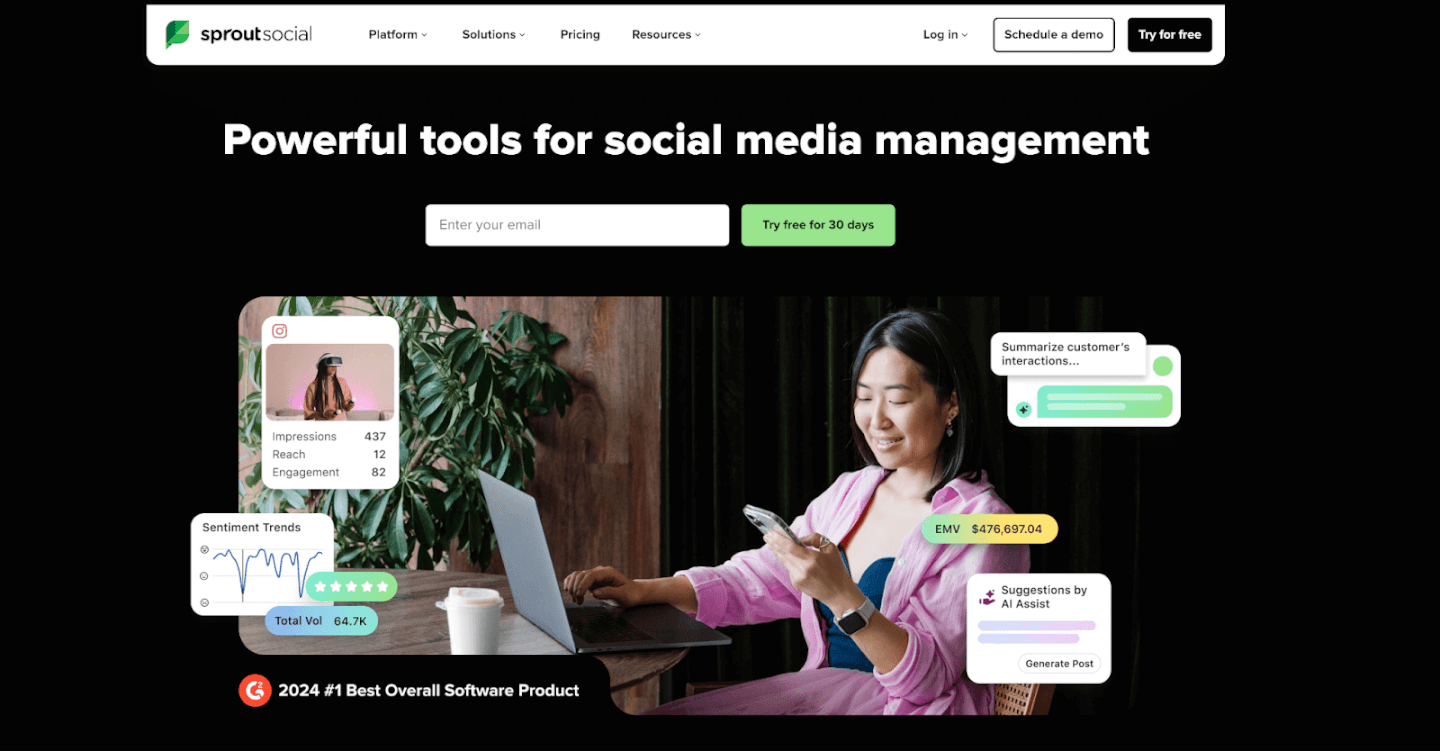
Sprout Social is often hailed as the gold standard for comprehensive social media management – and for good reason. It’s a powerful tool that serves as an Instagram account manager, planner, analytics suite, and team collaboration platform all in one. If you’re managing a growing brand (or multiple brands) on Instagram alongside other social channels, Sprout Social has you covered.
Key features: Sprout Social provides a robust content scheduling system that lets you plan and queue up posts, Stories, and even Reels across multiple Instagram accounts. You can craft posts within the platform and schedule them to publish at optimal times. In fact, Sprout’s proprietary ViralPost® feature analyzes your audience’s engagement patterns to automatically schedule posts when they’re most likely to see them, taking the guesswork out of timing. Sprout also shines in analytics: it offers in-depth Instagram performance reports, tracking metrics like engagement rate per post, hashtag performance, follower growth, and even competitor benchmarks. These analytics aren’t just vanity metrics; Sprout links your social data to business results so you can see the ROI of your efforts (one study found Sprout delivered a 268% ROI over three years for its customers).
On the engagement side, Sprout Social’s Smart Inbox aggregates all your social messages (including Instagram comments, mentions, and DMs) into a single feed. From there, you or your team can respond, assign tasks, or mark messages complete, which is invaluable when managing a high volume of customer inquiries. Collaboration tools include content approval workflows, user permissions, and team content calendars – perfect if you have multiple people creating and approving posts. Sprout even supports product tagging on Instagram (so you can tag your shop items in posts) and integrates social listening tools (to monitor brand mentions or trends).
Why it’s great for brands: Sprout Social is built for businesses that are serious about social media. For an e-commerce brand or Amazon seller expanding into multi-channel marketing, Sprout provides a central hub to manage everything efficiently. The benefit of an all-in-one tool is that you don’t need separate apps for scheduling, monitoring, and reporting – Sprout does it all with enterprise-level reliability. It’s known for an intuitive interface despite its deep features, so even if you’re not a social media expert, you can get up to speed quickly. Sprout is particularly useful if you manage multiple Instagram accounts (say, one for your brand and one for a sub-brand or a personal influencer account) – you can handle them in one dashboard without logging in and out. Also, Sprout’s reports can be exported to share with your team or investors, so you can easily communicate how Instagram is contributing to web traffic or sales. The catch: Sprout Social is a premium tool with pricing that reflects its power (it’s often used by agencies and larger companies). However, many find that the efficiency gains more than pay for the cost, especially if Instagram is a core part of your sales funnel. You can always take advantage of their free 30-day trial to gauge the impact.
CTA: If you’re ready for a pro-level tool, consider trying Sprout Social’s free trial. In one unified platform, you’ll be able to schedule your content calendar, engage your customers, and extract insights that drive smarter marketing decisions. Sprout Social is widely regarded as one of the best apps for Instagram planning and analytics, making it a top choice for brands aiming to scale their Instagram strategy in 2026.
3. Hootsuite

Hootsuite is another heavyweight in the social media management space, and it’s particularly popular among small-to-mid size businesses for its balance of features and affordability. Hootsuite has been around for over a decade, making it one of the most trusted scheduling tools for platforms like Instagram, Facebook, Twitter, and more. If you need a reliable way to manage posts and monitor your Instagram activity without too many frills, Hootsuite is a fantastic option.
Key features: At its core, Hootsuite offers a user-friendly planner to schedule and auto-publish Instagram content. You can create posts (with images or videos), schedule the posting date/time, and Hootsuite will publish to Instagram for you. It also supports scheduling Instagram Stories via push notifications. One of Hootsuite’s signature features is its streams/dashboard interface: you can set up custom streams to monitor different feeds side by side. For example, you might have one stream showing your own Instagram timeline and scheduled posts, another stream showing a hashtag feed (like #YourBrand or #YourIndustry), and another showing all comments and mentions of your account. This multi-column view is super handy to get a quick pulse of everything happening on your Instagram without switching screens.
Hootsuite includes an Inbox for engaging with your audience (similar to Sprout’s, it collects comments and DMs for response). It also provides basic analytics on your posts and audience. You’ll see metrics such as likes, comments, follower growth, and top posts over time. While Hootsuite’s analytics aren’t as in-depth as some competitors, they cover the essentials and can even generate reports or social listening insights if you’re on higher-tier plans. Another perk: Hootsuite integrates with many third-party apps and has an app directory. For instance, you can plug in Canva to design images directly in Hootsuite, or add an app for URL shortening, etc.
Why it’s great for brands: Hootsuite is a tried-and-true tool that saves time and centralizes your efforts. For e-commerce owners and entrepreneurs, Hootsuite’s strength is in efficient scheduling and monitoring. You can plan a week’s worth of Instagram posts in one sitting and trust Hootsuite to publish them at the set times. This frees you up to focus on other parts of your business. The ability to monitor keywords and hashtags means you can keep an eye on customer posts or industry trends (say you want to catch UGC where customers mention your product – set that hashtag as a stream and engage in real time). Also, Hootsuite supports multiple social networks beyond Instagram, so if you’re also posting to Twitter, Pinterest, LinkedIn, etc., you manage it all together. They offer mobile apps too, so you can tweak your schedule or respond on the go. In terms of cost, Hootsuite has tiered plans and even a limited free plan (for very basic use) – making it accessible if Sprout Social’s price tag is too high for you.
CTA: Looking for a one-stop dashboard for Instagram and more? Hootsuite might be your answer. It’s known for its easy scheduling and monitoring capabilities that simplify social media management for busy teams. Sign up on Hootsuite’s website – you can start with a free plan or trial to get a feel for how much time it will save you in coordinating your Instagram marketing.
4. Later

If Instagram is your primary focus, Later is a specialist tool tailor-made for visual content scheduling. Later (formerly Latergramme) rose to prominence as one of the first Instagram scheduling apps to use a visual content calendar. It’s widely used by influencers, small businesses, and e-commerce sellers who care about their Instagram feed aesthetics and timing. Later’s interface and features are built with Instagram and Pinterest in mind, making it a top pick for anyone who wants a simpler, visual way to plan posts.
Key features: Later’s hallmark is its drag-and-drop content calendar. You can upload all your images and videos into a media library, then drag them onto a weekly or monthly calendar view to schedule. This lets you preview how your Instagram grid will look with upcoming posts—a big plus if maintaining a cohesive feed look is important to your brand. Later allows you to schedule posts, carousels, and Stories. For feed posts, it’s an official Instagram Partner, so it can auto-publish images and videos (no push notification needed, as long as you have an Instagram business account connected). For Stories and carousel posts, it will send you a reminder and assist with posting.
Another beloved feature is Later’s Hashtag and caption management. You can save lists of hashtag groups (for example, a set of 15-20 hashtags relevant to “fitness apparel” if that’s your niche) and easily add them to posts. Later can also suggest hashtags based on your captions. Additionally, Later has a “Best Time to Post” feature on its paid plans, which analyzes your past engagement to recommend time slots for scheduling. This can take the guesswork out of choosing posting times. For analytics, Later provides straightforward insights on Instagram performance – showing your top posts, engagement rates, follower growth over time, and even story views. It’s not the deepest analytics suite, but it covers what most small brands need to gauge progress. Importantly, Later also offers a Linkin.bio feature: this creates a mini landing page that replicates your Instagram feed where each post can be clicked to a specific URL. Since Instagram only gives you one link in bio, using Linkin.bio (similar to tools like Linktree) helps drive traffic from multiple posts (great for linking product pages, blog posts, etc., from individual IG posts).
Why it’s great for brands: Later is very easy to use and focuses on the features that matter for Instagram success: consistent scheduling, hashtag strategy, and linking content to conversions. For e-commerce sellers, Later’s Linkin.bio is a valuable way to turn your feed into a shoppable gallery, guiding Instagram followers to your store or Amazon product listings. For example, you can post a photo of a product and, through Linkin.bio, have a direct link so users can “shop the look” – this makes Instagram more directly monetizable. The visual planner ensures your feed stays on-brand and attractive, which is important for impressing new visitors (you want that grid to look good at first glance!). Also, Later has affordable plans (including a free tier for 1 social set and 30 posts per month) – making it friendly for startups and small businesses. It even integrates with Canva, so you can design a quick graphic or edit an image within Later when scheduling.
Overall, Later is like a simplified dashboard that nails the Instagram-specific needs of brands and creators. It doesn’t overwhelm with features you won’t use; instead it helps you plan, polish, and publish content consistently, which is half the battle in social media marketing.
CTA: Ready to save time and stress on your Instagram planning? Give Later a try. With its free plan, you can experiment with scheduling and see your upcoming posts laid out visually. Many e-commerce brands find that using Later helps them stick to a regular posting schedule (since you can batch your content in advance) and grow their audience engagement as a result. It’s a straightforward tool to keep your Instagram content pipeline flowing smoothly.
5. Iconosquare
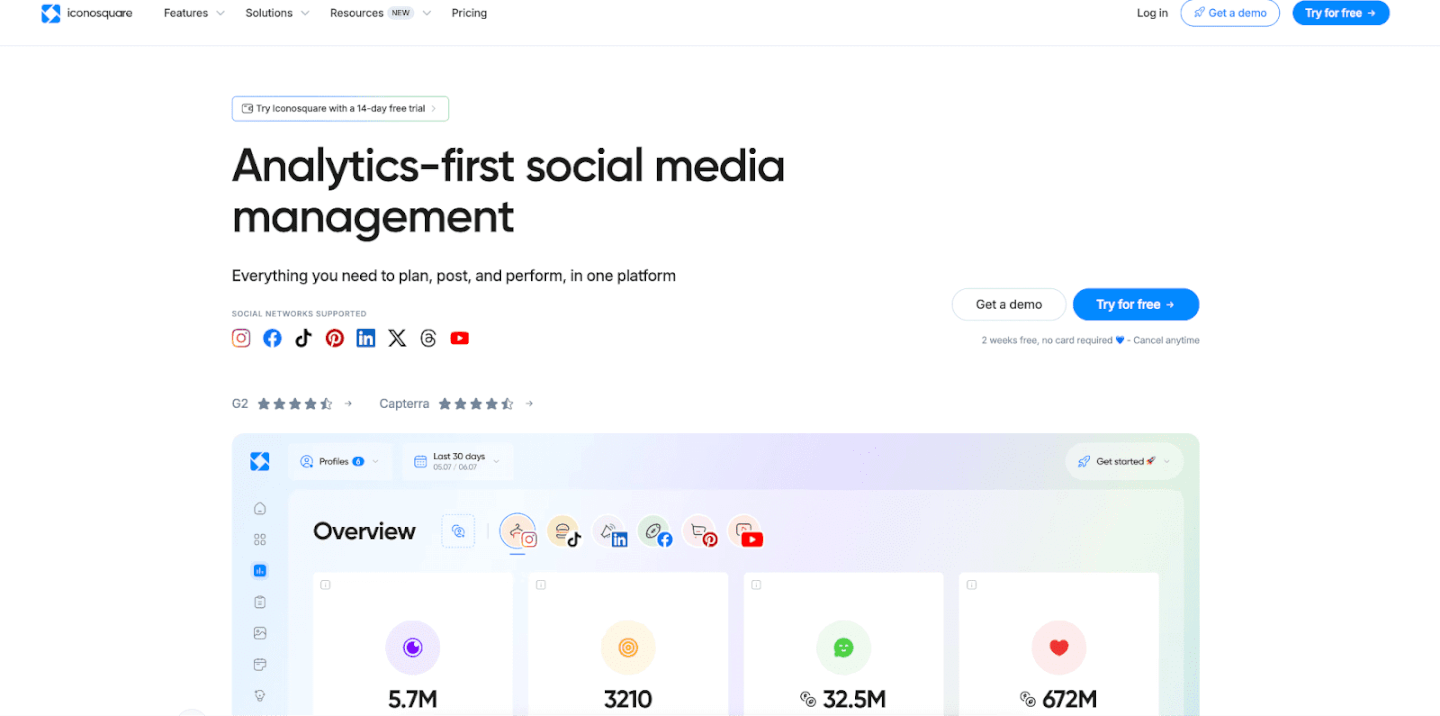
For brands that crave data and insights, Iconosquare is the go-to Instagram management tool. Iconosquare started as one of the first Instagram analytics services and has evolved into a full-fledged platform for analytics, scheduling, and social listening focused on Instagram (and now other platforms too). If you want to truly understand your Instagram metrics and benchmark your performance, Iconosquare provides a wealth of information in an easy-to-digest format.
Key features: Iconosquare’s biggest selling point is its comprehensive analytics dashboard. It dives deeper than Instagram’s native insights, giving you detailed metrics on follower evolution (including how many followers you gained or lost each day, and what might have caused spikes), engagement rate per post, reach and impressions, profile activity, and more. You can track how different content types perform (e.g., do your Reels get more comments than image posts? Are carousel posts saving better?) and even what your best posting times are based on past engagement. Iconosquare also provides competitive benchmarking: you can monitor up to 5 competitor accounts to see how your stats stack up, which is super useful to know if you’re keeping up in your niche.
In addition to analytics, Iconosquare offers a solid scheduling tool. You can schedule posts and Stories, complete with captions and first comments (for hashtags). It will show a preview of your Instagram feed as well. Another neat feature is conversation tracking – Iconosquare can display your recent comments and let you respond, though it’s not as full-featured an inbox as some other tools. For agencies or managers, Iconosquare has a report builder where you can create custom reports (including your logo and branding) to share with clients or team members. These reports can highlight KPIs like follower growth, top posts of the month, or hashtag performance over time. Iconosquare also incorporates social listening and hashtag tracking: you can track specific hashtags or mentions to see related posts, which might help you spot UGC or trends in your audience’s interests.
Why it’s great for brands: In today’s data-driven marketing world, knowing your numbers is key. Iconosquare arms you with the intel to make informed decisions. For example, you might discover through Iconosquare that posts with user-generated content have 30% higher engagement for you than studio-shot product photos – that insight could encourage you to pursue more UGC (perhaps by using a platform like Stack Influence in tandem). Or you might find a hashtag that consistently brings in new followers, informing your content strategy. For e-commerce brands, tracking things like referral traffic from Instagram (Iconosquare can show how your bio link traffic correlates with posts) and conversion metrics can connect the dots between Instagram activity and sales. Iconosquare’s competitor benchmarking is also a boon: if you’re an Amazon seller in, say, the fitness space, you can keep an eye on how rival brands’ Instagram accounts are growing or what content is getting traction for them. This competitive insight helps you stay ahead of the curve.
While Iconosquare is powerful, it’s still user-friendly. The interface is clean and the data visualizations are excellent for quickly grasping performance. It’s ideal for marketers who love to tweak and optimize – if you enjoy digging into which filters, captions, or posting times yield the best results, Iconosquare will be your playground. Even if you’re not a data geek, the tool will make you feel like one by highlighting the key stats that matter.
CTA: To truly get the most out of Instagram, you need to listen to the numbers. Iconosquare offers a free trial, so consider taking it for a spin. You’ll gain clarity on what’s working for your Instagram marketing and what isn’t, helping you refine your approach for better ROI. Remember, knowledge is power – and with Iconosquare’s insights, you can make data-backed decisions to outsmart your competition on the ‘gram.
6. Loomly

Loomly is a rising star in the social media management scene, beloved for its simplicity and collaborative features. It markets itself as a “brand success platform,” which essentially means it helps teams create, schedule, and post content seamlessly. For Instagram, Loomly provides an intuitive content calendar and some handy tools that make content creation easier (especially for teams that might not have a dedicated designer for every post).
Key features: Loomly’s interface is all about the calendar. You get a clear calendar view where each social post (for any platform, including Instagram) is represented on the date it’s scheduled. Creating a post in Loomly is straightforward: you choose the date and time, select which platform (Instagram in our case), add your media and caption, and you’re set. What sets Loomly apart is its guidance and idea suggestions while you create posts. For example, Loomly will suggest trending topics, holidays, or even hashtag ideas as you draft – which can spark content ideas if you’re running low on inspiration. It also warns you of platform-specific requirements (like character limits or image sizes) as you compose, helping avoid errors.
Collaboration is a strong point: Loomly allows you to set up approval workflows. If you have a team where one person drafts the Instagram post and another needs to approve it, Loomly handles that with status labels (Draft, Pending Approval, Approved, etc.) and notifications. Team members can leave comments on each post draft for feedback (so, for instance, your colleague can suggest changing an image or tweaking the caption before it goes live). This is fantastic for ensuring quality and brand consistency when multiple people are involved. Loomly also integrates with Canva and Unsplash for easy design and stock photo access. You can actually open a Canva editor from within Loomly to design a quick Instagram graphic, save it, and it attaches to your post – a huge time-saver for those quick promotional posts or announcements where you need a nice visual but don’t want to fire up Photoshop.
When it comes to posting, Loomly supports direct publishing to Instagram for business accounts. It also offers community management basics: it can consolidate your post comments and let you respond (though it’s not as advanced as something like Sprout’s inbox). Analytics in Loomly are straightforward, covering each post’s performance and your page metrics over time, so you know how you’re doing.
Why it’s great for brands: Loomly hits a sweet spot, especially for small businesses and content teams. It’s user-friendly enough that even if you’re not a social media expert, you can get your content organized and scheduled with ease. The post idea suggestions and calendar reminders (for holidays, etc.) are like having a little social media coach by your side, ensuring you never miss relevant content opportunities. For e-commerce brands that juggle seasonal promotions, Loomly can remind you of upcoming events (e.g., “National Coffee Day” if you sell mugs – could be a fun tie-in post) or big shopping holidays like Black Friday, so you plan ahead. The collaborative workflow means if you’re an Amazon seller who hired a freelance social media manager, you can both use Loomly to stay aligned – the freelancer drafts the posts, you quickly review and approve them in the platform, and everything stays neat and organized. It reduces back-and-forth emails or spreadsheets for planning content.
Loomly is also relatively affordable compared to enterprise tools, with pricing based on the number of users and social accounts – making it scalable as you grow. In essence, Loomly provides structure and efficiency to your Instagram planning. It’s like a marketing calendar that not only reminds you what to post and when, but also helps you actually create that content and ensure it passes QA. That can lead to a more consistent posting rhythm, higher-quality posts, and better engagement from your followers over time.
CTA: If your Instagram content process feels chaotic or disjointed, Loomly could be the game-changer. By organizing your posts in a unified calendar and streamlining team input, Loomly ensures no post slips through the cracks. Give Loomly a try to bring more order and creativity to your Instagram strategy – many brands find that it quickly becomes the “brain” of their social media operations, where ideas turn into scheduled posts that drive results.
7. Agorapulse
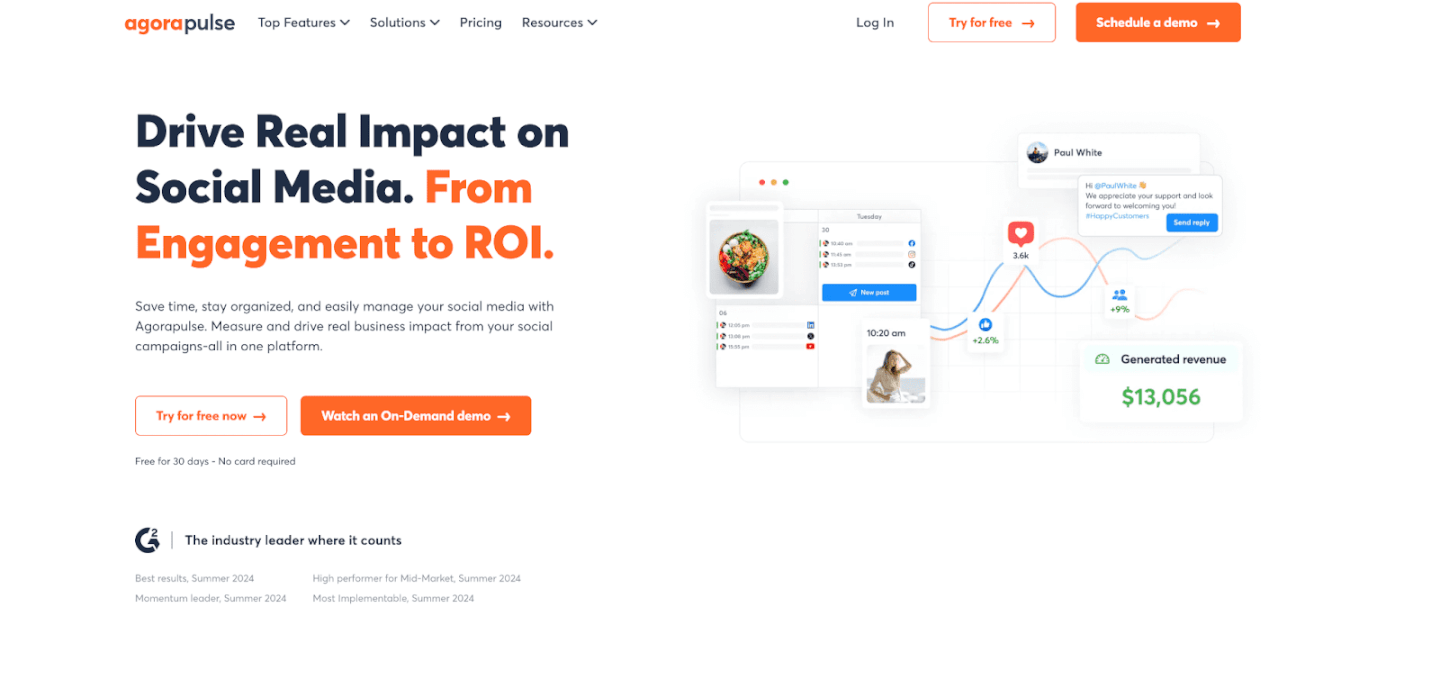
Agorapulse is a comprehensive social media management tool known for its excellent social inbox and moderation features. It’s often mentioned in the same breath as Sprout Social and Hootsuite, but one area where Agorapulse truly shines is helping you manage your incoming engagement efficiently. For brands who get a lot of comments, questions, or even occasional trolls, Agorapulse can be a lifesaver to keep your Instagram community healthy and responsive.
Key features: Like others, Agorapulse includes content scheduling for Instagram – allowing you to schedule or queue posts and Stories, complete with hashtags and @mentions. It also has a content library if you want to store groups of hashtags or frequently used assets. But the star feature is the Social Inbox. Agorapulse consolidates all your Instagram comments, direct messages, mentions, and even replies to your Stories into one feed. From there, you can take actions like reply, like, hide, or assign the conversation to a team member. The interface is akin to an email inbox (read, unread, archived), which is satisfying for those who want that “inbox zero” feeling. You can filter the inbox to just show unread items or specific types (say, only DMs), and you can bulk review or archive items once handled. This makes it incredibly efficient to ensure you’ve responded to everyone who engaged with you. No more scrolling through your Instagram notifications and potentially missing a comment from a customer – Agorapulse catches them all.
Another strength is moderation tools. Agorapulse lets you set up automatic moderation rules. For example, you can automatically flag or hide comments that contain certain keywords (curse words, spam phrases like “Check out my profile”, etc.). This is great to keep your Instagram comments section free of spam or harassment without manual effort. On the analytics front, Agorapulse offers solid reports similar to others – tracking follower growth, engagement metrics, best times to post, reach, etc., with the ability to export these reports for clients or teammates. It also has a competitor analysis feature, and even social listening for Instagram (so you can monitor when your brand is mentioned in captions even if not tagged). Team collaboration is supported with content approval workflows and assignment of messages/tasks. Notably, Agorapulse also has an Instagram contest manager – if you ever run giveaways where people have to comment or use a hashtag, the tool can help pick winners and track entries, which is a nifty add-on for marketing campaigns.
Why it’s great for brands: Agorapulse is ideal for those who view community engagement as a priority. Perhaps you’re scaling up and suddenly getting a lot more comments and messages from potential customers – that’s a good problem to have, and Agorapulse is built to handle it. Quick and thoughtful responses on Instagram can directly impact customer satisfaction and even sales (imagine someone comments asking “Is this in stock?” – a fast reply could be the difference in making that sale). Agorapulse ensures no customer inquiry goes unanswered. In fact, it’s highly regarded for helping social media managers stay on top of customer care. For e-commerce and Amazon sellers, this tool can effectively become your social CRM. You can see conversation history with a user, add internal notes (e.g., “This person is a repeat customer who loves our winter line”), and tag conversations for follow-up.
Additionally, if you advertise on Instagram, Agorapulse will also pull in comments from your Instagram ads into the inbox. This is huge, because those often get ignored by advertisers – but being responsive there can boost your ad credibility and performance. Agorapulse’s emphasis on reliability and support is also worth noting; it’s known to have responsive customer service if you need help (which can’t be said for all tools).
In short, Agorapulse gives you peace of mind that your Instagram presence isn’t just pushing out content, but also actively engaging and managing the community around your brand. That two-way interaction builds loyalty and trust over time – critical for brand longevity.
CTA: If you never want to miss a comment or DM again, Agorapulse is the tool to consider. It offers a free trial and even a limited free plan for small accounts, so you can test how its inbox helps you manage incoming engagement. Many businesses find that with Agorapulse, their customer response times improve dramatically, leading to happier followers and more conversions. Give it a try and experience the calm of a well-organized social inbox!
8. Canva
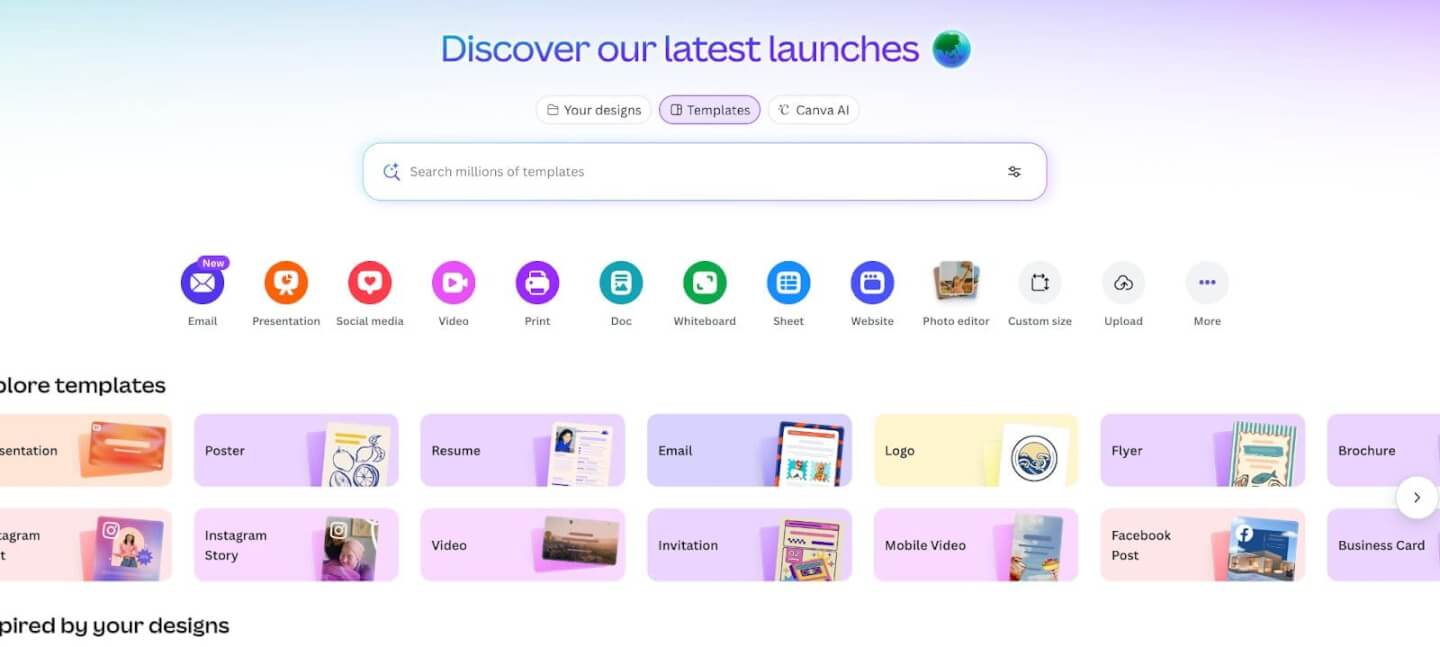
Great content is the heart of Instagram, and Canva has become the go-to design tool for marketers and content creators who need beautiful visuals without a graphic design degree. While not an “Instagram management app” in the scheduling sense, Canva is an essential companion tool to have in your Instagram toolkit. It empowers you (or your team) to create high-quality images, videos, and graphics for your posts and Stories quickly and easily.
Key features: Canva is an online design platform loaded with templates and an easy drag-and-drop editor. For Instagram, Canva offers countless templates tailored to IG post dimensions and Story dimensions – including layouts for product showcases, sale announcements, quote graphics, infographics, and more. You can pick a template, drop in your own images and text, customize colors to match your branding, and voila – a polished Instagram post is ready in minutes. Canva also provides a huge library of stock photos, icons, animations, and fonts, so even if you’re starting from scratch you have creative assets at your fingertips.
For e-commerce needs, Canva has templates for things like collage posts (to show multiple products), before-and-after layouts (useful for beauty or fitness brands), and testimonial quote posts with stylish typography. It even has short video templates and an animation feature – you can create quick video clips or animated Stories to grab attention (for example, a brief “new collection launching tomorrow” Story with text that fades in). Canva’s interface is beginner-friendly, meaning anyone on your team can jump in and create content without specialized training. You can also maintain a brand kit (saving your brand colors, logos, and preferred fonts) so that every design stays consistent with your brand identity – this consistency is key on Instagram for brand recognition.
Another boon: Canva integrates with many of the scheduling tools we discussed (like Later, Loomly, etc.). Some of those tools let you open Canva within them to design a post, or you can export from Canva and then upload to your scheduler. Canva also has a content planner feature itself now (you can schedule posts to Instagram via Canva on certain plans), but its strength is really in creation rather than scheduling.
Why it’s great for brands: In the past, creating professional-looking graphics often meant hiring a graphic designer or learning complex software. Canva disrupts that by making design accessible and fast. For a bustling e-commerce brand, this means you can respond to trends or make last-minute promotional posts in-house. Did a popular meme emerge that you want to riff off with your products? Canva’s there to help you whip up a witty graphic. Need to announce a 24-hour flash sale? Use a Canva template, change the text, and you’re done in 5 minutes. This agility can be a competitive advantage on Instagram, where visual trends and timely content perform well.
Also, consider the role of UGC and influencer content – you might want to spruce up UGC photos with your branding or combine influencer testimonials into a single collage. Canva makes it easy to add overlays, logos, or frames to UGC while keeping it looking native to Instagram. And since Canva is cloud-based, your team can collaborate on designs or share templates. For example, your marketing team can create a template for a “Product of the Week” post, and then each week someone just swaps in the new product image and description. This ensures consistency and saves time.
In a nutshell, Canva helps even “non-creatives” create scroll-stopping Instagram visuals. When paired with a scheduling app, it completes the workflow: create -> schedule -> post -> analyze. Neglecting the create phase isn’t an option on Instagram, and Canva is arguably the best friend of content creators worldwide at this point.
CTA: If you haven’t tried it yet, go to Canva and explore their Instagram templates. There’s a free version that offers tons of functionality (and affordable Pro plans with even more assets). By leveling up your content quality, you’ll likely see better engagement on Instagram (because let’s face it, better visuals = more stopping power when users scroll). Combine those visuals with your strategic scheduling and you have a recipe for Instagram success.
9. VSCO
Instagram’s roots are in photography, and even in 2026, a beautifully edited photo can make your brand stand out in the feed. VSCO is a popular mobile photo editing app known for its gorgeous filters and advanced controls. Many Instagram influencers and creators swear by VSCO to give their photos a unique, polished look. For brand managers who want their product shots or lifestyle images to look more professional and cohesive, VSCO is a handy tool to have on your phone.
Key features: VSCO offers a wide range of preset filters (also called “looks”) that can dramatically improve the aesthetic of a photo with one tap. These filters are more sophisticated than Instagram’s native ones – often mimicking the feel of vintage film or creating a consistent mood. Whether you want a warm, inviting vibe for your home decor products or a cool, minimal vibe for your tech gadgets, VSCO has presets to match. Moreover, each preset can be adjusted in intensity, and you can layer adjustments on top. Speaking of adjustments, VSCO provides manual editing tools that rival some desktop editors: you can tweak exposure, contrast, color balance, sharpness, crop, and apply vignette or grain effects, among others. This means you’re not limited to filters; you have full control to fine-tune an image.
For example, you could take a raw photo of your product, crop it to the right aspect ratio for Instagram, straighten it, bump up the brightness, enhance the colors, and apply a subtle filter that matches your brand’s style – all in VSCO, within a couple of minutes. VSCO also supports video editing and filtering on its premium subscription, so you can give your short video clips a similar color grade as your photos, keeping your feed’s look consistent. Another feature is the VSCO montage and collage tool, which allows you to get creative by layering images or videos, useful for making unique Story content or dynamic posts.
Why it’s great for brands: Consistency is key in branding. Using VSCO, you can develop a signature look for all your Instagram visuals. Perhaps all your photos use the “A4” preset with a slight fade and warm tone – over time, followers recognize that aesthetic and associate it with your brand’s identity. This can set you apart in a crowded feed. Also, high-quality editing simply makes your products look better. Colors pop, textures stand out, and overall the image looks more professional, which can increase viewer engagement. Considering that Instagram is often the first impression of your brand for new customers, you want your imagery to be top-notch.
Another scenario: If you work with content creators or receive UGC, the photos you get might be great but not perfectly on-brand in terms of coloring or exposure. Running them through your VSCO preset can align them with the rest of your feed. VSCO essentially brings some of the power of Photoshop/Lightroom into a simple mobile app. It’s perfect for entrepreneurs or social media managers on the go – you can snap a photo on your phone or camera, transfer it to VSCO, edit swiftly, and then post to IG (or send to your scheduling app) all from your phone while, say, at an event or on the warehouse floor.
Finally, VSCO has a community aspect (people share their edits, etc.), which can inspire you with new ideas for editing styles or creative looks. But even if you ignore the community, the app as a tool is incredibly valuable for maintaining a high bar of visual quality.
CTA: Elevate your Instagram visuals by giving VSCO a try. Download the app (it has a free version with basic presets and a paid membership for the full collection) and experiment with a few of your existing photos. You’ll see how a little tweaking can turn a bland image into something eye-catching. This level of photo polish can be the difference between someone scrolling past or stopping to really look at your post. As an e-commerce brand, that could mean the difference between window shoppers and engaged potential customers.
10. InShot
Video content, especially Instagram Reels and Stories, is dominating engagement right now. But you don’t need a film crew or expensive software to create compelling videos for your brand. InShot is a highly popular mobile video editing app that allows anyone to cut, edit, and enhance videos straight from their phone. It’s perfect for creating short, sharp videos of your products, behind-the-scenes clips, or any content that can bring your brand to life through motion.
Key features: InShot’s interface is simple yet surprisingly powerful. You can import video clips (or photos to make a montage) and then start editing on a timeline. Basic editing tasks like trimming, splitting, or merging clips are very easy – just a matter of tapping and dragging. InShot also lets you adjust video settings such as aspect ratio (e.g., 9:16 vertical for Stories/Reels, or 1:1 square for feed), background colors (blurring or solid color if your video isn’t the exact IG dimensions), and speed (speeding up or slowing down clips).
One standout feature is the text and sticker overlays. You can add animated text to your videos, choose fonts and colors that match your brand, and time the text to appear/disappear at the right moments. This is great for adding captions (important since many people watch without sound) or calls to action in a Reel. InShot has a library of fun stickers and emojis too, which can add personality to Story videos or lighter content. Additionally, you can insert music or voice-overs. InShot provides a selection of royalty-free music tracks and sound effects that you can use as background music for your videos (or you can import your own audio). Synchronizing cuts to music beats or adding a cheerful tune to a product demo can significantly increase a video’s impact.
For more polished editing, InShot allows picture-in-picture, so you could overlay a small video on top of another (imagine a reaction video or before/after side by side). It also has filters and effects for video – similar to photo filters, you can give your video a certain tone or use effects like glitch, vintage film looks, etc., to catch attention in the feed. Once your video is edited, you can export it in high resolution and upload directly to Instagram. The whole process, from shooting a quick clip on your phone to editing in InShot to posting, can take just minutes, making it an ideal on-the-fly content creation tool.
Why it’s great for brands: In the era of Instagram Reels (and TikTok), brands that incorporate short-form video can see huge boosts in reach and engagement. In fact, Instagram’s algorithm has been favoring Reels, meaning a well-done 15-second product demo or unboxing video might get significantly more exposure than a static photo. InShot empowers you to jump into this format without needing professional video editors. For example, an Amazon seller might use InShot to piece together a few customer testimonial clips into a single compelling Reel with captions and music. Or a DTC founder could film a quick “day in the life” or production process snippet and make it engaging with fast cuts and stickers, maintaining viewers’ interest.
The ability to add text is critical – it ensures your message gets across even if sound is off. You can highlight product benefits or discounts right on the video. And because InShot lets you use your brand’s colors and import custom fonts (with a little creativity), your videos can still adhere to your branding guidelines. Another plus: if you collaborate with influencers or content creators who send you raw footage, you can easily splice in your branding (like intro/outro cards or a logo) using InShot, then post it.
Overall, InShot helps your brand tell stories and showcase products in motion, which often conveys more context and emotion than a static image. Users are more likely to pause and watch a fun video, and perhaps visit your profile or site after being entertained or informed. And given attention spans, the fact that you can quickly edit to keep videos snappy is a big advantage.
CTA: Don’t be intimidated by video – embrace it! Download InShot (it’s free with optional paid features) and try editing a short video for your next Instagram post. Even a 10-second before-and-after video or a simple how-to tutorial can perform great. InShot makes it drag-and-drop simple. By incorporating more Reels and Stories edited in InShot, you’ll likely boost your Instagram engagement and reach new audiences, all while showing off your brand’s personality in a dynamic way.
Choosing the Right Instagram Management Tools
We’ve covered a variety of Instagram account manager tools—from full-suite schedulers to creative apps. You might be wondering: which ones do I actually need? The answer depends on your specific needs, resources, and goals. Here’s a quick framework to help you decide and build your ideal Instagram toolkit:
- Assess Your Needs and Team Size: Start by identifying what aspects of Instagram management are most challenging for you. Is it planning and consistency? Then a scheduler like Later or Loomly is a priority. Struggling with responding to all the comments? Consider an inbox tool like Agorapulse. No time to design good visuals? Emphasize creative tools like Canva or VSCO. Also, factor in who’s involved—if you’re a one-person army, you’ll want tools that save you time and possibly combine multiple functions. If you have a small team, focus on collaboration features so everyone can contribute without chaos.
- Consider Your Content Strategy: Different tools suit different content approaches. If your brand leans heavily on influencer marketing and UGC, a platform like Stack Influence (for finding creators) plus maybe Iconosquare (to track how those campaigns affect your metrics) could be invaluable. If you plan to do lots of Reels and video content, then prioritizing video editing tools (InShot) and perhaps a scheduler that supports automatic Reel posting is key. On the other hand, a brand focusing on a curated aesthetic and product photography would benefit from photo editing (VSCO) and a visual planner (Later).
- Look at Feature Depth vs. Simplicity: Some tools, like Sprout Social or Iconosquare, are extremely comprehensive – great for depth but they come with a learning curve and a higher price. If you’re a data junkie or managing multiple brands, those can be worth it. However, if you’re just starting out, a simpler tool that nails the basics (like Hootsuite for scheduling or Canva for content) might give you more immediate value. It’s okay to start with a lean setup. You can always upgrade as your Instagram operations mature. Ease of use is crucial: the best tool is the one you’ll actually use consistently. Many tools offer free trials – take advantage of those to test the interfaces.
- Budget and ROI: Outline your budget for tools. Some costs might be justified by the time saved or the results gained. For example, a paid scheduling tool might cost $30/month, but if it saves you 5 hours a month and helps increase your posting frequency (leading to follower growth), it likely pays for itself. Also, some tools have free tiers (Canva, Later, Hootsuite basic) – you can mix-and-match a few free tools initially. Prioritize the tool that addresses your biggest pain point even if it costs a bit, because resolving that will free you up to focus on other areas. Remember, investing in your Instagram presence can directly translate to more revenue when done right, as more engagement can mean more site traffic and conversions.
- Scalability and Support: Think about the future – can the tool grow with you? If you plan to expand to other platforms or add more team members, choose tools that offer those capabilities. Additionally, consider the quality of customer support and the community around a tool. For example, Sprout Social and Agorapulse are known for responsive support, which can be a lifesaver if you run into issues during a big campaign. Tools that frequently update with new features (like accommodating Instagram API changes or new features like Reels) are also important – you don’t want a tool that lags behind the platform’s evolution.
By reflecting on these points, you’ll narrow down the options to the ones that align with your brand’s workflow. Sometimes the answer is a stack of tools – maybe you use Canva + Later + Agorapulse together because each serves a different purpose. That’s perfectly normal. The end goal is to create an ecosystem that makes managing Instagram efficient and effective, freeing you to focus on creating great content and engaging with your customers.
And remember, no matter which tools you choose, the human element remains crucial. Tools will handle the scheduling, the reminders, the number-crunching – but your creative vision and authentic voice are what will truly make your Instagram thrive.
Conclusion to Instagram Account Manager Tools
Managing an Instagram account in 2026 might seem like juggling a dozen balls at once—content creation, scheduling, hashtags, comments, DMs, analytics, influencers, and more—but with the right tools and strategy, it becomes not only manageable, but a game-changing asset for your business. We’ve explored how Instagram account manager tools can save you time, enhance your content, and grow your presence: from scheduling apps that streamline your workflow and boost ROI, to analytics platforms that illuminate what’s driving engagement, to creative tools that ensure every post looks on-point. The key takeaway is that investing in these tools is an investment in your brand’s growth.
For e-commerce brands and Amazon sellers especially, a well-run Instagram can translate directly into traffic and sales. It’s where you build a community around your products, showcase your brand’s personality, and earn trust through consistent engagement and UGC. Micro influencers and UGC content have become secret weapons for brands of all sizes – remember that micro influencers often deliver far higher engagement and authenticity, giving you more bang for your buck. Incorporating that into your Instagram strategy (with platforms like Stack Influence or simply by encouraging customers to share posts) can take your marketing to the next level. When shoppers see real people loving your product on Instagram, they’re more likely to become customers themselves. In fact, a huge portion of consumers actively seek out this kind of content before purchasing – 63% of Amazon shoppers check social media (like IG) for product research. That’s a compelling reason to get your Insta-game in top shape!
Now, with all this knowledge, it’s action time. Pick one or two tools from the list and try them out this week. Maybe start with a free Canva design for your next post, or schedule a week’s worth of content in Later to see how it frees up your schedule. If you’ve been drowning in DMs, test Agorapulse’s inbox and feel the stress melt away as you hit inbox zero. The difference will be immediately noticeable: more consistency, less stress, better engagement.