


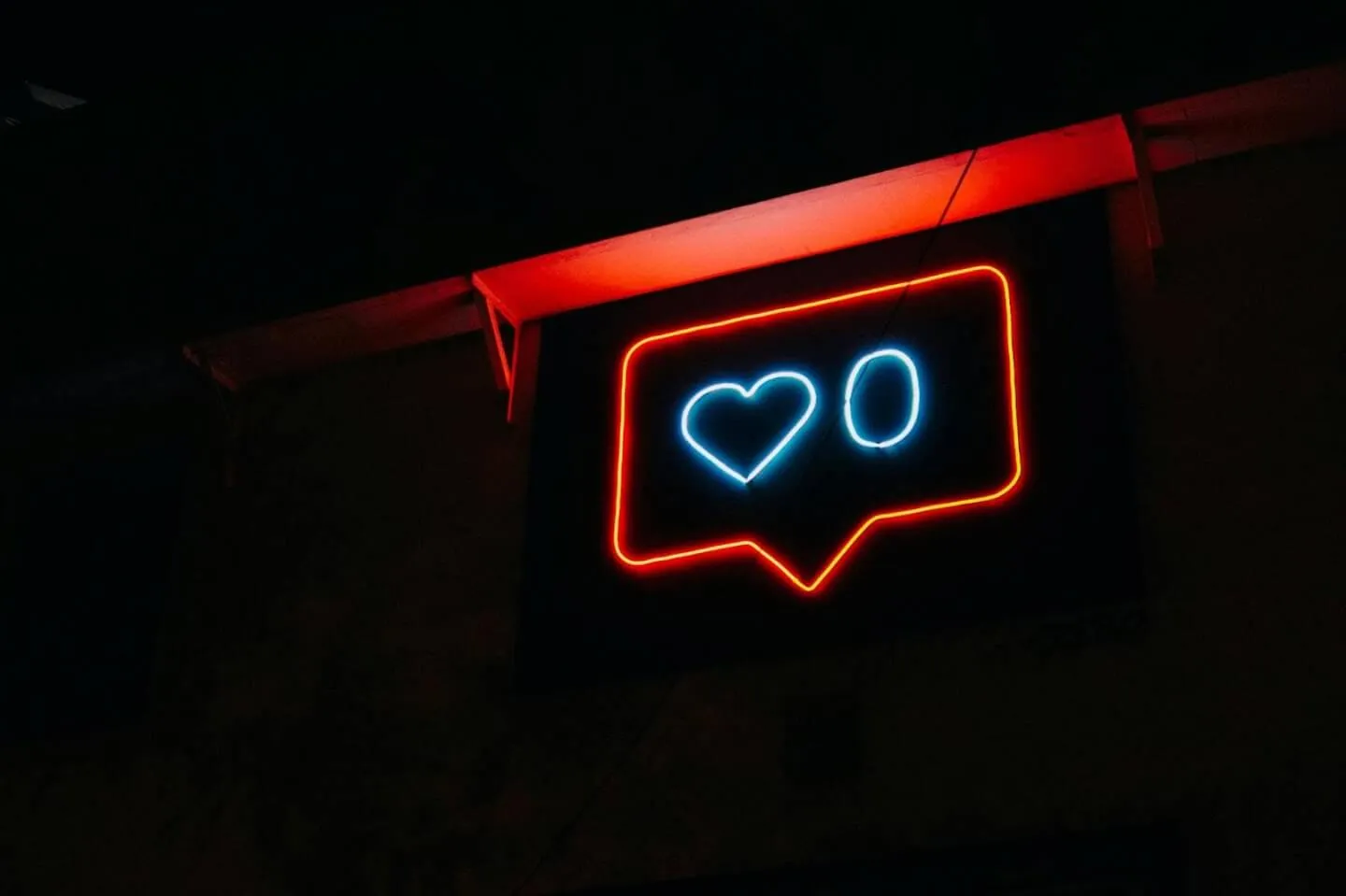
As Instagram continues to evolve, one notable feature is the ability to hide like counts on posts. Knowing how to hide likes on Instagram can be valuable for micro influencers, content creators, e-commerce brands, Amazon sellers, and anyone aiming to focus on authentic engagement over vanity metrics. Hiding Instagram likes can reduce social pressure and help shift attention toward content quality and meaningful interactions. In this comprehensive guide, we’ll explain why you might want to hide likes, and provide a step-by-step walkthrough on hiding like counts on Instagram – both on your own posts and on posts you see in your feed – with plenty of tips for influencer marketing and UGC (user-generated content) along the way.
Why Hide Likes on Instagram?
There are several reasons creators and brands choose to hide Instagram likes:
- Reduce Social Pressure for Mental Health: Studies have shown that Instagram likes can impact users’ well-being and self-esteem. Constantly comparing like counts – especially against popular influencers or celebrities – can lead to negative feelings. By hiding like counts, Instagram aims to “depressurize” the experience and foster a healthier, less competitive environment. Instagram’s CEO Adam Mosseri noted the goal is to reduce the pressure people feel and let users focus on inspiration and connection rather than competition. This is particularly beneficial for younger users and creators who might base self-worth on likes.
- Focus on Content Quality and Authentic Engagement: Likes are often considered a “vanity metric.” Double-tapping a post is an almost reflexive action, so a high like count doesn’t always mean deep impact. In fact, likes have “very little importance” when measuring overall Instagram performance. By hiding likes, creators can worry less about reaching a certain number and more about creating quality content. Many influencers report feeling less pressure and more freedom to be creative when like counts are hidden. As one content creator observed, it allows her to “focus on creating quality content” without the stress of chasing likes. Another influencer noted it’s “a breath of fresh air” to create authentic content without seeking validation through like numbers. Instead of obsessing over likes, you can emphasize genuine engagement – for example, meaningful comments, shares, or saves, which indicate that your content resonated on a deeper level.
- Encourage Community and UGC Engagement: Removing public like counts can lead to a more authentic community atmosphere. Followers may feel more comfortable engaging with posts (through comments or creating user-generated content) when they’re not influenced by the “popularity” (like count) of a post. Instagram itself has noted that hiding likes helps people “focus on connecting with people and things that inspire them” rather than worrying about what’s most liked. For brands and Amazon sellers, this can mean a feed that emphasizes customer content and testimonials (UGC) without low like counts undermining perceived credibility. The focus shifts to the quality of the content and discussion, which is far more valuable for building trust in e-commerce.
- Shift Influencer Marketing Metrics: In influencer marketing campaigns, success should be measured by conversions, reach, and engagement quality – not just likes. Many micro influencers and brands already track metrics like comments, saves, click-throughs, and sales generated. Hiding likes can reinforce this healthier perspective. It’s no surprise that marketing experts consider comments and shares much stronger indicators of influence than likes. As the social media team at Stack Influence (a leading micro-influencer marketing platform) often reminds creators: substance beats superficial metrics. Removing like counts can help both influencers and marketers focus on what truly drives ROI (such as authentic engagement and content performance) rather than chasing thumbs-up counts.
How to Hide Likes on Instagram (Step-by-Step)

Instagram gives you control over hiding like counts in two ways: (1) hiding likes on other people’s posts in your feed, and (2) hiding like counts on your own posts (either when posting or after posting). Below, we break down how to do both. Follow these simple steps to turn off or hide like counts on Instagram:
Hiding Likes on Others’ Instagram Posts in Your Feed
If seeing others’ like counts tempts you to compare or you simply find it distracting, you can disable like counts on posts you view in your feed. This will make Instagram show “Liked by and others” instead of a number. Here’s how to hide likes on others’ posts:
- Open Settings: Go to your Instagram profile and tap the menu (the three-line ☰ “hamburger” icon) in the top-right corner. In the menu, tap Settings. (On newer versions of Instagram, Settings may be under Settings and privacy.)
- Navigate to Posts Privacy: In the Settings menu, select Privacy, then scroll down and tap Posts. This is where you can control settings for likes and other post interactions.
- Hide Like Counts: Under Posts, find the option labeled “Hide Like and View Counts”. Toggle this switch on (so it shows as active). This setting will hide the like counts and view counts on posts from other accounts in your feed. Now when you scroll your Instagram feed, you’ll no longer see total like numbers on others’ posts – it will simply say “and others” instead of a specific figure.
Hiding Likes on Your New Instagram Posts (Before Publishing)
Creators can also hide the like count on their own posts so that followers cannot see how many likes the post receives. If you prefer to publish without any public like count, you can do this for each post. You have the option to turn off the like count while posting. Here’s how:
- Start a New Post: Begin creating a post on Instagram as usual (choose a photo/video, apply edits, etc.). On the final screen where you write a caption, tag products, or add a location, scroll down to find Advanced Settings.
- Hide Like Count: In Advanced Settings, locate the toggle option that says “Hide like and view counts on this post.” Switch that toggle to the on position. (When enabled, this will also hide view counts for videos on this post. Note: as of 2026, Instagram Reels do not support hidden like counts – this setting applies to feed posts, not Reels.)
- Post as Usual: Go back and share your post. With the hide likes setting turned on, your followers will not see the number of likes that your new post accumulates. If at any point you decide you do want to display the likes, you can always toggle the setting off later for that post (see next section).
Pro Tip: In the same Advanced Settings menu, you have other useful controls like turning off commenting for that post or adding alt text for accessibility. It might be worth exploring these if you want further control over interactions on your content.
Hiding Likes on Your Existing Instagram Posts (After Publishing)
Maybe you’ve already posted something and forgot to hide the like count, or you changed your mind about displaying the likes on a particular post. No worries – Instagram lets you hide like counts even after a post is live. To hide likes on an existing post:
- Open the Post Menu: Navigate to the Instagram post on your profile that you want to update. Tap the “⋮” three-dot menu icon at the top-right of your post (just above the image/video).
- Select “Hide like count”: In the menu that appears, tap Hide like count. Instantly, the public like tally on that post will disappear. Followers will now see “Liked by and others” instead of a number.
- (Optional) Explore Other Post Settings: The three-dot menu is handy for other post controls as well. For example, you can retroactively turn off comments on that post, edit the caption, pin the post to your profile, or even delete the post if needed. Feel free to take advantage of these options to manage your content and engagement.
That’s it – with these quick steps, you can hide likes on any new or existing Instagram post. You remain in full control of which like counts are visible on your profile.
Can You Still See Your Likes After Hiding Them?
One common question is what happens to your analytics when you hide likes. The good news is that only the public-facing counts are hidden – privately, you can still monitor how your content is performing. Even if you hide like counts on Instagram, you (the content owner) can still see the number of likes your posts received, and so can anyone with access to your account’s insights.
- In-App Post Insights: If you have a Business or Creator account on Instagram, you can view your post metrics anytime in the Instagram Insights dashboard. Simply go to your profile and tap Insights, then look at the metrics for recent posts. You’ll still see the like counts (along with comments, reach, etc.) for your content. Hiding the likes from the public doesn’t remove them from your analytics – it just keeps the numbers private.
- Third-Party Tools: Likewise, any social media analytics tools (including Instagram’s partners or services like Sprout Social, Hootsuite, etc.) will continue to report your like counts in their data. For example, Sprout Social’s reporting dashboard can show how many likes your account or posts received over time, even if those likes are hidden on the Instagram app. So from a measurement perspective, nothing is lost – you can still track growth and engagement trends for your Instagram marketing or influencer campaigns.
- Your Followers’ View: To confirm, when you hide likes it only affects what others see. Your followers won’t see a number, but you will see “### likes” on your own post (or in Insights). If you ever choose to unhide the like count, it will update and show the accumulated number to everyone again.
In summary, hiding likes offers a more private and focused experience for viewers without sacrificing your ability to gauge performance internally. This balance is why many micro influencers and brands feel comfortable hiding likes – it curbs unhelpful social comparison while still letting them measure content success behind the scenes.
Does Hiding Likes Affect Engagement?

One concern for influencers and brands is whether hiding like counts will affect engagement rates or user behavior on Instagram. Will people stop liking posts if they can’t see counts? Will your overall engagement drop? The reality is nuanced: some studies observed a slight decline in total likes when Instagram experimented with hidden likes, but the impact isn’t as dramatic as you might think, and it varies by audience. Here’s what the data shows:
In 2019, Instagram trialed hiding likes in several countries. A study by HypeAuditor analyzed over 154,000 influencers’ accounts to see what changed. In some regions, influencers experienced up to a 25–30% drop in like counts during the test, while other areas saw little to no change. For example, Brazilian mid-sized influencers saw a significant decrease (in one tier, roughly a 29% drop in likes) whereas British influencers saw almost no drop on average. Micro influencers (5k–20k followers) in particular generally saw only minor decreases in like activity – in the UK there was just a 3.7% decline, while Brazil saw about a 15% decline for that tier. These mixed results suggest that hiding likes can lead to slightly fewer likes given, but it doesn’t uniformly tank engagement. Factors like user demographics and how people use the platform play a role.
Importantly, a dip in “likes” doesn’t necessarily mean a dip in overall engagement or campaign success. Many marketers argue that if hiding likes causes some users to like fewer posts, those users might be focusing on other actions – like leaving comments or sharing content. In other words, the quality of engagement may improve even if the quantity of double-taps goes down. As one social media coach noted, “comments are more genuine engagement and that’s what I focus on now” rather than likes. In countries where likes were hidden, some creators observed no major negatives; in fact, some saw improved interaction in terms of comments and authentic conversations. The general consensus from early testers was that this change was positive, especially among younger audiences who felt it made Instagram a healthier space.
From an influencer marketing standpoint, hidden likes have not proven to hurt influencer performance. Brands and influencers have adapted by sharing metrics internally when needed. If an influencer’s like counts are hidden, they can simply include that data in reports to brands (e.g. screenshotting their Insights or using a platform that shows hidden metrics). In fact, many in the industry see this shift as “not necessarily a negative change” for influencer marketing. It forces marketers to look beyond one superficial metric and evaluate influencers on content quality, audience fit, and genuine engagement (comments, clicks, conversions). These are the metrics that truly matter for ROI – and those remain as accessible as ever.
Bottom line: Hiding likes might slightly reduce the number of passive likes your posts get, but it does not hinder meaningful engagement. If your content is compelling, people will still interact with it (through comments, shares, saves, and other actions). In some cases, removing the public scorecard even improves community interaction by encouraging a focus on conversation over competition.
Should You Hide Instagram Likes?
Now that you know how to hide likes on Instagram and the potential effects, the final question is: Should you do it? On the other hand, you might choose not to hide likes if you find that the visible social proof actually helps your engagement (for instance, some influencers feel a high like count can attract even more engagement in a snowball effect). It can also be useful for new influencers to publicly showcase engagement when pitching to brands – though even then, most brands care about more than just likes. If you do leave likes visible, just remember not to overly fixate on them. Whether visible or hidden, likes are one of the least important metrics for success on Instagram. Far more critical are metrics like comments, shares, saves, swipe-ups, story interactions, and link clicks – actions that reflect deeper interest and drive outcomes.
In conclusion, hiding likes on Instagram is a personal and strategic choice. Instagram has given users control so you can decide what’s healthiest for your mental state and best for your content strategy. Many micro influencers and brands are embracing the change as it cultivates a more authentic atmosphere for influencer marketing and user-generated content. As marketers at Stack Influence like to remind clients, the true mark of success on social media is quality engagement and influence, not a counter of hearts. If hiding likes helps you achieve a more positive online presence and focus on what matters (building real connections and delivering value), then flipping that switch might be a great move in 2026.